.avif)

8 Best Conference Lead Capture Tools for 2026
On This Page
Scanning badges feels like capturing leads. It isn't. Here is why most event pipelines stall before reps leave the floor, and what the fix actually looks like.
Conference lead capture is the process of collecting contact and intent data from prospects at events and routing that data into a sales workflow, in real time, without a manual step in between. Most teams think they have this covered. They don't.
The gap between "we scanned badges" and "we have pipeline" is where event budgets quietly disappear. Understanding why that gap exists, and how it opens, is the first step toward closing it. Conference lead capture replaces paper forms and post-event data entry with digital collection methods that push contact information directly into a CRM at the moment of interaction.
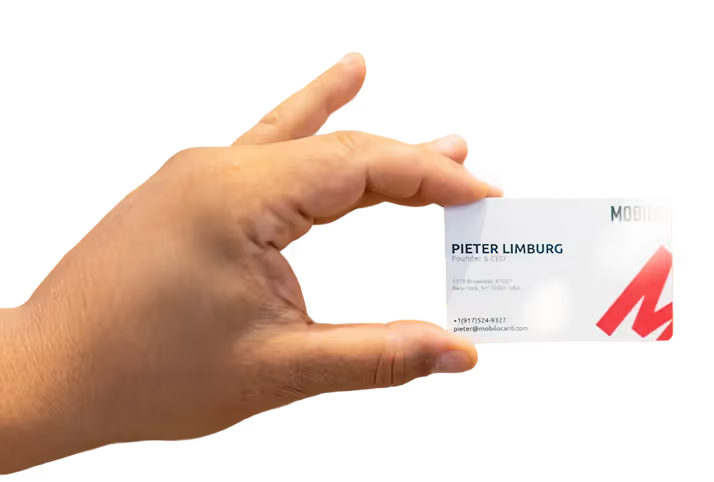
See our digital business card for how this works in practice.
Badge scanning, QR codes, NFC taps, and self-check-in flows all serve this same function: remove the human memory step from the data transfer. The operative word is real-time. A contact captured during a live conversation, routed instantly into a CRM record, is a fundamentally different asset than a business card sitting in a jacket pocket. One is actionable. The other depends entirely on what happens next. Badge scanning reads an encoded identifier from an event-issued badge, usually via a mobile app, and maps it to the attendee's registration record.
QR codes work similarly. NFC taps, used by tools like tap-to-share cards, transfer contact data the moment two devices, or a card and a phone, make contact. Each method moves data without asking the rep to type anything. That design choice is the entire point. According to a LinkedIn-cited industry figure, 80% of all trade show leads receive no follow-up. That number is not a rep motivation problem.
It is a structural outcome of workflows that insert a manual step between the conversation and the CRM record. Every hour a rep waits to log a contact, intent decays and context is lost, and by the time they open their laptop at the hotel, the urgency to act is gone with it.
"Teams struggle to manually track lead conversations across platforms, losing visibility into who was contacted and when, a core failure mode in conference and outreach lead capture."
80% of trade show leads get no follow-up
Key takeaways
- 90% of new conference contacts never reach a CRM, not because reps are lazy, but because any workflow that requires manual effort gets skipped the moment the booth gets busy.
- Badge scanning is not lead capture. Scanning tells you who walked by; capture means that contact is enriched, routed, and sitting in a rep's pipeline before the show floor closes.
- The real evaluation question for any lead capture tool isn't about features, it's about which exact step will cause a rep to pocket their phone instead of logging the lead.
- Every action you ask a rep to complete after a conversation ends, typing a name, writing a note, exporting a CSV, is a dropout point. Fewer steps is the only strategy that survives event-floor pressure.
- Post-event reports look thin not because the event underperformed, but because most of what happened on the floor was never captured in the first place.
- Subscription cost is rarely the biggest line item. The leads that never entered your CRM because the tool added friction cost more than any annual plan.
- Mobilo's Contact Exchange closes the loop: when someone taps or scans a Mobilo card, their information is captured and stored automatically, feeding directly into your CRM with no manual entry required.
What to Look for in Conference Lead Capture Software Before You Buy
Walk onto any busy show floor and the evaluation question that actually matters isn't "does this tool scan badges?" It's "at which exact moment will this tool fail my reps when the booth is crowded, the Wi-Fi drops, and follow-up is already 48 hours behind?" The common assumption is that the problem is rep discipline: if reps would just enter their leads promptly, the data would flow and events would prove ROI.
But research into trade show follow-up workflows shows that the majority of trade show contacts never reach a CRM, and the cause is almost never rep laziness. It's workflow design: every manual step between a live conversation and a synced record is a dropout point waiting to happen under pressure. The fix is to capture leads from events and field meetings directly into the CRM pipeline without relying on reps to manually log contacts, and to arm field marketing and event teams with tools that feed data directly into that pipeline from the moment of the first tap.
CRM Integration Depth - Native Field-Mapped Sync for Salesforce, HubSpot, and Marketo
Native, field-mapped CRM integration is the only standard worth evaluating against. Tools that rely on CSV exports reintroduce the manual-entry bottleneck they were supposed to eliminate. What most teams report about trade show follow-up workflows confirms that this reintroduction of manual steps degrades data quality regardless of how quickly reps attempt the entry.
The right question to ask any vendor: does a contact created at the booth appear in Salesforce, HubSpot, or Marketo with the correct fields populated, automatically, with zero rep action after the tap or scan? Mobilo's Teams and Business plans both include lead enrichment, lead capture and management, unlimited leads and contacts, and 6,000 integrations through Zapier, meaning the connection between a booth tap and a CRM record is automated, not dependent on a rep remembering to export a file at the end of a long day. The Business plan ($5/month, billed annually) layers on enterprise SSO and HR directory sync for organizations that need tighter identity governance across a large field team, while the Teams plan ($4/month, billed annually, marked Popular) covers the same core integration stack for teams that don't yet need those enterprise controls.
Both plans support unlimited team members and include 24/7 customer support, so there is no ceiling that forces a workaround as headcount grows.
Offline-First Architecture - Capturing Leads When Wi-Fi Fails
Offline lead capture is not a premium feature. It is a baseline requirement. Convention center Wi-Fi is notoriously unreliable at peak hours, precisely when booth traffic is highest.
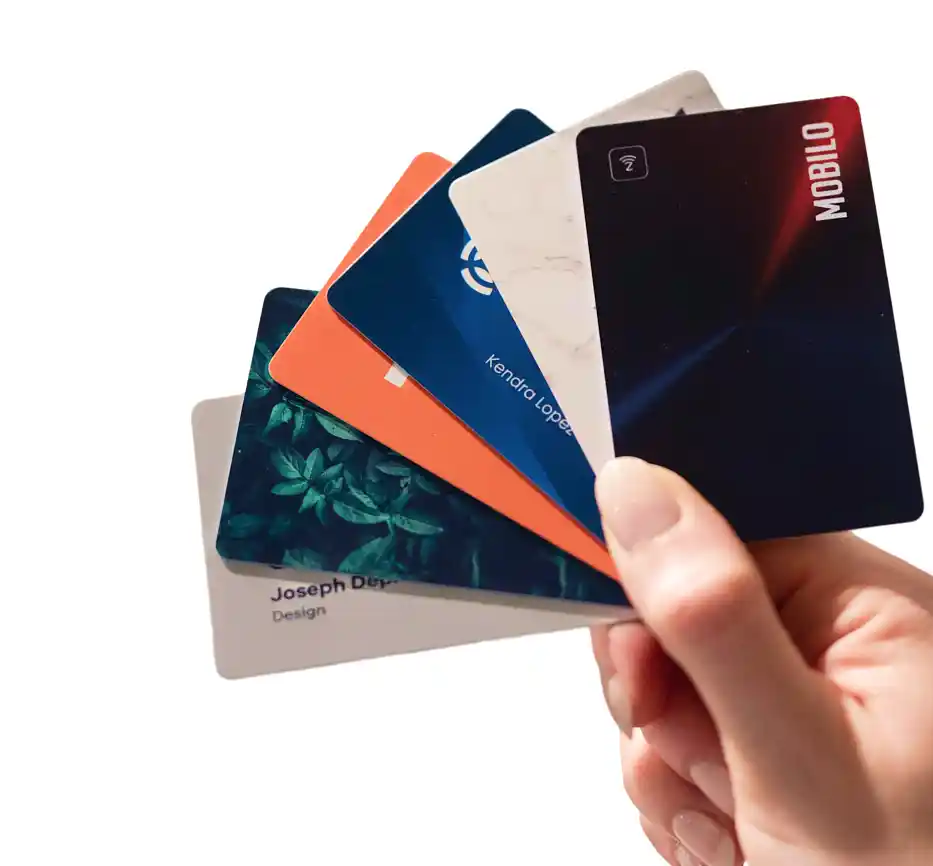
The only acceptable design is local storage with automatic sync once connectivity returns, so a rep who captures 40 contacts during a Wi-Fi outage loses none of them by end of day. Both the Teams and Business plans include no-internet QR sharing, which means reps can exchange contact data and capture leads even when the venue network is down. A rep carrying a Team, Custom Design NFC Card with QR Code or a Team, Metal Custom Design Card can tap or scan without a live connection, and the lead still enters the pipeline once connectivity is restored, with no manual re-entry required.
Any overview of trade show lead management and CRM reinforces why this matters: a capture workflow that depends on reliable Wi-Fi is not a workflow; it is a gamble.
Real-Time Qualification Fields - Budget, Timeline, and Interest at Point of Conversation
Lead capture apps that support custom qualification questions allow reps to log budget range, purchase timeline, and product interest while the conversation is live, not reconstructed from memory that evening. Badge scanners collect contact information; they do not collect context. Across the market, the pattern holds: reps forced to reconstruct qualification context after the event produce degraded data, and degraded data means degraded pipeline.
Mobilo addresses this directly: both the Teams plan and the Business plan include custom lead capture forms, so managers can build qualification questions into the capture flow itself. A rep taps, the contact is created, and the qualification fields are right there in the same interaction, not a second step, not a note in a notebook. The Business plan adds custom-built landing pages (requires 100 seats or more) and brandable QR codes, giving enterprise event teams a consistent, branded capture experience that feeds structured data into the CRM rather than unstructured notes.
The Teams plan includes brandable QR codes and custom lead capture forms at $4/month per member, billed annually, making that structured qualification layer accessible well before a team scales to enterprise size.
Conference Lead Capture Tool Evaluation Checklist
Before committing to any platform, score each vendor against these five criteria:
Any vendor that scores two or more Fail marks should be removed from your shortlist before pricing conversations begin. On the Mobilo side, the Teams plan includes team management, central billing, insights and analytics, a paper business card scanner, Apple/Google QR code widget, free digital wallet card, and email signatures, all at $4/month per member, billed annually, so the full checklist above maps directly to features that ship with the plan rather than features that require an upsell conversation.
Analytics and Attribution - Connecting Event Spend to Pipeline Revenue
Event attribution analytics are what separate a lead capture tool from a lead capture and accountability tool. Capturing contacts is the beginning of the workflow, not the end. Without structured reporting that connects a specific event, rep, or card tap to downstream pipeline activity, marketing leaders have no defensible answer to the question every CFO eventually asks: what did this event actually produce?
The failure mode here is familiar. Teams capture leads, sync them to the CRM, and then lose the thread between the original capture event and the opportunity it became. The event gets credited with a headcount number, not a revenue number, and the next budget cycle becomes a negotiation based on attendance figures rather than pipeline data.
Both the Teams and Business plans include insights and analytics, which means managers can view lead activity across the team, not just individual rep totals. The Business plan adds advanced analytics and reporting for organizations that need event-level attribution broken down by rep, card, or campaign, feeding the kind of structured data that makes a post-event ROI conversation with finance a presentation rather than a defense. When a rep using a Team, Custom Design NFC Card taps a contact at a booth, that tap is timestamped, attributed, and trackable through the pipeline, giving the event team a clear line from the physical interaction to the CRM record to the eventual opportunity.
At $4/month per member on the Teams plan and $5/month on the Business plan, both billed annually, neither plan gates analytics behind a separate reporting module or requires a third-party dashboard to answer the basic attribution question. The data that justifies the event budget lives in the same platform that captured the leads in the first place.
The 8 Best Conference Lead Capture Tools for 2026
Feature checklists feel like the right comparison axis until you're standing in a convention hall at 4pm on day two, watching a rep pocket their phone rather than open another app. That moment is where most conference lead capture strategies actually fail, and it has nothing to do with which logos appear on an integrations page. The failure point is friction.
The vast majority of new contacts never make it into a CRM after events, not because reps are disorganized, but because every tool that requires a manual step after a conversation will be skipped under event-floor pressure. The right question when evaluating any tool on this list is not "what can it do?" It is "which specific pipeline leak does it seal, and does it seal it without adding a step for the rep?" The eight tools below are organized around that question. Each earns its slot by solving a distinct failure mode, not by having the longest feature list.
1. Mobilo Card - Best NFC + QR Lead Capture for Enterprise Teams
Most sales teams accept a post-event data-entry queue as a discipline problem rather than a design problem. The hidden cost surfaces at scale: at 400-plus reps across multiple annual conferences, every conversation that ends with a paper card exchange or a delayed app entry is a recoverable pipeline record that disappears. Mobilo Card's NFC and QR tap-to-capture workflow makes the contact exchange itself the CRM entry event.
One tap, one synced record, zero follow-up steps required from the rep. Removing manual entry labor and badge-scanner rental costs from the equation unlocks substantial annual savings per rep, a benefit that compounds across a large field team and is consistent with the $400–$600 per-rep per-event badge scanner rental cost cited independently by Zuddl's trade show analysis. The lead capture workflow delivers the most measurable ROI when a team attends events regularly, multiple conferences per year, and needs structured, same-day follow-up routed automatically without asking anything of the rep in the moment.
For teams attending a single annual event, the per-rep hardware investment may not recoup within that window. The one real trade-off: the NFC card is a one-time hardware investment, so the economics favor teams with a consistent event calendar rather than organizations that attend a single conference per year.
Captello, Best for Deep Lead Qualification at Trade Show Booths.
$400–$600 per-rep badge scanner rental cost per event
2. Captello - Best for Deep Lead Qualification at Trade Show Booths
Captello is built for exhibitors who need more than a name and email from a badge scan. Its strength is configurable qualification logic at the booth level: reps can walk through custom question sets, score leads by interest level, and attach notes while the conversation is live. That context travels with the record into the CRM rather than sitting in a rep's memory until Monday morning. The trade-off is setup complexity. Captello rewards teams that invest pre-event time in configuring their qualification forms and CRM field mapping; teams that show up and wing it will underuse it.
3. iCapture - Best for Offline Badge Scanning with Instant CRM Push
The platform uses human-verified transcription to validate badge-scan data before it reaches the CRM, catching the OCR errors and incomplete records that make bulk badge-scanner exports so painful to clean. iCapture's own case study library documents consistent reductions in post-event data-cleaning time for exhibitors in regulated industries, the most auditable proof point available for this claim until independent benchmarks are published.
For industries where a misspelled company name or wrong title creates compliance or routing problems, that verification layer is worth the premium. iCapture also functions offline, syncing automatically when connectivity returns, which matters on crowded show floors where Wi-Fi is unreliable. It is not the lightest tool in this list, so single-rep or low-volume teams will find it oversized for their needs.
4. Blinq - Best Digital Business Card for Individual Conference Networkers
Blinq focuses on AI-enhanced scanning to reduce manual data entry, making it a strong choice for individual contributors who attend conferences independently and want a fast, clean contact-sharing experience. The digital profile updates in real time, so a rep who changes roles does not hand out stale information. Where Blinq shows its limits is at the team level: manager dashboards, centralized provisioning, and CRM field mapping are thinner than what a Sales Director managing a distributed team needs. It is the right pick for a high-performing individual rep; it is the wrong infrastructure decision for a 50-person field sales org.
5. Zuddl - Best All-in-One Event Platform with Built-In Lead Capture
Zuddl is an event management platform that includes lead capture as one layer of a broader stack covering registration, agenda, and attendee engagement. For companies that run their own conferences or user events, consolidating those functions in one platform eliminates the integration work of stitching together separate tools. The trade-off is that lead capture is not Zuddl's core product. Exhibitors or sales teams attending third-party events will find the tool's strengths misaligned with their workflow; Zuddl earns its slot when the buyer is the event organizer, not the exhibitor.
6. VenueSight - Best for Conference Organizers Offering Lead Retrieval to Exhibitors
VenueSight sits on the organizer side of the market. Its primary value is giving conference organizers a lead retrieval product they can offer to exhibitors as a paid add-on, complete with badge scanning infrastructure and reporting. For a Sales Director evaluating tools for their own team, VenueSight is not the right comparison. For an events team that manages a proprietary conference and wants to provide structured lead capture to sponsors and exhibitors, it fills a gap that general-purpose tools do not address cleanly.
7. Whova - Best for Attendee Networking and Lead Exchange at Conferences
Whova's lead capture functionality is embedded inside a broader attendee networking app. Reps can exchange contact information with other attendees through the platform, tag connections, and export leads after the event. The strength is that Whova creates a shared digital environment where both sides of a conversation are already present, reducing friction at the exchange point. The limitation is CRM depth: Whova's integrations are lighter than dedicated lead capture tools, and teams that need direct, field-mapped sync to Salesforce or HubSpot will hit friction at the export stage rather than the capture stage.
8. momencio - Best for Post-Show Lead Intelligence and Sales Follow-Up
Momencio's focus is what happens after the badge is scanned. The platform layers engagement analytics on top of captured contacts, tracking which collateral a prospect viewed, how long they spent with it, and what follow-up actions were taken. That intelligence gives sales managers a post-event view of lead quality that raw contact data cannot provide. The trade-off is that momencio assumes leads are already captured; it amplifies follow-up quality but does not solve the initial capture friction problem. Teams that already have a reliable capture workflow and want to improve conversion from captured lead to qualified opportunity will get the most from it.
Related Reading
- Etiquette For Networking In Online Conferences
- Measuring Event Roi
- Trade Show Sales Tips
- Trade Show Follow Up Best Practices
- How Do You Find The Roi Of A Trade Show
- Trade Show Sales Funnel
- What Is Trade Show Marketing
- Event Lead Management
- B2b Trade Show Best Practices
- Conference Lead Generation
- B2b Trade Show Marketing
Best Practices for Capturing Leads at Conferences - Without Creating Work for Your Reps
The best conference lead capture best practices aren't habits to enforce. They are steps to eliminate. Every action you ask a rep to complete after a conversation ends, typing a name, scanning a badge, writing a note on their phone, is a dropout point. Under event-floor pressure, those steps get skipped. Not because reps are careless, but because the floor punishes any workflow that depends on memory or motivation.
How to Remove Every Manual Step From the Rep's Conference Lead Capture Workflow
The only action a rep should take is a tap, scan, or card exchange. Data enrichment, CRM entry, and follow-up routing must happen automatically. Most sales teams treat this as a post-event discipline problem: better note-taking habits, more diligent CRM entry, stronger accountability. The real problem is process design. Mobilo's Contact Exchange and Lead Capture turns every card tap or QR scan into an automatic, enriched CRM record with zero rep data entry, so the best practice is already built into the tool each rep carries.
1. Use a Pre-Qualified Lead Tier System Before You Scan Anyone
Image: Conference Lead Capture - use pre qualified tier.webp)
Conference lead capture fails when reps scan indiscriminately and return with 1,100 contacts and eight real prospects. Tiering leads at the moment of conversation, hot, warm, informational, forces reps to qualify before they capture, not after. The tradeoff: it requires brief rep training pre-show and a consistent scoring rubric, otherwise tiers mean different things to different booth staff.
2. Add Voice-to-CRM Note-Taking So Context Survives the Show Floor
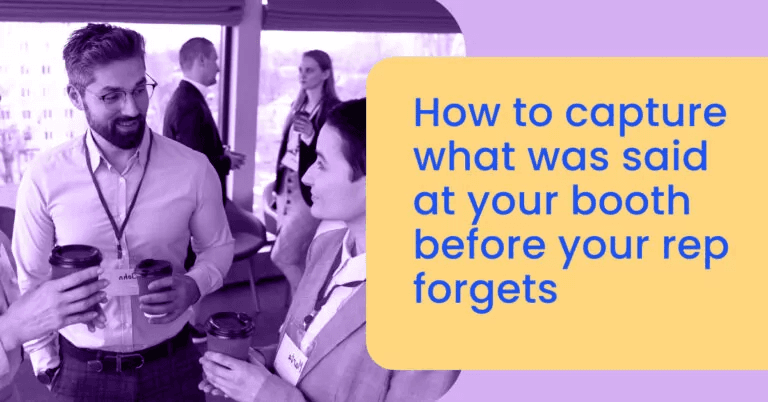
The biggest post-conference failure isn't missing contact data, it's missing context. Reps who dictate a 10-second voice note immediately after a conversation give follow-up teams something actionable. Tools that transcribe and push those notes directly to CRM records eliminate the manual logging step that kills adoption. The limitation: audio quality in loud expo halls can degrade transcription accuracy.
3. Deploy a Booth QR Code Tied to a Pre-Filled CRM Intake Form
Image: Conference Lead Capture - deploy booth qr code
When badge scanners aren't available or cost-prohibitive, a custom QR code linked to a minimal intake form lets prospects self-capture their own data. This removes rep data-entry entirely and works even at smaller regional conferences without official lead retrieval infrastructure. The tradeoff: self-submitted forms have lower completion rates and require a compelling incentive, a giveaway entry or exclusive content, to drive scans.
4. Assign a Dedicated Note-Taker Role Separate from Booth Sellers
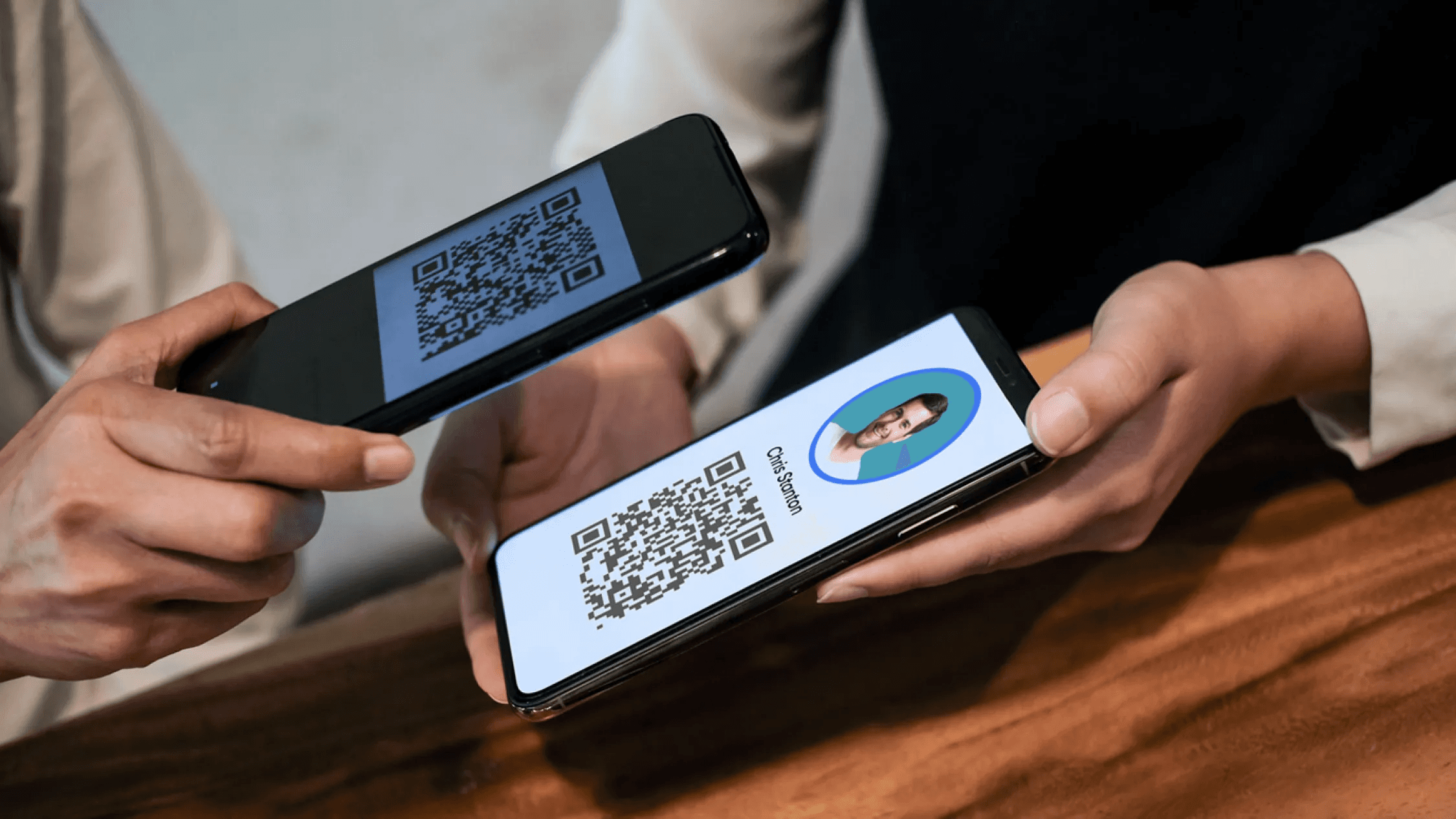
One underused conference lead capture tactic is stationing a marketing or ops team member whose sole job is scanning badges and logging conversation notes while sellers stay focused on the conversation itself. This separation of roles dramatically improves note quality and follow-up relevance. The limitation is headcount, smaller teams attending lean shows may not have a spare person to dedicate to this function.
5. Sync Badge Scans to CRM in Real Time with AI Enrichment
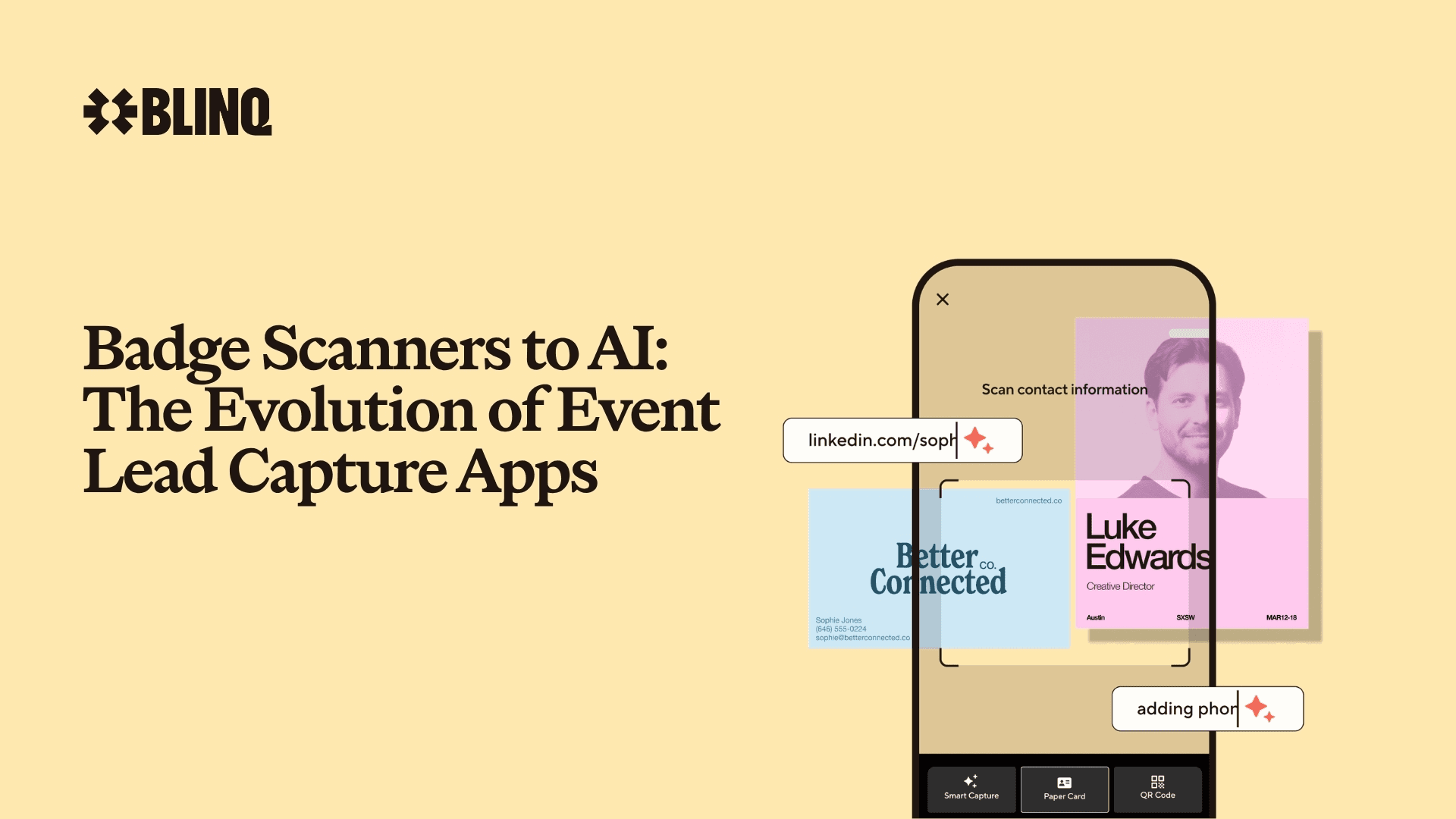
Modern conference lead capture tools like Blinq go beyond badge scanning by enriching contact records with firmographic data and syncing to CRM instantly, meaning reps return from the show floor with pipeline-ready records, not a spreadsheet to clean. This approach is best for mid-to-large teams attending high-traffic events. The tradeoff: AI enrichment accuracy varies by industry and contact seniority, and requires CRM integration setup before the event.
6. Build a Post-Show Follow-Up Sequence Before the Conference Starts
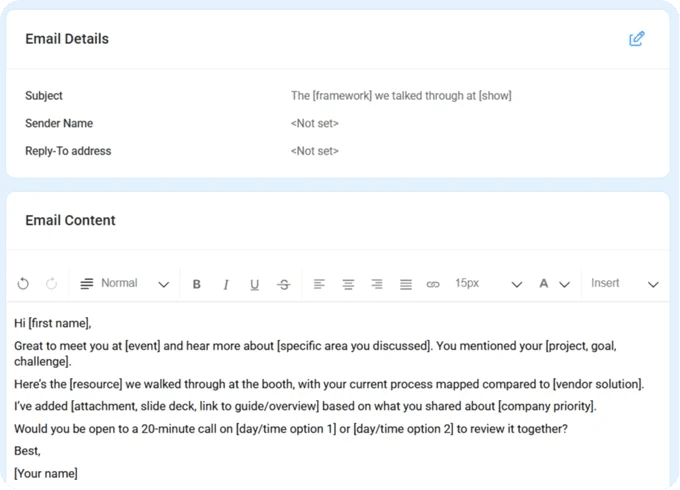
Conference lead capture ROI collapses when follow-up is improvised after the event. Teams that pre-build segmented email sequences, one for hot leads, one for warm, one for informational, and simply assign captured contacts to the right sequence on the show floor eliminate post-show rep work almost entirely. The limitation: sequences must be written generically enough to apply across varied conversations, which can reduce personalization.
7. Use Carbon-Copy Contact Sheets to Create a Physical Leave-Behind That Doubles as CRM Input
Custom carbon-copy paper forms let reps capture structured lead data during the conversation and hand prospects their copy as a physical reminder, a tactic that stands out precisely because no one else does it. The rep's copy feeds CRM entry that night with full context already structured. The tradeoff: this is a manual, analog process that doesn't scale past small-to-mid-size shows and requires pre-printed custom forms per vertical.
How to Prove Event ROI From Conference Lead Capture Data
Spend enough time reviewing post-event reports and a pattern becomes clear: the numbers look thin not because your team had a bad event, but because most of what happened on the floor never made it into the system. The report isn't incomplete because of poor analysis. It's incomplete because the data was never captured in the first place. This problem hits hardest for professionals in client-facing roles and those who attend frequent in-person networking events, precisely the people who generate the most conversations and, without a reliable capture workflow, lose the most data.
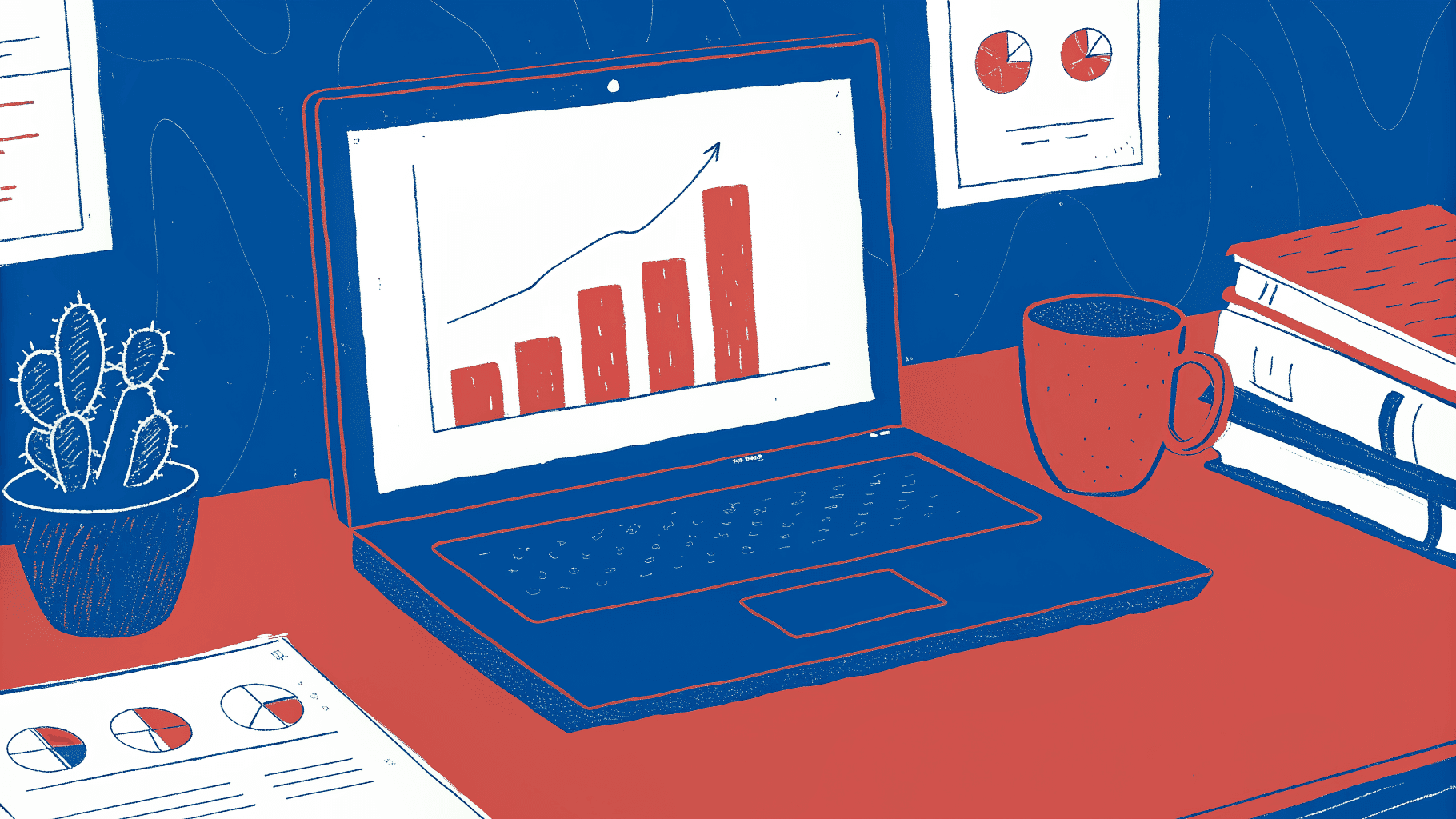
Why Your Event ROI Numbers Are Understated Before You Run Them
The vast majority of new conference contacts never reach the CRM, not because reps are disorganized, but because every workflow requiring manual entry after a live conversation creates a dropout point. When the event floor closes, those contacts don't exist in your pipeline data at all. That means your cost-per-lead, conversion rate, and pipeline attribution figures are calculated against a fraction of actual interactions, making every event look worse than it was by design of the broken capture process. According to default.com's analysis of post-event follow-up, the decay begins immediately after the first tap or handshake. The window to capture and act on a new contact is narrowest right after that initial in-person moment, which is exactly when manual processes are least reliable.
The Four Metrics a Sales Director Actually Needs From Conference Lead Data
Proving event ROI requires four specific numbers: leads captured per rep, lead-to-opportunity conversion rate, cost-per-pipeline-dollar from total event spend, and time-to-first-contact after capture. None of these are calculable without complete, CRM-synced data. As default.com's post-event pipeline research makes clear, these metrics collapse entirely when leads are captured on paper or badge-scanner CSV exports that sit unprocessed in someone's inbox for a week. The degradation isn't gradual; it's structural. A contact that never enters the CRM cannot be attributed, converted, or counted, regardless of how strong the conversation was on the floor.
Closing the Attribution Loop - How CRM-Synced Capture Creates a Traceable Revenue Trail
A real-time lead capture workflow that writes directly to your CRM at the moment of contact creates an unbroken data trail from handshake to closed deal. Without that sync, the attribution chain breaks regardless of how diligently reps follow up afterward, because the originating event record simply does not exist in the system. Never-drop.com's analysis of CRM data quality reinforces this: incomplete or delayed contact records don't just create reporting gaps, they cause active client and pipeline loss because follow-up sequences have nothing to trigger against.
This is where Mobilo's Teams plan ($4/month per member, billed annually) addresses the attribution gap at the point of capture. Every card tap or QR scan, unlimited across the team, writes lead data in real time, with full team data analytics and CRM integrations included. The Teams plan's lead capture and management, lead enrichment, and 6,000 integrations through Zapier mean that the moment a rep at your booth taps a contact's phone, that record is moving toward your CRM rather than toward a stack of paper cards or a badge-scan CSV.
For field teams that need tighter control, the data field control on Team hardware options, including Custom Design NFC cards, Wood cards, and Metal cards, lets managers lock and override data fields so every rep is capturing the same structured information, not freestyle notes that require cleanup before they're usable. The Team Digital Wallet Card option ($0 + $4/month) removes hardware cost entirely for reps who don't need physical cards, keeping the same analytics and CRM pipeline intact. A Sales Director who can show a precise count of leads captured, the share converted to opportunities, and total pipeline traced to a single conference is presenting evidence, not anecdote. That's the conversation that justifies next year's budget.
Capture Completeness as the Prerequisite
The value of any post-event analysis, cost-per-lead, conversion rate, pipeline attribution, is bounded by the completeness of what was captured. Professionals in client-facing roles who attend frequent networking events are the highest-leverage users of a real-time capture system, because their volume of in-person interactions is highest and their exposure to data loss is greatest. After the first card tap or networking event, the data either enters a system or it disappears.
Mobilo's Teams plan, with its unlimited taps, central billing, team management, and built-in lead enrichment, is structured so that the capture happens automatically at that first moment of contact, before there is any opportunity for manual-entry dropout to occur. According to default.com's trade show follow-up research, speed and completeness of capture after that initial interaction is the single largest determinant of whether a conference contact ever becomes a pipeline record at all.
How Much Do Conference Lead Capture Tools Cost: and What Drives the Price
Most teams price conference lead capture tools by opening the vendor's pricing page, comparing the cheapest plan to the free tier, and calling the budget question answered. That instinct is understandable, but it systematically ignores the two cost lines that dwarf any subscription fee.

The Published Price Ladder - Free Tiers to Enterprise Contracts at a Glance
Lead capture app cost varies widely across the category. Free tiers exist at the entry level but typically restrict CRM integrations to manual CSV exports. Mid-market tools run roughly $60 per user per year for fuller functionality.
Enterprise platforms like Cvent operate on custom contracts that can reach multiples of that figure. Conference lead capture pricing at the subscription level looks manageable on a spreadsheet, which is exactly why the real costs stay hidden. One concern cost-conscious teams consistently raise is the fear of being locked into a subscription with no clear exit, a perpetual fee with no proportional return.
It's a legitimate hesitation, and it's worth examining what a subscription actually buys before dismissing it. Mobilo's Teams plan, for example, is priced at $4/month per seat (billed annually) and includes unlimited team members, 24/7 customer support, full insights and analytics, lead enrichment, custom lead capture forms, unlimited leads and contacts, that same figure integrations through Zapier, brandable QR codes, central billing, and team management, features that, taken together, replace both the badge scanner rental and the manual data-entry workflow that typically inflate event costs far beyond any software line item. The Business plan steps that up to $5/month and adds enterprise SSO, HR directory sync, a custom domain, and white-glove onboarding for teams of 100 or more seats, ensuring every customer-facing touchpoint consistently reflects brand identity and drives measurable engagement. Neither plan requires a sales negotiation to get started; the Teams plan launches with a single click.
The Rental Fee Nobody Budgets For: Badge Scanners at $400 to $600 Badge scanner rental cost is the line item that rarely appears in the initial budget conversation. According to Zuddl's analysis of top trade show lead capture apps, badge scanners at trade shows typically cost $400 to $600 per rep per event, a fee that recurs at every show on the calendar. A team of reps attending multiple events per year can accumulate tens of thousands of dollars in hardware rental alone, before a single lead enters the CRM.
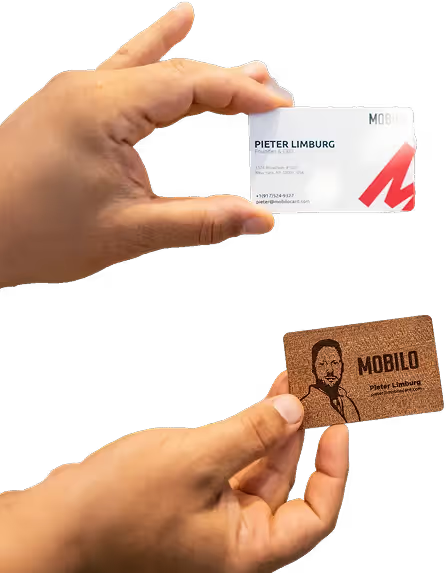
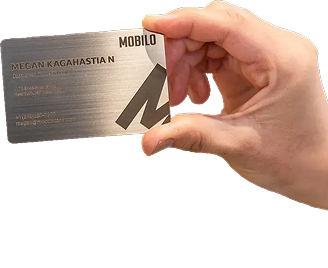
Mobilo's card-and-software bundle is a direct answer to that recurring cost. A Team, Custom Design NFC Card with QR Code is available at a one-time hardware cost plus the $4/month Teams subscription, a predictable per-seat fee that covers unlimited taps and scans across every event the card is ever used at. Teams that prefer different materials can choose the Team, Wood Custom Design Card or the Team, Metal Custom Design Card, each available at a one-time hardware cost.
For teams that want to move immediately with zero hardware cost, the Team, Digital Wallet Card is available with no additional hardware fee beyond the $4/month Teams subscription.
The Invisible Line Item - Manual Data-Entry Labor and Pipeline Leakage
Traditional badge scanners produce CSV files that must be cleaned, mapped, and uploaded, work that routinely falls to sales ops or reps themselves post-event. A significant share of captured contacts never complete that journey into the CRM, because manual entry gets skipped under post-event workload pressure. The pipeline value of those lost contacts is real and unmeasured, making it the most expensive cost of all.
Mobilo addresses this at the point of capture. The paper business card scanner included in every plan, Pro, Teams, and Business, means that even contacts exchanged via traditional cards are digitized and routed directly into the lead management workflow. Combined with Zapier's that same figure integrations (available across all three plans), leads flow automatically into whichever CRM the team already uses, eliminating the CSV-cleaning step entirely.
Custom lead capture forms, available on every plan, let teams capture structured data in the field rather than reconstructing it later from half-legible notes. The result is a closed loop: tap or scan at the event, structured data in the CRM within minutes, with no post-event data-entry sprint required.
Total Cost of Entry - The Only Pricing Metric That Matters
When badge scanner rentals, manual data-entry labor, and pipeline leakage are added to the subscription fee, the true cost of entry from a traditional event workflow is rarely what the initial budget assumed. The Teams plan at $4/month, with unlimited taps, unlimited leads and contacts, Zapier automation, and built-in analytics, is designed so that every entry has a clear, measurable cost and every touchpoint reinforces the brand rather than fragmenting it.
Related Reading
- Which Networking Software Is Best For Conferences
- Trade Show Booth Ideas To Attract Visitors
- How To Measure Trade Show Effectiveness
- Virtual Event Success Metrics
- Trade Show Roi
- Trade Show Lead Generation Ideas
- What's The Best Event Lead Generation Software
- Post-Trade Show Marketing Strategies
- Best Trade Show Giveaways
Next steps
If your event budget keeps producing spreadsheets instead of pipeline, the path forward starts with eliminating every manual step between the live conversation and the CRM record. Start with our digital business card.
The data is unambiguous on two points. First, roughly 90% of conference contacts never reach a CRM at all, which means your current ROI calculation is built on at most 10% of actual event interactions. Every metric you use to justify next year's budget is systematically understated before you run it.
Second, the only reliable window to log qualification context is the 60 seconds of the conversation itself, not the hotel room that evening. Recall degrades fast after high-volume booth interactions, and no amount of post-event discipline recovers what was never captured in the moment. Together, these two realities point to one action: replace any workflow that asks a rep to do something after the handshake with one where the tap and the CRM entry are the same event.
Start with a digital business card from Mobilo. One tap creates an enriched, routed CRM record with no follow-up steps required from the rep. Your pipeline data reflects what actually happened on the floor, your ROI numbers reflect real event performance, and your reps walk out of every conference with a clean, actionable lead list already synced and ready for follow-up.
Frequently Asked Questions
What is event lead capture, exactly?
Event lead capture is the process of collecting contact and intent data from prospects at events and routing that data into a sales workflow in real time, without a manual step in between. Methods like badge scanning, QR codes, and NFC taps all serve the same function: removing the human memory step from the data transfer so a contact created during a live conversation is instantly actionable rather than sitting in a jacket pocket as a business card.
What's the difference between badge scanning and lead retrieval, aren't they the same thing?
Badge scanning is one capture method within lead retrieval: it reads an encoded identifier from an event-issued badge, usually via a mobile app, and maps it to the attendee's registration record. Lead retrieval is the broader outcome, getting that contact data into your CRM pipeline. The post's key point is that badge scanning collects contact information but does not collect context like budget, timeline, or product interest, which is why pairing it with custom qualification fields matters.
Can reps add qualification questions, like budget or timeline, right during the conversation, or does that have to happen later?
Yes, and doing it live is the whole point. Lead capture tools that support custom qualification questions let reps log budget range, purchase timeline, and product interest while the conversation is happening, not reconstructed from memory later that evening. Mobilo's Teams and Business plans both include custom lead capture forms built into the capture flow itself, so the qualification fields appear in the same interaction as the tap or scan, not as a separate step.
What happens to leads captured at the booth if the venue Wi-Fi goes down?
The only acceptable design, as the post describes it, is local storage with automatic sync once connectivity returns, so a rep who captures 40 contacts during a Wi-Fi outage loses none of them by end of day. Both Mobilo's Teams and Business plans include no-internet QR sharing, meaning reps can still exchange contact data and capture leads when the venue network is down, with the records entering the pipeline automatically once connectivity is restored.
Why do so many trade show leads never get followed up on?
According to a LinkedIn-cited industry figure referenced in the post, 80% of all trade show leads receive no follow-up, and the post is clear that this is a structural problem, not a rep motivation problem. Every manual step inserted between a live conversation and a synced CRM record is a dropout point: by the time a rep opens their laptop at the hotel, the urgency to act has faded and context is lost. The fix is a workflow where the capture event itself creates the CRM record, with zero rep action required afterward.