.avif)

12 Best Networking Apps for Trade Show Attendees in 2026
On This Page
Most trade show apps solve the scanning problem. Almost none solve the pipeline problem. Here is how to tell the difference before you book the flight.
Trade show networking apps promised to solve the contact problem. In practice, most of them solve only half of it. The common assumption is that the real problem is rep discipline: if salespeople would just enter the contacts after the event, the pipeline would fill itself.
But a sales team can return from a multi-day event with hundreds of badge scans and still find, weeks later, that only a small fraction of those contacts ever reached the CRM. The app worked. The pipeline didn't.
That gap has a name: the last mile. And it's where most post-show pipeline quietly disappears. Scanning a badge captures a name.
See our digital business card for how this works in practice.
It does not capture context, intent, or a next step. The raw contact still needs to be enriched, qualified, and routed before it becomes anything a sales rep can act on. 80% of trade show leads are never followed up on after the event, which means the collection step is completing successfully while the conversion step is failing almost every time. The failure point is the manual handoff between the app and the CRM. Every step that requires a rep to open a laptop, copy a field, or remember a conversation from three days ago is a step that post-show exhaustion will skip. Context fades fast.
The details that made a conversation worth following up on dissolve within hours of leaving the floor. Response rates to post-event outreach drop sharply after 48 hours. When each qualified contact costs significant marketing budget to generate, losing the vast majority of them to manual-entry lag is not a minor inefficiency. It is a measurable budget loss. Without structured, real-time capture, the show floor becomes a black box.
80% of trade show leads never followed up on
Key takeaways
- 90% of new contacts captured at trade shows never enter a CRM, not because reps are lazy, but because the tools hand the data problem back to the rep at the worst possible moment.
- Badge scans and QR codes solve the wrong half of the problem: capturing a name is easy; turning that name into a CRM-ready pipeline entry without manual work is where most apps fail.
- The right question for a Sales Director is not 'will my reps enjoy this app?', it's 'will every conversation on the show floor reach my CRM by Monday morning without anyone touching a CSV.'
- A CRM integration checkbox on a vendor's feature list does not close the loop, it just moves the manual step from the booth to the rep's laptop on the flight home.
- Every unlogged lead from a multi-day event is a direct tax on your event budget; B2B event leads carry a real cost to generate, and most of that investment evaporates in the 72 hours after the show floor closes.
- Mobilo's Contact Exchange & Lead Capture closes the gap at the point of the tap, when someone scans or taps a Mobilo card, their information is captured and stored directly into the rep's contact list or CRM, with no manual entry required.
Key Features to Look for in Trade Show Networking Apps (Before You Pick One)
Most trade show networking apps are evaluated on the wrong criteria, and sales directors end up paying for features their reps enjoy but that never actually fill the pipeline. The features worth prioritizing are the ones that turn every floor conversation into a CRM-ready record automatically, not the ones that depend on rep discipline after the event. From AI-powered matchmaking that surfaces high-fit prospects before you arrive to the contact capture mechanics that eliminate manual logging, here is what actually separates a useful app from a bloated one.

Pros and cons at a glance
"Many trade show/event apps bundle unnecessary features that small or niche organizations don't need, making them bloated and hard to navigate, some platforms come loaded with unused features that just get in the way."
$21,000 saved per year by one company
Most sales directors assume the real problem is rep discipline: if salespeople would just enter the contacts after the event, the pipeline would fill itself. But evaluating trade show networking apps by their attendee-facing features answers the wrong question for a Sales Director. The real question is not "will my reps enjoy using this?" It is "will every conversation on that show floor become a CRM-ready record without anyone having to log it manually afterward?" Those two questions produce very different feature rankings.
AI-Powered Matchmaking - How Trade Show Networking Apps Help You Prioritize the Right Conversations
Trade show networking apps with AI-powered matchmaking surface relevant connections before a rep ever steps onto the floor. Instead of wandering toward whoever is standing near the coffee station, reps arrive with a prioritized list of attendees who match their ideal customer profile. AI-driven meeting recommendations can meaningfully improve qualified conversation rates compared to unassisted networking, though results vary by event size and ICP match rate. The practical gain is not just more meetings; it is fewer low-fit conversations that consume booth time without producing pipeline.
Digital Contact Exchange With CRM Sync - The Foundational Feature Every Other Capability Depends On
Digital business card exchange is not a convenience feature; it is the moment that determines whether a contact becomes a structured pipeline record or a fading memory. A large share of new contacts captured at events never enter a CRM because manual post-event logging is too effortful after a full day on the show floor. That figure is not a rep discipline problem.
It is a system design problem. The fix requires contact capture and CRM sync to happen at the same moment. When a rep taps or scans a digital business card and the contact routes directly into the CRM workflow, the data-entry step is removed entirely.
Mobilo's NFC and QR-based capture does exactly this: the tap is the CRM entry, not a prompt to create one later.
In-App Messaging and Meeting Scheduling - What to Look for in Real-Time Connection Features
Booking a meeting before leaving the show floor is categorically different from sending a follow-up email three days later. Research on lead follow-up response rates consistently shows that leads contacted within an hour of initial engagement convert at significantly higher rates than those reached the following week. In-app messaging and meeting scheduling compress that window to zero by letting reps lock in a calendar slot during the conversation itself. ###
Booking a meeting before leaving the show floor is categorically different from sending a follow-up email three days later.
Related Reading
- Etiquette For Networking In Online Conferences
- Measuring Event Roi
- Trade Show Sales Tips
- Trade Show Follow Up Best Practices
- How Do You Find The Roi Of A Trade Show
- Trade Show Sales Funnel
- What Is Trade Show Marketing
- Event Lead Management
- B2b Trade Show Best Practices
- Conference Lead Generation
- B2b Trade Show Marketing
Top Networking Apps for Trade Show Attendees - The 12 Best Options in 2026
A significant share of new contacts captured at trade shows never enter a CRM, and that reality is not an indictment of rep discipline. It is a structural indictment of the tools most teams rely on, the same tools that report aggregate event metrics to a CFO while leaving the pipeline loop open at the rep level. The gap is not between scanning a badge and forgetting to follow up. The gap is between scanning a badge and having a system that closes that loop without asking a rep to do anything after the show floor closes. The real cost of a lost trade show lead compounds across every event a team attends, which is why the tool choice matters before the show opens, not after.
What the Top Apps Actually Solve
The best networking apps for trade show attendees fall into three functional categories:
- AI-powered matchmaking (connecting the right people before or during the event)
- Proximity-based discovery (finding who is physically nearby on the show floor)
- Contact exchange with CRM sync (turning a handshake into a pipeline record)
Most apps solve one or two of these well. Very few solve all three. There is a structural inefficiency baked into every trade show floor: vendors spend thousands on booths hoping the right buyers walk by, while buyers wander aimlessly and get stopped by irrelevant vendors. The apps in this list exist to address exactly that matchmaking problem, but Sales Directors should map each app to the category it actually owns, then ask one follow-up question: does it hand a qualified record to my CRM, or does it hand the problem back to my rep?
1. Mobilo Card
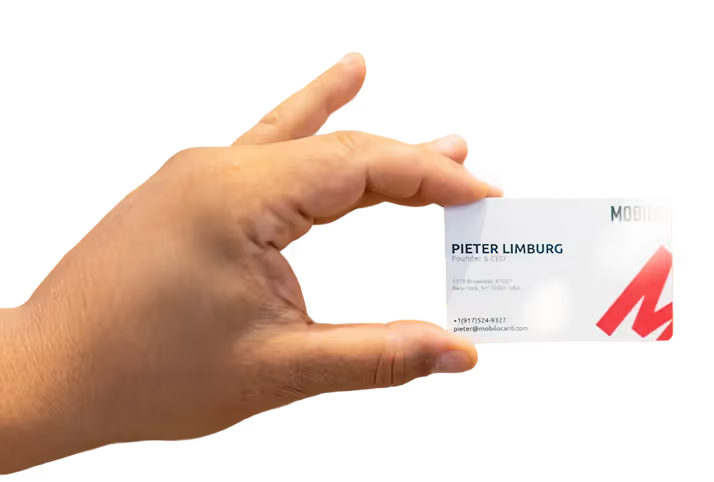
Most teams handle post-show data entry by exporting a CSV, deduplicating contacts, and logging records into the CRM the week after the event. That is exactly where leads go cold. Mobilo's Contact Exchange and Lead Capture routes every tap or scan directly into the CRM in real time, with no app download required from the contact, no manual export step, and no rep intervention between the handshake and the pipeline record.
The value begins after the first card tap, there is no accumulation period before the workflow activates. For teams that need to understand what happened across the entire event roster, both the Teams plan ($4/month per seat, billed annually) and the Business plan ($5/month per seat, billed annually) include full insights and analytics, lead enrichment, lead capture and management, unlimited leads and contacts, and 6,000 integrations through Zapier, covering the CRM routing step that most capture tools leave open. Both plans also include 24/7 customer support, brandable QR codes, no-internet QR sharing, custom lead capture forms, and a paper business card scanner, so reps can pull physical cards into the same structured workflow.
The Teams plan adds central billing and team management, making it the option shortlisted by most operators deploying Mobilo across a sales floor. The Business plan layers on enterprise SSO, HR directory sync, and a custom domain for organizations that need tighter administrative control.
Card Option
- Price
- $29.50 + $4/month (orig. $39.00)
- Key Inclusions
- Unlimited taps/scans, full team analytics & CRM integrations, team management, field control/lock/override
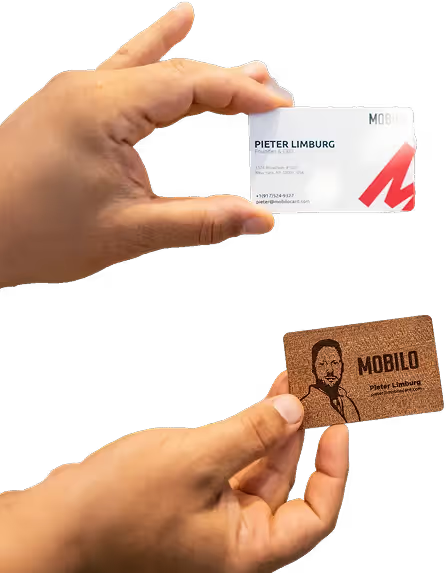
Team, Wood Custom Design Card
- Price
- $39.50 + $4/month (orig. $59.00)
- Key Inclusions
- Unlimited taps/scans, full team analytics & CRM integrations, team management, field control/lock/override
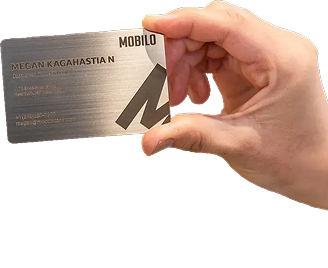
Team, Metal Custom Design Card
- Price
- $69.50 + $4/month (orig. $139.00)
- Key Inclusions
- Unlimited taps/scans, full team analytics & CRM integrations, team management, field control/lock/override
Team, Paper Plus Cards
- Price
- $29.99 + $4/month
- Key Inclusions
- Unlimited taps/scans, full team analytics & CRM integrations, team management, field control/lock/override
Team, Digital Wallet Card
- Price
- $0 + $4/month (orig. $10.00)
- Key Inclusions
- Unlimited taps/scans, full team analytics & CRM integrations, team management, field control/lock/override
Pro, Paper Plus Cards (individual)
- Price
- $29.99
- Key Inclusions
- Free Pro Plan for first 90 days, unlimited scans, unlimited leads & contacts, free digital wallet card
The field-level control across all card formats is the feature that prevents reps from accidentally creating inconsistent contact records across a large deployment.
Key takeaway: Landsea Homes deployed Mobilo across 400 employees and documented $21,000 per year in savings by eliminating print card costs and manual data entry. The trade-off: the value compounds at team scale.
For a single-rep operation attending one event per year, the setup investment outweighs the return. Most beneficial when a team attends events regularly and needs structured lead follow-up, the value compounds across events and reps. Following up on trade show leads within the first 24 hours is where the pipeline difference is made, and Mobilo's real-time CRM routing is built to make that window automatic rather than dependent on rep discipline.
2. LinkedIn - Best for Pre-Show and Post-Show Professional Networking
LinkedIn is the default layer for professional context before and after an event: researching attendees, sending connection requests before the show opens, and following up with a message that references a shared session. The limitation for Sales Directors is that LinkedIn has no native CRM sync and no badge-scan capability, which means every connection made on the platform still requires a manual logging step. It belongs in the stack as a research and warm-up tool, not as a lead capture system.
3. Eventleaf Leads - Best Badge Scanner for Exhibitor Booth Teams
Eventleaf Leads is built for exhibitor teams working a booth. Reps scan attendee badges, add qualifying notes, and export lead lists at the end of each day. The interface is straightforward and the onboarding time is short, which matters when a team of six is setting up the morning of day one. The gap: lead export is still a manual or semi-manual step, so the contact-to-CRM path depends on someone running the export and mapping fields correctly after the show. Strong for structured booth operations; less suited for reps networking across the full show floor.
4. BoothIQ - Best AI-Powered Badge Scanner for Any Badge Format
BoothIQ handles badge formats that standard scanners miss, including custom printed badges that lack a standard barcode or QR code. The AI-powered recognition layer reduces the friction of mixed-format events where organizer-issued scanners only work on their own badge type. For exhibitors attending multiple shows with inconsistent badge standards, this is a practical differentiator. The trade-off is that BoothIQ is primarily a capture tool; the pipeline routing step still requires an integration or a manual export depending on the CRM stack.
5. Covve - Best Business Card Scanner App for Individual Attendees
Covve uses OCR and AI to scan a physical card, extract contact details accurately, and save them as a structured contact record. For individual attendees who still receive physical cards from contacts, it removes the manual re-typing step. The accuracy rate on standard cards is high. The limitation for Sales Directors is that Covve is a personal productivity tool, not a team-scale system. There is no centralized dashboard, no CRM sync out of the box for most plans, and no way to enforce consistent data capture behavior across a rep team.
6. B2Brain - Best for Sales Intelligence and Pre-Meeting Research at Trade Shows
B2Brain aggregates account intelligence and surfaces buying signals before a rep walks into a conversation. At a trade show, that means a rep can pull up a quick brief on a prospect's company, recent news, and likely pain points before the booth meeting starts. This is a pre-conversation tool, not a capture tool. It does not replace a lead capture workflow but it sharpens the quality of the conversation that feeds into one. Best used in combination with a capture-and-sync layer rather than as a standalone solution.
7. Lunchclub - Best AI Matchmaking App for 1:1 Networking at Conferences
Lunchclub uses AI to schedule 1:1 video or in-person meetings between professionals based on stated goals and professional background. At conferences, it surfaces relevant connections that attendees would not find by browsing an attendee directory. The trade-off for Sales Directors is that Lunchclub is attendee-initiated and goal-agnostic. It does not integrate with exhibitor workflows, does not capture leads in a sales context, and does not sync to a CRM. It is a strong tool for individual relationship building, not for team-scale pipeline generation.
8. Shapr - Best Swipe-to-Match Networking App for Trade Show Attendees
Shapr applies a swipe-based matching interface to professional networking, surfacing profiles based on location, industry, and stated interests. At a trade show, it can surface relevant attendees who are nearby and open to connecting. The experience is closer to a discovery tool than a structured networking platform. For Sales Directors, the limitation is the same as with most consumer-grade networking apps: no team management layer, no CRM integration, and no way to enforce consistent rep behavior or capture structured lead data from matches.
9. Meetup - Best for Finding Satellite Networking Events Around Trade Shows
Major trade shows generate a constellation of satellite events: dinners, happy hours, and side conferences that often produce higher-quality conversations than the show floor itself. Meetup surfaces these events by location and interest category, making it useful for reps who want to extend their networking beyond the official program. It is not a lead capture tool and has no CRM integration. Its value is in finding the right room to be in, not in managing what happens after the conversation ends.
10. Fishbowl - Best Anonymous Professional Networking App for Candid Industry Conversations
Fishbowl hosts industry-specific discussion groups where professionals can ask questions and share opinions with a layer of anonymity. At trade shows, it functions as a real-time pulse on what attendees are thinking, what competitors are saying, and what pain points are surfacing in the industry. For Sales Directors, it is an intelligence-gathering tool rather than a lead generation one. It does not capture contacts, does not integrate with CRM, and does not support structured follow-up workflows.
11. Zapier-Connected CRM Workflows - Best Automation Layer for Post-Show Lead Follow-Up
When the capture tool does not have a native CRM integration, Zapier bridges the gap by connecting the lead source to the CRM through a configured workflow. Both the Teams and Business plans on Mobilo include access to that same figure integrations through Zapier, which means teams already on Mobilo get this routing layer without building a separate ops stack. For teams using a different capture tool, a standalone Zapier layer can route badge scan exports, form submissions, or digital card taps into Salesforce, HubSpot, or most other CRM platforms automatically.
The trade-off is setup time and maintenance: someone on the ops or marketing team needs to build and monitor the Zap, and any change in the upstream app's data format can break the workflow silently. Most beneficial when the capture tool a team already uses lacks a native CRM sync and the volume of leads justifies the configuration investment.
Related Reading
- Which Networking Software Is Best For Conferences
- Trade Show Booth Ideas To Attract Visitors
- Conference Lead Capture
- How To Measure Trade Show Effectiveness
- Virtual Event Success Metrics
- Trade Show Roi
- Trade Show Lead Generation Ideas
- What's The Best Event Lead Generation Software
- Post-Trade Show Marketing Strategies
- Best Trade Show Giveaways
How to Choose the Right Networking App for Your Trade Show: and Your Team
Most Sales Directors evaluate lead capture tools by how painlessly they work during the event itself, badge scans that register instantly, no login errors, no dead battery crises. That instinct is understandable but misplaced. The data your team collects on the floor is only as valuable as what your CRM can do with it the following Monday, and a tool that feels frictionless at the booth can still produce a week of manual cleanup if its export format, field mapping, or sync logic doesn't align with how your pipeline is actually structured.
Key takeaway: Apps that optimize for in-the-moment friction removal without native CRM sync simply relocate the failure point from the handshake to the handoff, leaving reps with a polished contact list that never becomes a pipeline entry.
That paradox is not accidental. Slick badge scanning and smooth card-sharing UX are exactly what vendors demo, what procurement teams evaluate, and what reps praise in post-event surveys. But those signals measure the wrong moment.
The moment that determines revenue is not the tap on the show floor; it is whether that contact appears in your CRM with complete field mapping 24 hours later, ready for a sequence to fire. What most teams report, after the fact, is that the real bottleneck in trade show lead conversion is the structural absence of real-time, automatic CRM sync at the point of capture. That absence is invisible during a demo and invisible during a free trial, because both are designed to showcase the exchange experience, not the data destination.
By the time the gap surfaces, 80 contacts sitting in a siloed app while your CRM stays empty, the contract is already signed and the event is already over. The practical implication for Sales Directors is to invert the evaluation sequence entirely.
- Does the app write to your CRM natively, or does it export a CSV that someone has to import?
- Does field mapping persist across reps, or does each rep configure it independently?
- Does a contact record appear in the CRM automatically, or only after the rep completes a post-event cleanup step?
Mobilocard's Teams plan ($4/month per member, billed annually) and Business plan ($5/month per member, billed annually) are both built to answer those questions favorably before they become expensive. Both tiers include lead enrichment, lead capture and management, unlimited leads and contacts, custom lead capture forms, and 6,000 integrations through Zapier, meaning contacts collected on the floor route to your CRM through an integration layer your team admin configures once, not rep by rep. After initial team setup is complete, the team admin controls field mapping and data fields across the whole organization; individual card holders operate within those guardrails without needing to reconfigure anything themselves.
On the Business plan, that admin control extends to HR directory sync and enterprise SSO, so the integration architecture scales as your headcount does. Critically, team admins can control, lock, and override data fields across every card format, so the field mapping your ops team built doesn't drift when a new rep joins mid-quarter or reorders their card.
That consistency at the data-destination layer is precisely what separates tools that generate pipeline from tools that generate spreadsheets. A structured pilot answers those questions before they become expensive. Have three reps exchange contacts with real prospects using their Mobilo cards, NFC tap, QR scan, or Digital Wallet share, no app download required on the prospect's side, then audit the CRM records 24 hours later.
Count the fields that populated automatically. That number is the only metric that predicts whether your next event generates pipeline or generates a spreadsheet that quietly ages out in a shared drive. The demo will always look perfect.
The data quality will not, unless the architecture was built for it from the start.
Trade Show Networking App Selection Checklist
Before signing any contract, confirm all of the following:
CRM sync architecture
- Question to Ask the Vendor: Does the app write to our CRM natively, or export a CSV?
- Pass Condition: Native write, zero manual import
Field mapping persistence
- Question to Ask the Vendor: Does field mapping persist per rep, or must each rep configure it independently?
- Pass Condition: Team-wide, admin-controlled mapping
Contact appearance timing
- Question to Ask the Vendor: Does the CRM record appear automatically, or only after a rep completes a post-event step?
- Pass Condition: Automatic, within minutes of capture
Badge format compatibility
- Question to Ask the Vendor: Does the scanner handle every badge format used at your events?
- Pass Condition: Yes, including custom printed badges
Prospect friction
- Question to Ask the Vendor: Does the contact need to download an app or create an account?
- Pass Condition: No download, no account required
Team visibility
- Question to Ask the Vendor: Does the Sales Director see real-time capture activity, not just a post-show export?
- Pass Condition: Live dashboard or CRM activity feed
Pilot testability
- Question to Ask the Vendor: Can we run a 3-rep pilot and audit CRM records 24 hours later before committing?
- Pass Condition: Yes
Run this checklist before the demo, not after. The demo is designed to showcase the exchange experience, not the data destination.
The CRM Gap No App Fixes - Unless Your Card Is the Integration
Most networking apps advertise a CRM integration and leave it at that, but the integration is only as useful as the steps a rep actually completes after a ten-hour day on the show floor. The real problem is structural: the gap between a scanned badge and a qualified pipeline entry is filled with manual work that rarely gets done, and that gap has a measurable cost. What follows breaks down why the handoff fails, what it costs teams at scale, and how the right hardware eliminates the manual steps entirely rather than just streamlining them.
Why Every Networking App Hands the CRM Problem Back to the Rep
The familiar assumption is that a lead capture app with a CRM integration checkbox closes the loop. In practice, it doesn't. The app creates a record of the exchange; it does not create a pipeline entry.
A rep still needs to log in, export a CSV, map fields, and push data manually after a 10-hour show floor day. The vast majority of new contacts captured at trade shows never enter a CRM, not because reps are careless, but because the system design makes manual entry the default path. The integration is irrelevant if no one completes the seven steps between the scan and the qualified record.
The Hidden Tax - What Manual Post-Show Data Entry Actually Costs a 400-Person Team
The cost hides inside rep time, not a line item. Landsea Homes calculated the combined cost of print card reprints and manual post-show data entry across 400 employees at $21,000 per year in ROI savings before switching to a tap-to-sync workflow. That figure does not include the pipeline value of contacts that decayed before anyone followed up.
Key takeaway: For any team attending events regularly, manual CRM entry is not an inconvenience; it is a measurable tax on pipeline velocity.
How NFC Hardware Turns the Tap Itself Into the CRM Entry
This is where software-only tools hit a structural ceiling, not a feature gap. App-based lead capture requires the prospect to download something, create an account, or stay within Bluetooth range. Each step is a drop-off point the rep cannot control. The failure mode is baked into the architecture itself, and no API connection added afterward can fix it. A digital business card backed by NFC hardware removes all three friction points:
- The prospect taps, their details are captured, and the CRM entry is created before the rep moves to the next conversation.
Step 2: Audit Where Your Current Workflow Actually Breaks Down
Before switching tools, map the exact moment data stops moving. Most teams assume the failure point is post-show, during bulk entry. In practice, the break usually happens earlier: a rep captures a badge scan, returns to a booth conversation, and never adds the qualifying context that makes the record actionable.
A contact without a note, a use case, or a next step is not a lead; it is a name. Walk your last three events backward from closed pipeline to original capture and count how many records made it through each stage intact. The number that survives to a qualified opportunity will tell you precisely where the system is failing, and that diagnosis determines which fix is worth buying.
Step 3: Separate the Contact Capture Problem From the Qualification Problem
These are two distinct failures that most teams collapse into one. Contact capture is the mechanical act of moving a name, title, and email from a person into a system. Qualification is the judgment call about whether that contact is worth pursuing and on what timeline.
Conflating them produces tools that try to do both and do neither well. A rep who is asked to capture, score, tag, and route a contact in the same thirty-second window will skip the steps that feel optional under pressure, and qualification always feels optional in the moment. Design the workflow so capture is frictionless and automatic, then build a separate, deliberate step for qualification that happens after the floor closes and the rep has context.
Step 4: Standardize the Data Fields That Actually Drive Follow-Up
CRM records fail to generate pipeline not because they are missing but because they are incomplete in the specific fields that trigger action. A first name and an email address create a contact. A contact with a noted use case, a budget signal, and a follow-up date creates a task.
Identify the three to five fields your sales team actually uses to prioritize outreach and make those fields the only required inputs at point of capture. Everything else is optional. Teams that require twelve fields at capture get twelve fields of incomplete data because reps skip the form entirely when it feels like a data entry project.
Constraint at the input stage produces higher-quality records than comprehensiveness does.
Step 5: Build the Follow-Up Sequence Before the Event, Not After
The 48-hour window after a trade show is when pipeline either forms or evaporates, and it is also when reps are most likely to be traveling, recovering, or handling the backlog that accumulated while they were on the floor. Any follow-up sequence that depends on a rep drafting outreach from scratch during that window will be inconsistent at best and nonexistent at worst. Write the first three touchpoints before the event opens. Segment them by persona or use case if your team has the capacity, but a single solid sequence is better than five unfinished ones. When capture is automated and the sequence is pre-built, follow-up becomes a trigger, not a task.
Step 6: Assign CRM Ownership at the Team Level, Not the Rep Level
The structural reason most event contacts decay is that the rep who captured them is also the person responsible for entering, qualifying, and routing them, usually while managing a full quota. That concentration of responsibility creates a single point of failure with no redundancy. High-performing event teams designate a revenue operations contact or inside sales resource who owns CRM hygiene for every event.
That person is not on the floor. Their job during and immediately after the show is to review captured records, fill gaps, and ensure every contact with a qualifying signal is assigned and sequenced before the rep's first day back. Ownership at the team level converts individual effort into a repeatable system.
Step 7: Measure Pipeline Originated at Events as a Standalone Metric
If event-sourced pipeline is not tracked separately, it cannot be improved. Most teams report on total pipeline without isolating the contribution of specific channels, which means a trade show that generated thirty qualified opportunities looks identical in the dashboard to one that generated three. Tag every contact captured at an event with the source, the event name, and the capture date at the moment of entry, not retroactively. Track that cohort through each pipeline stage and measure conversion rate, average deal size, and velocity against your other inbound sources. That data tells you which events are worth attending, which capture methods are producing qualified records versus noise, and where in the post-event sequence you are losing momentum that could otherwise close.
Related Reading
- Best Tech Conferences For Networking
- Best Finance Conferences For Networking
- Trade Show Booth Ideas For Small Budgets
- Virtual Conference Booth Ideas
- Networking Activity Ideas For Conferences
- What Are The Top Trade Show Lead Retrieval Tools
- Trade Show Follow Up Email Examples
- Conference Lead Capture Tools
- Trade Show Lead Capture App
Next steps
If your trade show contacts keep disappearing between the show floor and your CRM, the path forward starts with removing the manual step entirely, so capture and pipeline entry happen at the same moment. Start with our digital business card.
Most networking apps optimize for the exchange experience and leave the CRM transfer as a rep-dependent task after a 10-hour day. That is why contacts decay before anyone follows up: the failure is structural, not behavioral. And software-only tools cannot fix this at the architecture level, because they require a prospect to download an app or create an account before the exchange completes, meaning every drop-off point is outside your control. Together, these two realities point to one action: replacing the capture-then-log sequence with a single tap that writes directly to your CRM, no rep intervention required.
Start with a digital business card that routes each tap or scan into your CRM in real time. After the first exchange, the pipeline entry already exists, the follow-up window stays open, and your Sales Director sees structured contact data rather than a badge-scan export that ages out in a shared drive.
Frequently Asked Questions
Does the contact need to download an app to receive my digital business card?
No. Mobilo's NFC and QR-based contact exchange requires no app download from the contact, the tap or scan delivers the contact information directly, removing any friction on the recipient's side.
How does a digital business card actually get a lead into my CRM without manual data entry?
When a rep taps or scans a digital business card with Mobilo, the contact routes directly into the CRM workflow in real time, the tap is the CRM entry, not a prompt to create one later. There is no manual export step and no rep intervention required between the handshake and the pipeline record.
Can my team still capture leads if there's no internet connection on the show floor?
Mobilo's plans include no-internet QR sharing, so reps can exchange contact information even without a live connection on the show floor.
What does Mobilo's team plan actually cost, and what's included?
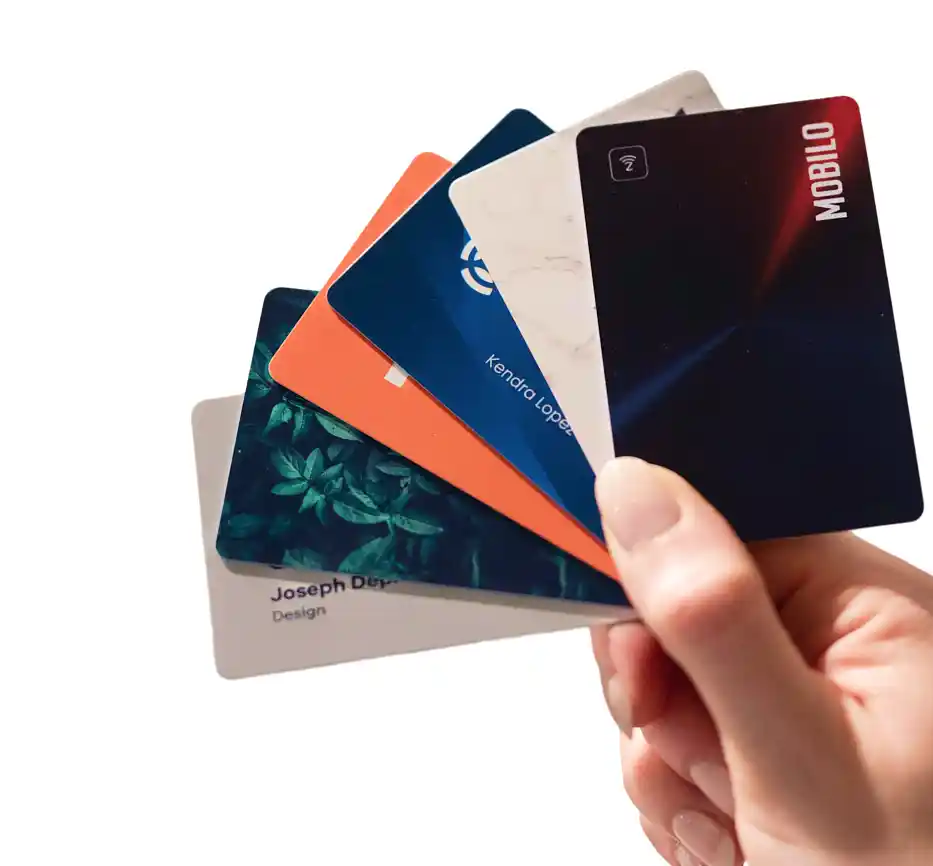
The Teams plan is $4 per seat per month billed annually and includes full insights and analytics, lead enrichment, lead capture and management, unlimited leads and contacts, 6,000 integrations through Zapier, 24/7 customer support, brandable QR codes, custom lead capture forms, a paper business card scanner, and central billing and team management. Physical card options, including NFC cards in custom, wood, metal, and paper formats, can be paired with the plan starting at $29.50 per card.
Why do so many trade show leads never make it into the CRM after an event?
The post identifies this as a system design problem, not a rep discipline problem. Every step that requires a rep to open a laptop, copy a field, or recall a conversation from days earlier is a step that post-show exhaustion will skip, and industry data cited in the post shows that 80% of trade show leads are never followed up on after the event. Real-time CRM routing at the moment of contact capture removes that manual handoff entirely.