.avif)

10 Best Trade Show Lead Capture Apps for 2026
On This Page
Badge scans capture registration data. Without qualification, routing, and offline readiness built into the same tool, 80% of those contacts never become pipeline.
A trade show lead capture app is a BYOD workflow tool that turns any smartphone or tablet into a live contact-capture and qualification station on the show floor. Most exhibitors assume these apps are simply a cheaper alternative to the badge scanner rental sitting at the organizer's registration desk. That assumption costs pipeline.
See our digital business card for how this works in practice. Badge scanner rentals at major shows typically run $400 to $600 per day per device, and that price buys you exactly one thing: a name and email pulled from a badge barcode. A BYOD lead capture app running on a rep's own phone does the same scan, costs a fraction of that, and keeps the data inside a workflow rather than a closed rental system.
Across the market, many smaller and regional events don't offer official scanner rentals at all, making a BYOD app the only structured capture option available. Every credible lead capture app covers two input types. The first is badge scanning: the app reads the QR code or barcode on an attendee's badge and maps the encoded fields directly to a contact record. The second is business card scanning: OCR converts a photographed card into structured data fields.
Both modes matter because field meetings, satellite events, and hospitality suites all produce business cards. An app that handles only badge barcodes leaves a capture gap the moment the rep steps off the main floor. The scan creates a contact record, but what happens in the next 90 seconds determines whether that record becomes pipeline. What most teams report bears out a sobering reality: up to 80% of trade show leads are never followed up on. That figure isn't a technology failure; it's a workflow failure. Apps built around post-scan actions, qualifying notes, on-device lead ratings, and automatic CRM routing close that gap.
Apps that stop at the scan leave it wide open. Tools like Mobilo's Contact Exchange and Lead Capture deliver the most value when a team attends events regularly and needs structured lead follow-up, the condition under which the persistent, workflow-connected capture model pays for itself many times over versus a single-event scanner rental.
80% of trade show leads never followed up on
2 Types of Lead Capture Inputs
Badge Scanning
Badge scanning is the core input mode at any event where the organizer issues barcoded or QR-coded badges to attendees. The rep opens the app, points the phone camera at the badge, and the encoded fields, typically name, title, company, email, and phone, map directly into a structured contact record in under three seconds. No manual entry, no transcription errors, no lost cards.
The resulting record is clean, timestamped, and immediately available for qualification steps: a rep can add a voice or typed note, assign a lead rating, and trigger a CRM sync before the attendee has walked ten feet away. This speed matters on a busy show floor where a rep may scan forty badges in a single afternoon. The difference between an app that stops at the scan and one that opens a qualification screen immediately after is the difference between a list of names and an actionable pipeline segment.
Badge scanning also creates an audit trail, every scan is logged with a timestamp and the rep who captured it, which makes post-show attribution and territory assignment straightforward rather than a manual reconciliation exercise.
Business Card Scanning
Business card scanning uses optical character recognition to convert a photographed card into structured data fields: name, title, company, email, phone, website, and address. The input mode matters because a significant share of meaningful event contacts never produce a badge scan. Field meetings before the show opens, dinners and hospitality suites in the evenings, sidebar conversations in hallways, and satellite meetups attached to the main event all run outside the badged perimeter.
Contacts made in those settings hand over a card, not a badge. An app that handles only badge barcodes creates a capture gap precisely where some of the highest-value conversations happen. OCR quality varies across apps, so the better implementations allow the rep to review and correct parsed fields on-screen before saving, rather than pushing an unchecked record straight to the CRM. The same post-scan workflow that follows a badge scan, qualifying notes, lead rating, routing rules, should apply equally to a card scan, so that the origin of the contact record has no effect on how it moves through the follow-up process.
Key takeaways
- Badge scanner rentals at major shows run $400, $600 and return registration data, not buying intent, not qualification notes, not anything your CRM can act on Monday morning.
- 79% of trade show leads never receive a follow-up, and the culprit is almost always the data dead end created between the scan and the CRM workflow that was supposed to fire automatically.
- Seven features separate apps that feed pipeline from apps that generate spreadsheets: universal badge scanning, real-time lead scoring, CRM sync depth, follow-up sequencing, offline mode, team provisioning, and two-way contact exchange.
- 'It syncs with Salesforce' describes a spectrum that runs from live pipeline creation all the way down to a scheduled CSV with a branded export button, those are not the same product.
- Free lead capture tools trade a zero-dollar line item for rep-hours spent on post-show reconciliation; that invoice arrives the Monday after every show on the calendar.
- Team size, annual show count, and CRM stack are the only three variables that matter when choosing a lead capture app, get those right and the correct tool becomes obvious without a single vendor demo.
- Mobilo's Contact Exchange & Lead Capture closes the loop at the tap itself: when someone taps or scans a Mobilo card, their information is captured and stored, feeding directly into the rep's contact list or CRM, no manual entry, no follow-up lag.
Badge Scanning Functionality - How Lead Capture Apps Read Attendee Data
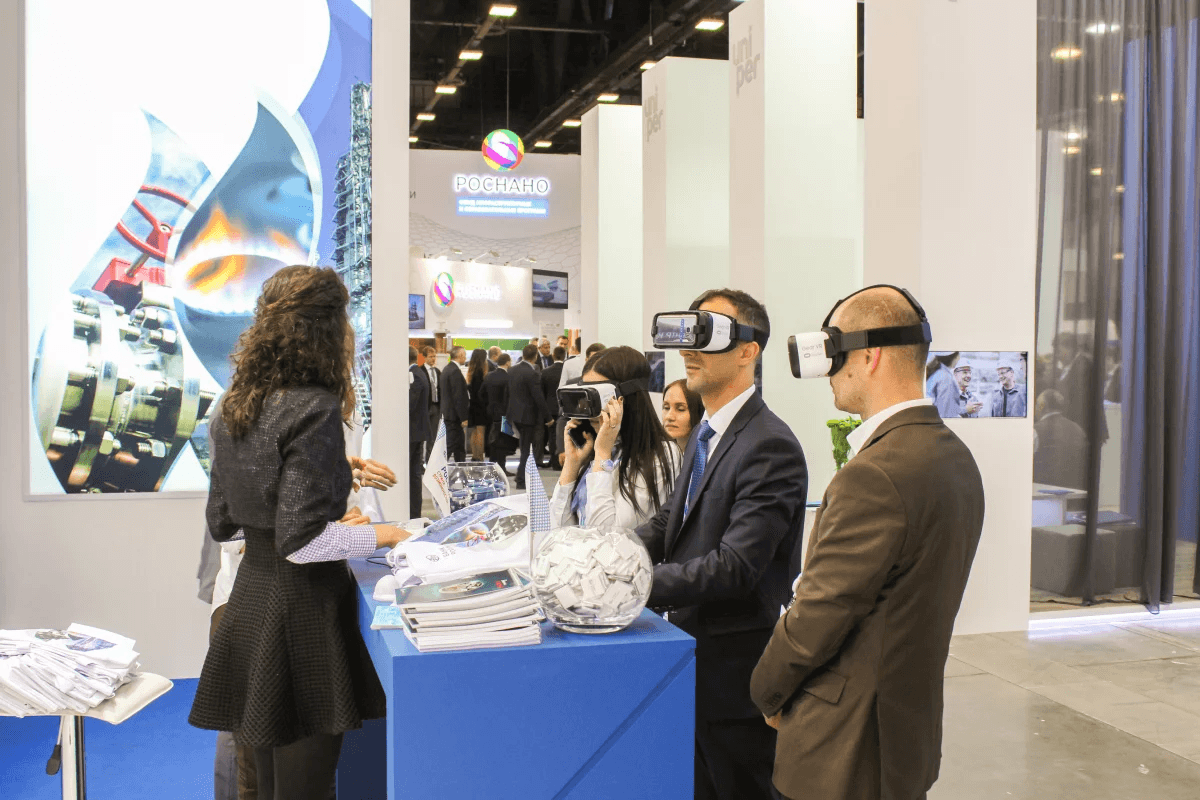
Badge scanning sounds like a solved problem until your reps return from a three-day show with hundreds of scanned contacts and no record of what anyone actually said. What a lead capture app pulls from a badge and what your sales team needs to follow up effectively are two different things, and that gap determines whether your post-show pipeline is real or just a spreadsheet waiting to be ignored. This section breaks down exactly what badge scans capture, where the data stops, and how the right tooling closes that gap at the moment of conversation.
What a Badge Scan Actually Captures (and What It Doesn't)
Most sales directors believe that providing reps with professional printed business cards and a badge scanner rental is a complete, sufficient system for trade show lead capture, that the handoff is done once the card is exchanged or the badge is scanned. Badge scanning captures registration data, not buying intent. When a rep scans an attendee's badge, the app decodes the QR code or barcode printed on that badge and pulls the fields the event organizer encoded: name, title, company, email, sometimes phone.
That's it. The record reflects who registered for the conference, not what they said at the booth, what problem they're trying to solve, or how close they are to a purchase decision. Without qualification data added at the moment of the conversation, the scan is a contact, not a lead.
This gap matters most for teams that attend events regularly and need structured lead follow-up, the exact scenario where a lightweight scan-and-forget workflow creates the most downstream damage. Arming field marketing and event teams with tools that capture leads efficiently and feed data directly into the CRM pipeline is what separates a post-show pipeline from a post-show spreadsheet. Mobilo's Teams plan ($4/month per seat, billed annually) is built specifically for this use case: it includes lead capture and management, lead enrichment, custom lead capture forms, and unlimited leads and contacts, all accessible from the same device a rep uses to share their digital card. Following up on trade-show leads correctly starts with capturing the right data at the booth, and that means going beyond the badge.
QR Codes, Barcodes, and NFC - How the App Decodes Badge Data Into Contact Fields
Lead capture apps decode badge data by reading the symbology the event organizer chose. Most North American shows use 2D QR codes or PDF417 barcodes; some European events use NFC chips embedded in lanyards or wristbands. The app maps each encoded field directly to a contact record in real time.
The quality of that contact record, however, depends entirely on what the rep appends before moving to the next conversation: a rating, a note, a custom field marking budget or timeline. Skip that step, and the record is structurally identical to every other scan in the pile. Mobilo's Teams and Business plans address this directly.
Both tiers include custom lead capture forms so reps can record qualification context, not just registration fields, in the same motion as the tap or scan. The Business plan ($5/month per seat, billed annually) adds lead enrichment on top of that, automatically filling in additional firmographic data so the CRM record arriving in the pipeline is richer than what the badge alone provided. Both plans also connect to 6,000 integrations through Zapier, meaning enriched contact records route directly to whatever CRM or marketing automation tool the team already uses. A well-structured follow-up process depends on data quality captured at the event itself.
Why Offline Mode Is Non-Negotiable When the Venue Wi-Fi Fails
Convention center Wi-Fi at a 10,000-attendee show is a shared resource under constant strain. When it drops, any app that requires a live connection to save a scan loses that record entirely. Offline-capable apps queue scans locally on the device and sync to the CRM automatically once connectivity is restored.
That distinction matters more than almost any other feature on the spec sheet, because a lost scan is a lost lead with no recovery path. Both the Teams and Business plans include no-internet QR sharing, meaning a rep's card can be shared and leads can be captured even when the venue network is down. 50) all support unlimited taps and scans, so the physical card works as a parallel capture surface when connectivity is unreliable. Losing leads to a Wi-Fi outage is an avoidable failure mode, offline readiness is the fix.
On-the-Spot Qualification - How to Turn a Badge Scan Into a Qualified Lead Record
The conversation is still live. The prospect just described their Q3 priority, their budget window, and the integration they can't live without. That context evaporates the moment the rep moves to the next booth visitor, unless the tool makes capturing it as fast as the tap itself.
Mobilo's custom lead capture forms, available on both the Teams ($4/month) and Business ($5/month) plans, give reps a structured way to log qualification signals immediately after the exchange, while the conversation is still fresh. Combined with the paper business card scanner included on both plans, reps can also pull in contact data from any physical card handed to them, keeping the entire lead set in one place. Prompt, context-rich follow-up is what converts trade-show contacts into pipeline, and that process starts with what gets recorded at the booth, not what gets remembered on the flight home.
Key Features to Look for in a Trade Show Lead Capture App - Before You Commit to a Vendor
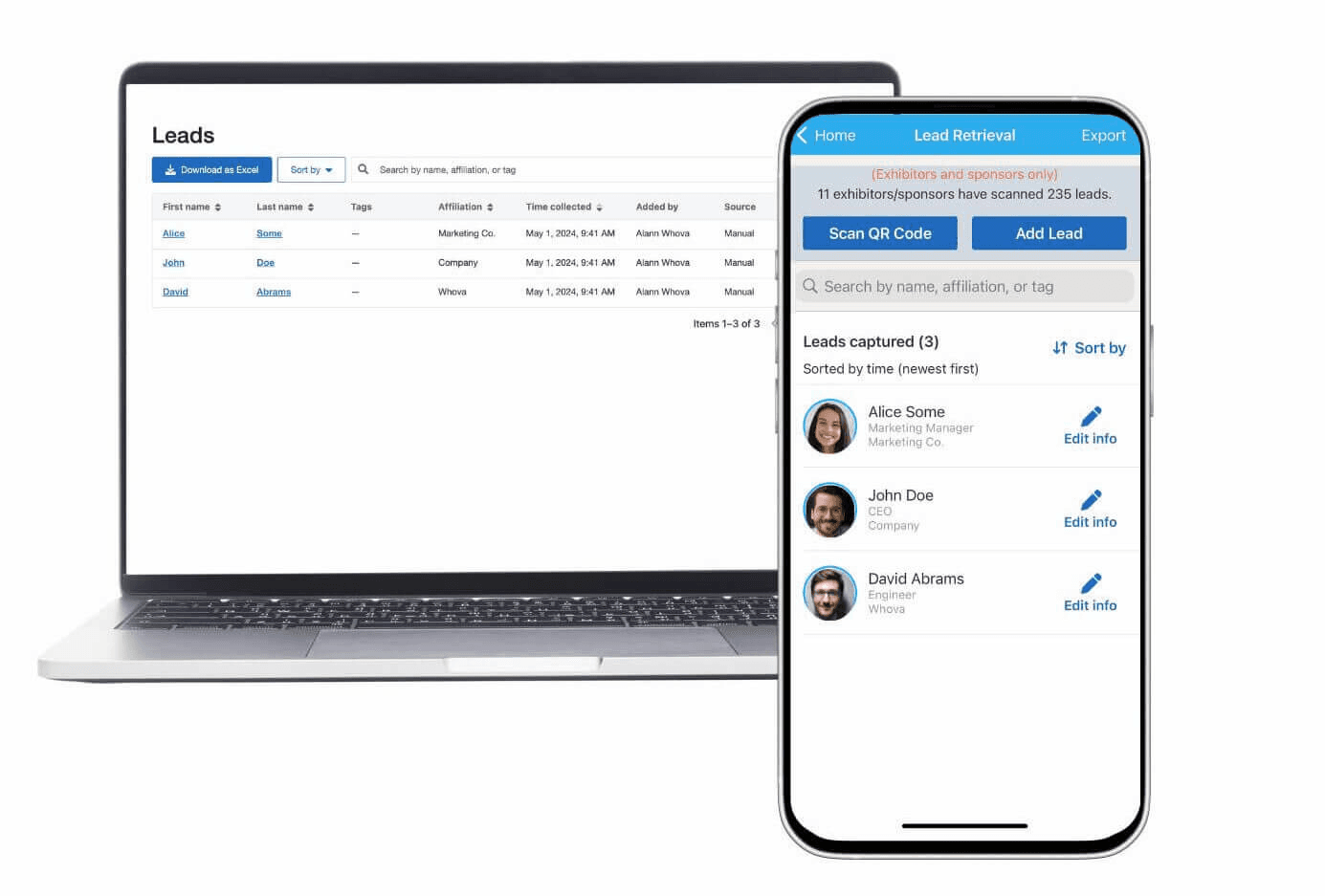
The fastest way to lose pipeline after a trade show is not a bad booth location or a slow scanner. It is an app that aces the scan and fails everything that follows. Seven features separate tools that generate pipeline from tools that generate spreadsheets.
Pros and cons at a glance
✓ Pros
✗ Cons
Syncs contact data directly into CRM without a middleware layer
Ecosystem lock-in: teams on Salesforce, Dynamics, or custom CRM find native sync irrelevant
Qualification fields, lifecycle stage assignment, and sequence enrollment trigger in real time
Workarounds for non-HubSpot CRMs are clunky
1. Offline Badge Scanning That Works Without Wi-Fi
Convention center Wi-Fi is notoriously unreliable, and a trade show lead capture app that stalls without a connection will cost you real pipeline. Look for true offline-first architecture, leads scanned on the floor should sync automatically once connectivity returns. The tradeoff: offline-capable apps often require pre-event setup and firmware updates, so last-minute installs on show day are risky.
2. Native CRM Integration With Real-Time Two-Way Sync
The fastest way to kill post-show momentum is a manual CSV export that lands in a sales rep's inbox three days after the event. A strong trade show lead capture app pushes contacts directly into Salesforce, HubSpot, or Microsoft Dynamics in real time, with field mapping that respects your existing CRM schema. The tradeoff: deep native integrations are typically locked behind higher-tier pricing plans.
3. On-Site Lead Qualification With Custom Scoring Fields
Scanning a badge captures contact data, it does not tell your sales team whether that person is a decision-maker with a Q3 budget or a student collecting swag. The best trade show lead capture apps let booth staff attach custom qualification fields, dropdown ratings, and voice or text notes at the moment of capture. The tradeoff: richer qualification workflows slow down high-traffic booth interactions if not designed carefully.
4. GDPR-Compliant Consent Collection Built Into the Capture Flow
For teams exhibiting at European trade shows, or capturing EU-resident data anywhere, consent is not optional. A compliant trade show lead capture app must present a clear opt-in at the point of capture, log a timestamped consent record, and support data erasure requests. Apps that bolt on compliance as an afterthought create legal exposure. The tradeoff: mandatory consent steps add friction and can reduce raw scan volume.
5. Universal Badge Scanning Across QR, NFC, and Barcode Formats
Trade shows use wildly inconsistent badge formats, some print QR codes, others use 1D barcodes, and newer venues are rolling out NFC chips. A trade show lead capture app locked to a single scan format will leave your team manually typing contact details at roughly 30% of events. Look for multi-format scanning via the device camera plus optional hardware scanner support. The tradeoff: broader format support increases app complexity and onboarding time.
6. Automated Post-Show Follow-Up Triggered From the App
Speed-to-follow-up is one of the strongest predictors of trade show lead conversion, yet most teams send their first email two to four days after the event. A trade show lead capture app with built-in follow-up automation, personalized email sequences triggered by lead score or conversation tag, closes that gap without relying on a separate marketing automation tool. The tradeoff: pre-built sequences require careful template setup before the show, not after.
7. Real-Time Team Analytics and Booth Staff Leaderboards
Event managers running multi-rep booths need visibility into who is capturing leads, at what rate, and with what qualification depth, live, not in a post-event debrief. A trade show lead capture app with a real-time analytics dashboard and optional staff leaderboard surfaces performance gaps while there is still time to coach on the floor. The tradeoff: leaderboard features can create counterproductive competitive behavior if reps prioritize scan volume over lead quality.
Related Reading
- Etiquette For Networking In Online Conferences
- Measuring Event Roi
- Trade Show Sales Tips
- Trade Show Follow Up Best Practices
- How Do You Find The Roi Of A Trade Show
- Trade Show Sales Funnel
- What Is Trade Show Marketing
- Event Lead Management
- B2b Trade Show Best Practices
- Conference Lead Generation
- B2b Trade Show Marketing
The 10 Best Trade Show Lead Capture Apps for 2026
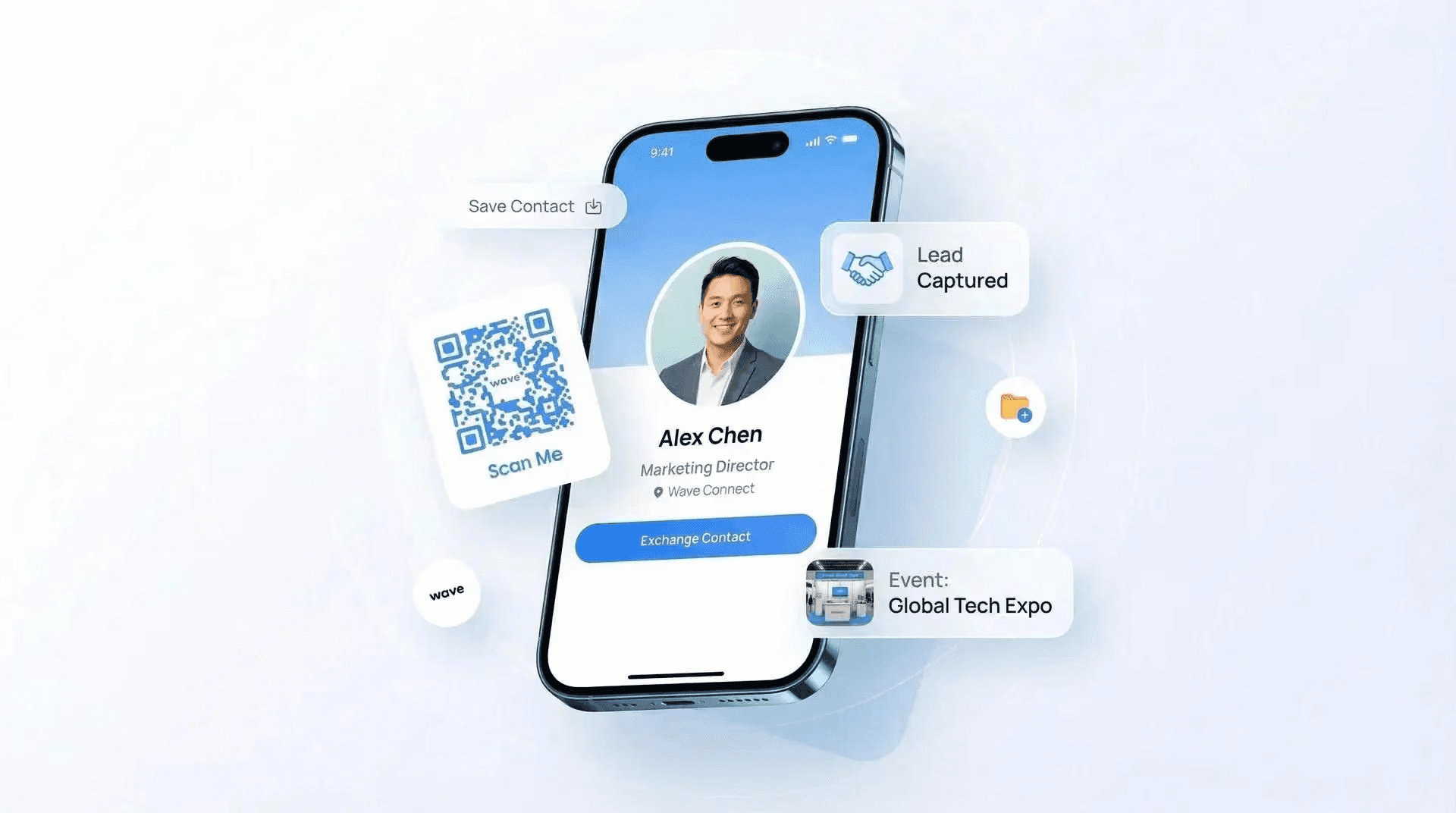
Most exhibitors leave a trade show with a badge scan export, a stack of business cards, and a follow-up rate that hovers somewhere between embarrassing and invisible. The leads did not go cold because the show was wrong or the product was weak; they went cold because the capture tool created a data dead end, no context, no routing, no trigger for the CRM workflow that was supposed to fire on Monday morning. The failure point is almost always the same: the app handled the scan and nothing else.
The reason follow-up rates have barely moved in years is structural, not motivational: a flat, unscored contact list gives reps no prioritization signal, assigns no owner, and triggers no workflow. The only interventions that measurably move that number are on-device qualification scoring at the moment of capture and sequence-triggering CRM sync before the rep reaches the next booth. The app that changes that number is not the one with the fastest scanner. It is the one that turns a tap into a sequenced CRM record before the rep reaches the next booth. The 10 apps below are evaluated through that lens.
The question is not "how quickly does it scan?" The question is: what does the Sales Director find in the pipeline on Monday morning? Tools like Popl, Blinq, and V1CE serve individual professionals and small teams well in their target contexts; this list focuses specifically on exhibiting teams that need rep-level accountability, CRM attribution, and multi-event visibility, a narrower brief that shapes every placement below.
How to Choose the Right Trade Show Lead Capture App From This List
Every app on this list solves the capture problem to some degree. The gap that separates them is what happens in the 90 seconds after the scan. Most Sales Directors accept the per-event badge scanner rental as a fixed cost of showing up, but that model has a hidden compounding problem: every show where a rep has a hallway conversation, attends a networking dinner, or meets a prospect outside the badged show floor is a show where leads fall into a black hole with zero CRM attribution.
The familiar approach is to reconcile those contacts manually after the show, which is exactly how the majority of new contacts never make it into the CRM. The structural fix is a capture device that works everywhere, not just inside the badge perimeter. Mobilo Card closes that gap by functioning as both the capture device and a permanent networking asset, built from the ground up to digital business card.
Landsea Homes' $21,000 annual savings was not just a printing cost reduction; it was the elimination of an entire category of untracked pipeline leakage across 400 employees and every event they attended. The Teams plan, the most popular tier at $4/month per seat, billed annually, includes unlimited leads and contacts, lead enrichment, custom lead capture forms, insights and analytics, team management, and integrations through Zapier, so the first tap creates a CRM record in real time, without waiting for a post-show CSV export or a manual data entry session on Sunday night. For enterprise teams requiring HR directory sync, enterprise SSO, central billing, and a custom domain, the Business plan adds that entire layer at $5/month per seat, billed annually, with white-glove onboarding available for deployments of 100 seats or more.
Picking the right app from this list is only half the decision. The other half is understanding exactly how each tool hands lead data off to your CRM, and whether that handoff happens in real time or in a batch export two days after the show closes. That gap is where pipeline velocity is won or lost, and it is exactly what the next section breaks down.
1. Mobilo Card - Best Digital-First Lead Capture for Enterprise Teams
Mobilo Card earns the top position on this list because it operates outside the per-event licensing model entirely. Every rep carries a persistent NFC business card that captures leads at the booth, at the networking dinner, and in the hallway conversation that never touched the organizer's badge system, the exact coverage gaps that drove Landsea Homes to replace both badge scanner rentals and paper reprints with Mobilo across 400 employees, documenting $21,000 in annual savings. Those savings compound because the card is active at every event on the calendar, not only those where the organizer offers a scanner rental. What makes Mobilo structurally different is the combination of hardware and software designed specifically to digital business card.
On the Teams plan at $4/month per seat (billed annually), reps get unlimited taps and scans, lead enrichment, custom lead capture forms, a paper business card scanner, and integrations through Zapier, so the CRM workflow fires the moment contact is made, not two days after the show closes. The Business plan, at $5/month per seat (billed annually), adds enterprise SSO, HR directory sync, a custom domain, central billing, and white-glove onboarding for teams of 100 or more, alongside full insights and analytics and team management with the ability to control, lock, and override data fields across every rep's card.
Both plans include 24/7 customer support and brandable QR codes, and every plan, including the individual Pro plan at $3/month, ships with unlimited leads and contacts, email signatures, and a free Digital Wallet Card. The real limitation to name honestly: Mobilo's value is highest for teams attending four or more events per year. A single-event exhibitor may not recoup the setup investment in one show.
2. HubSpot Lead Capture - Best for Teams Already in the HubSpot Ecosystem
HubSpot's native lead capture tools sync contact data directly into the CRM without a middleware layer, which matters when the Sales Director needs lead source attribution to appear automatically in deal records and pipeline reports. Qualification fields, lifecycle stage assignment, and sequence enrollment all trigger in real time. The trade-off is ecosystem lock-in: teams running Salesforce, Dynamics, or a custom CRM will find the native sync irrelevant and the workarounds clunky. Pick this when the entire revenue team already lives in HubSpot and the event budget is tied to HubSpot-reported pipeline.
3. snapAddy VisitReport - Best for European B2B Exhibitors Needing CRM-Ready Digital Lead Forms
snapAddy VisitReport was built for the European trade show circuit, where GDPR consent capture at the point of contact is not optional. The app structures lead forms around consent fields and maps directly to SAP, Salesforce, and Microsoft Dynamics. For a Sales Director managing a team across Hannover Messe, Bauma, or similar large-format European events, that compliance layer is worth the per-seat cost. The limitation is geographic fit: teams whose entire event calendar sits in North America will find the GDPR scaffolding adds friction without adding value, and the pricing reflects a European enterprise buyer, not a startup budget.
4. Zuddl - Best for Conference and Event Organizers Managing Multi-Booth Lead Capture
Zuddl is built for the organizer side of the equation, not the exhibitor side. It gives event teams centralized control over how all booths capture and export lead data, which is valuable when a Sales Director is running a sponsored pavilion or managing multiple exhibiting teams under one brand. The platform handles session check-ins, booth scans, and virtual attendee data in one dashboard. The honest trade-off: if you are a single exhibitor buying floor space at someone else's event, Zuddl is not the right tool. Its strength is coordination across many capture points, not depth of CRM workflow for one team.
5. momencio - Best for Offline-First Lead Capture with Content Engagement Tracking
Trade show venue Wi-Fi is notoriously unreliable. Large convention centers experience significant congestion during peak show hours, and apps that depend on a live connection drop data at exactly the wrong moment. momencio queues every scan and content interaction locally on the device and syncs when connectivity returns. It also tracks which sales collateral a prospect engaged with during the booth conversation, giving reps a richer qualification signal than a name and title alone. The limitation is pricing: momencio sits at the higher end of the per-event cost range, which makes it harder to justify for teams attending fewer than six shows per year.
6. iCapture - Best for High-Volume Badge Scanning Across Multiple Show Formats
The company reports materially fewer mis-captured email addresses versus OCR-only processing based on its own platform data, a claim that, while not independently benchmarked, is consistent with the structural logic of human review catching errors that pattern-matching OCR misses. A human reviewer confirms accuracy before the contact record is created, which matters when a single misspelled email address means a follow-up sequence fires into a dead inbox. For a Sales Director whose team works both badged trade shows and non-badged networking events in the same quarter, that dual-mode capture with verified accuracy is a meaningful operational advantage. The trade-off is turnaround time: human verification adds a short processing delay, so real-time CRM sync on the show floor is not always possible.
7. Exhibitcore - Best Lightweight App for Small Exhibitors on a Tight Budget
Exhibitcore handles badge scanning and basic lead export at a price point that makes sense for a small team attending one or two regional shows per year. Setup is fast, the interface is minimal, and the per-event cost is low. The limitation is exactly what the price reflects: there is no native CRM sync, no lead scoring, and no automated follow-up sequencing. The Sales Director gets a CSV on Monday morning. For a five-person team where the owner personally follows up with every lead, that may be sufficient. For any team where follow-up accountability is distributed across multiple reps, the absence of automated routing means the leads will sit in the file.
8. Cvent LeadCapture - Best for Enterprise Exhibitors at Cvent-Managed Events
Cvent LeadCapture integrates tightly with the Cvent event management platform and is also available for use at non-Cvent events, which gives enterprise exhibitors more flexibility than the name implies. The app supports custom qualification questions, lead scoring, and direct CRM export. The ecosystem dependency is the real evaluation filter: teams whose events are predominantly managed through Cvent will find the integration seamless and the data quality high. Teams attending a mixed calendar of Cvent and non-Cvent events should test the non-Cvent workflow carefully before committing, because the experience is not identical across both modes and the pricing reflects enterprise-scale deployment.
9. Validar - Best for Detailed Lead Qualification and Post-Show ROI Reporting
Validar's core differentiator is the depth of its post-show reporting layer. The platform is designed for Sales Directors who need to answer the question "what did this event actually return?" with data, not anecdote. Custom qualification fields, rep-level lead volume tracking, and ROI dashboards are all native to the platform. Most beneficial when a Sales Director is accountable to a CFO or VP of Marketing for event spend justification, Validar gives the reporting structure to make that case. The trade-off is that the platform is built for analysis, not speed of deployment. Teams that need a tool live within 24 hours of arriving at a show will find the setup requirements more demanding than lighter alternatives.
10. Bizzabo - Best for Hybrid Event Teams Capturing Leads Across In-Person and Virtual Touchpoints
Bizzabo manages the full event lifecycle, and its lead capture functionality reflects that scope. In-person badge scans, virtual session attendance, and digital engagement signals all feed into the same attendee record, which gives exhibitors at hybrid events a unified view of prospect behavior across both formats. For a Sales Director whose team sponsors both physical booths and virtual conference tracks, that unified record is operationally valuable. The honest limitation: Bizzabo is an event management platform that includes lead capture, not a lead capture app that happens to manage events. Teams evaluating it purely as a badge scanner will pay for capabilities they will never use.
CRM Integration and Lead Export - Why 'It Syncs with Salesforce' Is Not Enough
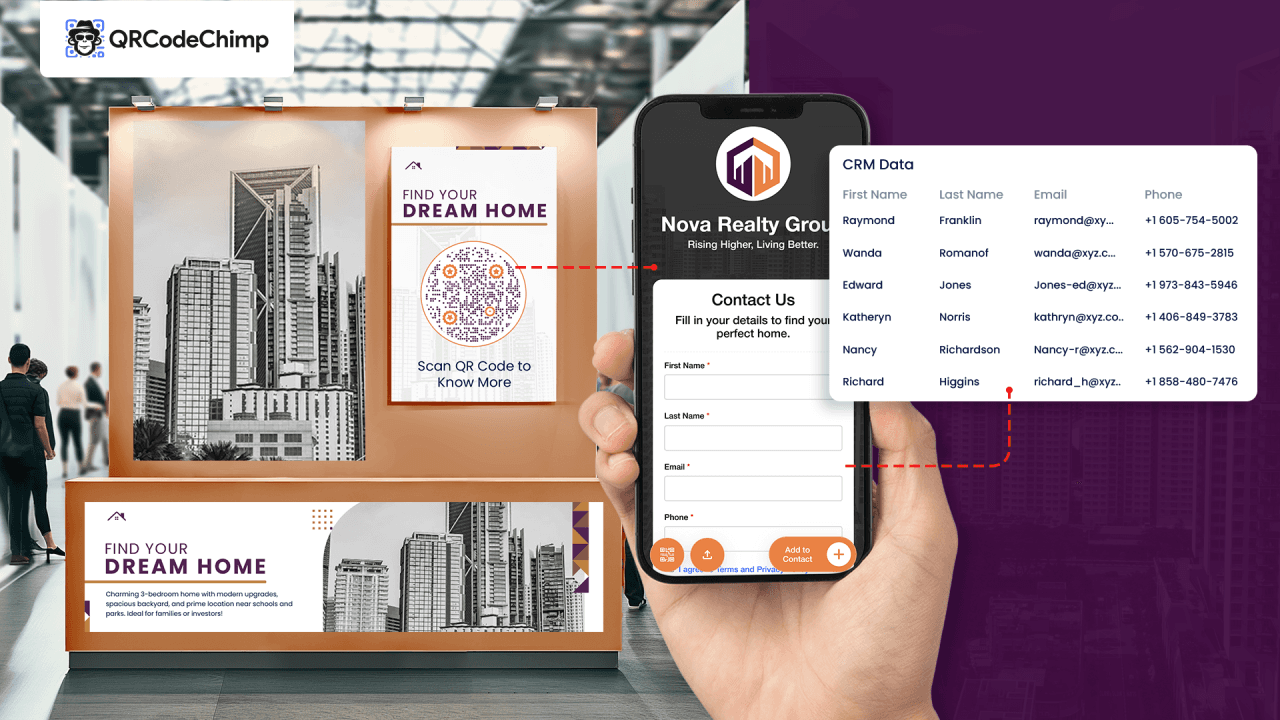
The phrase "it syncs with Salesforce" has become one of the most misleading claims in event technology. It sounds like a solved problem. In practice, it describes a spectrum that runs from genuine, real-time pipeline creation all the way down to a scheduled CSV file dressed up with a branded export button. For a Sales Director accountable for post-show pipeline, the difference between those two endpoints is not a technical detail. It is a revenue variable.
Native CRM Integration vs. CSV-with-a-Logo - How to Tell the Difference in 60 Seconds
"Leads and contact data get siloed on employees' personal phones, making it difficult for the company to retain ownership when staff leave or change roles, a core data portability issue that basic CRM sync claims don't address."
The fastest diagnostic: ask whether the contact appears in the CRM before the rep leaves the booth, or after someone manually triggers an export. A native integration writes a contact record in real time, assigns lead ownership automatically, and optionally enrolls the contact in a sequence. A CSV-with-a-logo requires a human to download a file, open the CRM, map columns, and upload, which typically happens Sunday night or Monday morning at the earliest. The second diagnostic is field fidelity. Native integrations map custom fields, lead source, and qualification notes directly to the corresponding CRM object. CSV imports arrive with generic column headers that a CRM admin has to reconcile by hand.
If your team is spending post-show hours cleaning data instead of making calls, the integration was never real. There is a third diagnostic that Sales Directors rarely think to ask about until it costs them: who actually owns the contact data? One of the most common pain points teams encounter is that leads and contact data get siloed on employees' personal phones.
When a rep changes roles or leaves the company after an event, every conversation they captured walks out the door with them, and the CRM sync claim the vendor made at contract time does nothing to address it. Mobilo's Teams and Business plans tackle this at the architecture level: the platform gives CRM admins centralized control over data fields, with the ability to control, lock, and override data fields across every card on the account. Contacts belong to the company, not to the individual cardholder's device.
The 24-48 Hour Conversion Velocity Window - Why Sync Speed Is a Revenue Variable
Reply rates drop 3x after 72 hours of post-show follow-up delay, according to BoothMaven platform data from North American trade shows. That figure reframes sync speed entirely. A CSV exported Sunday night and imported Monday morning has already surrendered the highest-intent window for every lead captured Friday afternoon.
The conversion window is not a sales cliché. It is a measurable decay curve, and every hour of manual data handling accelerates the drop. Mobilo's Teams plan ($4/month per member, billed annually) and Business plan ($5/month per member, billed annually) both include lead enrichment, lead capture and management, and unlimited leads and contacts, meaning the platform is not imposing a data cap that forces teams to triage which contacts get synced. Every tap, every scan, every paper business card scanned with the built-in scanner produces a complete record that is eligible for CRM push. There is no tier gate on the sync itself.
What Real Salesforce and HubSpot Field Mapping Looks Like - Lead Source Attribution Is Non-Negotiable
Lead source attribution is the difference between knowing your event ROI and guessing at it. A genuine Salesforce or HubSpot integration stamps every contact with the event name, the rep who captured it, and the qualification tier assigned at the booth. Without it, the contact enters the CRM as an orphan record with no origin, no owner, and no sequence triggered.
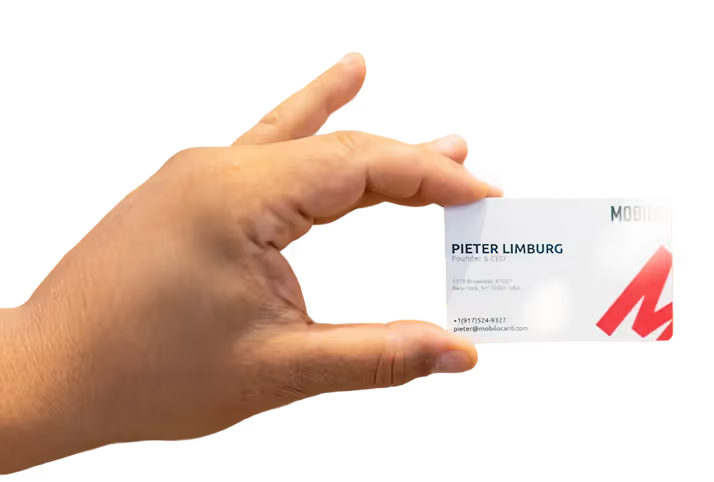
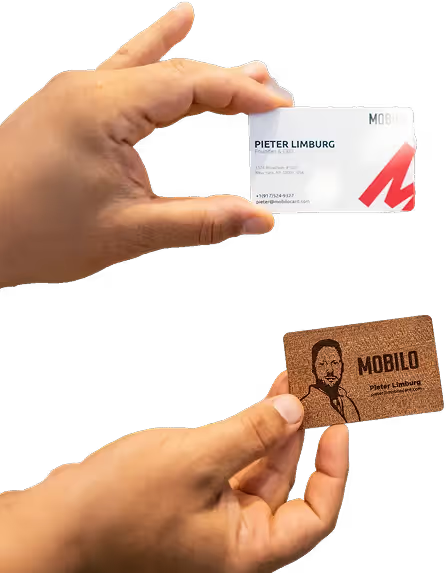
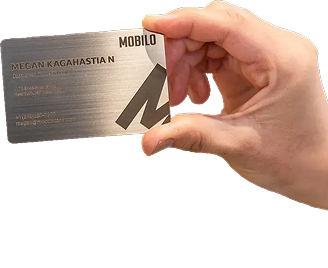
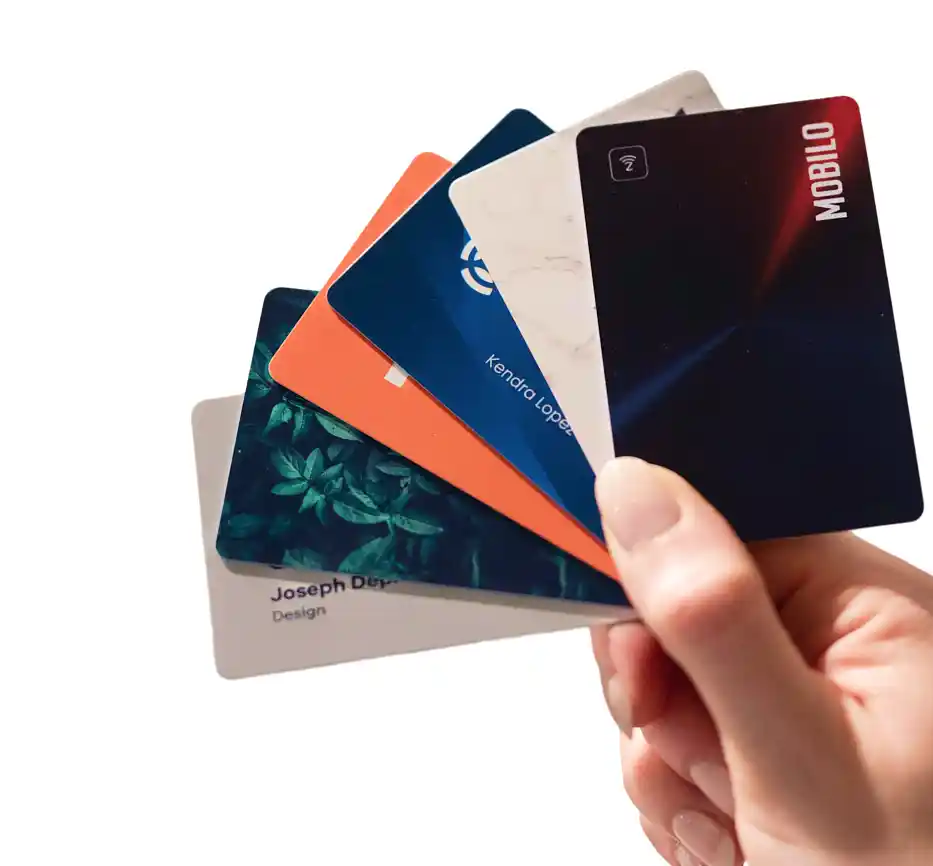
Custom lead capture forms, pre-mapped to specific CRM fields before the show begins, mean every scan produces a complete, attributed contact record rather than a name and email address floating in a spreadsheet. Both the Teams and Business plans include custom lead capture forms and Zapier integrations across that same figure integrations through Zapier, which is the routing layer that connects a tap or scan directly to a named Salesforce campaign, HubSpot workflow, or any other CRM object a team's admin has configured. The CRM admin sets the field mapping once before the show; every rep's card then writes to those same fields consistently, regardless of which booth, which city, or which card material, whether the team is carrying Custom Designed NFC Cards, Wood or Metal NFC variants, Digital Wallet Cards, or Paper Plus Cards.
Consistent field mapping across a mixed-format card deployment is what makes post-show attribution reports accurate rather than a best-guess reconciliation exercise. As post-show follow-up research confirms, the teams that follow up fastest, with the most complete contact context, win the conversion window. The infrastructure to do that has to be in place before the first badge is scanned, not assembled the Monday morning after the show closes.
Free and Low-Cost Trade Show Lead Capture Alternatives: and What You Trade Away

The zero-dollar line item on a free lead capture tool looks responsible right up until the Monday after the show, and research compiled by Zuddl on trade show lead capture apps consistently shows that manual post-show reconciliation consumes significant rep time that compounds across every event on the calendar. That is when the real invoice arrives, written not in software costs but in rep-hours spent untangling spreadsheets, chasing down context, and manually entering contacts that were warm three days ago and are cooling fast. Without automated CRM pipeline creation, every free scan becomes a manual data-entry task assigned to rep-hours that compounds across events, meaning the real cost of "free" is measured in SDR time lost to post-show reconciliation rather than the absent license fee.
What Free Alternatives Actually Exist, and the One Scenario Where They Work
Free trade show lead capture options fall into three categories:
- The event organizer's badge scanner terminal
- LinkedIn QR codes
- Native camera-to-contact apps
Across the market, free tools are functional for a very small team, two or three people, attending a single event where nothing more than a name and email is required and no CRM handoff is expected. That is the one scenario where free is genuinely sufficient: the event is a one-off, follow-up volume is low enough to handle manually, and pipeline attribution is not being tracked at the organizational level.
The moment a second rep joins the booth, the scenario changes completely, because there is no unified view, no shared qualification layer, and no automated handoff to a CRM. Mobilo's Teams plan is built precisely for that inflection point. At $4/month per seat (billed annually), it supports unlimited team members under a single subscription, includes central billing, team management, and full team data analytics with CRM integrations, so the moment your booth grows beyond one person, every tap and scan rolls up into a shared, qualified pipeline rather than six separate spreadsheets.
The plan also includes brandable QR codes, custom lead capture forms, lead enrichment, and integrations through Zapier, meaning captured contacts move into your CRM workflow without a human relay race. The Team, Wood, or Metal Custom Design Cards give field reps a tangible, brandable artifact that initiates the same automated capture flow on every tap.
The Hidden Rep-Hour Tax on Manual Reconciliation
What most teams report after trade shows makes clear that manual data reconciliation after a trade show consumes significant rep time that compounds across every event on the calendar. A six-rep team returning from a three-day show with six separate spreadsheets faces hours of deduplication before a single contact enters a sequenced workflow. That labor cost is invisible at the point of tool selection, which is exactly why free tools keep getting chosen.
The subscription line stays at zero; the SDR overtime line absorbs the real expense quietly. Mobilo's Teams and Business plans both include the paper business card scanner, unlimited leads and contacts, and lead capture and management features that remove the reconciliation step entirely. Contacts captured in the field enter the same pipeline as contacts captured via NFC tap or QR scan, with no manual merge required afterward.
The Per-Seat Math, When $4 Costs Less Than One Missed Lead
The average cost per qualified B2B trade show lead runs well into the hundreds of dollars once booth fees, travel, and staff time are factored in. Against that benchmark, a per-seat subscription at $4/month, the price of Mobilo's Teams plan, represents a fraction of the cost to capture a single qualified lead. The math inverts quickly: if the platform's automated CRM routing recovers even one lead per event that would otherwise have gone uncontacted, the annual subscription cost is covered many times over.
For organizations that need enterprise SSO, HR directory sync, a custom domain, and white-glove onboarding, the Business plan adds those capabilities at $5/month per seat, still a rounding error against the cost of a single missed qualified opportunity. Both plans include 24/7 customer support, so the team executing your next show is never troubleshooting alone on the floor.
How to Choose the Right Trade Show Lead Capture App for Your Team Size and Budget
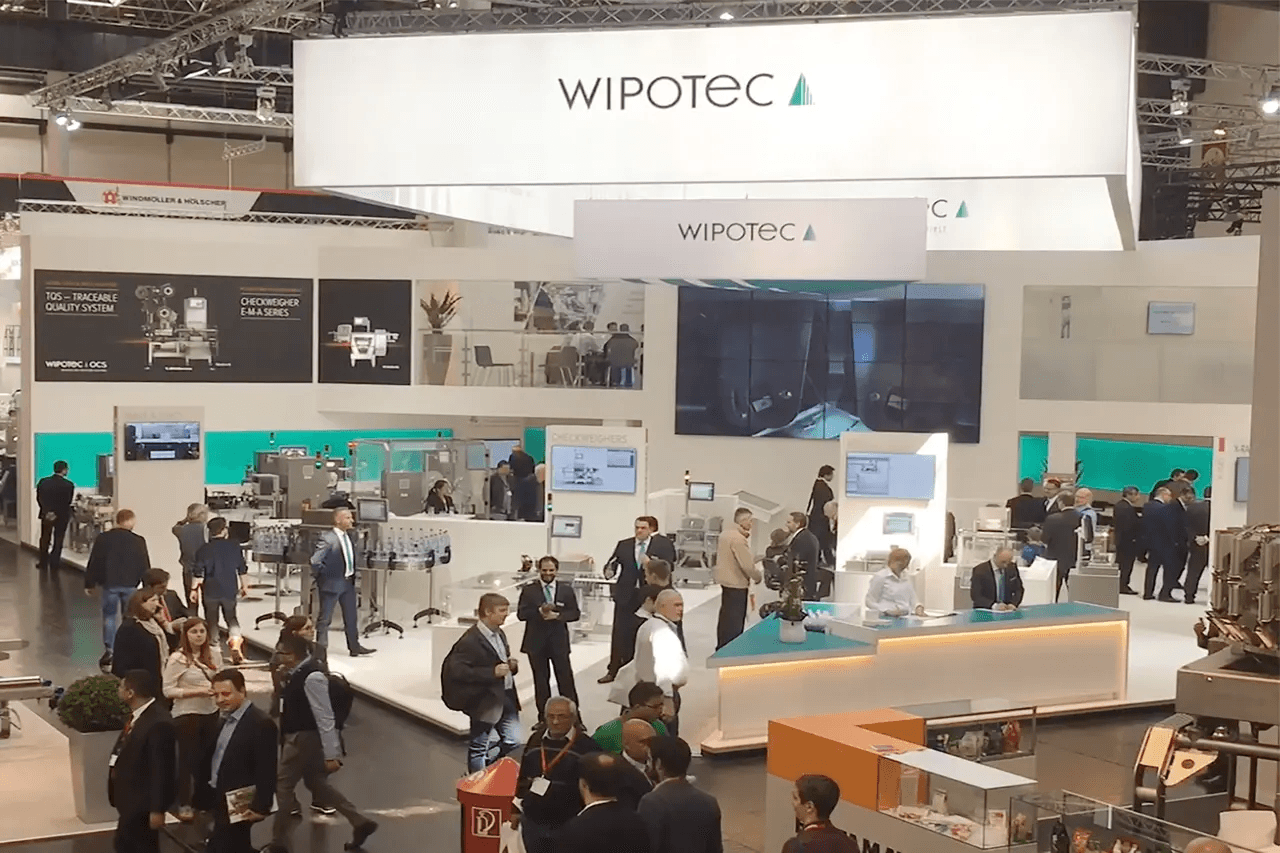
Choosing the right lead capture app is not a feature comparison exercise. It is a math problem with three variables: how many reps you deploy, how many shows you run per year, and which CRM your team actually uses. Get those three inputs right and the correct app becomes obvious without sitting through a single vendor demo.
Choosing by Team Size, Event Frequency, and CRM Stack
The total cost of ownership on event tech looks very different at show one versus show five. According to industry data compiled by Buzzimpressions, badge scanner rentals are priced per device, per event, by the show organizer. That fee structure multiplies silently across reps and shows, and it delivers zero qualification context, zero CRM automation, and zero cross-event visibility. The per-event price is the least accurate number a Sales Director can use when making this decision.
Solo and Small Teams (1 to 5 Reps, 1 to 3 Shows)
Per-event pricing still makes sense here. If your team attends two or three shows annually, the annual cost of a dedicated subscription may exceed what you would pay renting a scanner at each show. The honest trade-off: you get a list of names, not a pipeline.
That works if your follow-up volume is low enough to handle manually. For individual buyers ready to move beyond that trade-off, Mobilo's Pro plan starts at $3/month (billed annually) and includes unlimited taps, unlimited leads and contacts, lead enrichment, custom lead capture forms, integrations through Zapier, and 24/7 customer support, all for a single seat. Setup is handled by the individual cardholder, so there is no IT dependency between purchase and first use.
Mid-Market Teams (6 to 25 Reps, 4 to 12 Shows)
This is where the per-event model breaks. A team running eight shows per year with ten reps pays rental fees that compound per device, per show, per rep. Industry data on exhibitor costs confirms that frequent exhibitors consistently find annual SaaS licensing more cost-efficient past the four-show threshold.
The break-even point arrives faster than most Sales Directors expect. Mobilo's Teams plan, the platform's most popular tier, is priced at $4/month per seat (billed annually) and supports unlimited team members. It includes every feature in the Pro plan plus team management, central billing, brandable QR codes, the Apple/Google QR code widget, no-internet QR sharing, insights and analytics, lead capture and management, a paper business card scanner, and bulk discounts for events.
Every Team card includes unlimited taps and scans, full team data analytics and CRM integrations, and admin-level control to lock and override data fields, which means every rep's card stays on-brand and on-message from show one through show twelve. Initial setup is managed by the team admin, with the design team handling branding assets, so the configuration work is concentrated once rather than repeated at every event.
Enterprise and Multi-Show Calendars (25 or More Reps)
At this scale, per-event pricing is not a line item. It is a budget leak. Seat-based annual licensing with native CRM sync becomes non-negotiable because the alternative is a manual reconciliation sprint after every show, multiplied across a full calendar. Teams at this size also need rep-level accountability: who captured leads, how many, and what happened to them. Event-only apps structurally cannot provide that visibility because they reset after each show. Mobilo's Business plan is built for this scale at $5/month per seat (billed annually) with unlimited team members.
It adds every Teams feature plus enterprise SSO, HR directory sync, a custom domain, custom-built landing pages, white-glove onboarding, and bulk discount pricing negotiated directly through the sales team. Central billing keeps finance reconciliation to a single line item regardless of headcount or event volume. After initial team setup is complete, the team admin controls ongoing configuration, including locking and overriding rep data fields, so compliance and brand consistency are maintained without re-onboarding every quarter.
CRM Compatibility as a Hard Filter, Not a Tiebreaker
CRM compatibility is a hard filter in any vendor evaluation: if the integration requires a human step between scan and record creation, the conversion window has already started closing. Our experience across event programs consistently shows that when the capture tool and the CRM operate as separate, manually connected systems with no automated field mapping or ownership assignment, the vast majority of new contacts captured at events never enter the CRM. Mobilo addresses this directly: every plan tier, Pro, Teams, and Business, includes integrations through Zapier, lead enrichment, custom lead capture forms, and unlimited leads and contacts, so the path from tap to CRM record does not require a CSV export or a manual upload at any seat count. The velocity of follow-up, not just the volume of scans, determines whether event investment converts to pipeline.
Trade Show Lead Capture App Selection Checklist
Use this checklist before committing to any vendor:
- Universal badge scanning — Reads QR, barcode, AND NFC formats
- On-device qualification — Hot/Warm/Cold ratings + custom intent fields captured at moment of scan
- Offline capture mode — Queues scans locally; auto-syncs on reconnect
- Native CRM sync — Contact appears in CRM before rep leaves booth; no CSV step required
- Field fidelity — Maps lead source, rep owner, qualification tier to correct CRM object
- Automated follow-up trigger — Tag at booth → sequence enrolls automatically
- Per-seat vs. per-event pricing — Annual SaaS cost compared against (rental fee × devices × shows)
- Cross-event visibility — Rep-level lead volume and outcome tracking across full calendar
Related Reading
- Which Networking Software Is Best For Conferences
- Trade Show Booth Ideas To Attract Visitors
- Conference Lead Capture
- How To Measure Trade Show Effectiveness
- Virtual Event Success Metrics
- Trade Show Roi
- Trade Show Lead Generation Ideas
- What's The Best Event Lead Generation Software
- Post-Trade Show Marketing Strategies
- Best Trade Show Giveaways
Next steps
If your warm booth contacts keep disappearing into spreadsheets before a single follow-up fires, the path forward starts with treating capture as permanent infrastructure, not a per-event rental decision. Start with our digital business card.
The qualification layer determines pipeline quality, not the scanning mechanism. Reps misremember conversation context within 48 hours, so any app that skips on-device ratings and intent fields produces a flat list that is structurally identical to a badge scanner dump, regardless of how polished its CRM sync looks. At the same time, reply rates drop 3x after 72 hours of follow-up delay, which means a CSV exported Sunday night and imported Monday morning has already surrendered the highest-intent window for every lead captured Friday afternoon. Together, those two realities point to one action: a capture workflow that scores the lead at the booth and writes a sequenced CRM record before the rep reaches the next conversation.
Start with a digital business card on the Teams plan at $4 per seat monthly. Each tap creates a qualified, enriched CRM record in real time, so Monday morning your pipeline reflects the show floor, not a manual reconciliation sprint.
Frequently Asked Questions
What is a lead retrieval app, and how is it different from the badge scanner rental at the registration desk?
A lead retrieval app, also called a trade show lead capture app, is a BYOD workflow tool that turns any smartphone or tablet into a live contact-capture and qualification station on the show floor. Unlike a badge scanner rental (which typically runs $400–$600 per day per device and returns only a name and email), a BYOD app keeps data inside a connected workflow, supports business card scanning via OCR, and enables on-device qualification, so the record that reaches your CRM is a ranked lead, not just a contact.
What happens to scanned leads if the convention center Wi-Fi goes down mid-show?
Any app that requires a live connection to save a scan loses that record entirely when the network drops, and convention center Wi-Fi at large shows is a shared resource under constant strain. Offline-capable apps queue scans locally on the device and sync to the CRM automatically once connectivity is restored, which is why offline mode is described in the post as non-negotiable rather than a premium feature.
Can my reps fill out a custom qualification form right after each badge scan, not just capture the contact info?
Yes. Custom lead capture forms let reps log qualification signals, budget window, timeline, intent, immediately after the scan, while the conversation is still fresh. On Mobilo's Teams plan ($4/month per seat, billed annually) and Business plan ($5/month per seat, billed annually), these custom forms are included so reps record context in the same motion as the tap or scan, rather than relying on memory later.
Does the app also capture leads from paper business cards handed out at networking dinners or off-floor meetings?
Yes, and the post flags this as a meaningful coverage gap. Business card scanning via OCR converts a photographed card into structured data fields, which matters because field meetings, satellite events, and hospitality suites all produce physical cards. An app that handles only badge barcodes leaves a capture gap the moment a rep steps off the main floor.
How do scanned leads get into our CRM, is it a manual export or does it happen automatically?
A true real-time integration creates a contact record, assigns a lead owner, and can enroll the prospect in a follow-up sequence the moment the scan happens, no manual download or re-upload required. The post draws a sharp distinction between that and a CSV export dressed as an integration, noting that if the app requires a manual file transfer, the 24-to-48-hour conversion window closes before the file lands in anyone's inbox. Mobilo's Teams and Business plans connect to 6,000 integrations through Zapier, writing the contact record in real time.