.avif)


23 Trade Show Follow Up Email Examples and Templates
On This Page
Your follow-up emails aren't failing because the copy is weak. They're failing because a broken operational pipeline means you're sending on day three, when the window closed on day one.
Most sales directors believe the fix is better email copy, that the right templates, subject lines, and personalization tactics will rescue the ROI of the event. Most sales teams return from a trade show believing the hard work is done. The booth looked great, the pitch was sharp, and the badge scanner collected hundreds of contacts. What happens next is where the investment either pays off or quietly disappears. The gap between "lead collected" and "lead in pipeline" is wider than most Sales Directors realize. Closing that gap is not a copywriting problem.
It is an operational one, and understanding it changes how you approach everything that follows. Based on our market understanding, the total cost to exhibit at a trade show typically ranges from $20,000 to over $100,000 per event, once booth space, display construction, travel, shipping, and show services are factored in. With that level of spend on the line, ROI depends almost entirely on post-show follow-up.
See our digital business card for how this works in practice. Yet most teams treat follow-up as an afterthought, something to sort out once everyone is back at their desks. Timing matters more than copy quality.
Response rates drop sharply after the first 24 to 48 hours post-event, because prospects meet dozens of vendors and memory fades fast. The failure is not that reps send weak emails on day three. The failure is that the operational bottleneck makes day three the earliest they can send anything at all.
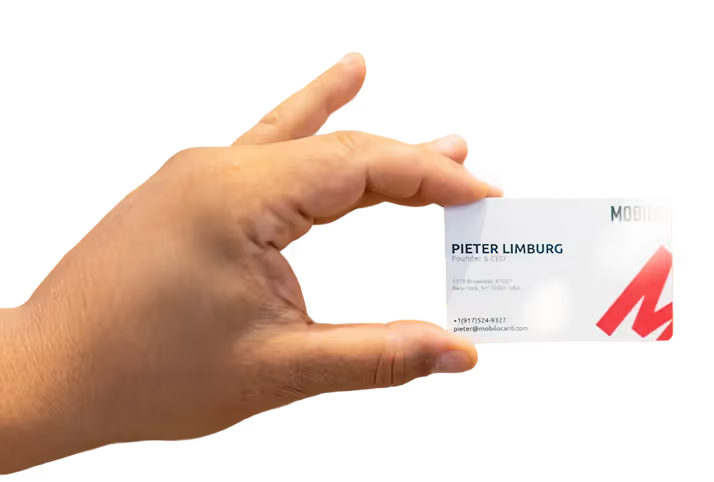
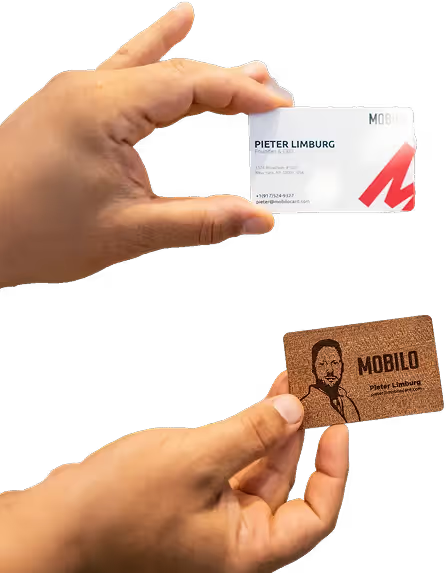
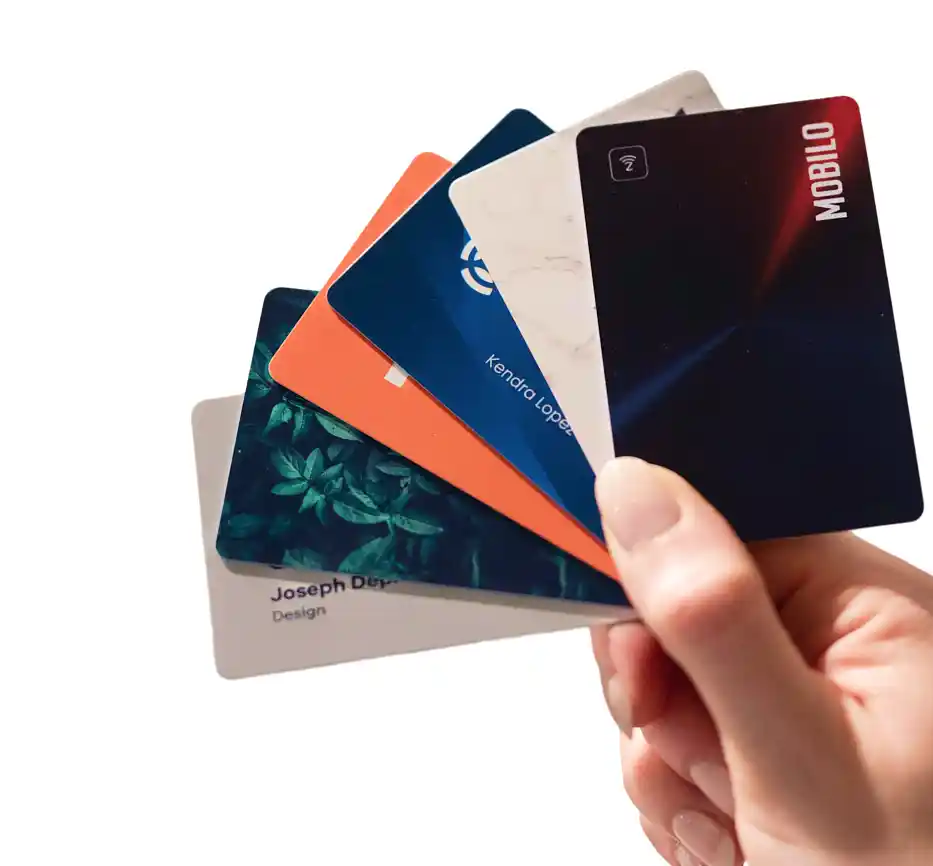
Across the market, the vast majority of new contacts captured at events never enter the CRM because manual transcription is simply too much friction for reps to complete at volume. Manual transcription creates a multi-day delay that kills response rates before outreach even begins. Teams that use tap-to-share cards eliminate this bottleneck entirely: when a prospect taps or scans a rep's Mobilo card, their information routes directly to the CRM, so the follow-up sequence fires on the right lead at the right moment without anyone opening a spreadsheet. Landsea Homes documented $21,000 per year in savings after eliminating the manual entry step, and The Falcon Group documented $6,000 per year, evidence that bottleneck removal produces measurable financial outcomes, not just workflow convenience.
$20,000 to over $100,000 Typical cost to exhibit at a trade show
Key takeaways
- 90% of new contacts never make it into your CRM after a trade show, the follow-up email problem is a data-entry problem, not a copywriting problem.
- Timing beats polish: a follow-up sent within hours of a conversation converts at a meaningfully higher rate than one sent two days later, regardless of how good the copy is.
- Segmentation before writing is non-negotiable, hot, warm, and cold leads require different sequences, and sending the same template to all three is the fastest way to kill pipeline.
- Subject lines that reference a specific detail from the conversation outperform generic 'Following up from [Show Name]' openers every time.
- The first follow-up email should be triggered automatically the moment a lead is captured, not written from memory by a rep who worked a six-hour booth shift.
- 23 templates organized by lead type give reps a starting point, but the templates only work if the contact data behind them is accurate, complete, and already in the CRM.
- Mobilo's Contact Exchange and Lead Capture closes the gap at the source, when someone taps or scans a Mobilo card, their information is captured and fed directly into your CRM in real time, so the automated follow-up fires before the show floor even closes.
How to Write a Trade Show Follow-Up Email - Timing, Segmentation, and Sequence Strategy
Trade show follow-up is not a copywriting problem. It is an architecture problem. Most sales directors think the fix is better email copy, but the right templates, subject lines, and personalization tactics will not rescue the ROI of the event on their own.
But the reps who convert event leads into pipeline are not the ones with the most polished email templates; they are the ones who send the right message to the right person at the right moment in the right sequence. Get the structure wrong and even well-written copy disappears into an inbox full of identical vendor emails. One of the most common struggles we see among teams is that lead capture itself creates the bottleneck.

Reps collect paper cards, take phone photos, or rely on badge scanners that dump a raw CSV into a shared inbox days later. By the time anyone sorts hot from cold, the 24-hour window is already gone. That is the architecture problem, and it starts before the email is ever written.
Mobilocard's built-in paper business card scanner, lead capture and management tools, and unlimited leads and contacts storage mean that reps can capture and follow up on leads more efficiently at networking events and in the field, logging a contact the moment the conversation ends rather than reconstructing it from a jacket pocket full of bent cards two days later.
Send Within 24 to 48 Hours or Lose the Memory Window Entirely
What most teams report, and what broader event follow-up research consistently shows, is that attendees meet dozens of vendors on a show floor and memory fades fast. Every hour you wait, the mental image of your conversation blurs a little more. By day three, you are not a memorable conversation; you are one of thirty badge scans the prospect cannot place.
The practical implication: the follow-up clock starts the moment a lead is captured, not when a rep finally sits down to write emails. Teams that treat data entry as a post-show task lose the window before they open their laptops. Mobilocard's Teams plan includes lead enrichment, custom lead capture forms, and full team data analytics with CRM integrations, so the data that flows out of a conversation on the show floor lands enriched and segmented in your system within seconds, not after a manual import the following week.
For larger organizations, the Business plan adds enterprise SSO, HR directory sync, and central billing, so every rep's captured leads feed into a single governed pipeline from day one of the event.
Segment by Lead Temperature Before You Write a Single Word
Lead temperature is the single most important variable in how to write a trade show follow-up email. Knak defines three tiers: hot leads have a clear pain point and an immediate need; warm leads showed genuine interest but no urgency; cold leads were brief interactions or badge scans with no real conversation attached. Each tier requires a different opening, a different ask, and a different sequence length.
Sending a demo-request email to a cold badge scan is the fastest way to earn an unsubscribe. Sending a soft resource email to a hot lead wastes the momentum you built at the booth. Segmenting leads before writing a single word is not extra work; it is the decision that determines whether the rest of the effort pays off.
Where Mobilocard removes friction here is at the data layer. Because every tap or scan on a Team or Business card is logged with insights and analytics, and because team managers can control, lock, and override data fields across every card in the organization, the information a rep captures at the booth arrives structured, not as a pile of freeform notes. Team managers get full team data analytics to see which reps captured the most leads, which conversations happened at which sessions, and which contacts are still waiting on a first touch. That visibility is what makes temperature-based segmentation practical rather than aspirational.
The 3: 4 Email, 10-Day Trade Show Follow-Up Cadence
A single follow-up email is structurally guaranteed to underperform. The recommended cadence, supported by what high-performing event teams follow across the market, is 3 to 4 emails spread across 10 days: email one re-establishes the connection and sets context; email two adds value through a relevant resource or insight; email three creates mild urgency; email four is either a soft check-in or a polite breakup. For a hot lead, that might look like: day-one pain-specific email, day-three case study, day-seven demo invite, day-ten breakup.
For a warm lead, the sequence opens softer and the urgency email moves later. For a cold badge scan, you may run only two touchpoints and spend more energy on the subject line than the body, an area where systematic A/B testing across subject lines and send times, as tools like Smartlead support, compounds gains across every future event campaign. The structural advantage Mobilocard gives teams running this cadence is that the extensive Zapier integrations available across Pro, Teams, and Business plans alike let you push captured leads directly into the email sequences already living in your marketing automation platform.
No CSV export, no manual list upload, no rep who forgets to add their Thursday afternoon contacts before the sequence fires Friday morning. The lead enters the workflow at the moment of capture, and the 10-day clock starts on time.
Trade Show Follow-Up Email Subject Lines That Actually Get Opened
The majority of post-event emails are never opened. The average open rate across industries is roughly 37–39%, meaning most emails sent never reach an engaged reader. The subject line is the only variable that changes that number. The instinct to write "Following up from [Show Name]" is understandable. It feels professional. It feels safe. But in a post-show inbox where every vendor sends the same blast within 48 hours, "safe" reads as "irrelevant."
According to Stripo's analysis of B2B email benchmarks, generic subject lines collapse into the undifferentiated mass of post-event outreach, signaling low relevance to both inbox filters and the recipient in under two seconds. Here is the synthesis most post-event email guides skip entirely: subject-line personalization is a last-ditch rescue attempt for a problem created upstream. When 90% of badge scans never reach the CRM, the reps writing "personalized" subject lines are working from incomplete, days-old memory rather than structured booth notes, meaning the specificity that benchmarks prove drives open rates is systematically unavailable to the teams who need it most.
The Segmentation Signal Most Reps Miss
37–39% Average industry email open rate
A specific subject line does more than improve open rates. It acts as a self-selection filter: a lead who opens "The CRM sync issue you mentioned at NRF, here's what we do" has confirmed they remember the conversation. A lead who ignores it probably never mentally registered the booth. That distinction saves your team from burning a four-email sequence on a contact who mentally checked out before they left the show floor.
1. "Great Meeting You at [Show Name]: Here's What We Discussed"
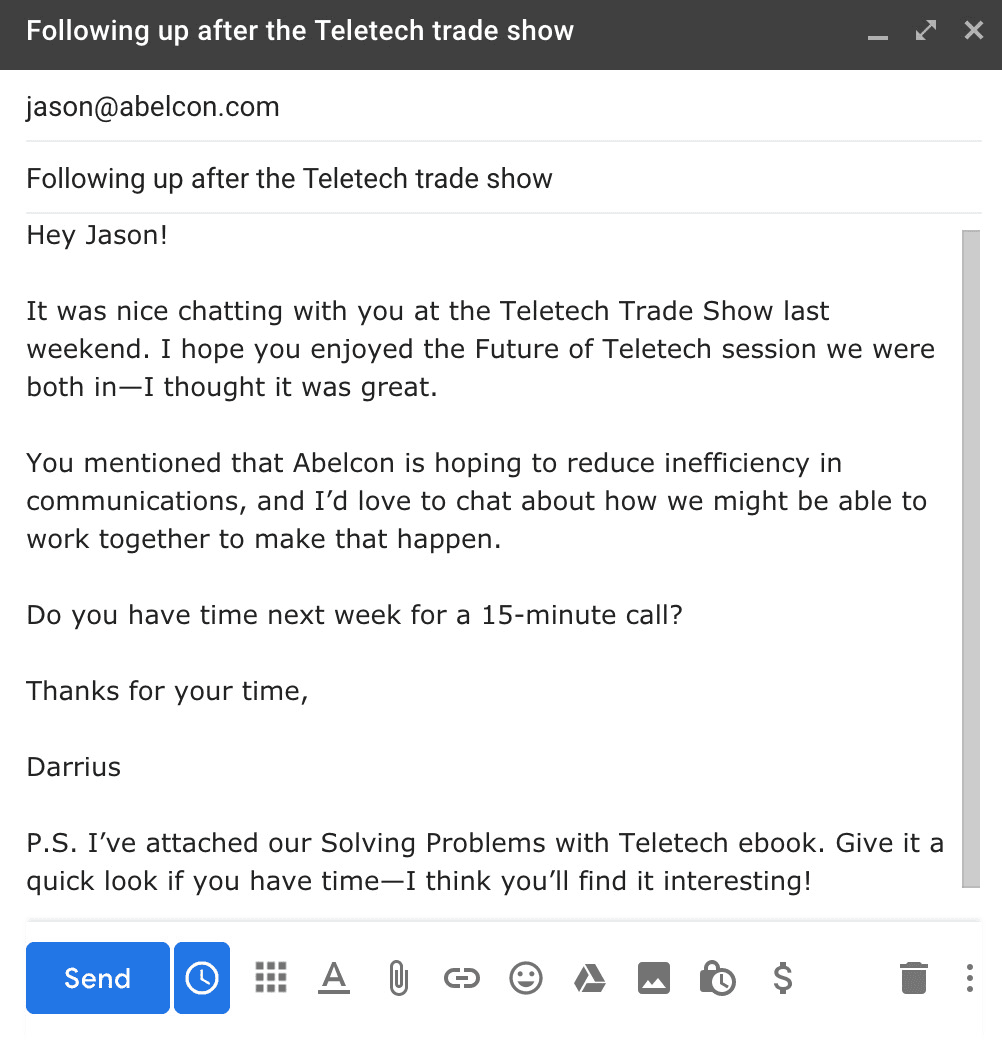
This hyper-personalized subject line works best for hot leads who had a substantive booth conversation. By referencing the specific event and implying a recap, it signals relevance immediately and separates your email from generic blasts. Ideal for sales reps following up within 24–48 hours. The tradeoff: it requires actual notes from the conversation, making it unscalable for large lead volumes without a solid CRM workflow.
2. "[First Name], The Resource I Promised You at [Event]"
Anchoring the subject line to a commitment made on the show floor creates an obligation loop that dramatically boosts open rates. This works especially well for warm leads who requested a demo, whitepaper, or pricing sheet. It feels like a natural continuation rather than a cold pitch. The limitation is that it only works if your booth team actually made a specific promise, vague use of this template will erode trust quickly.
3. "Quick Follow-Up from [Show Name]: [Your Company]"
A clean, low-friction subject line suited for mid-volume follow-up sequences where personalization depth is limited. It sets clear context without overpromising, which reduces unsubscribe risk. Best for warm-to-cold leads collected via badge scans or raffle entries. The tradeoff is that it lacks a hook or curiosity gap, so open rates will be average, it succeeds through clarity and timing rather than intrigue.
4. "[Competitor] Is Already Solving [Pain Point]: Are You?"
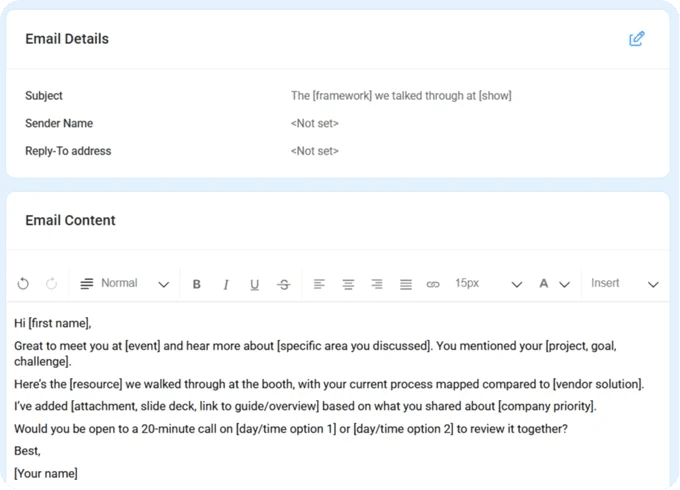
Competitive urgency subject lines perform strongly for cold-to-warm trade show leads in competitive industries. By naming a known competitor and tying it to a pain point discussed at the show, this line creates FOMO that compels an open. Best deployed 3–5 days post-show when initial excitement fades. The real risk: if the competitor reference is inaccurate or the pain point misses the mark, it can feel manipulative and damage credibility.
5. "[Specific Stat]: What We Showed You at [Show Name] in Numbers"
Data-led subject lines consistently outperform vague benefit claims in B2B contexts, particularly for analytical buyers in tech, finance, and operations roles. Including a specific number, like '43% faster onboarding', signals credibility and filters for high-intent openers. This approach works best when the stat was actually referenced during the booth demo. The limitation: it requires your team to track which metrics resonated with which leads, adding CRM complexity.
6. "Still Thinking About [Product/Solution]? Let's Make It Easy"
This subject line targets the large middle segment of trade show leads, people who showed genuine interest but left without committing. The conversational tone reduces sales pressure while the implied empathy ('still thinking') acknowledges their decision-making process. It works well in a second or third follow-up touchpoint, 7–14 days post-show. The tradeoff is that it can feel presumptuous if the lead had only a passing interaction and doesn't recall strong interest.
7. "[First Name]: One Thing We Didn't Get to Cover at [Show Name]"
The 'open loop' subject line exploits natural curiosity by implying an unfinished conversation, making it one of the highest-performing structures for trade show follow-up sequences. It works across hot and warm lead segments and pairs well with a value-add email body that introduces a new use case or feature. Best used in a second follow-up if the first email went unopened. The key limitation: the email body must genuinely deliver something new or the tactic backfires and destroys trust.
23 Trade Show Follow-Up Email Templates and Examples (Organized by Lead Type)
Every template in the set below is organized around a single reality: memory decays faster than pipelines close. The rep who worked your booth floor has a mental timestamp on each conversation, and by hour six the details blur. By hour forty-eight, the prospect has met a dozen more vendors, and what was once "the CFO from the manufacturing company who mentioned their ERP migration" is now a badge-scan row with no notes attached.
The organization here follows that decay curve rather than copywriting style, because the scenario you are in when you reach for a template determines whether the email lands or disappears. Before the templates: a word on why most of these fail in practice. A striking share of trade show leads never receive any follow-up at all, and among those that do, the follow-up often arrives several days after the show closes.
Response rates drop sharply after the first twenty-four hours. A segmented, personalized email sent within six hours of a booth conversation outperforms a polished generic blast sent seventy-two hours later, regardless of how well that blast was written. The templates below are organized by lead type precisely because the scenario determines the template, and the template only converts when it reaches the right person at the right time.
The five core lead-type archetypes (hot, warm, cold/badge-scan, value-add, and missed connection) that most follow-up frameworks reference only function as a conversion system when each archetype was assigned at the moment of booth interaction, not reconstructed two days later from a badge-scan CSV. When teams try to re-segment manually after the show, they collapse all five into a single undifferentiated blast, erasing the segmentation logic the templates were designed to exploit. That is the real reason reply rates hover in the low single digits: not the copy, but the absence of lead-temperature data at the point of capture.
Use the 23 templates below as a decision tree. Match your scenario to the template, fill the personalization brackets with the specific detail your rep captured at the booth, and send within the timing window each template specifies.
1. Hot Lead Same-Day Email - Strike While the Booth Conversation Is Fresh
The hot lead same-day email is the highest-leverage send in your entire post-show sequence. Send it within six hours of the booth conversation, while the prospect still remembers the specific problem they named. The subject line should reference that exact pain point, not the show name. Keep the body under 100 words, confirm you heard the problem correctly, attach one relevant resource, and propose a single next step with a specific date. This template fails when the personalization bracket stays empty because the rep captured no notes at the booth.
2. Warm Lead 24-Hour Email - Rekindling Interest Before the Show Fades
Warm leads had a real conversation but expressed no immediate urgency. Send within twenty-four hours, before the show fades into a blur of vendor emails. Open by referencing the specific topic you discussed, not a generic "great to meet you." Add one piece of value the prospect did not ask for but would find useful given what they shared. The goal is a reply, not a close. This template underperforms when reps treat it as a hot lead email and push for a demo before the prospect has re-engaged.
3. Cold Lead Re-Engagement Email - For Badge Scans With No Real Conversation
A badge scan with no booth conversation is not a lead; it is a permission to introduce yourself. The cold re-engagement email acknowledges that reality directly: open by admitting you did not get a chance to talk, lead with a question tied to the prospect's industry or role, and make zero ask beyond a reply. Sending a demo-request CTA to a cold badge scan is the fastest way to earn a spam report. This template is most effective when the lead record includes at least a job title and company, so the opening question can be specific rather than generic.
4. Demo-Requested Follow-Up Email - Confirming the Commitment Made at the Booth
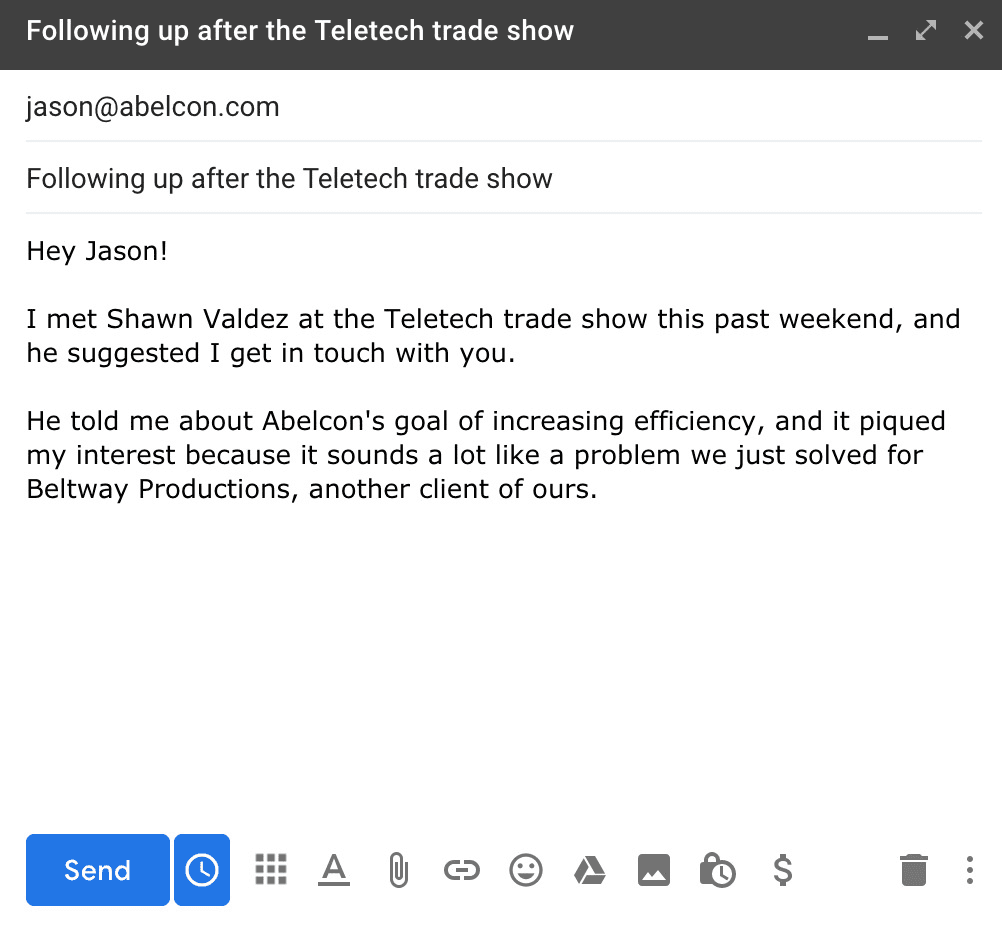
When a prospect explicitly asked for a demo at the show, the follow-up email has one job: confirm the commitment and remove friction from scheduling. Do not re-pitch the product. Reference the specific feature or use case the prospect mentioned when they asked, confirm the demo format (screen share, on-site, or recorded), and include a direct calendar link. This template loses its edge when reps add a second or third CTA alongside the scheduling link, creating decision paralysis in a prospect who was already sold.
5. Pricing-Inquiry Follow-Up Email - Delivering Numbers Without Killing Urgency
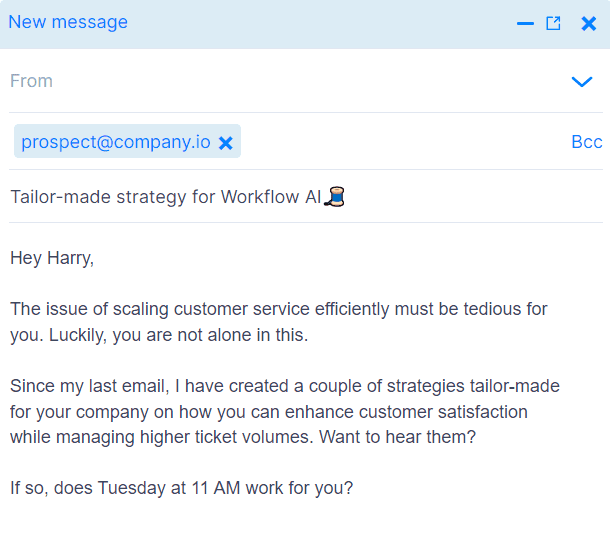
Prospects who asked about pricing at the booth are in active evaluation mode. The pricing follow-up email should deliver the requested information within twenty-four hours, frame the numbers around the business outcome the prospect described, and include a comparison anchor (what the problem costs them today versus what the solution costs). Avoid sending a full pricing PDF with no context. One to two sentences of framing before the numbers preserves urgency; a wall of tier tables without context invites the prospect to park the email for later review.
6. Competitor-Evaluating Lead Email - Positioning Without Badmouthing
When a prospect mentioned they were also evaluating another vendor, the follow-up email should acknowledge that directly and position your differentiation on the specific use case they described, not on a generic feature comparison. Name the category of difference ("we handle multi-location team deployments differently") without naming the competitor. Attach a one-page comparison or a relevant case study. This template requires the rep to have captured which competitor was mentioned and what the prospect valued about them, details that are impossible to reconstruct from a badge scan with no notes.
7. Executive-Level Contact Email - C-Suite Language for Senior Booth Visitors
C-suite visitors evaluate vendors on business outcomes, not product features. The executive-level email opens with a one-sentence framing of the business problem, references the specific outcome the executive mentioned at the booth, and proposes a fifteen-minute conversation rather than a full demo. Keep the body under eighty words. Every additional sentence increases the probability the email gets forwarded to a director-level report without a reply. This template is most effective when the rep captured the executive's specific concern at the booth, not just their title.
8. Technical Evaluator Email - Depth and Specs for the Hands-On Buyer
Technical evaluators need enough detail to build an internal case, not a sales pitch. This email delivers: link to documentation, a relevant integration guide, or a sandbox access option. Reference the specific technical question the evaluator raised at the booth. The tone should match a peer-to-peer technical conversation, not a vendor pitch. The one limitation: this template requires more than a name and email in the lead record. Without the specific technical question captured at the booth, the email defaults to a generic spec sheet, which a technical evaluator will ignore.
9. Partnership or Channel Lead Email - Reframing the Relationship From Buyer to Partner
When the booth conversation revealed a potential channel or integration partnership rather than a direct sale, the follow-up email needs to reframe the relationship immediately. Open by naming the partnership model you discussed, not the product. Propose a specific next step tied to mutual pipeline benefit rather than a demo. This template is frequently misrouted: reps who did not flag the conversation as a partnership lead at the booth will pull a standard warm-lead template, which positions the prospect as a buyer and derails the relationship before it starts.
10. Existing Customer Upsell Email - Leveraging the Show Touchpoint for Expansion
A trade show conversation with an existing customer is a warm upsell trigger, not a standard follow-up. Open by referencing what they shared about their current use of your product, acknowledge what is working, and introduce the expansion use case in one sentence. Attach a relevant success story from a customer with a similar expansion journey. This template fails when reps treat existing customers as cold leads because the CRM record did not surface account history at the time of the booth scan.
11. No-Show Prospect Email - Following Up With Registrants Who Never Appeared
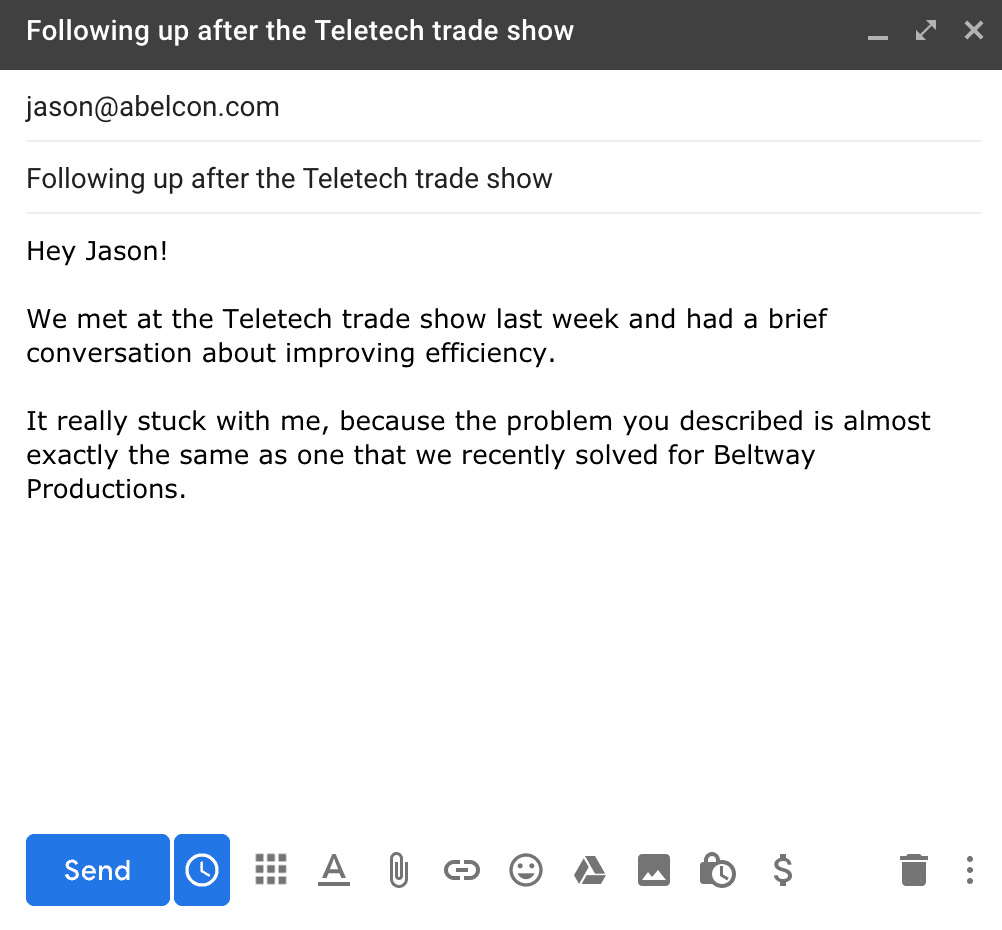
Registered attendees who did not show up still opted in to your event communication, which makes them warmer than a cold outreach. The no-show email acknowledges their absence without guilt, delivers the highest-value asset from the show (a recap, a keynote summary, or an exclusive resource), and includes a single low-friction CTA. Do not open with "We missed you at the show." Open with the value asset. The subject line should lead with the asset, not the absence.
12. Multi-Stakeholder Deal Email - Addressing the Buying Committee After the Show
When multiple people from the same company visited the booth, the follow-up email should address the buying committee as a unit, not as individual cold outreach threads. Reference the full group by name in the opening line, acknowledge the different concerns each stakeholder raised, and propose a single group call rather than separate one-on-ones. Sending five individual follow-up emails to the same buying committee, each written as if the others do not exist, signals poor organizational awareness and kills deal momentum before it starts.
13. Second-Touch Follow-Up Email - When the First Email Got No Reply
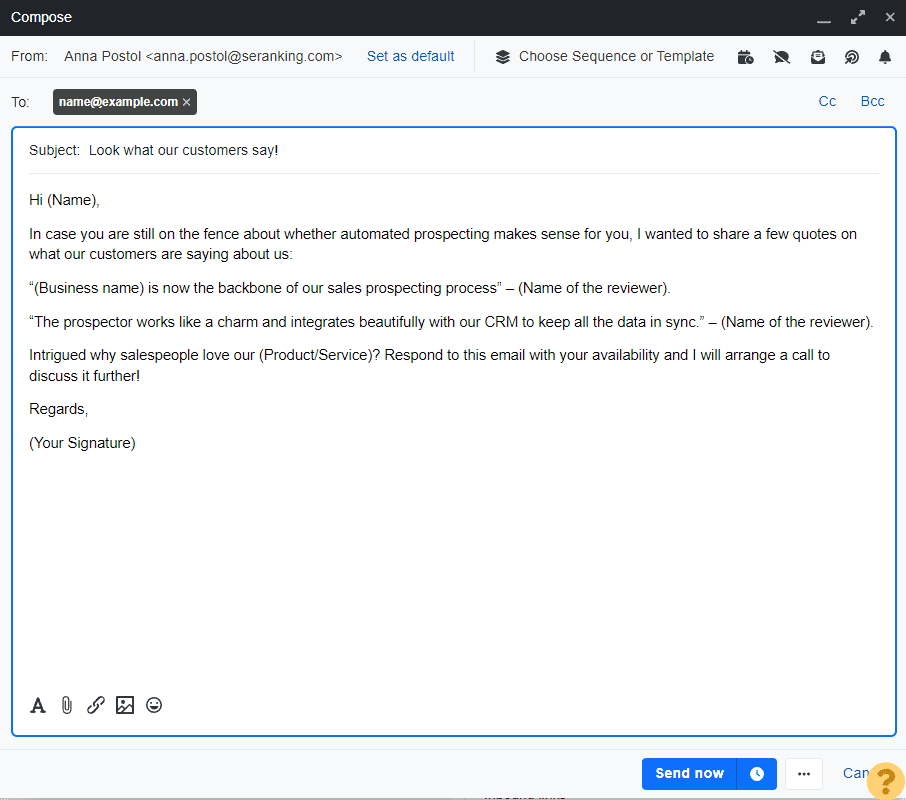
A meaningful share of replies to post-show outreach come from the second or third email in a sequence, not the first. The second-touch email should not restate the first email. Add a new data point, a relevant case study, or a short insight tied to the prospect's stated challenge. Open with a direct reference to the first email ("I sent a note last week about X") and move immediately to the new value. Reps who skip the second touch after no reply are leaving a significant portion of their potential conversions untouched.
14. Deliverability-Safe Batch Email - Sending at Volume Without Hitting Spam
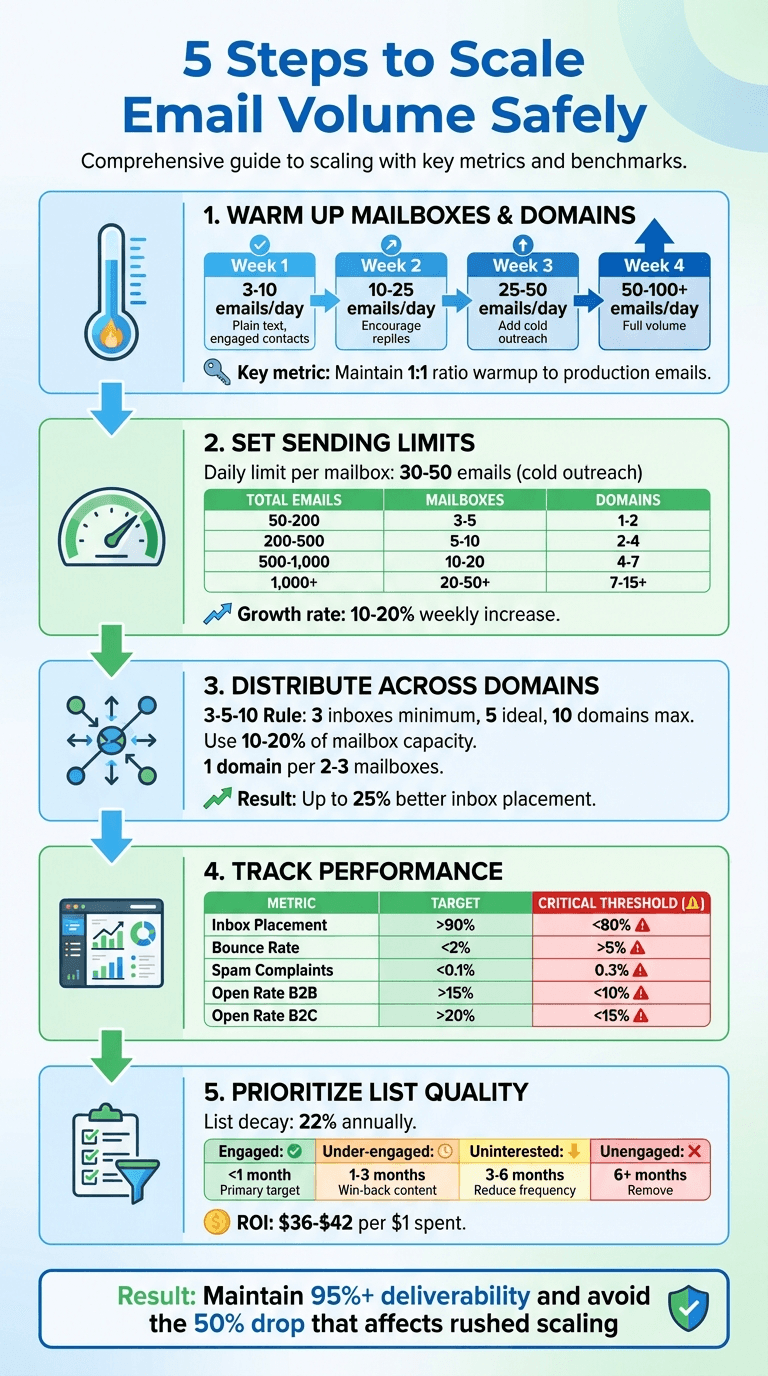
Sending hundreds of follow-up emails from a single domain within twenty-four hours of a large show is a deliverability risk that most teams underestimate. Email service providers flag sudden volume spikes as suspicious sender behavior, and open rates on bulk post-show sends can drop significantly when domain reputation takes a hit. The deliverability-safe batch email staggers sends across a forty-eight-hour window, uses a warm sending domain, and limits batch size to a modest volume per hour. This is not a copywriting problem; it is an infrastructure problem that affects every template in this list.
15. Show-Specific Offer Email - Time-Limited Incentive Tied to the Event
A show-specific offer email works when the incentive is genuinely tied to the event and expires within a credible short window. Reference the offer the prospect was told about at the booth, restate the expiration date clearly, and make the redemption step a single click. This template loses credibility when the "show exclusive" offer is the same one available on the public pricing page. Prospects who attended the show will check. The offer needs to be real, or the email damages trust rather than creating urgency.
16. Case Study Drop Email - Social Proof Matched to the Prospect's Industry

The case study drop email delivers a single relevant customer story matched to the prospect's industry, company size, or stated pain point. One case study, not three. The email opens by naming the similarity ("You mentioned X challenge at the show. Here is how a company in your space handled it."), delivers the case study link, and closes with a question rather than a CTA. This template is most effective when the rep captured enough context at the booth to match the case study accurately. A mismatched case study signals that the rep was not listening.
17. Event Recap Email - Sharing Show Highlights to Stay Top of Mind
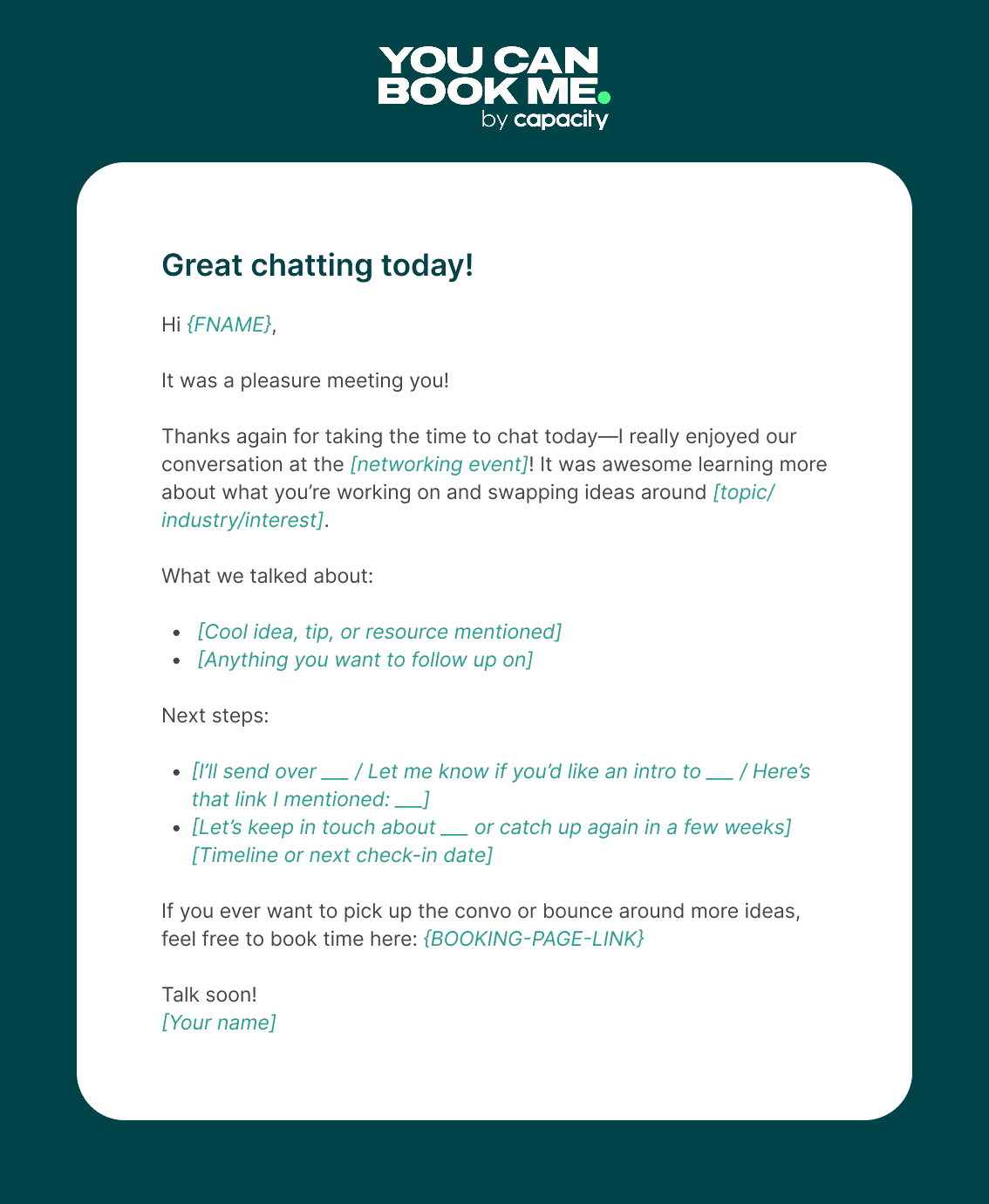
The event recap email is a low-pressure nurture send for warm and cold leads who are not yet ready for a direct sales conversation. Share two or three highlights from the show (a keynote insight, an industry trend that surfaced repeatedly, a product announcement), frame them around the prospect's industry, and close with a soft CTA. This template works best as a second or third touch, not a first send. Using it as the first follow-up for a hot lead is a missed opportunity: it signals low urgency to a prospect who was ready to move.
18. LinkedIn-Connected Lead Email - Following Up After a Social Connection at the Show
When a prospect connected with a rep on LinkedIn at the show rather than exchanging contact details directly, the follow-up email arrives in a context of social proof: the prospect already accepted the connection. Reference the LinkedIn connection in the first line, transition immediately to the specific topic from the booth conversation, and keep the email under seventy-five words. The LinkedIn connection reduces friction but does not replace the need for specificity. A generic "great connecting" email sent via LinkedIn InMail after a show connection is indistinguishable from cold outreach.
19. Referral-Source Lead Email - When Someone at the Show Sent Them Your Way
A referral-source lead is the warmest cold lead in your post-show pipeline. Open the email by naming the person who made the referral and what they said ("[Name] mentioned you were dealing with X and thought we should connect"). The referral source is the credibility anchor; everything else in the email should be brief. Propose a single next step. This template requires the rep to have captured the referral source's name at the moment of introduction, a detail that disappears entirely if the lead is processed from a badge-scan CSV with no notes.
20. Long-Cycle B2B Deal Email - Nurturing Enterprise Leads Over Weeks, Not Days

Enterprise deals with long evaluation cycles need a follow-up cadence that adds value over weeks, not a single email followed by silence. The long-cycle email is designed as the first send in a four-to-six-week nurture sequence. Each email in the sequence adds one new piece of value (a relevant report, a product update, a customer story) without repeating the pitch from the previous send. The limitation of this template: it requires a CRM sequence to fire automatically, because manual rep follow-up over a six-week window is unreliable at scale.
21. Re-Engagement Email for Gone-Cold Show Leads: 30-Day Breakup Attempt
Thirty days after the show, leads that have not replied to any outreach need a breakup email, not another pitch. The re-engagement email acknowledges the silence directly ("I have reached out a few times and have not heard back"), gives the prospect an easy exit ("If the timing is not right, just let me know and I will stop"), and closes with one final low-friction question. This template has a higher reply rate than a fourth standard follow-up because it removes the social pressure of a sales conversation. Some prospects will re-engage; most will not, and that clarity is itself valuable.
22. Post-Show Survey Email - Gathering Feedback While Staying in the Prospect's Inbox
The post-show survey email serves two functions: it collects useful feedback and it keeps your brand in the prospect's inbox under a non-sales premise. Keep the survey to three questions maximum. Reference the specific conversation from the booth to make the survey feel personal rather than mass-distributed. Include one optional question that opens a sales conversation ("Would you be open to a follow-up conversation based on what we discussed?"). This template is most effective for warm and cold leads who did not respond to direct follow-up, not for hot leads who are already in active conversation.
23. Automated CRM-Triggered Follow-Up Email - Speed-to-Lead Without Manual Rep Action
The automated CRM-triggered follow-up email is not a template in the traditional sense; it is the infrastructure play that makes every other template in this list faster and more consistent. When a lead is captured and synced to the CRM at the moment of contact exchange, the sequence fires automatically, the personalization fields pull from the lead record, and the rep does not need to remember to send anything. Most teams handle this by relying on reps to manually enter contacts after the show, which means the sequence fires days late, if at all.
The hidden cost is not just slow follow-up; it is that the lead-temperature data that determines which of the twenty-three templates above is appropriate has already decayed by the time anyone looks at it. This is where the operational gap becomes concrete. A rep who captures a contact via a Mobilo digital business card tap or QR scan can attach a conversation tag or lead qualifier at the moment of exchange, so the CRM record that triggers the automated sequence already contains the one specific detail that makes the email non-generic before the rep opens their laptop.
This benefit is most pronounced for teams that attend events regularly and need structured lead follow-up at scale, specifically, organizations where multiple reps are working a booth across multi-day shows and collecting leads at volume. For a team attending one small regional event per year with a handful of reps, manual entry is inconvenient; for a team running six shows a year with a booth staff of five or more, the manual entry bottleneck compounds across every show, every rep, and every lead, making automated capture the difference between a functioning follow-up system and an expensive brand-awareness exercise. The objection worth naming directly: most sales teams assume their reps will remember enough booth-conversation detail to personalize any of these twenty-three templates.
That assumption holds for a team of three at a small regional show. It breaks at a booth where six reps are collecting forty contacts a day across three show days. At that volume, the notes field is blank, the personalization brackets stay unfilled, and the "segmented" outreach becomes an undifferentiated blast with custom subject lines.
The templates are not the bottleneck. The capture workflow is. Having 23 templates organized by lead type solves the "what do I write?" problem. It does not solve the problem that comes before it: for most teams, the leads these templates are supposed to reach never make it into the CRM at all, or arrive there days late with no context attached. The next section diagnoses exactly where that breakdown happens and what a working capture-to-send workflow actually looks like.
Related Reading
- Etiquette For Networking In Online Conferences
- Measuring Event Roi
- Trade Show Sales Tips
- Trade Show Follow Up Best Practices
- How Do You Find The Roi Of A Trade Show
- Trade Show Sales Funnel
- What Is Trade Show Marketing
- Event Lead Management
- B2b Trade Show Best Practices
- Conference Lead Generation
- B2b Trade Show Marketing
Why Trade Show Follow-Up Emails Fail Before You Write a Single Word: and the Workflow Fix
The assumption most sales teams operate under is straightforward: weak email copy explains weak conversion. Fix the subject line, tighten the opener, sharpen the CTA. But the more fundamental breakdown is structural.
Roughly 90% of new contacts captured at events never enter a CRM because manual transcription is simply too much friction for reps to complete at volume. No copy improvement fixes a contact that was never logged. The bottleneck is structural, not motivational.
A rep who collects forty contacts across two days on a show floor faces forty individual data-entry tasks the moment they return. Most of those tasks get deferred. Most deferrals become permanent. The teams we work with at Mobilo experience this acutely, and it is why efficient capture in the field is the prerequisite to any follow-up conversation worth having.
The Transcription Tax Kills Momentum
Response rates on trade show follow-up degrade sharply with time. Leads contacted within 24 hours convert at significantly higher rates than those reached at 72 hours or beyond, yet manual entry workflows routinely push first contact past that window by two to four business days. The transcription tax is not just a labor cost; it is a conversion cost measured in leads that went cold before a single email was sent. This is where the math becomes uncomfortable for any Sales Director reviewing event ROI. The labor hours lost to data entry are recoverable in theory. The pipeline value of contacts who never received a sequence is not.
The real cost of a lost trade show lead compounds silently across every event a team attends, a reality that makes the speed of capture as strategically important as the quality of the booth itself. Mobilo's paper business card scanner and lead capture tools exist precisely to remove this gap. A team member using Mobilo's NFC or digital wallet card options can capture a contact on the floor and have it in the CRM before leaving the conversation.
The Teams plan includes lead capture and management, lead enrichment, unlimited leads and contacts, and 6,000 integrations through Zapier, all billed at $4/month annually. That infrastructure means the transcription lag does not exist in the first place.
The Consistency Gap
Without an automated trigger connecting capture to sequence, follow-up depends entirely on individual rep discipline. Some reps send polished, on-brand emails within a day. Others send something generic on day five. Others send nothing. The result is not a copywriting problem; it is a workflow problem that no template library resolves on its own. A trigger workflow removes the decision from the rep entirely.
The sequence fires because a contact entered the CRM, not because a rep remembered to act. That consistency is what separates a team that converts events into pipeline from one that treats events as brand awareness exercises. Structured follow-up processes are the documented difference between teams that close event leads and teams that simply attend events.
Mobilo's Teams and Business plans both include Zapier integrations (6,000 integrations), custom lead capture forms, and insights and analytics, meaning the trigger from tap or scan to CRM entry to sequence enrollment can be fully automated.
What Automatic Lead Capture Actually Changes
Most teams handle post-event capture by exporting badge-scan CSVs and assigning someone to clean and import the data. The hidden cost is not just the hours spent; it is the 48-to-72-hour lag that represents the window in which the majority of warm leads go cold. Teams like Landsea Homes documented $21,000 per year in savings after eliminating that manual step, and The Falcon Group documented $6,000 per year.
Those figures are not simply labor savings, and naming that distinction precisely is the core claim this analysis advances. The savings companies document from eliminating manual data entry are the financial signature of what can be called a structural follow-up advantage: the compounding benefit of capturing and following up on leads more efficiently at networking events and in the field, every time, without relying on rep memory or manual effort. Mobilo's Teams software plan at $4/month is built around making that advantage the default state rather than the exception.
Trade Show Follow-Up Email Best Practices - The Checklist Before You Hit Send
The checklist starts before anyone writes a word. Writing quality is the last five percent of the problem. Pre-Send Quality Checklist
Use these quality gates before sending event follow-ups to ensure every message is personalized, correctly routed, and properly tracked:
- 1. Lead segment confirmed → Verify every contact is tagged hot, warm, or cold → Pass: Segment tag exists in the CRM record.
- 2. Template locked in CRM → Verify the rep uses the approved template → Pass: Template ID is logged against the send.
- 3. Specific conversation detail filled → Verify personalization includes a real booth-captured detail → Pass: No blank or placeholder text.
- 4. Subject line ≤ 9 words → Verify the subject in mobile preview → Pass: No truncation in iOS Mail or Gmail.
- 5. Send timing within window → Verify timing is within 24 h for warm, 6 h for hot, and 48 h for cold → Pass: Scheduled send timestamp is confirmed in the ESP.
- 6. CRM record complete → Verify name, company, title, and at least one conversation note → Pass: Zero blank required fields.
- 7. Sequence enrolled → Verify the contact enters the correct automated sequence → Pass: Sequence enrollment is confirmed.
The other ninety-five percent is operational, and that is where most trade show follow-up programs quietly collapse. Before a single rep opens a draft, five quality gates need to be in place. Miss any one of them and a polished email still converts at near-zero.
The reason that matters is causal, not cosmetic. The same bottleneck that causes missed fields is precisely what drives the compliance gap cited above. The teams we work with who close this gap fastest share one upstream habit: they capture leads more efficiently at networking events and in the field so that every downstream gate has real data to work with. That is where a tool like Mobilo does structural work the checklist cannot. The Teams plan ($4/month, billed annually) gives unlimited team members lead capture, lead enrichment, lead management, and full team data analytics with CRM integrations, so the CRM record that powers every gate below is populated at the point of contact, not reconstructed from memory the night after the show.
The Business plan ($5/month, billed annually) extends that with HR directory sync, enterprise SSO, central billing, and custom domain, removing the administrative friction that causes records to arrive incomplete.
1. Send Within 24: 48 Hours While the Conversation Is Still Fresh
Timing is the single biggest lever in trade show follow up email examples that actually convert. Leads spoken to on the show floor forget context fast, by Monday, the rep's name and the pain point discussed are already fading. Sending within 24–48 hours keeps your email anchored to a real memory. The tradeoff: speed requires pre-built templates and CRM routing set up before the show, not after.
2. Reference a Specific Booth Conversation Detail, Not Just the Event Name
Generic openers like 'Great meeting you at the show' signal zero effort and get deleted. The best trade show follow up email examples anchor the opening line to something specific, a pain point mentioned, a product demo requested, or a comment the prospect made. This single tactic separates hot-lead emails from mass blasts. The limitation: it requires reps to capture notes at the booth in real time, which demands discipline under show-floor chaos.
3. Segment Your List by Lead Temperature Before Writing a Single Word
Hot, warm, and cold leads need fundamentally different trade show follow up email examples, not the same template with a swapped name. Hot leads want a direct next step; warm leads need a value reminder; cold leads require re-engagement with a low-friction ask. Skipping segmentation means your highest-intent prospects get the same nurture drip as badge-scanners who never stopped walking. The tradeoff: segmenting properly requires a lead-scoring system agreed upon before the show.
4. Write a Subject Line That Names the Show and Mirrors the Prospect's Pain Point
Subject lines in trade show follow up email examples live or die on two signals: recognition and relevance. Naming the event triggers memory; mirroring the prospect's stated challenge signals you actually listened. A subject like 'Your inventory bottleneck, next step from [Show Name]' outperforms 'Following up from [Show Name]' every time. The real limitation: writing pain-point subject lines at scale requires booth staff to log specific notes per lead, not just scan badges.
5. Include One Clear, Low-Friction Call to Action - Not Three
Effective trade show follow up email examples end with a single, unambiguous next step, a 15-minute call link, a one-question reply prompt, or a specific resource download. Multiple CTAs create decision paralysis and tank reply rates. For post-show emails especially, where the prospect is processing dozens of vendor follow-ups simultaneously, one clear ask dramatically outperforms a menu of options. The tradeoff: a single CTA requires knowing which action fits each lead tier before you write.
6. Attach or Link a Relevant Resource That Extends the Booth Conversation
The strongest trade show follow up email examples don't just say 'here's my card', they deliver immediate value by linking to a case study, one-pager, or demo video that directly addresses what was discussed at the booth. This positions the sender as a resource, not just another vendor chasing a badge scan. The key limitation: the resource must be genuinely relevant to the specific conversation, not a generic brochure, or it signals you weren't really listening.
7. Build a 3-Touch Follow-Up Sequence, Not a Single Email
Most trade show follow up email examples focus on the first email, but the majority of conversions happen on touches two and three. A structured sequence, initial follow-up, value-add check-in at day five, and a breakup-style final ask at day ten, dramatically outperforms a single send. Each email should shift the angle slightly: context recap, then proof point, then low-pressure close. The tradeoff: sequences require automation or disciplined manual scheduling to execute consistently across a large lead list.
Related Reading
- Which Networking Software Is Best For Conferences
- Trade Show Booth Ideas To Attract Visitors
- Conference Lead Capture
- How To Measure Trade Show Effectiveness
- Virtual Event Success Metrics
- Trade Show Roi
- Trade Show Lead Generation Ideas
- What's The Best Event Lead Generation Software
- Post-Trade Show Marketing Strategies
- Best Trade Show Giveaways
Next steps
If your post-show pipeline keeps collapsing despite well-written emails, the path forward starts with fixing what happens before any email is written. The capture workflow is the prerequisite, and every template in this guide only converts when the lead actually exists in the CRM with a temperature tag and a conversation note attached. Start with our digital business card.
Subject-line personalization only works when reps have structured booth notes to draw from, and as the data here shows, that specificity is systematically unavailable when contacts arrive as badge-scan CSVs days after the show closes. The five-archetype segmentation system only functions when lead temperature is assigned at the moment of contact exchange, not reconstructed from memory. Together, those two constraints point to the same next step: building a capture workflow that logs leads at the tap, before the 24-hour window expires and the segmentation logic collapses into a single undifferentiated blast. For a deeper look at how tap-to-CRM capture closes the gap between event spend and pipeline, see digital business card.
Frequently Asked Questions
How do I segment trade show leads before writing any follow-up emails?
Assign each lead a temperature, hot, warm, or cold, based on the conversation you had at the booth, not after the fact from a badge-scan CSV. Hot leads have a clear pain point and immediate need, warm leads showed genuine interest but no urgency, and cold leads were brief interactions with no real conversation attached. Trying to re-segment manually days after the show collapses all three groups into a single undifferentiated blast and erases the logic the templates were designed to exploit.
What's the right sequence and timing for trade show follow-up emails?
The recommended cadence is 3 to 4 emails spread across 10 days: email one re-establishes the connection, email two adds value through a relevant resource or insight, email three creates mild urgency, and email four is either a soft check-in or a polite breakup. For a hot lead that could look like a pain-specific email on day one, a case study on day three, a demo invite on day seven, and a breakup email on day ten, with the sequence opening softer and urgency moving later for warm leads.
How do I personalize follow-up emails at scale when I captured hundreds of leads?
Personalization at scale depends on structured data captured at the moment of the conversation, not reconstructed from memory days later. When reps log a specific pain point or topic discussed at the booth in real time, that detail can populate the subject line and opening of a segmented template automatically, for example, referencing the exact CRM sync issue a prospect mentioned rather than sending a generic show-name subject line. The specificity that drives open rates is simply unavailable when 90% of badge scans never reach the CRM in a structured form.
How do I reintroduce myself to a cold lead who I barely spoke with at the show?
For a badge scan with no real booth conversation, the post recommends acknowledging that reality directly: open by admitting you didn't get a chance to talk, lead with a question tied to the prospect's industry or role, and make zero ask beyond a reply. Sending a demo-request CTA to a cold badge scan is described as the fastest way to earn a spam report.
How do I follow up on a pricing conversation without killing the prospect's urgency?
Deliver the requested pricing information within 24 hours, frame the numbers around the specific business outcome the prospect described at the booth, and include a comparison anchor showing what the problem costs them today versus what the solution costs. Avoid sending a full pricing PDF with no context, one to two sentences of framing before the numbers preserves urgency, while a wall of tier tables without context invites the prospect to disengage.