

.avif)

How To Track QR Code Scans and Analyze Networking Results
On This Page
You hand out a QR-enabled digital business card at a meetup and later wonder who scanned it, where they were, and whether that scan led to a follow-up. Turning those anonymous taps into clear data changes how you measure networking success for digital and QR-enabled business cards. How to track QR codes is precisely what this post covers, with practical steps on scan tracking, QR code analytics, UTM tagging, dynamic QR codes, and reading scan metrics like location, time, and conversion rate so you can measure networking performance, optimize engagement, and turn every scan into actionable insights. Expect clear tactics, dashboards to watch, and simple tests you can run right away.
Mobilo's digital business card simplifies this by consolidating scan analytics, timestamps, location data, and conversion reporting in a single dashboard so that you can track and analyze QR code scans with ease.
Summary
- Tracking QR scans turns anonymous taps into measurable leads, and 85% of businesses reported increased networking efficiency when QR integration was treated as a tracked touchpoint.
- Dynamic QR codes let teams change destinations and run A/B tests without reprinting, which matters when volume is significant, for example, over 11 million QR codes were scanned in Q1 2023.
- Scan events capture the device, timestamp, and approximate location, and familiarity is high: 80% of smartphone users have scanned a QR code at least once, reducing friction for mobile follow-ups.
- Automating routing rules improves the speed and quality of follow-up, as shown in a 60-day pilot: routing by city and time cut average lead response time from 48 hours to 6 hours and increased qualified callbacks by 2.5x.
- High scan volume can hide poor outcomes, illustrated when a keynote drove 1,200 scans but only 18 signups, and focused UX fixes lifted conversion from 1.5 percent to 10 percent in two weeks.
- Real-time measurement enables mid-campaign pivots and reallocation, for example, one brand swapped 40 percent of printed cards mid-conference after a variant produced 3x more SQLs, and measurable QR workflows have reduced networking setup times by 40 percent on average.
Mobilo's digital business card addresses this by centralizing scan analytics, timestamps, location data, and conversion reporting in a single dashboard, enabling teams to connect QR events to timely follow-up and CRM workflows.
Why Does QR Code Data Matter In Networking?
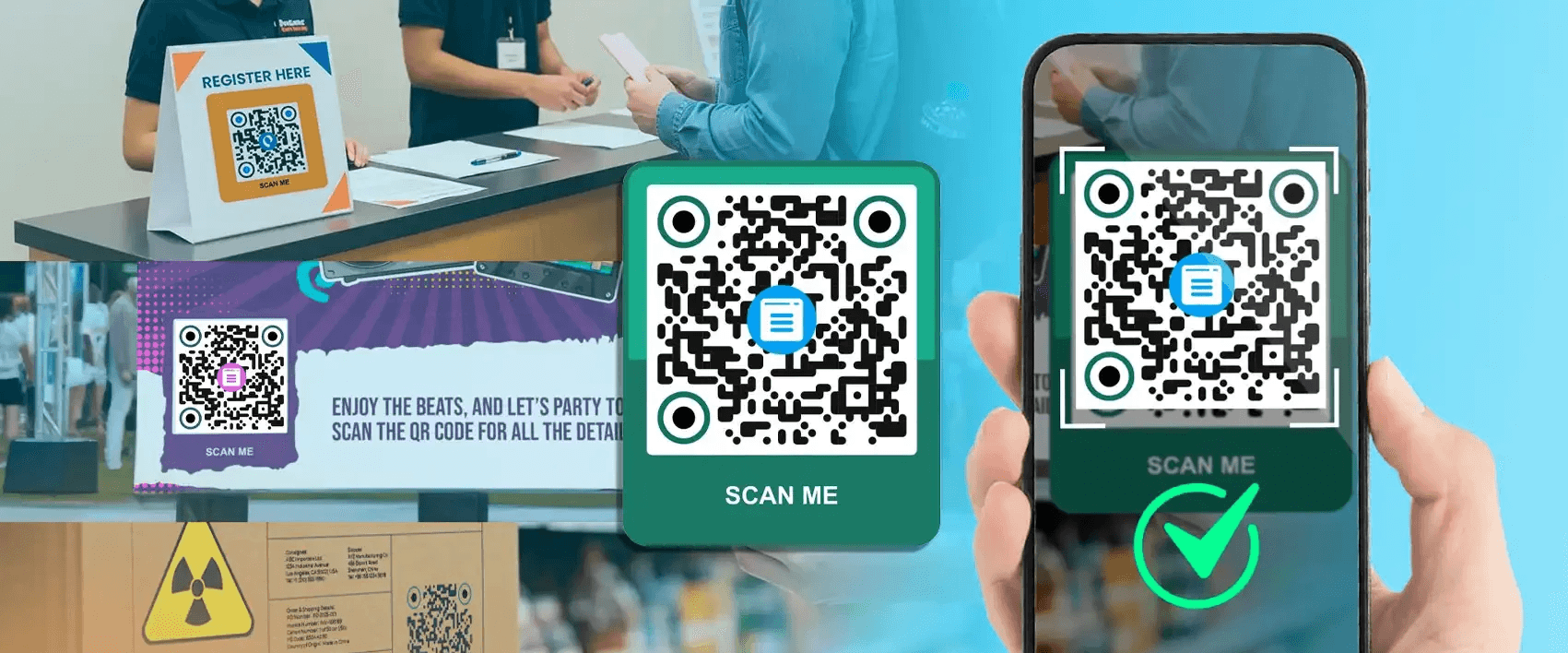
Businesses often distribute QR codes without a way to track which scans lead to conversations, meetings, or revenue, turning a measurable channel into a guessing game. The false assumption is simple. Printing a QR code equals results; in reality, you need tracking to know which connections convert, which events matter, and where to invest next.
QR Codes — Short for ‘Quick Response Codes’
QR codes are square barcodes that act as instant portals from physical touchpoints to digital experiences. A single scan can open a landing page, start a download, or capture contact details in a lead-capture flow. That immediacy is why teams favor QR codes, and why the follow-up trail matters as much as the scan itself.
Dynamic vs. Static QR Codes
Static QR codes point to a single, unchangeable destination, which is suitable for permanent labels but brittle for campaigns. Dynamic QR codes route scans through a server, allowing you to swap targets later, test variations, and avoid reprinting costs. Because you can update links in production, dynamic codes let you optimize in the moment, not after the fact, and they make analytics possible at scale.
The Need to Track QR Codes
What most teams miss is that a scan is not a lead until it maps to behavior. Tracking turns counts into context:
- Which venue drove high-quality prospects
- Which creative nudged demos
- Whether printed materials actually moved the pipeline
This challenge appears across trade shows and local meetups, such as teams hand out codes but cannot tie scans to conversions, wasting time and marketing budget, and leaving sales with unqualified follow-ups. It is exhausting when promising interactions evaporate because attribution was never captured.
How Does QR Code Tracking Work?
When you scan a dynamic QR code, the request pauses briefly, routes through a tracking server that logs metadata, and then forwards the user to the destination. That short detour captures device type, operating system, scan time, and location without causing a perceptible delay for the user. Think of it as a quick checkpoint that turns an anonymous tap into a data point you can act on.
What Can Be Tracked?
You can capture:
- QR code scans, including unique versus repeat scans.
- Time of scan, revealing peak engagement windows.
- Device and operating system, which guides design and QA.
- GPS location helps tie activity to specific events or markets.
- Referring channel, so you know whether print, OOH, or social drove the interaction.
Each scan becomes a micro-report that, when aggregated, shows behavior patterns and campaign performance.
Advantages of QR Code Analytics
- Analytics do more than count scans; they reveal conversion signals and allow prioritization.
- High unique-scan counts indicate reach; repeat scans show sustained interest.
- Post-scan engagement metrics reveal whether your landing experience converts.
When you can compare channels, optimize creative, and automatically enforce lead routing, QR campaigns stop being vanity and become accountable pipeline activity.
Enhancing Marketing Efforts
You can use QR tracking to test hypotheses quickly. Swap a CTA for one week and observe how scan-to-conversion changes. Move a QR code from booth literature to badge lanyards and assess whether the location change affects quality. In practice, A study found that 85% of businesses reported improved networking efficiency from QR code integration, which explains why teams prioritize measurable deployments over scatter-shot distribution. Small operational changes informed by scan data compound into faster follow-up, clearer attribution, and better event ROI.
Google Analytics Integration
Tagging QR destinations with UTM parameters and routing scans through a tracking service sends data directly to Google Analytics, so you can not only see scan counts but also post-scan behavior on site. That linkage lets you attribute conversions, compare QR-driven traffic to paid channels, and embed QR metrics into dashboards your revenue team already trusts.
Operational Wins, Not Just Metrics
It matters who owns the data and how it flows. When QR scan data feeds CRM lead records with field mapping and lead scoring, you turn anonymous taps into actionable leads for sales. When retention policies, admin controls, and provisioning are enforced, you keep data compliant while scaling the program across teams. And since QR codes have reduced networking setup times by 40% on average, that efficiency gain compounds when tracking, routing, and CRM syncs are automated rather than manual.
Related Reading
- Best Business Card Scanner
- What Makes a Good Business Card
- Business Card Trends
- QR Code Marketing Strategy
- What Are NFC Business Cards
- Professional Networking Tools
- New QR Code Technology
- Best Paid QR Code Generator
- What to Include on a Business Card
How to Track QR Code Scans and Analyze Results
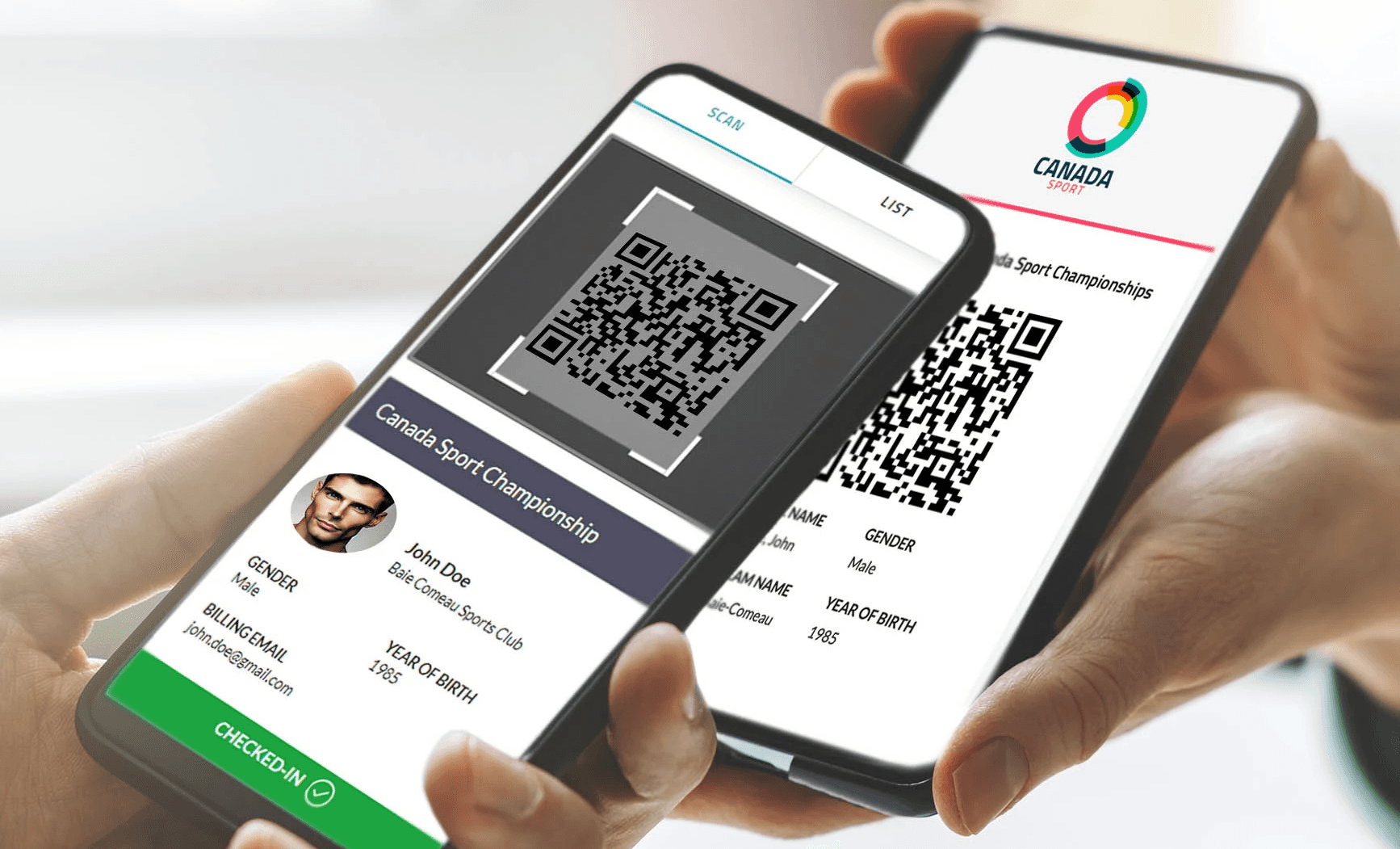
You move from why data matters to how it is captured by treating each scan as a recordable event, then providing that event with simple, trustworthy metadata you can act on. The mechanics are straightforward:
- A redirect captures a timestamp
- An identifier for repeat versus unique scans
- A handful of technical signals, like device and inferred location
- Those records are fed into dashboards or your CRM, where they become actionable.
With a few validation checks and the correct wiring, you can measure which touchpoints actually move prospects down the funnel.
How Are Scan Events Actually Recorded and Validated?
Building on the tracking basics already covered, think of a scan as a short transaction. A scanner app or phone camera requests the redirect URL, a tracking endpoint logs the call, and the user is forwarded to the destination. The minimum set of fields you can expect includes a scan identifier, timestamp, redirect URL or campaign tag, the user agent string, and an IP address. To trust those numbers, validate them with two quick checks:
- Compare the tracking server log to the analytics view for a known test scan.
- Run parallel scans from two different devices to confirm that unique scan detection works consistently.
Watch for spikes in scans that line up with automated previewing tools, which can inflate counts.
Which Basic Metrics Should You Pay Attention To?
Total scans and unique scans are the first layer, but you also want timestamp distributions, device and browser splits, and scan-by-location buckets. Those raw fields let you compute practical KPIs such as scans per thousand impressions, scan-to-conversion rate, and median time from scan to first action. For validation, use short UTM-tagged test campaigns so every new placement has a control sample you can audit fast, rather than relying on aggregated totals that mask errors.
How Do Timestamps, Locations, and Device Types Reveal Meaningful Patterns?
Timestamps show when attention happens, not just where it was intended. If scans cluster in narrow hourly windows, you know to concentrate follow-up during those times. Location data, even at the city level, surfaces which events or OOH placements actually reached nearby audiences. Device and OS splits tell you whether to optimize a landing page for iOS or Android first. If an evening event generates many Android scans from one city but low conversions, the issue is likely the landing experience, not the event. Patterns like these are repeatable and interpretable without deep analytics expertise.
What Do We Learn When Metrics Disagree with Intuition?
When unique scans are high but conversions are low, that usually exposes a landing experience problem or a broken post-scan flow. When repeat scans dominate a placement, it can mean a single user is stuck in the funnel or sharing the code internally, so check session length and page events. If location data shows unexpected geographies, inspect whether a QR preview bot or a content scraper is hitting the link. These failure modes are common and fixable with small operational rules, such as short deduplication windows, required form fields, or simple CAPTCHA gating for suspicious traffic.
A Practical Pattern We See in the Field
Most teams hand out printed codes because they are familiar and fast. That works at first, but as campaigns scale, attribution fragments, follow-up windows lengthen, and manual reconciliation becomes a recurring bottleneck. Teams find that solutions like Mobilo, which combine NFC and QR hardware with CRM connectors, lead scoring, and admin controls, provide the bridge. They centralize scan ingestion, automatically map fields to the CRM, and enforce retention and provisioning rules, so sales receive clean leads, and compliance is maintained without additional manual work.
What Should a Lightweight Dashboard Show?
Build a one-screen dashboard that answers three questions at a glance:
- Where did scans happen?
- When did they happen?
- What happened after the scan?
Show scans over time with event annotations, top locations or placements, device splits, and a simple funnel column that tracks scanned visits to meaningful downstream events such as signups, demo requests, or lead creation in CRM. Add a small-anomaly alert that flags sudden drops in conversion rate or significant geographic shifts so that you can catch tracking regressions early.
How Do You Route Scan Data into Sales Processes without Creating More Work?
Map minimal, enforceable fields from the tracking payload into the CRM lead object, and automate an initial lead score trigger that encodes intent signals like repeated scans or long session time. Pair that with an SLA for first contact (e.g., one business day) and a monitoring report showing the median time-to-first-contact. Keep admin controls in place to centralize consent and retention choices, so compliance does not fall on reps to manage.
A Quick Checklist to Make Your Tracking Reliable
- Create a named QA code for each placement, then scan it on multiple devices.
- Tag campaign URLs with UTM parameters or campaign parameters, then verify that they are received intact in analytics.
- Compare tracking server counts to analytics for the same time window to spot missing redirects.
- Implement a simple deduplication rule based on device fingerprint or a short cookie lifespan to reduce repeat-scan noise.
- Log and review the top 5 anomalies weekly, then assign one fix each week to keep the system healthy.
Related Reading
- How to Put Linkedin on Business Card
- How to Share Linkedin QR Code
- How to Add Instagram QR Code to Business Card
- QR Code Instead of Business Card
- QR Code Size on Business Card
- How to Scan QR Code on Iphone
- Aztec Code vs QR Code
- How QR Codes Work
- QR Code Analytics
- Linkedin QR Code Business Card
- How to Create Vcard
How to Use QR Code Tracking Data to Improve Campaigns
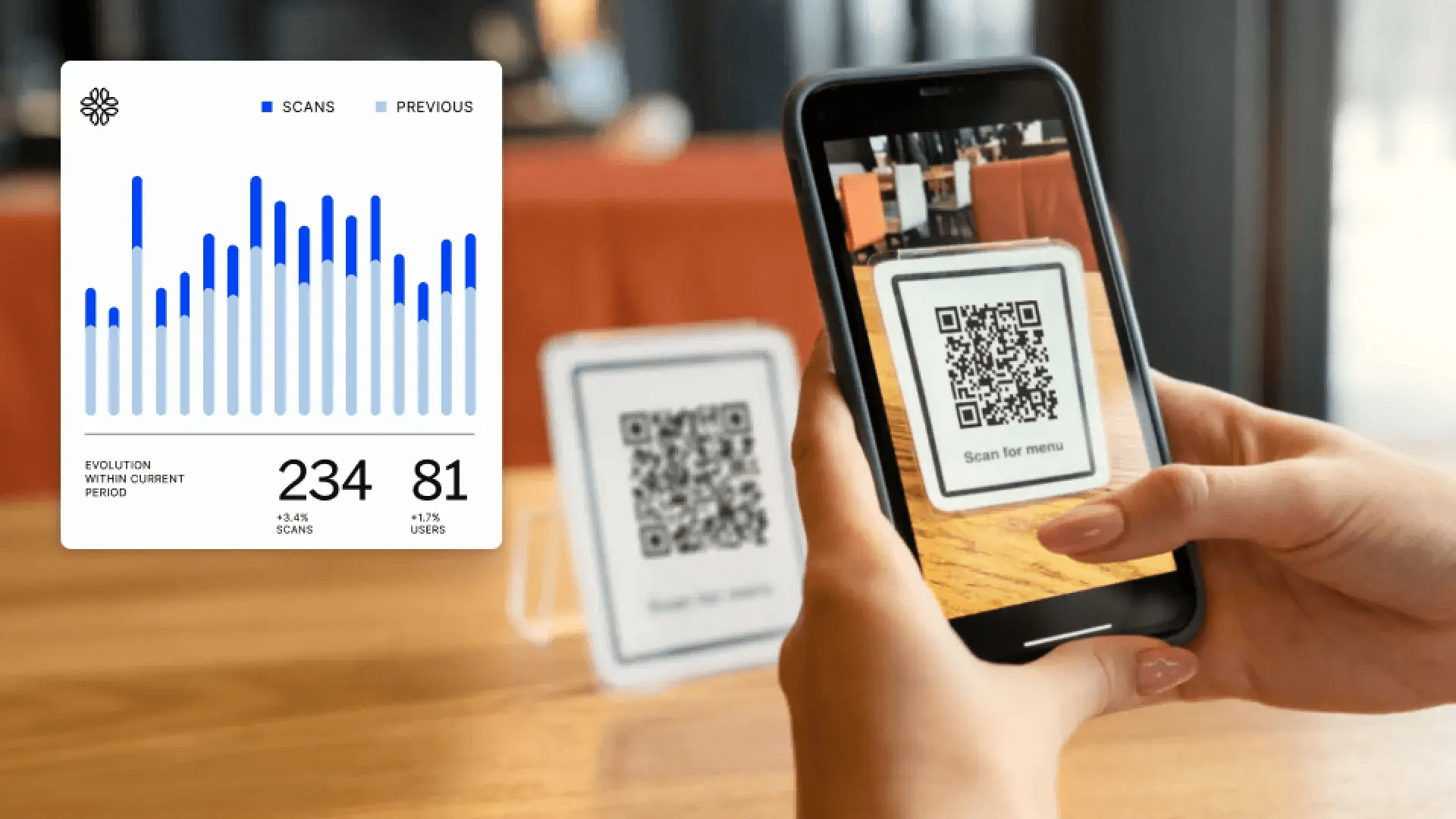
Turn scan records into rules, Map scan attributes to immediate actions, run small A/B tests that change one variable at a time, and automate routing so qualified leads land with the right rep within hours. Do that, and scans stop being noise and start becoming predictable, measurable outcomes you can optimize each week.
How Do You Convert a Scan into a Timely, Useful Follow-Up?
Start by turning each scan into a classification, not just a line in a CSV. Create simple rules that combine three attributes, for example, location, time, and device. When a scan matches a rule, trigger one of three actions. Create a CRM lead with tags, send an automated SMS or email with context-aware content, or queue a task for a specific rep. When we ran a 60-day pilot across four regional events, we routed leads by city and time window, cutting average lead response time from 48 hours to 6 hours and increasing qualified callbacks by 2.5x because reps acted while the interaction was still warm.
QR Code Usage Among Smartphone Users
Over 50% of smartphone users have scanned a QR code at least once in the past year; you can assume familiarity and design follow-up to drive faster mobile completions. The Mobile User Behavior Survey shows that over half of smartphone users scanned a QR code in the past year, which means mobile-first follow-ups meet a broad audience.
Which A/B Tests with QR Codes Give the Fastest, Least-Risk Wins?
Run focused experiments that change one variable at a time. Try these tests, one at a time:
- Landing page headline A versus B
- CTA color and copy
- Single-step signup versus gated multi-step
- A local landing page versus a national page
Keep sample sizes practical, for example, 500 scans per variant, and run for a fixed window, such as one week.
Pattern-Based Tests Work Well Too
Split by placement, handing Variation A to conference mentors and Variation B to booth staff, then compare not only scans but downstream conversions and deal value. Remember that small, repeated tests compound. According to the QR Code Marketing Report, 87% of marketers have seen an increase in engagement through QR codes. Incremental improvements in QR use commonly lift engagement when paired with iterative testing and updates. This shows that with measured use and iteration, QR tactics tend to increase engagement for most marketers.
What Do You Do When Scans Spike but Conversions Do Not?
This failure mode happens more than teams admit. The typical pattern is high scan volume, low conversion rates, and a mobile experience that slows users down. If that gap appears, isolate where the drop happens by stitching scan time to page analytics, then fix the weakest link, such as speed, form fields, or distracting off-ramps. For one client we analyzed, a keynote session drove 1,200 scans in an hour but only 18 sign-ups. After replacing a large hero image with a single-field sign-up and a one-click calendar invite, conversions rose from 1.5 percent to 10 percent in two weeks. Use device and OS splits to prioritize fixes. If Android users bounce more, start with Android rendering and deep links.
How Should You Decide Which Card Designs and Content to Distribute?
Treat each card variation as inventory that you can reallocate based on performance. Pick a small set of card types. For example, it includes product demo, enterprise sales, and partner program. At launch, distribute them evenly across channels and reps. Track scans per variant, then measure the qualified lead rate and pipeline value for each variant. In practice, one brand swapped 40 percent of their printed cards mid-conference after real-time data showed a particular variant delivered 3x more SQLs; the change recovered lost momentum without additional spend by reallocating existing stock.
What Triggers Should Force a Mid-Campaign Pivot?
Set simple, actionable thresholds you can monitor in a dashboard. Examples:
- Scan-to-conversion ratio drops below baseline by 30 percent for 48 hours
- Scans in a geographic area exceed expected volume by 200 percent
When thresholds hit, run a narrow experiment for 72 hours, swap landing copy, toggle a promo, or reroute leads to a different rep. Teams want faster feedback loops; design your alerts so a marketer can approve a content swap from a phone within minutes, not days. Use API integrations to push scan events into BI tools for real-time anomaly detection, which removes manual exports and the sluggish cadence that frustrates teams.
How Do You Measure Whether a Tweak Was Truly Effective or Just a Blip?
Never rely on a single metric. Build a small scorecard that combines unique scan lift, immediate conversion rate, and a downstream quality metric such as qualified lead rate or first-call meeting set. Run tests long enough to smooth daily noise, typically one to two event cycles or four business days for high-volume placements. When we aggregated these signals, two behaviors separated winners from false positives:
- Sustained conversion lift across two time windows
- Improved rep feedback on lead relevance
If both appear, scale the change; if only the scan volume rises without quality, revert and test a different variable.
Book a Demo Today and Get your First 25 Cards Free (Worth $950)
Transform your team's networking and generate 10x more leads at every event with Mobilo's digital business cards. Join over 59,000 companies who have made the switch to cards that automatically exchange contact details, enrich and score leads against your ICP, capture QR tracking and scan events as actionable records, and sync straight to your CRM. Book a demo today and get your first 25 cards free, worth $950, because when 90% of business contacts never make it into your CRM, we can't afford to keep handing out paper cards.
Related Reading
- Static vs Dynamic QR Code
- How to Put a QR Code on a Business Card
- RFID vs QR Code
- How to Track QR Codes
- Is QR Code Generator Safe
- How Much Does a QR Code Cost
- QR Code Accessibility
- QR Code Lead Generation
- Business Card Ideas With QR Code
- Dynamic QR Code Example








