

.avif)


Aztec Code vs QR Code Comparison To Save Time and Cut Costs
On This Page
When you add a 2D code to a digital or QR-enabled best business card scanner, you expect fast scans, reliable data, and minimal print space. Aztec Code vs. QR Code is a frequent choice: Aztec Code packs data tightly into a compact matrix and often scans well from damaged or low-contrast prints, while QR Code uses finder patterns, enjoys broad reader support, and works across many mobile devices. Which option saves you time and reduces cost? This article breaks down error correction, data capacity, scanning speed, printing trade-offs, and real-world compatibility so you can pick the most efficient code for your needs.
Mobilo's digital business card makes it easy to test both codes in the field, compare scan success, contactless sharing, and printer layout, and choose the option that reduces time spent troubleshooting and lowers distribution costs.
Summary
- Choosing the wrong 2D code creates silent inefficiencies that compound, given that 70% of software development costs are spent on maintenance, so early design choices directly increase ongoing support work.
- Remediating failures after deployment is disproportionately expensive: fixes cost about 100 times more in production than during design, so validating code format up front reduces long-term remediation costs.
- Treat rollout like an engineering sprint and validate with small batches, for example, produce 100 sample cards and run 500 targeted scans across 8 phone models and two lighting conditions to detect failure modes before mass printing.
- Tool and format decisions at design time matter, as 85% of developers report that using the right tools significantly improves code efficiency, implying that choosing the right code and testing matrix yields measurable operational gains.
- The operational payoff compounds as teams adopt targeted quality tooling, resulting in a 40% increase in overall productivity and fewer manual reconciliations, reprints, and lost leads at scale.
Mobilo's digital business card addresses this by enabling teams to test code types and sharing modes in real workflows, compare scan success across devices, and confirm CRM enrichment before printing at scale.
Why Choosing the Wrong Code Type Can Hurt Your Business

Most teams assume all 2D codes behave the same, and that is the hidden mistake that causes slow, invisible damage. Choosing the wrong code type does not trigger a red error message; it creates silent inefficiencies—failed scans, slower handoffs, reprints, and data that never reaches your CRM.
What Exactly Are Teams Assuming?
The standard approach is to select a QR code because it is familiar or a designer prefers its look. That choice feels harmless at the point of printing or deploying, until dozens or hundreds of interactions reveal gaps: cameras struggling to read glossy badges, scans failing under low light, or codes that work only when perfectly framed.
Those small failures add friction to check-ins, demo flows, and lead capture—momentum that, in enterprise settings, becomes measurable leakage.
How Do These Small Failures Compound Into Measurable Business Pain?
When a scan fails, a conversation becomes a manual entry, a delayed follow-up, or a lost lead. Across a significant event or a distributed sales team, those minutes add up to hours and recurring operational costs.
According to Lasting Dynamics on software maintenance costs, 70% of development expenses go toward upkeep, highlighting how choices that increase ongoing support inflate long‑term budgets.
The 100x Remediation Gap
Fixing problems after deployment is costly—errors caught post-development can be up to 100 times more expensive to correct than during the design phase, so even a minor mismatch in code type can lead to disproportionately high remediation costs.
What Do Teams Typically Do, and Why Does That Break Down at Scale?
Most teams handle sharing by stamping a single code style across badges and collateral because it is fast and consistent at launch. That works for small pilots, but as attendee counts or touchpoints grow, scan failure rates and manual corrections rise. Teams find that manually reconciling failed captures creates duplicate work between marketing, ops, and sales, and drains the very resources meant to scale engagement.
How Can You Think About the Decision Differently?
Think of a code choice like a gear ratio in a production line, not a graphic flourish. The wrong ratio won’t stop the line immediately, but it will slow throughput and increase wear. In practical terms, that means longer queues, more paper waste from reprints, and lower lead conversion from missed or delayed CRM events.
For enterprises that prioritize reliability, compliance, and measurable ROI, the code format should align with the physical context, device behavior, and integration path required.
How Does This Connect to Enterprise Priorities Like Security, Analytics, and Scale?
When you align code type with use case, you preserve the value of downstream systems: accurate analytics, timely CRM enrichment, and auditable lead flows. Solutions that combine multiple sharing modes, robust analytics, and admin controls enable teams to route the same interaction via NFC, camera, or device-to-device sharing while maintaining governance.
The Architectural Choice
That is how organizations stop paying for avoidable maintenance and start capturing events as intended. Most teams treat the code choice as a cosmetic call, but matching format to context is a systems decision that affects time, cost, and reliability in predictable ways.
Related Reading
- Best Business Card Scanner
- What Makes a Good Business Card
- Business Card Trends
- QR Code Marketing Strategy
- What Are NFC Business Cards
- Professional Networking Tools
- New QR Code Technology
- Best Paid QR Code Generator
- What to Include on a Business Card
How Aztec Code and QR Code Solve Different Problems
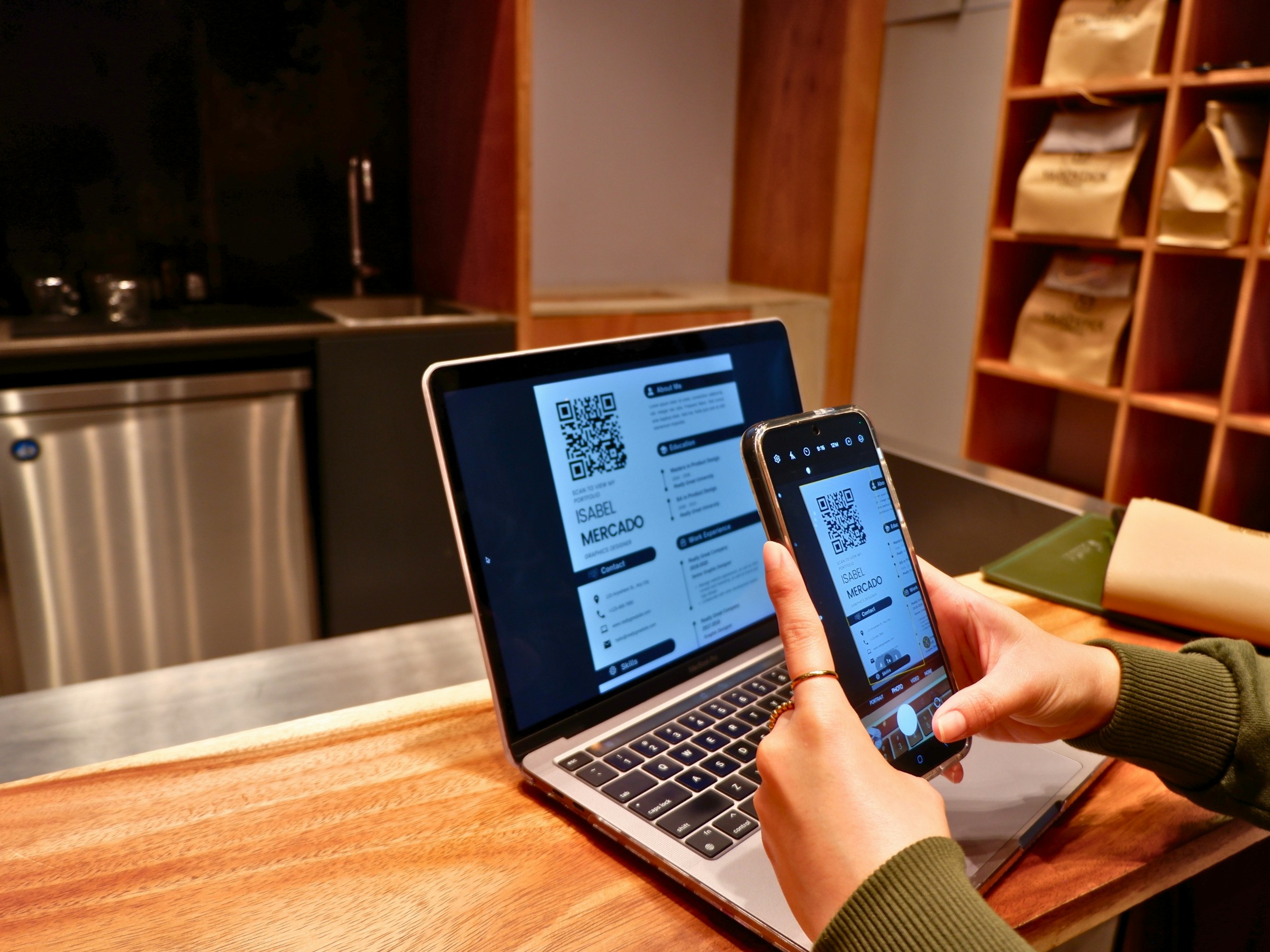
They are not interchangeable. Aztec Codes and QR Codes solve different operational problems, so picking one because it looks like the other guarantees slow, invisible failures as scale and constraints tighten. Choose by the job at hand, not by familiarity.
What Core Job Does Each Code Actually Solve?
Constraint-based: when space is tiny, and damage is routine, the job is reliable, dense encoding that survives partial loss; when interactions are consumer-facing and ubiquity matters, the job is fast, forgiving scanning on any phone. That difference explains why one format shows up on boarding passes and machine-readable tickets, while the other dominates marketing collateral and business cards, where a quick smartphone camera scan is expected.
Why Does the Physical Environment Change Which Code You Pick?
Specific experience: in low-light conditions, on glossy badges, or on curved surfaces, scanner optics and reflections determine success more than the printed pattern. That is why Aztec Codes’ high data density and resilience matter in ticketing and logistics, where minor marks and folds are common and every missed scan requires manual intervention.
How Do Historical Design Intentions Affect Modern Use?
Pattern recognition: QR Codes began as a factory-tracking tool, designed for quick, automated reads at scale, not for hand-to-hand consumer sharing. Invented in 1994 by Denso Wave, a subsidiary of Toyota, to track automobile parts during manufacturing, QR Codes are optimized for fast camera reads and broad device support, which is why they became the default choice for marketers and contact-sharing applications.
How Does Encoding Structure Translate Into Real-World Reliability?
Problem-first: the visual finder patterns, required margins, and error-correction models are not cosmetic; they affect how scanners recover data from skewed angles, reflections, or partial occlusion. Think of it like two different typefaces: one designed to be legible at a glance on a billboard, the other crafted to compress more letters into a tiny line without losing meaning.
The Conversion Leak
Different encoding structures imply different read distances, different tolerance to damage, and other probabilities that a failed scan will result in a lost lead. Most teams stamp a single code type across badges and collateral because that is fast and familiar. As interactions scale, fragmented scans, reprints, and manual reconciliation quietly erode conversion and inflate ops time.
Platforms like Mobilo provide multiple sharing modes, camera-scannable codes, device-to-device options, and analytics, enabling teams to reduce manual entry, speed up CRM enrichment, and maintain governance as volume grows.
How Should Teams Choose Under Enterprise Constraints Like Security and Scale?
Confident stance: choose the format that aligns with your measurable success metric, not the most visually appealing designer mockup. If your priority is guaranteed CRM capture from an event, prioritize formats and tools that maximize verified read rates and automatic integrations. If compliance and audit trails are important, ensure the chosen workflow supports enterprise controls and privacy regulations. That deployment can be managed centrally rather than relying on one-off printed assets.
The Surface-Fit Paradox
A small analogy to make choices more straightforward: choosing a code type without matching it to the environment is like bringing hiking boots to a beach party; they work, but not as well as the right tool for the surface. That decision appears settled now, but once you see the feature trade-offs, you may see the code that wins in specific use cases change.
Related Reading
- How to Put Linkedin on Business Card
- How to Share Linkedin QR Code
- How to Add Instagram QR Code to Business Card
- QR Code Instead of Business Card
- QR Code Size on Business Card
- How to Scan QR Code on Iphone
- How QR Codes Work
- QR Code Analytics
- Linkedin QR Code Business Card
- How to Create Vcard
Aztec Code vs QR Code (Features, Benefits & Use Cases)

Aztec for constrained, rugged physical workflows; QR for broad, phone-first interactions and branded touchpoints. I want you to choose by the operational outcome you need—reliable reads in small, abused surfaces, or instant, familiar scans that feed marketing and CRM systems.
Design and Appearance
QR Codes
A square grid pattern
Aztec Codes
Central bulls-eye pattern encircled by concentric squares
Data Capacity
QR Codes
Can encode 2953 bytes, 4296 alphanumeric characters, 7089 numeric characters, or 1817 Kanji characters
Aztec Codes
Can encode 3,832 numerical digits, 3,067 alphabetic characters, or 1,914 bytes of data
Error Correction
QR Codes
Four levels using Reed-Solomon, up to 30% recovery
Aztec Codes
Up to 33% error rectification, highly reliable
Physical Size Requirements
QR Codes
Ranges from 21 x 21 to 177 x 177 modules; size impacts scannability
Aztec Codes
Compact, flexible sizing for space-restricted applications
Necessity of a Quiet Zone
QR Codes
Requires a minimum of four modules wide
Aztec Codes
Does not require
Application Areas
QR Codes
Consumer applications like marketing and mobile payments
Aztec Codes
Specialised uses such as transport tickets and government IDs
Scanning Devices
QR Codes
Broad device support, including smartphones
Aztec Codes
Need specialised scanners for optimal performance
Marketing Ability
QR Codes
Highly customisable for branding and consumer campaigns
Aztec Codes
Fits niche markets, prioritising data density and compactness
How Small-Format Printing Affects Lead Capture and Badge Design
If a card, pass, or ID must fit a credit-card footprint or a narrow wristband, every millimeter matters. Aztec codes pack more information into less space, lowering the likelihood that you must redesign a badge to accommodate a code and reducing reprint cycles when fields change.
The Edge-Data Advantage
Embedding a full employee record or a multi-field access token directly in a tiny ID saves a step at check-in. It eliminates network lookups at gate scanners, thereby increasing throughput and reducing queue time. That translates into measurable efficiency gains: fewer manual verifications, faster onboarding, and lower print waste.
What Matters for Scan Reliability Under Wear-and-Tear Conditions?
Scanning fails when dirt, folds, or lamination obscure edges. In such conditions, use a pattern designed for partial damage, as it converts physical roughness into predictable recovery rather than lost leads.
Aztec Codes, known for their high data density and ability to be read even if a portion is damaged or obscured, are ideal for access passes that live in wallets, lanyards, or tool pouches—ensuring that a single scuffed badge does not become a manual entry ticket.
How Does Data Density Change Operational Workflows?
Higher data density means you can store identifiers, cryptographic checksums, and an audit token directly in the barcode, which removes a round-trip to a server for every scan. That is useful for offline checkpoints or when network policies restrict live queries, such as in secure labs or remote job sites.
Conversely, if your objective is to hand off a marketing link and capture a cloud lead with a single camera tap, a QR code that points to a dynamic URL provides editability and tracking without reprinting.
Why Should Error Correction Influence Your Choice?
Error correction is not an abstract spec; it is a hedge against lost interactions. When a scan needs to succeed despite ink bleed, reflective finishes, or partial occlusion, higher practical error tolerance protects conversion rates. Design your templates so the code keeps a safety margin from the edge, and use an error-correction level that matches the expected abuse:
- Low for temporary promos
- High for ID cards and access credentials, where failed reads create operational friction.
Which Code Supports CRM Integration, Analytics, and Governance?
If your priority is enterprise-grade lead capture, choose a solution that preserves the event as structured data rather than simply copying it. QR Codes excel at guiding a device user into a tracked web flow, allowing marketing and sales systems to enrich and attribute leads.
The Efficiency Pedigree
QR’s camera-first lineage explains its widespread adoption: originally built in 1994 by Denso Wave, a subsidiary of Toyota, to track automobile parts during manufacturing, it was optimized for fast, automated reads—today, that same speed translates to smartphone ubiquity and low-friction capture for customer-facing campaigns.
In regulated environments, you need audit trails and role-based access controls, so select the code and workflow that allow your systems to attach metadata and timestamps at the time of capture.
What Happens to Ops When You Pick the Wrong Format?
Most teams handle code choice by defaulting to the most familiar, then notice minor failure modes as volume scales. That familiar approach works early, but as scans multiply, the hidden cost appears:
- Manual corrections
- Missed CRM events
- Reprints that erode margins
Teams find that platforms that combine multiple sharing modes and analytics simplify recovery from failures by routing successful interactions from NFC, camera, or device-to-device into the same CRM flow, reducing manual reconciliation and preserving capture rates at scale.
How Do You Balance Brand Customization and Operational Reliability?
Branding matters for customer touchpoints. QR codes can include logos, colors, and frames that reinforce identity and improve scan rates when combined with high contrast and sufficient error correction. But if the code must withstand industrial handling or fit on a tiny metal tag, prioritize the format that reads consistently under constraints rather than one that looks prettier.
Think of it like choosing footwear: you wear running shoes for a race and boots for a construction site. Appearance is proper, but performance wins when the environment is unforgiving.
A Practical Checklist to Self-Diagnose the Right Code for Your Job
- If you must store more structured fields directly in the code and expect physical abuse, favor Aztec.
- If the scan will be done by a customer’s phone and you need editable content, analytics, and branding, favor QR.
- If you need offline, tamper-evident validation, encode integrity checks and session tokens in whichever code fits the physical constraint.
- If governance and auditability matter, ensure the capture workflow attaches identity and timestamps before CRM ingestion.
The Cost of Friction
Choosing the code is not just a design call; it is an operational choice that changes how many leads you capture and how much post-event cleanup your team endures. Picture a single failed scan at a 1,000-person event: one missed contact becomes a leak; multiply that by low read rates, and the cost is hours of manual follow-up.
Unified Capture Logic
Platforms that unify sharing modes and analytics help teams stop reacting to failure and start designing for consistent capture. Teams find that combining device-to-device options with camera-scannable codes and centralized admin controls dramatically compresses reconciliation work while preserving audit trails.
The smallest design decision can hide the highest operational cost; what you choose now will determine whether tomorrow’s data arrives intact or as a pile of follow-ups.
Maximizing Efficiency with the Right Code

Pick the format that aligns with the measurement you care about, then design the code so those metrics improve from day one. Get the code size, payload pattern, and error-correction balance right at design time, and you cut scan failures, reprints, and manual CRM cleanup; leave it to chance, and you pay for fixes in time and lost leads.
How Will You Know the Choice Paid Off?
- Start with concrete success metrics, not opinions.
- Track read rate, time-to-capture, and reconciliation work: measure scans per 1,000 interactions, average seconds per successful capture, and manual corrections logged in the CRM.
- Run a short field test, for example, produce 100 sample cards, run 500 targeted scans across 8 phone models and two lighting conditions, then compare: if your read rate improves and average capture time drops, the format passed the practical test.
- Keep thresholds simple: aim for a read rate that makes manual follow-up negligible relative to event size, and set an SLA for capture latency that matches your sales cadence.
What Design Choices Change Throughput the Most?
Size and payload architecture matter far more than whether the pattern looks neat. Choose whether the code includes a compact identifier that the server resolves, or the full contact payload; the former minimizes printed complexity and allows edits later, while the latter supports offline validation when networks are unreliable.
The Physical Interface
Control contrast and quiet zones through substrate and finish choices; select an error-correction level that matches expected wear; and set the printed module size to match typical scanning distances for your scenario. Those decisions, made once, alter scan speed, failure rates, and the number of reprints you will ever need.
How Should You Test Before Mass Production?
Treat the rollout like an engineering sprint, not a design tweak. Create a test matrix with:
- Permutations of substrate (laminate, matte, metal)
- Finish (gloss, UV)
- Device types (low-end Android, flagship iPhone)
- Lighting (bright, dim)
Log every scan with device model and outcome, then prioritize fixes that reduce failure modes, not just aesthetic complaints.
This is the engineering habit that prevents noisy problems later, and it’s why teams that use the right tools see real gains: 85% of developers report improved code efficiency, and design-time tool and format choices pay dividends in operational speed.
What Operational Patterns Avoid Surprises at Scale?
- Define the capture workflow before printing any asset, including fallback routes for failed scans and server-side enrichment rules. For instance, map every code scan to a single CRM event schema, include an integrity token for auditability, and log whether the capture came from:
- Camera
- NFC
- device-to-device
- Implement monitoring that alerts when read rates drift, allowing you to address the root cause rather than reprinting en masse. That kind of process discipline is why teams that adopt targeted quality tooling often see a 40% increase in overall productivity, highlighting the compound benefits of small, upfront design decisions.
Most teams handle deployment by defaulting to what’s familiar. The familiar approach works early, but as touchpoints scale, you end up reconciling mismatched data and manual entries. That’s the hidden cost: hours spent fixing preventable failures rather than building relationships.
The Centralized Capture Model
Platforms like Mobilo change that trajectory, offering multiple capture modes, centralized analytics, and admin controls that enable teams to route camera and NFC interactions into consistent CRM events while preserving compliance and audit trails, reducing the need for reactive reprints and manual reconciliation.
Two Quick Evaluation Questions You Can Ask Right Now
- What is your acceptable scan-failure rate per 1,000 interactions, and how will you detect it in real time?
- Do you require offline validation at the point of scan, or can the code resolve to a dynamic server lookup for editability and tracking?
Think of this like tuning a transmission: a small alignment at setup saves miles of rough shifting later, and the next step shows whether that tuning translates into real cost savings.
Related Reading
- Static vs Dynamic QR Code
- How to Put a QR Code on a Business Card
- RFID vs QR Code
- How to Track QR Codes
- Is QR Code Generator Safe
- How Much Does a QR Code Cost
- QR Code Accessibility
- QR Code Lead Generation
- Business Card Ideas With QR Code
- Dynamic QR Code Example
Book a Demo Today and Get your First 25 Cards Free (Worth $950)
If you want to stop guessing and validate the correct code in your real workflows, book a short Mobilo demo to watch live NFC, QR, and device-to-device exchanges and confirm CRM enrichment before you print a single asset. The demo includes 25 free smart cards for immediate testing, helping you reduce rollout risk, avoid costly reprints and manual follow-up, and accelerate reliable lead capture.








