

.avif)


Top 10 Business Card Ideas With QR Code for Smart Professionals
On This Page
Picture this: you hand someone your business card at a networking event, and within seconds, they have your contact details saved, can visit your portfolio, and connect with you on LinkedIn, all without typing a single character. That's the power of incorporating QR codes into your business card design, transforming a simple piece of cardstock into an instant digital gateway. This article explores Best Business Card Scanner, creative business card ideas with QR codes that help you stand out in crowded rooms, make lasting impressions, and turn casual introductions into meaningful professional relationships.
The best QR code business cards do more than share phone numbers and email addresses. They open doors to your entire professional identity with one quick scan. That's where Mobilo's digital contact card becomes a game-changer for modern professionals who want networking to feel effortless, not awkward. Instead of juggling outdated paper cards that get lost in jacket pockets, you can create dynamic, scannable designs that instantly connect people to your website, social profiles, calendar booking link, or video introduction, making every handshake count and ensuring you're remembered long after the conversation ends.
Summary
- Traditional business cards fail because 88% are discarded within a week, according to the UPrinting Blog. Even well-designed paper cards end up misplaced or discarded, turning what should be a networking tool into waste.
- Contact information changes constantly in modern careers, but paper cards lock you into outdated details the moment they're printed. Job titles shift, email addresses update, and branding evolves, yet each change renders entire batches obsolete.
- QR codes eliminate the contact-saving problem by adding details directly to a user's phone with a single scan. No typing, no searching, no delay between meeting someone and capturing their information.
- Tracking engagement through QR-enabled cards reveals which contacts are genuinely interested based on real behavior. When someone scans your card twice in one week or clicks through to your services page, you have actionable data that helps prioritize follow-up.
- Research from Bizzabo in 2023 found that 90% of business card contacts are never entered into a CRM when using paper cards. Digital cards close this gap by automating the transfer of contact information to platforms such as Salesforce, HubSpot, and Zoho.
Mobilo's digital contact card addresses this by centralizing contact sharing with automated CRM integration and real-time analytics, compressing follow-up cycles from days to hours while maintaining full visibility into which contacts engaged with your content.
Why Traditional Business Cards Often Fall Short

A contact might search for your name online or access your profile via a quick scan or tap. This means that what they see in those first few seconds matters. Traditional business cards, no matter how well designed, are inherently limited. They offer no interaction, no context beyond your name and title, and often no follow-up mechanism.
First Impressions are Increasingly Shaped by Technology
In today's professional landscape, the first impression is often digital. A digital business card changes that experience entirely.
Instead of simply handing over your name and number, you are delivering a complete digital presence. This can include links to your website, social platforms, portfolio, and even introductory videos or scheduling tools. It becomes a conversation starter, not just a printed afterthought.
Seamless Integration with Modern Workflows
Because digital cards are designed to integrate with the devices people already use, they fit more naturally into modern communication flows. With a single action, a potential client or collaborator can store your contact information directly in their phone or CRM. The exchange feels more aligned with how business is conducted today.
Your Details Change. Your Business Card Should Too
A few things stay the same in modern careers. Job titles change, email addresses are updated, branding is refreshed, and people move between roles and industries with increasing frequency. Yet with paper business cards, any change renders your entire batch obsolete. This is not just wasteful, it is inefficient and often leads to miscommunication.
Maintain Accuracy and Flexibility
A digital card eliminates this issue by giving you full control over your information at any time. Need to change your job title after a promotion? You can do so in minutes. Rebranded your business or launched a new service? Update your card, and from that moment forward, everyone you meet will see the latest version of your professional identity.
Maintain Accuracy and Flexibility
This level of flexibility is not simply convenient. It is essential in fast-paced environments where agility and accuracy define your professional reputation. You are no longer limited by the constraints of print. Instead, you are always ready with the most accurate version of yourself and what you offer.
Efficiency in Professional Settings
Carrying a wallet or bag of physical business cards used to be a necessary inconvenience. Today, it feels increasingly outdated. Professionals are constantly on the move, attending virtual meetings, collaborating across borders, and managing relationships through digital platforms. In that context, physical cards create unnecessary friction.
Always Accessible on Devices
Digital business cards are stored on the devices that professionals already rely on. Whether on a smartphone, tablet, or smartwatch, they are immediately accessible and easy to share. No more searching through bags, refilling stacks, or apologising for running out. You are prepared at all times, with no added effort.
Share Remotely with Ease
Furthermore, digital cards can be shared remotely. This is particularly valuable in a hybrid or remote-first work environment. Whether meeting someone online or following up after a call, you can send your digital business card in seconds, complete with links and context that paper simply cannot provide.
Reflect Modern Workforce Needs
This instant, location-independent sharing reflects the needs of the modern workforce. It shows that you value the time of those you meet and are committed to providing useful, usable information.
Digital Cards are Designed to Be Used, Not Forgotten
One of the major drawbacks of traditional business cards is that they often fail to convert a moment of connection into meaningful engagement. According to UPrinting, 88% of business cards are thrown away within a week.
Even beautifully designed cards are frequently misplaced or discarded. In contrast, digital business cards are interactive, making them significantly more useful beyond the initial exchange.
Access Your Full Professional Ecosystem
When someone receives a digital card, they are not simply taking home a piece of paper. They are gaining access to your complete professional ecosystem. From there, they can click through to your website, book a consultation, follow your social media channels, or watch your introduction video.
This kind of interaction builds momentum after the meeting, keeping the relationship warm and increasing the likelihood of future engagement. You are no longer hoping someone remembers to follow up. You are guiding them to the next step.
Gain Insights with Analytics
Many digital business card platforms offer tracking and analytics. You can see who opened your card, which links they clicked, and how they interacted with your content. This data is invaluable for professionals in sales, consulting, or client-facing roles. It provides insights that traditional networking cannot.
Your Brand Deserves More Than a Name and a Phone Number
In modern business, brand identity is everything. It is not just how your company or personal services are perceived, but how consistently and clearly that identity is communicated across all touchpoints. Business cards are no exception. In fact, they are often one of the first tangible or digital representations of your brand that a potential client or collaborator encounters.
Traditional business cards limit what you can say and show. They typically include a logo, your name, job title, phone number, and website address. That might have been impressive in the 1990s. Today, it reads more like a placeholder than a pitch. It offers no interactivity, no personality, and certainly no depth.
Digital Cards Expand Possibilities
Digital business cards, by contrast, open up a world of possibilities. They allow you to present yourself as more than a list of credentials.
You can link to your website or portfolio, embed a short brand video, connect to social profiles, include a downloadable media kit, and even share real-time updates like a product launch or a newly published article. All of this adds layers to your identity that cannot be communicated on paper.
Maintain Consistent Branding
The importance of consistent branding across digital platforms cannot be overstated. If your website uses a clean, minimalist layout with muted tones, and your LinkedIn banner follows the same style, your business card should not feel like a dated afterthought with bold fonts and stock colours.
A digital card allows full brand alignment. You can match your typeface, use your brand colour palette, and include branded visuals or tone-consistent messaging that feel authentic and thoughtful.
Instant Access to Your Digital Presence
This is particularly important for professionals working in marketing, design, consulting, and other image-conscious industries. For them, the way they present themselves often says as much about their expertise as their résumé. But it is also useful for entrepreneurs, executives, and employees who want to demonstrate initiative and professionalism.
Instant Access to Your Digital Presence
Imagine you meet a potential client at a conference. Instead of handing over a card and hoping they remember to visit your site later, you send them your digital business card on the spot.
They open it, click a link to your case studies, watch a 30-second explainer video, and follow your business profile on Instagram or LinkedIn. You have instantly introduced them to your full digital presence, not just a fragment. And if you update your content later that week, the card reflects those changes the next time they view it.
Sustainability is Becoming Non-Negotiable in Professional Tools
Across industries, sustainability has become a key consideration when selecting tools, platforms, and partnerships. From how businesses source materials to how professionals choose their technology, environmental impact now plays a central role. And in this context, traditional business cards fall short, both literally and figuratively.
Environmental Impact of Printed Cards
Printed business cards require paper, ink, and packaging. They are typically produced in bulk, which means overprinting is common and waste is inevitable. Many of them are used once and thrown away.
Others are forgotten in drawers, left behind at events, or lost in transit. The carbon footprint of this seemingly small item can be surprisingly high when you account for design, shipping, reprinting, and disposal.
Digital Cards Reduce Waste
Now compare that to digital business cards. They produce no paper waste. They do not require ink, packaging, or physical transportation. They can be created and shared without contributing to landfill waste or deforestation.
In fact, for environmentally conscious professionals or businesses that promote green practices, digital cards align perfectly with their values and public messaging.
Signal Responsibility to Stakeholders
This matters because clients, investors, and collaborators are paying attention. They want to see that the people they work with are thinking ahead, not just about innovation and convenience, but about responsibility.
Carrying a digital business card signals that you are thinking beyond your next meeting. It shows that you are aware of the broader implications of your choices, and that speaks volumes.
Centralize Contact Sharing
Most teams manage contact sharing through paper cards because it's familiar and requires no new tools. As networking becomes more frequent and follow-up becomes critical to conversion, paper cards fragment across pockets and desks. Important context gets lost, response times stretch from days to weeks, and opportunities stall.
Solutions like Mobilo's digital contact card centralize contact sharing with automated CRM integration and real-time analytics, compressing follow-up cycles from days to hours while maintaining full visibility into engagement.
Cut Printing Costs
Additionally, digital business cards help companies track and reduce unnecessary printing costs. Marketing departments can distribute cards company-wide with just a few clicks. If someone leaves or changes roles, the card can be reassigned. No waste. No hassle. No extra cost.
Sustainable Practices for All Businesses
For larger organisations, switching to digital cards can significantly reduce office waste and simplify administrative workflows. For small businesses, freelancers, and startups, it is a chance to adopt smart, sustainable habits from day one. For everyone, it is a meaningful way to reduce personal and professional environmental impact.
Digital Cards Drive Better Networking Outcomes
At its core, networking is about building meaningful, lasting, and useful connections that can lead to collaboration, partnerships, or growth. The way those connections are made and maintained has changed dramatically in recent years. Remote work, hybrid teams, and increased global business interactions have made traditional networking methods feel limited.
Digital Cards Enhance Engagement
Digital business cards meet this moment in a way physical cards never could. They are not just faster to share. They are far more effective at supporting post-event engagement, follow-ups, and long-term relationship-building.
Simplify Follow-Up with Instant Access
A digital business card makes the follow-up very easy. Your name and number are stored directly in the other person's contacts. They can message you right away. They might even click a scheduling link and book a meeting.
Some platforms allow real-time tracking, letting you see who opened your card, what links they explored, and how recently they interacted with it. That is actionable insight.
Use Data to Guide Next Steps
This level of engagement helps you tailor your next step. If someone visited your portfolio twice but did not reach out, you might follow up with a note about your availability or a new project.
If a contact clicked through to your Instagram and followed you, you have an opportunity to send a casual check-in message. You are no longer working with vague assumptions. You have real data on how your outreach is landing.
Remove Friction for Easy Contact
There is also the benefit of making yourself easier to contact. Most people will not take the time to manually enter someone's details unless they have a pressing reason. With a digital card, that friction is gone. One tap or click is all it takes to save your information, access your content, and reach out on multiple platforms. In a world of limited attention spans, that simplicity matters.
Create Memorable Networking Experiences
Networking is also about memory. People remember interactive, surprising experiences. Handing someone a business card that launches into a short, well-produced intro video or links directly to a project they are interested in? That leaves an impression. It becomes part of their story about you.
Related Reading
- Best Business Card Scanner
- What Makes a Good Business Card
- Business Card Trends
- QR Code Marketing Strategy
- What Are NFC Business Cards
- Professional Networking Tools
- New QR Code Technology
- Best Paid QR Code Generator
- What to Include on a Business Card
How QR Codes Transform Business Cards
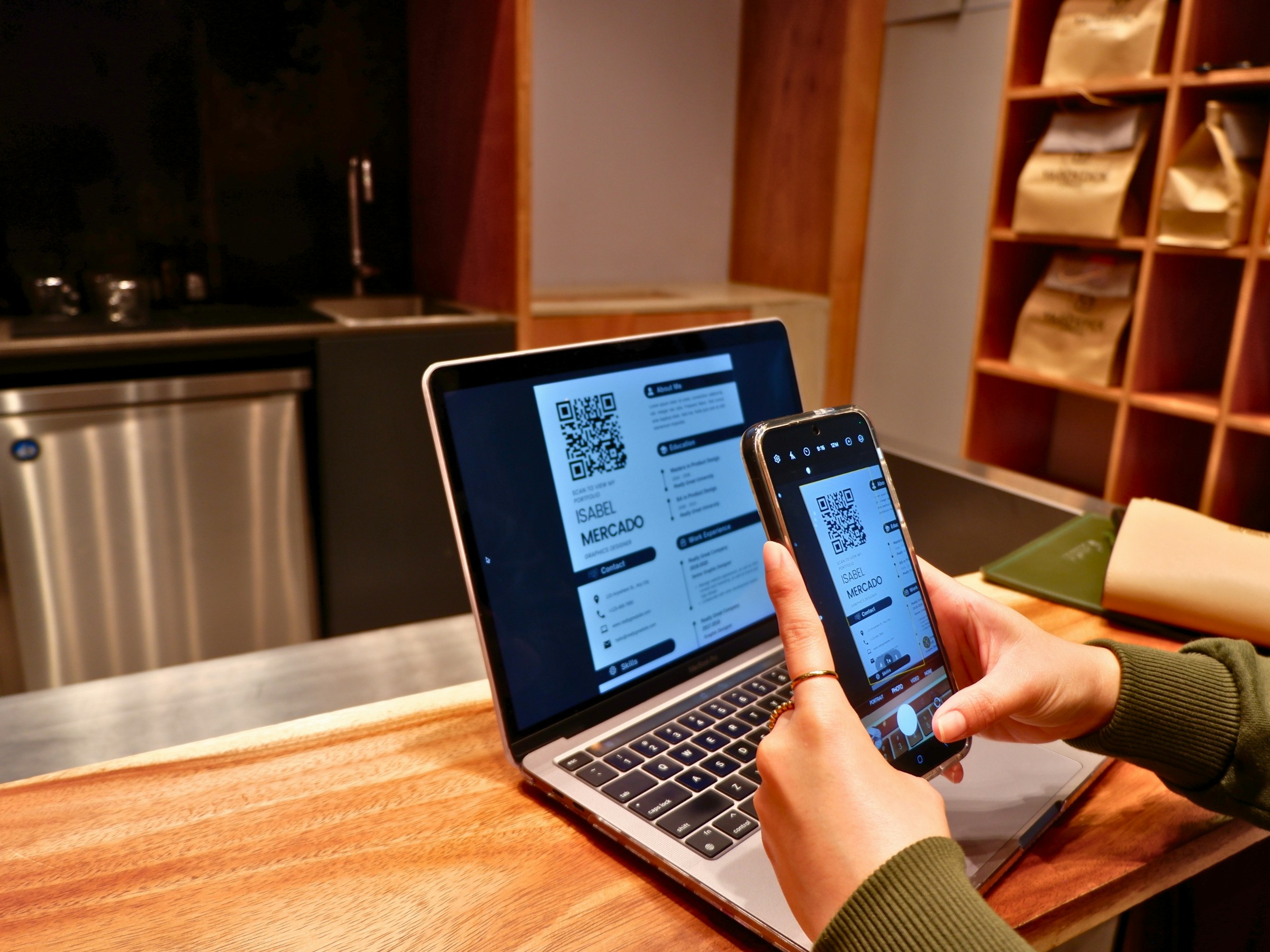
QR codes turn a business card from a static reference into an active gateway. Instead of handing someone your details and hoping they take action later, you create an instant path to your portfolio, scheduling link, or LinkedIn profile. The code itself becomes the bridge between a physical moment and your full digital presence.
This shift matters because it removes friction. When someone scans your card, they are not retyping your email or searching for your company online. They are immediately connected to the exact resources you want them to see. That level of directness changes how follow-up occurs and how quickly relationships move forward.
QR Codes Solve the Contact Saving Problem
One of the most overlooked barriers in traditional networking is the effort required to save someone's information. Most people receive a card, glance at it, and place it in a pocket or bag. Later, if they remember, they might manually enter the details into their phone. More often, they forget entirely.
QR codes eliminate that delay. A single scan can add your contact information directly to someone's phone, complete with email, phone number, website, and social links. No typing. No searching. No excuses for not following up.
Boost Networking Efficiency
This is particularly useful at conferences or large networking events where dozens of introductions happen in quick succession. People are tired, distracted, and overwhelmed with information. A QR code makes it easy for them to capture your details in the moment, without having to set aside time later to organize a stack of paper cards.
The result is a higher conversion from introduction to actual contact. You are not just hoping someone remembers you. You are making it nearly impossible for them to forget.
Linking to Portfolios, Videos, and Social Profiles
A traditional card can list your job title and company name, but it cannot show your work. QR codes change that. You can link directly to a portfolio, case study, product demo, or even a short introductory video. This transforms the card from a reference tool into a storytelling device.
Showcase Work for Creatives
For designers, photographers, consultants, and creatives, this is particularly powerful. Instead of describing what you do, you can show it. Someone scans your card and immediately sees examples of your work, client testimonials, or a behind-the-scenes look at your process. That kind of immediacy builds credibility faster than any conversation can.
Link Relevant Content for Any Profession
Even for professionals in less visual industries, the ability to link to relevant content is valuable. A salesperson might link to a product page. A recruiter might link to open roles. An executive might link to a recent interview or keynote. The card becomes a curated entry point to your professional world, tailored to the meeting context.
Control Your Professional Narrative
This also allows you to control the narrative. Instead of leaving someone to search for you online and stumble across outdated profiles or irrelevant results, you guide them to the exact content that represents you best. You are shaping their first impression, not leaving it to chance.
Tracking Engagement Reveals Who is Interested
One of the most underutilized advantages of QR-enabled business cards is the ability to track engagement. When someone scans your code, you can see when it happened, which links they clicked, and how long they spent exploring your content. This data is not just interesting. It is actionable.
Behavior Signals Interest
If someone scans your card twice in one week, that signals genuine interest. If they click through to your services page but do not reach out, you can send a follow-up message.
If they watch your intro video but skip your portfolio, you'll know what resonated and what didn't. This level of insight allows you to tailor your next interaction based on real behavior, not assumptions.
Prioritize Engaged Prospects
For sales teams, this is especially valuable. Instead of cold-calling every contact you meet, prioritize those who have already engaged with your content. You can see which prospects are warm and which are merely polite. That focus saves time and increases the likelihood of meaningful conversations.
Refine Strategy Through Tracking
Tracking also helps you refine your approach over time. If most people click your LinkedIn but ignore your website, you might reconsider how you position that link. If your video gets high engagement but your portfolio does not, you know where to invest more effort. The card becomes a testing ground for what works and what does not.
Design Considerations for Scannability and Branding
QR codes are functional, but they also need to fit within your brand. Poorly designed code can appear like an afterthought or, worse, a distraction. The goal is to integrate the code seamlessly so it feels like a natural part of the card, not a technical add-on.
Optimal QR Code Placement
Placement matters. The code should be easy to find and scan without cluttering the design. Typically, placing it on the back of the card works well, leaving the front clean for your name, logo, and key details. Some designers place the code on the front in a corner or along the edge, but this requires careful balance to avoid overwhelming the layout.
Recommended QR Code Size
Size is equally important. A QR code that is too small will not scan reliably, especially in low light or if the card is slightly damaged. Most experts recommend a minimum print size of 2 x 2 centimeters. Larger is often better, particularly if the card will be scanned from a distance or in less-than-ideal conditions.
Ensure Strong Contrast
Contrast is critical. The code needs to stand out clearly against the background. Black on white is the most reliable combination, but you can adjust colors as long as the contrast remains strong. Avoid light-colored codes on light backgrounds or overly complex patterns that interfere with the scanner's ability to read the code.
Align QR Codes with Branding
Branding alignment is where many professionals miss an opportunity. The QR code does not have to be a plain black square. You can customize it with your brand colors, add a logo in the center, or shape the dots to match your visual identity. These adjustments make the code feel intentional rather than generic, reinforcing your brand at every touchpoint.
Centralize Contact Sharing
Most teams manage contact sharing through paper cards because it's familiar and requires no new tools. As networking becomes more frequent and follow-up becomes critical to conversion, paper cards fragment across pockets and desks. Important context gets lost, response times stretch from days to weeks, and opportunities stall.
Solutions like Mobilo's digital contact card centralize contact sharing with automated CRM integration and real-time analytics, compressing follow-up cycles from days to hours while maintaining full visibility into engagement.
Common Mistakes That Break the Experience
Even well-designed QR codes fail if the underlying experience is broken. One of the most frustrating mistakes is linking to a dead or outdated URL. If someone scans your code and lands on a 404 page or an old version of your site, you have not just missed an opportunity. You have damaged your credibility.
Link to Mobile-Optimized Content
Another common error is linking to non-mobile-optimized content. Most people will scan your code with their phones, so the destination must load quickly and display properly on a small screen. If they have to pinch and zoom to read text or wait for a slow page to load, they will leave. The experience should be seamless from scan to engagement.
Ensure High Contrast and Test
Low-contrast codes are another common issue. According to QRCodeChimp, 89% of smartphone users have scanned a QR code, indicating high expectations. If your code does not scan on the first attempt, most people will not try again. They will assume it is broken and move on. Testing your code across different devices and lighting conditions before printing is essential.
Avoid Overloading QR Codes
Some professionals also make the mistake of overloading the code with too much information. QR codes can store a lot of data, but the more data you add, the more complex the code becomes. This makes scanning more difficult and increases the risk of errors. Keep the destination simple. One clear link is better than a cluttered landing page with too many options.
Give QR Codes Enough Space
Finally, avoid placing QR codes in areas where they are at risk of damage or obstruction. If the code is too close to the edge of the card, it might get bent or torn. If it overlaps with other design elements, it might not scan properly. Give the code space to breathe, both visually and functionally.
Related Reading
- How to Put Linkedin on Business Card
- How to Share Linkedin QR Code
- How to Add Instagram QR Code to Business Card
- QR Code Instead of Business Card
- QR Code Size on Business Card
- How to Scan QR Code on Iphone
- Aztec Code vs QR Code
- How QR Codes Work
- QR Code Analytics
- Linkedin QR Code Business Card
- How to Create Vcard
10 Innovative Business Card Ideas With QR Codes

1. Digital Business Cards
Physical digital cards arrive with a QR code printed directly on them. Scan it to access a full profile that updates in real time. No need to reprint when your email changes or your role shifts. The card itself stays the same, but the information behind it evolves.
Instant Digital Profiles
Platforms like Mobilo, Popl, Linq, V1CE, and OVOU have built entire ecosystems around this concept. You tap or scan the card, and the recipient instantly sees your contact details, social profiles, portfolio links, and booking options. It is faster than manual entry and far more reliable than relying on someone to type your email correctly later.
Maintain Control and Updates
The real advantage is control. You decide what people see when they scan your card. If you launch a new service, you update your profile, and every card you have ever handed out now reflects that change.
If you switch companies, the process is the same. The physical card becomes a permanent gateway to your current professional identity, not a snapshot of who you were when you ordered it.
Consistency for Teams
For teams, this creates consistency. Everyone shares the same branded experience, but each profile is personalized. Sales teams can track who scanned their card and when, which helps prioritize follow-ups.
Marketing teams can link to campaign-specific landing pages. Recruiters can direct candidates to open roles. The card adapts to the context without requiring a new print run.
2. Link to Your Digital Portfolio or Website
A QR code that leads to your portfolio turns your business card into a preview of your work. Instead of describing what you do, you show it. Someone scans the code and lands on a page with case studies, client testimonials, or project galleries. That immediacy builds credibility faster than any conversation.
Engage Through Visual or Relevant Content
This works especially well for designers, photographers, consultants, and anyone whose work is best understood visually. But it is equally useful for professionals in less visual fields.
A consultant might link to a white paper. A speaker might link to a recent talk. An entrepreneur might link to a product demo. The goal is to give people a reason to engage beyond the initial handshake.
Ensure Mobile Optimization
The critical piece is mobile optimization. Most people will scan your code with their phones, so the destination must load quickly and display properly on a small screen. If they have to pinch and zoom or wait for a slow page to load, they will leave. The experience should feel seamless from scan to engagement.
Use Card Finish to Match Experience
Card finish matters here, too. Silk laminated business cards offer a smooth, high-quality feel that complements the modern experience of scanning a code. Matte business cards provide a sleek, professional touch that complements minimalist branding. The physical card should signal the same level of care and attention that someone will find when they visit your portfolio.
3. Share Your LinkedIn Profile or Professional Networks
A QR code that links directly to your LinkedIn profile removes the friction of searching for someone by name. With one scan, they can view your professional background, endorsements, and connections. This is particularly useful at conferences or networking events where dozens of introductions happen in quick succession.
Update and Customize LinkedIn
Keep your LinkedIn profile updated before you start handing out cards. An outdated profile undermines the convenience of the QR code. Customize your LinkedIn URL to make it look professional and ensure the code is prominently placed on your card. The easier you make it to connect, the more likely people will follow through.
Choose a Premium Card Material
Uncoated business cards provide a classic, writable surface that feels sophisticated. Linen business cards offer a textured, unique feel that stands out. Both options work well when you want the card itself to feel substantial and memorable, reinforcing the professional image someone will encounter when they scan the code.
Include a Clear Call to Connect
Add a brief message on your card inviting connections to scan and connect. Something simple like "Scan to connect on LinkedIn" removes any ambiguity about the code's purpose. If you prefer a premium feel, silk-laminated business cards offer a smooth, impressive finish.
4. Promote Special Offers or Discounts
Use a QR code to link to an exclusive offer or discount. This transforms your business card from a reference tool into a value proposition. Someone scans the code and immediately sees what you are offering, whether it is a consultation discount, a free trial, or access to a limited-time promotion.
Track Engagement with a Landing Page
Create a dedicated landing page for the offer to track engagement and conversions. This data shows which cards drive action and which do not. It also allows you to test different offers over time without reprinting your cards. Update the landing page, and all cards you have distributed now point to the new offer.
Make Offer Easy to Understand
Clearly communicate the offer terms on the landing page. People should understand what they are getting and what they need to do to redeem it. If the process is confusing or requires too many steps, they will abandon it.
Highlight Offers with Card Design
Highlight the special offer prominently on your card. Use 32pt uncoated painted EDGE business cards for a striking, memorable effect. Gold-foil business cards can further highlight the offer, drawing attention to the QR code and creating a sense of value before anyone scans it. Suede business cards offer a unique texture that enhances the perceived value of your offer.
5. Link to a Video Introduction or Personal Message
A QR code that directs to a video introduction adds a personal touch that text cannot replicate. You can convey your message with tone, expression, and energy, making the interaction feel more human. This is especially effective for consultants, coaches, speakers, and anyone whose personality is a key part of their professional brand.
Keep Videos Concise
Keep the video short. Thirty to sixty seconds is usually enough to introduce yourself, explain what you do, and invite further conversation. The goal is not to tell your entire story but to create a memorable impression that encourages follow-up.
Ensure Professional Quality
Ensure the video is professionally produced and accessible on all devices. Test it on different screen sizes and connection speeds to confirm it loads quickly and displays correctly. A poorly produced or slow-loading video undermines the professionalism you are trying to convey.
Enhance Cards with Finishes
Glossy business cards make the QR code visually appealing and signal a polished, modern approach. Silk laminated business cards offer a smooth, high-quality finish that complements the video content. Gold foil business cards create a standout look that draws attention to the QR code and makes scanning feel like an intentional next step.
6. Facilitate Easy Contact with a vCard
A QR code that links to a vCard allows someone to save your contact details with a single scan. No typing, no errors, no friction. They scan the code, and your name, phone number, email, and other details are added directly to their address book.
Simplify Follow-Up
This is one of the simplest and most effective uses of a QR code on a business card. It removes the most common barrier to follow-up on the effort required to manually enter someone's information. By eliminating that step, you increase the likelihood that someone will actually save your details and reach out later.
Ensure vCard Compatibility
Make sure the vCard includes all necessary contact information and is compatible with various devices and address book applications. Test it on both iOS and Android to confirm it works smoothly across platforms. If someone scans your code and encounters an error, you have lost the opportunity.
Clear Labeling and Premium Feel
Clearly indicate on your card that the QR code will save contact details. A simple label like "Scan to save contact" removes any guesswork. Uncoated and linen business cards provide a classic, professional feel that complements this straightforward, functional approach.
For a premium touch, suede business cards offer a tactile experience that enhances the perceived value of your contact information. 32pt uncoated painted EDGE business cards make a bold statement, ensuring your card does not get lost in a stack.
7. Connect to Social Media or a Booking Link
A QR code that links to your Instagram, LinkedIn, or booking system bridges the physical card to your digital brand. A photographer might direct clients to their Instagram portfolio. A therapist might link to their Calendly for easy scheduling. A musician could link to their Apple Music page or Spotify profile.
Engage Users Immediately
This approach works because it meets people where they already spend time. Instead of asking them to remember to visit your website later, you give them an immediate path to engage with your content or book your services. The action happens in the moment, which dramatically increases the likelihood of follow-through.
Link to the Right Platform
The key is to link to the platform that makes the most sense for your profession and audience. If your work is visual, Instagram or Behance makes sense. If you are booking appointments, Calendly or a similar tool is the right choice.
If you are building professional connections, LinkedIn is the obvious destination. The QR code should feel like a natural extension of how you already work.
8. Square Shaped Card with QR Code
Square cards stand out by breaking the expected format. Most business cards are rectangular, so a square card immediately signals that you think differently. This shape also creates a natural layout, like one side holds your information, and the other features a large, prominent QR code.
Shape Sparks Interaction
The unusual shape encourages interaction. People notice it, comment on it, and are more likely to scan the code because the design itself invites curiosity. It feels intentional rather than generic, reinforcing the impression that you put thought into how you present yourself.
Efficient Use of Space
The real estate on a square card is used efficiently. You are not cramming information into tight corners or shrinking text to fit everything. Instead, you have clear, defined spaces for your name, contact details, and the QR code. The layout is balanced and easy to read, making the card more functional.
Ideal for Memorable Impressions
This design works well for creative professionals, entrepreneurs, and anyone who wants to make a memorable first impression. It is not the right choice for every industry, but in contexts where standing out matters, the square shape delivers.
9. Multiple QR Codes Business Card
A card with multiple QR codes serves different purposes without overwhelming the design. One code might link to a vCard so people can save your contact information. Another might link to your LinkedIn profile. A third might connect to your portfolio or a booking link.
Giving Recipients Choices
This approach gives recipients options. Someone who wants to connect on LinkedIn can scan that code. Someone who wants to see your work can scan the portfolio code. Someone who wants to save your details can scan the vCard. You are not forcing everyone down the same path. You are letting them choose the interaction that makes the most sense for them.
Importance of Clear Labels
The key is clear labeling. Each QR code should include a short description to help users know what they are scanning. Without labels, the card feels confusing rather than helpful. With labels, it feels intentional and user-friendly.
Organized Layout for QR Codes
This design works best when the codes are arranged in a way that feels organized rather than cluttered. You might place them in a row along the bottom of the card or stack them vertically on one side. The layout should guide the eye and make it easy to distinguish between the different codes.
10. The Artsy Face Business Card
This design features a QR code that protrudes from the frame, often accompanied by a photo or illustration of the person's face. It is visually striking and memorable. The 3D element makes the card feel interactive even before someone scans the code, increasing the likelihood they will engage with it.
Best Fit for Creative Brands
This approach works well for creative professionals, artists, designers, and anyone whose brand is built around personality and visual impact. It is not the right choice for corporate environments or industries that expect a more conservative presentation. But in contexts where creativity is valued, this design makes a strong statement.
Personal Connection Through Faces
The face adds a personal element that helps people remember who you are. They associate the card with your appearance, which strengthens the connection between the physical object and the person they met. That memory anchor is valuable in crowded networking environments where dozens of introductions blur together.
Aligning Design with Your Brand
If you are the artsy kind, this design might fit your brand with some modifications. The key is making sure the visual style aligns with how you want to be perceived. The card should feel like an extension of your work, not a gimmick.
Modernize Your Networking With Mobilo Digital Cards
Traditional business cards fragment your follow-up process. You hand someone a card, they pocket it, and the rest depends on whether they remember to add your details later. Most don't. The card sits in a wallet or gets tossed within days. Even when someone saves your information, they may type it manually, which introduces errors and delays.
Digital contact cards solve this by automating the entire exchange. When someone scans your QR code or taps your NFC-enabled card, your contact information, portfolio links, and social profiles are saved instantly. No typing. No friction. No relying on memory or good intentions.
Tracking Tells You Who to Follow Up With
You can see who scanned your card, when they did it, and which links they clicked. That data changes how you prioritize outreach. Instead of cold-calling every contact you collected at an event, focus on those who engaged with your content. Someone who viewed your portfolio twice is warmer than someone who scanned once and moved on.
This visibility extends across your team. Sales managers can see which reps are generating the most engagement. Marketing can track which campaigns drive the highest scan rates. Everyone works from the same data, which means follow-up becomes strategic rather than guesswork.
CRMU Integration Eliminates Manual Data Entry
When someone scans your card, their information is sent directly to your CRM. No spreadsheets. No manual entry. No lag between meeting someone and having their details in your system. According to Bizzabo, 90% of business card contacts never make it into a CRM when using paper business cards. Digital cards close that gap by removing the step where most contacts get lost.
This matters for teams managing hundreds of leads from conferences or networking events. The faster a contact enters your CRM, the faster your team can act. Mobilo's digital contact card syncs with platforms such as Salesforce, HubSpot, and Zoho, so every scan becomes a qualified lead with attached context. You're not just collecting names. You're building a pipeline.
Security and Compliance for Enterprise Teams
Enterprise buyers care about data protection. SOC 2 Type II certification and GDPR compliance aren't optional features. They're baseline requirements. Digital contact cards built for teams handle sensitive information at scale; therefore, encryption, access controls, and audit trails must be standard.
Mobilo meets these standards, which makes deployment easier for IT and legal teams. You're not asking employees to use a consumer app with unclear data policies. You're giving them a tool that integrates with existing security infrastructure and supports centralized management.
Deployment Scales Without Printing Delays
When you hire someone new or rebrand your company, paper cards become obsolete immediately. You either reprint thousands of cards or accept that your team is handing out outdated information. Digital cards update in real time. Change a phone number, update a job title, or add a new service, and every card reflects that change instantly.
For teams of 50 or 500, this eliminates waste and ensures consistency. Everyone shares the same branded experience, but each profile is personalized. No one is stuck with a box of cards that no longer represent who they are or what they offer.
Free Digital Contact Cards Demo
Book a demo today to get your first 25 digital contact cards free (a $950 value). Over 59,000 companies have already upgraded their networking experience. Scan, share, and track every connection, because in a world where most paper contacts disappear, your team deserves smarter business cards.
Related Reading
- Static vs Dynamic QR Code
- How to Put a QR Code on a Business Card
- RFID vs QR Code
- How to Track QR Codes
- Is QR Code Generator Safe
- How Much Does a QR Code Cost
- QR Code Accessibility
- QR Code Lead Generation
- Dynamic QR Code Example








