

.avif)


Smart Static vs Dynamic QR Code Comparison Guide
On This Page
Not all QR codes are created equal. Some sit on print materials and never change. Others evolve, track engagement, and deliver insights in real time. Choosing the wrong type can cost time, money, and missed opportunities. This guide breaks down smart static vs dynamic QR codes, comparing features, flexibility, pricing, and analytics. By the end, you’ll know which type delivers real value for your business and which is just dead weight.
To help with that, Mobilo's digital business card provides easy, editable QR codes, scan tracking, and real-time analytics so you can run campaigns, measure conversion rates, and update contact information without reprinting cards.
Summary
- Dynamic QR codes are becoming the practical default because they decouple the printed image from the destination, enabling post-print updates, A/B tests, and tracking.
- Over 70% of QR codes scanned in 2025 are expected to be dynamic.
- Personalization increases engagement but adds operational complexity, as 50% of businesses report higher customer engagement from personalized QR content, which requires scalable generators, data pipelines, and CRM mapping.
- Unmanaged redirects and third-party routing pose significant security and resilience risks, with 30% of phishing attacks now involving QR codes and an average cost of a successful phishing attack of $4.65 million.
- Ad hoc provisioning creates avoidable costs and delays. One audit found that a product specification change required reprinting 2,000 brochures and a vendor rush that added 20% to the original print cost.
- Measurement and CRM integration are what make QR programs actionable, not just scan counts, and adding UTM and lead scoring metadata to dynamic codes increased qualified lead yields by 27%.
This is where Mobilo's digital business card fits in: it addresses the need for editable QR codes, scan tracking, and real-time analytics, so teams can update contact information and measure conversions without reprinting.
Why All QR Codes Are Not Created Equal
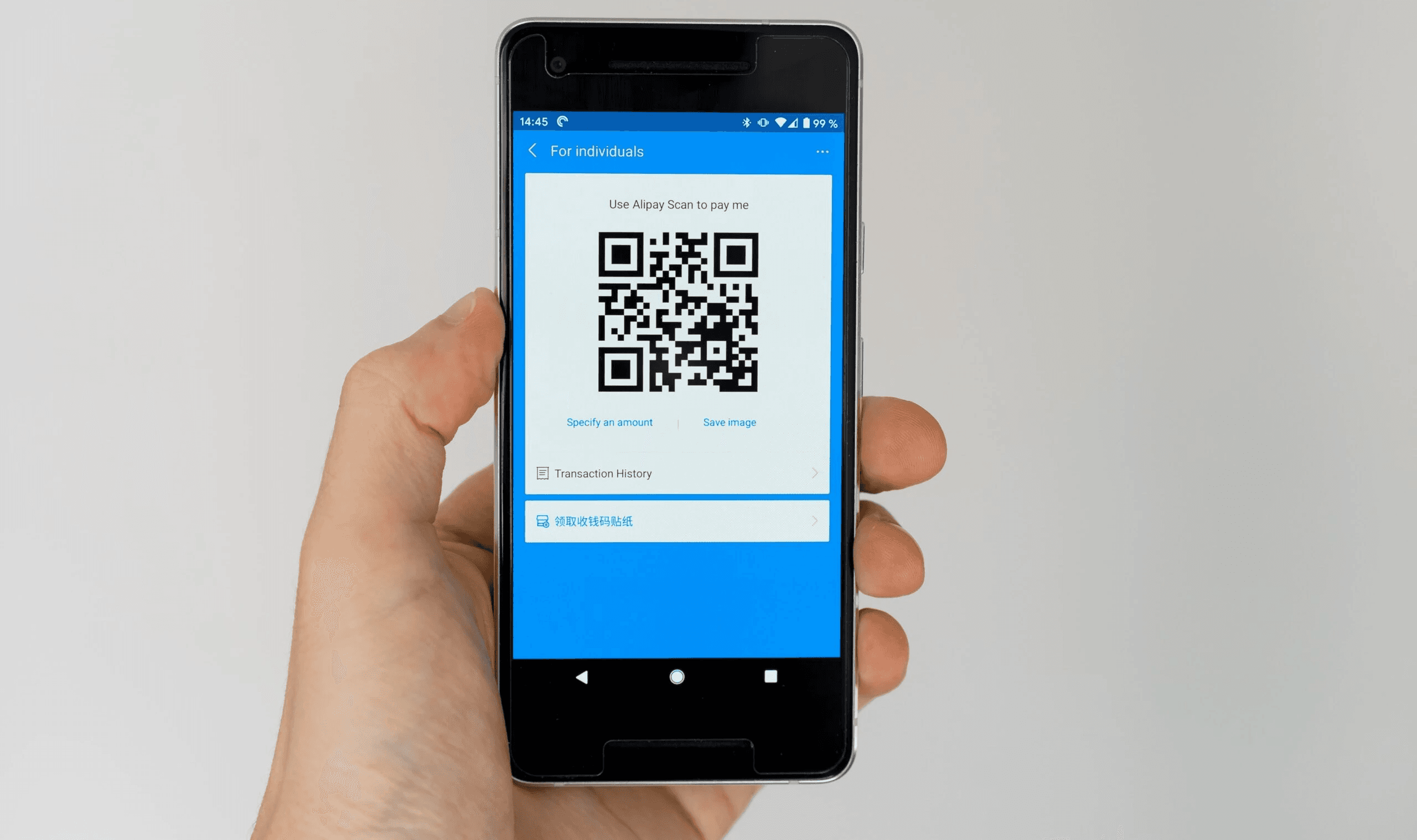
The problem is not that QR codes are invisible; it is that teams treat every code as a single tool and overlook the governance, security, and CRM implications of that choice. Dynamic codes route through editable, trackable short URLs and enable real-time profile updates, campaign analytics, and CRM-ready lead capture. Static code references a fixed asset and becomes unusable the moment the content needs to change. Once you see how those operational differences cascade across events, packaging, and enterprise controls, the default choice no longer appears safe or efficient.
What Mistakes are Teams Making When They Treat QR Codes as Interchangeable?
Most teams handle QR codes the way they handle flyers: design once, print once, hope for the best. That approach works if your only goal is a one-off, low-risk link. The moment you need to update a bio, route attendees to a new landing page, or score leads into a CRM, the fixed nature of static codes becomes a bottleneck. This pattern appears consistently across product packaging and event programs, where late-stage edits, compliance changes, or routing errors force last-minute reprints or manual follow-up.
How Does a Dynamic QR Code Actually Change Operational Outcomes?
A dynamic QR code decouples the printed image from the destination. Operationally, that means you can swap landing pages, A/B test experiences, and attach UTM and tracking metadata after the piece is distributed, saving time and reducing waste. For teams focused on measurable outcomes, that editability is not a convenience; it is the difference between usable analytics and meaningless impressions. No surprise, then, that adoption is shifting fast, as highlighted by Barkoder Blog: “Over 70% of QR codes scanned in 2025 will be dynamic, allowing for real-time updates and tracking.”
What are the Absolute Security and Reliability Tradeoffs?
It’s exhausting when a simple redirect breaks a campaign. Dynamic QR codes often route through third-party services, which introduces three failure modes: domain or redirect failures, hidden usage caps, and weak access controls. We see the same failure pattern when pilots scale from hundreds to thousands of scans: services that were fine for a small test suddenly throttle or change terms, leaving marketing teams scrambling. This is why security posture and contractual SLAs matter as much as ease of use.
When is Personalization Worth the Cost?
Personalized QR codes, where each recipient receives a unique URL, unlock stronger analytics and conversion lift, which is why Barkoder Blog states, “50% of businesses using QR codes report increased customer engagement due to personalized content.” Personalization is not free, though. It requires a generator that can produce unique images at scale, a data pipeline to map IDs to people, and analytics that push that lead data into your CRM with scoring and consent tracking. If your goal is CRM-ready lead capture at enterprise scale, those are operational requirements, not optional add-ons.
Scaling QR Campaigns Safely and Efficiently
Most teams manage QR code rollouts through ad hoc processes, which mask rising costs.
The familiar approach is to let individual marketers generate codes and manage links on spreadsheets because it is fast and feels low-friction. That works during pilots, but as programs expand, approvals scatter, branding drifts, and auditability evaporates, leaving legal and security teams to chase down who changed a redirect and why. Platforms like Mobilo provide centralized admin controls, SSO provisioning, SOC 2- and GDPR-aligned processes, and direct CRM integrations with lead scoring, reducing administrative overhead and preserving an auditable trail as scale increases.
What Practical Checks Should You Add Before Printing or Publishing a Code?
Think in terms of failure modes, not features. Verify domain ownership so you control redirects if a provider changes terms. Ask for scan limits and SLA guarantees, test the analytics payload to ensure it maps to CRM fields, and validate how updates propagate across offline collateral. A simple checklist at these gates prevents the typical scenario in which a code in a brochure points to a dead page after a CMS migration.
How Do You Balance Cost, Flexibility, and Trust for Different Use Cases?
- If you need permanence and zero maintenance, a static code on a one-time print run remains a viable option.
- If you need updates, analytics, or CRM integration, dynamic code delivers quick results.
- If you require identity-level tracking for enterprise events, personalized codes are the right tool, but they require investment in data handling and consent management.
Choose by constraint: low-cost static for single-use collateral, dynamic for repeatable campaigns and pilots, personalized for high-value, CRM-first engagements.
Analogy That Helps Decide Quickly
Treat static codes like printed signposts, reliable but fixed. Treat dynamic codes like networked doorways, flexible but requiring secure keys and a watchful doorman. The wrong choice either locks you in or hands control to an unvetted third party. That simple decision feels tactical until you watch the operational headaches pile up, and then it becomes strategic. But the real cost of the wrong choice is stranger and more consequential than most teams expect.
Related Reading
- Best Business Card Scanner
- What Makes a Good Business Card
- Business Card Trends
- QR Code Marketing Strategy
- What Are NFC Business Cards
- Professional Networking Tools
- New QR Code Technology
- Best Paid QR Code Generator
- What to Include on a Business Card
Why Choosing the Wrong QR Code Can Cost You

These mistakes turn QR initiatives from a small experiment into a recurring drain: wasted print budgets. These frustrated users abandon the flow, and marketing that cannot be measured or improved. Each error compounds the next so that a single overlooked decision can cost time, credibility, and real dollars.
1. Using Static QR Codes on Permanent Materials
This builds on earlier points about permanence, but the practical fallout is worse than an expired link. When signs, packaging, or badges are printed with immutable codes, you create a brittle supply chain:
- Legal updates
- Price changes
- Simple copy edits
Can trigger emergency reprints or manual customer service workarounds. You audited a regional campaign in which a product specification change required the reprinting of 2,000 brochures. The turnaround and art changes added weeks to the timeline, and the vendor rush cost 20% more than the original print run. The fix isn’t just switching file types; it is changing workflows: treat any collateral used beyond a short window as a living asset, assign an owner for post-print edits, and require a redirect clause in contracts so links can be updated without physically replacing material.
2. Linking to Non-Mobile-Optimized Pages
Problem-first: scans almost always happen on phones, so sending people to a desktop-only page instantly kills conversions. From campaign audits, the typical pattern is this: a clean creative drives scans, the landing page loads slowly or forces horizontal scrolling, and bounce rates spike within the first five seconds. Test on real devices and authentic connections, and include a micro-metric in your acceptance criteria: 3-second load time on 4G, readable content without zoom, and touch targets that are usable with thumbs. If those fail, iterate the page or swap the destination before printing anything.
3. Making Codes Too Small to Scan
Constraint-based: size matters relative to viewing distance. For handheld pieces, use at least a 1-inch square; for signs or banners, scale to the expected distance, and print a physical mock-up at the final size. In one hospitality rollout, menus looked elegant in PDFs, but staff reported people giving up after multiple failed attempts; the simple test of printing one menu at scale and scanning from a table caught the error before 10,000 menus shipped. Printers and designers must share a scanning proof step, not just a visual proof.
4. Forgetting to Test Before Printing
Pattern recognition: the failure mode is human error plus overconfidence. Teams copy code across files, CMS versions change, or marketing collates old assets at the last minute. When we ran a pre-print audit for a conference, a single mislinked QR in 10,000 programs would have redirected attendees to last year’s registration form. Build a pre-print checklist and enforce it as a gate, not a suggestion: test codes on both iOS and Android, verify the exact printed asset, check across networks, and print one final physical proof at scale. That one physical test avoids domino failures.
5. No Clear Call-to-Action
The right CTA changes behavior. The pattern we see repeatedly is low-effort language that treats the scan as optional instead of desirable. Swap vague prompts for immediate, specific value statements: tell users exactly what they will get and why it matters now. Test two CTAs in small runs and measure scan lift; we’ve seen messaging shifts double scan rates when the value is concrete and time-bound. Also, align the CTA with the landing experience so the promise is fulfilled immediately; otherwise, you trade a scan for disappointment.
6. Ignoring Analytics (Or Not Having Them)
Problem-first: if you cannot measure scans, you cannot optimize channels. But beyond the headline metric, the operational gap is mapping scan events to CRM-ready leads and campaign attribution. Practical checks: ensure your QR solution supports UTM layering, timestamped scan logs, geolocation buckets, device fingerprints, and a reliable webhook or connector that maps fields to your CRM, including consent flags and source IDs. In a recent A/B test, adding UTM and lead-scoring metadata to dynamic codes increased qualified lead yields by 27 percent by prioritizing higher-intent scans in follow-ups. Make analytics part of acceptance criteria for any QR supplier, and require sample payloads that show precisely how data will appear in your systems.
Scaling QR Asset Management with Centralized Controls and Speed
Most teams handle QR asset approvals with email threads and ad hoc files because it is familiar and fast. That works until the scope grows, stakeholders multiply, and accountability vanishes. As review cycles lengthen and versions proliferate, legal and security teams must chase changes, and audit trails disappear. Platforms like Mobilo centralize provisioning and admin controls, enforce branding and access via SSO, and push scan metadata directly into CRM systems with lead scoring, which compresses review cycles from days to hours while preserving an auditable trail.
7. Letting Codes Expire or Break
This is the quiet, expensive risk. Free generators or short-lived redirect services can vanish or be flagged, turning an otherwise functional campaign into a trust failure. Security risk is real: according to Keepnet Labs, “30% of phishing attacks now involve QR codes.” Attackers are increasingly weaponizing scanned codes in 2025, which means unmanaged redirects and anonymous shorteners raise enterprise exposure. And the stakes are high, because Keepnet Labs, “The average cost of a successful phishing attack is $4.65 million.” That single data point explains why resilience, provider SLAs, and domain controls are governance issues, not marketing ones. Operationally, require vendor uptime guarantees, domain ownership clauses, and plan for UV-resistant printing or protective finishes for outdoor codes.
The Hidden Cost Here is Human, Primarily
Lost customer trust and internal churn from firefighting. It’s exhausting when teams spend weeks reconciling a failed redirect instead of iterating on messaging. Make the responsibility explicit: assign an owner for live-redirect health, include QR checks in vendor SLAs, and budget a small annual maintenance line item for code hosting and SSL monitoring. That simple oversight feels tactical until you realize it opens a pathway to security incidents and measurable revenue loss. That problem grows more interesting when you try to turn these operational checks into a fast decision process for teams and events, and what follows next digs into precisely that.
Related Reading
- How to Put Linkedin on Business Card
- How to Share Linkedin QR Code
- How to Add Instagram QR Code to Business Card
- QR Code Instead of Business Card
- QR Code Size on Business Card
- How to Scan QR Code on Iphone
- Aztec Code vs QR Code
- How QR Codes Work
- QR Code Analytics
- Linkedin QR Code Business Card
- How to Create Vcard
A Practical Static vs Dynamic QR Code Decision Guide
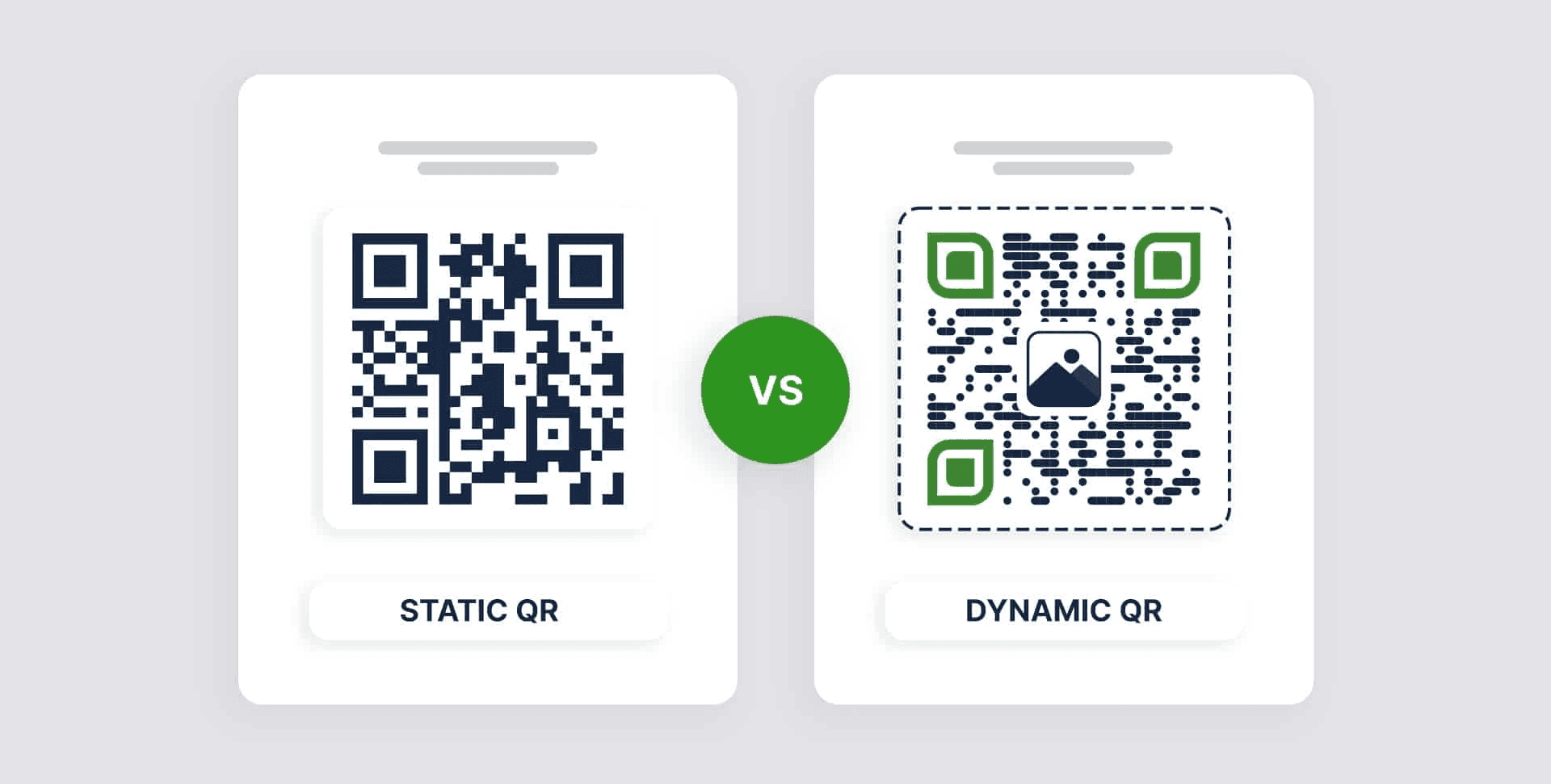
Yes. They can look very similar at a glance, but the way data is stored affects how the code is designed and how reliably it performs in real-world environments. Static code density increases when you pack long data strings. In contrast, dynamic codes encode a short redirect, which gives you cleaner patterns, easier logo placement, and more predictable scan behavior across print materials.
Parameters
Dynamic QR Codes
Static QR Codes
Can you edit the content or URL?
Editable: You can change the content and the URL without changing the QR Code.
Not editable: The QR Codes you create are fixed and can’t be edited.
Can you track your QR Codes?
Trackable: You can track the QR Codes and get multiple data points, including scan counts, locations, and device types.
Not trackable: You can’t track the QR Codes or get scan analytics.
How cost-effective are they?
Cost-effective: You can update the same QR Code without creating a new one or printing it from scratch. This saves manual efforts and printing costs.
Not cost effective: Any change needs you to create and print new QR Codes. This increases time, effort, and printing costs.
How is the scan experience for customers?
Better user experience: Prospects will always see the latest information, enhancing their experience.
Standard user experience: Prospects will see a fixed information, unless informed about the changes and presented with a new QR Code.
What are the various use cases?
Diverse use cases: You can use them for campaigns that are bigger and more complex, need personalization, and require tracking analytics.
Limited use cases: You can use them for smaller or one-time campaigns, that don’t require much editing or tracking.
Do Static and Dynamic QR Codes Look Different?
Design choices matter more than aesthetics. Error correction level, logo placement, color contrast, and the mandatory quiet zone around the code all change how a scanner interprets the pattern. Higher error correction lets you place a logo or decorative element in the middle, but it also reduces the maximum data you can encode and makes the pattern more complex. Think of the quiet zone as breathing room for a face in a crowd; remove it, and the scanner trips. In practice, a visually appealing code can still fail if the printer, substrate, or finish causes smudging or glare.
What is a Static QR Code?
Use static when the destination will truly never change and you cannot or will not pay for ongoing hosting, for example, an offline text snippet, a permanent reference number, or a one-off print where analytics are irrelevant. A lesser-known security advantage is that static code does not depend on a redirect service, thereby reducing one external attack surface.
The tradeoff is permanence:
Minor typos or product changes force a physical replacement, and dense static patterns with long URLs are more likely to fail under real-world printing constraints.
What is a Dynamic QR Code?
Dynamic codes give you post-print control, but the practical winners are governance and resilience, not novelty. You can swap targets, attach UTM and CRM metadata, and run device-based redirects without changing the printed image.
How Should Teams Decide, Practically?
If budget is the only constraint and the asset has a short shelf life under tight time pressure, static will suffice. When you need updates, analytics, or CRM-ready lead capture, dynamic becomes the only practical choice. A helpful rule of thumb, based on patterns observed across trade shows and retail rollouts, is this:
- When you expect sustained traffic, need post-print edits, or require attribution in a CRM, plan for dynamic
- Otherwise, use static for truly single-use pieces.
The failure mode we repeatedly encounter is not technical; it is a process issue. Teams launch on a free dynamic trial, then hit usage caps, expiration dates, or weak access controls as the campaign scales, disrupting workflows and eroding trust.
The Following are the Key Differences Between Static and Dynamic QR Codes
Key difference
Static QR codes
Dynamic QR codes
Editability
❌ No, fixed once created
✅ Yes, can be updated anytime via the dashboard
Trackability
❌ No tracking
✅ Yes – scan data, location, device, and more
Scan limit
❌ No scan limit
✅Depends on plan/package
Pause option
❌ Cannot be paused
✅ Yes, can be paused or resumed as needed
Password protection
❌ Not supported
✅ Supported
Analytics
❌ Not available
✅ Detailed tracking and analytics
Data storage
✔️ Minimal data storage
✅ URL-based, more flexible
File support (PDF, etc.)
❌ Limited file support
✅ Supported
Cost
✔️ Free with unlimited scans
✅ Free & paid plans with advanced features
Retargeting support
❌ Not possible
✅ Supported via integrations
A/B testing
❌ Not possible
✅ Possible
Campaign suitability
✔️ One-time use
✅ Ideal for marketing and business campaigns
What Practical Checks Prevent Avoidable Failures?
Test printed proofs under real conditions: varied lighting, phone cameras with different autofocus speeds, and the exact finish and substrate you will use. Confirm the provider allows you to own or delegate a short domain so you keep redirect control if terms change. Require sample analytics payloads that show how scan events map to CRM fields and consent flags. Build an ownership rule: assign one person or role to be responsible for redirecting health and SLA checks during the campaign window.
Most Teams Default to Ad Hoc Provisioning Because It Moves Fast, But That Speed Hides Risk
Most teams create QR codes on the fly with a free generator because it is quick and feels low-friction. That works for pilots, but the pattern breaks when the program scales: trial accounts impose scan limits, redirects can expire, and governance is lost in email threads. Teams that need predictable outcomes find that platforms offering SSO provisioning, role-based admin controls, enterprise SLAs, and direct CRM connectors reduce firefights and preserve an auditable trail, turning one-off workarounds into repeatable operations.
A Word on Visual Identity and Brand Controls
If you insist on logos, custom colors, or frames, require the QR provider to document the error-correction level used and provide print proofs at the final size. For enterprise rollouts, set visual templates at the admin level so individual contributors cannot upload noncompliant assets that look good but fail in the field.
One Short Test to Settle Arguments Quickly
Before mass printing, scale a single sample to the intended final size, print it on the actual substrate, and scan it with multiple devices from the exact distances users will experience. The result will indicate whether the design, finish, and code density are viable, and it is the only low-cost check that reliably prevents costly recalls. That solution sounds tidy, but the maddening part is what happens when the provider you relied on changes terms mid-campaign.
How to Maximize QR Code Performance and Safety
Dynamic, trackable QR codes only pay off if you treat them like a product: design for reliability, instrument for action, and run strict update and monitoring processes so links stay functional and safe. Below are practical, enterprise-ready rules for placement, testing, analytics, and link management that turn a QR rollout from a risky experiment into repeatable operations.
How Should We Size and Place a Code So People Actually Scan It?
Think in terms of expected scanning distance, not fixed pixels. A quick rule: divide the average scan distance in centimeters by ten to get a minimum code width in centimeters, then print a physical proof at that size and distance. For example, a countertop brochure scanned from approximately 60 cm should use a code size of roughly 6 cm. Treat the quiet zone as nonnegotiable. If the design is too tight, move the logo or simplify the frame. For outdoor placements, factor in glare and viewing angles, and test the code behind the exact finish and lamination you plan to use.
What Checklist Should We Run Before Any Mass Print or Badge Drop?
Use a two-stage acceptance test.
- Stage one, device compatibility: Scan the printed proof with at least three iOS and three Android devices, and from the shortest and longest realistic distances.
- Stage two, network and UX: Test landing pages on 4G, Wi-Fi, and slow mobile networks, and require a 3-second or faster interactive load time as a pass/fail metric.
Add a production gate that requires a printed proof photographed under site lighting; if any device fails twice, redesign and retest. During a recent six-week enterprise pilot we audited, a provider’s hidden scan caps cut analytics off mid-conference, which is the exact failure this checklist prevents.
How Do We Set Up Analytics to Make Scans CRM-Ready Leads?
Standardize the payload and push it in real time. Capture at minimum:
- Scan timestamp
- Short-URL ID
- Campaign tag
- Device OS
- Country
- Approximate geo
- A consent flag
Send that payload via webhook into your CRM with deterministic mapping rules, for example, map short-URL ID to campaign, then apply a lead score rule based on campaign and page behavior. Add two operational alerts, one for a drop greater than 40 percent in rolling 24-hour scans, and one for an unexplained spike that could indicate abuse or a redirect hijack. Those alerts let you act before follow-up windows close.
What Governance and Versioning Practices Stop Confusion and Reprints?
Assign a canonical code ID to every printed asset and maintain a change log. Use human-readable short-URL back-halves with a campaign prefix plus date and sequence, for example, event-SEA-202601-01, so anyone reading an audit can tell at a glance what was printed and when it was changed.
Enforce an edit policy:
Require a visible “last updated” timestamp on the landing page and an admin approval step for any live redirect change. Establish retention and export rights to extract raw scan logs on demand for audits or discovery.
How Should Teams Protect Against Outages, Limits, and Hidden Fees?
Build contract-level protections into vendor selection. Require domain control or delegated DNS to migrate redirects without reprinting, insist on 99.9 percent redirect uptime in the SLA, demand clear scan and edit limits up front, and require a machine-readable sample analytics payload before you sign. Hidden caps are not theoretical; during vendor reviews, we often see trial accounts that look fine until scale triggers throttling, so insist that billing and throttling thresholds be explicit and tested under load.
When and How Should You Run A/B Tests and Content Updates?
Use dynamic short URLs with predictable naming for each variant, and rotate landing targets rather than regenerating codes. Keep a single canonical printed QR and update its target to run sequential tests, or provision two nearby codes with different back-halves for simultaneous tests. Capture which short-URL back-half a scan hit, surface that field in the CRM, and run conversion analysis by variant weekly during the campaign window. That practice reduces printing costs and provides a clear causal link between messaging and behavior.
What Operational Telemetry Should You Monitor Daily and Weekly?
- Daily: scan counts by asset, failed-redirect rate, average landing load time, and alerts for sudden drops or spikes.
- Weekly: device mix trends, geographic shifts, and conversion funnel completion from scan to lead creation.
For enterprise events, compare per-hour scans against expected traffic patterns and flag assets whose scan-to-conversion ratio falls below a predetermined threshold, say 5 percent of median campaign performance, for immediate review.
Why Security Controls Must Be More Than a Checkbox
This is a governance problem, not just a tech one. Require role-based admin access, SSO provisioning, and audit logs that show who changed a redirect and when. Insist on data handling terms that meet GDPR and SOC 2 expectations, plus exportable logs so legal and security teams can investigate quickly. These controls turn QR routing into an auditable, enterprise-grade service rather than a marketing convenience.
What Do Adoption Trends Tell Us About Urgency?
Adoption is mainstream: ViralQR reports that 75% of smartphone users have scanned a QR code at least once, indicating that most audiences already know how to do so. Usage growth is still accelerating, with ViralQR reporting QR code usage increased by 96% from 2018 to 2023, so your program’s scalability rules matter sooner than you think.
Scaling Beyond Email with Governed Workflows
Most teams handle approvals and short-term fixes via email and ad hoc file drops because that is the familiar path. That works until a campaign scales, at which point ad hoc processes erode accountability, leading to delayed fixes and lost leads. The hidden costs are time and credibility, not just printing costs. Teams find that platforms like Mobilo provide centralized admin controls, SSO provisioning, SOC 2 and GDPR-aligned practices, CRM connectors, and lead-scoring that turn scattered fixes into governed workflows, compressing review cycles and preserving an auditable trail as programs scale.
Managing Your QR Codes Like a Digital Storefront
A brief analogy to keep this practical: treat each printed QR code as a leased storefront, not a billboard. You must assign a manager, track foot traffic, secure the premises, and be able to change the goods on the shelf without closing the door. That simple shift in mindset is the difference between a campaign that falters and one you can iterate on confidently.
Related Reading
- How to Put a QR Code on a Business Card
- RFID vs QR Code
- How to Track QR Codes
- Is QR Code Generator Safe
- How Much Does a QR Code Cost
- QR Code Accessibility
- QR Code Lead Generation
- Business Card Ideas With QR Code
- Dynamic QR Code Example
Book a Demo Today and Get your First 25 Cards Free (Worth $950)
We know most teams still hand out paper cards because it feels familiar, and when 90% of business contacts never make it into your CRM, that routine quietly leaves leads on the table. Teams that move past static QR code limits to Mobilo’s NFC-enabled digital business cards and dynamic, trackable QR codes see an immediate difference in automatic contact exchange, enriched lead data, ICP scoring, and CRM sync that can drive 10x more leads at events; join over 59,000 companies. Book a demo to get your first 25 cards free, worth $950.








