

.avif)


Strategic RFID vs QR Code Guide for Business Networking
On This Page
Imagine swapping contact information at school drop-off and needing a system that shares schedules, pickup rules, and emergency contacts without arguments or missed messages. In digital and QR-enabled business cards, the choice often comes down to RFID vs. QR code, each with trade-offs in range, security, and ease of use. NFC taps and RFID tags offer contactless speed, while QR codes and barcodes rely on a camera and clear printing. Which option keeps data shared between parents simple, fast, and reliable when emotions run high? This article breaks down those differences and shows how the right choice can help you understand and implement parallel parenting strategies that minimize conflict, protect children’s well-being, and create a predictable, peaceful coparenting routine.
Mobilo's digital business card puts the best parts to work, offering contactless profiles, scheduling links, secure sharing, and quick mobile scanning so parents can reduce friction, stay on track, and keep communication calm.
Summary
- Choose the option that matches real constraints, not preferences, because RFID deployment is already mainstream, with RFID tags projected to reach 20 billion units in use by 2025.
- QR codes win on ubiquity and low friction for consumer touchpoints, with over 11 billion QR codes expected to be scanned globally in 2025.
- Small capture frictions compound into high cost, with poor data quality costing companies up to $1 million annually, and 50% of firms reporting their analytics tools do not meet needs.
- For true automation and high throughput, radio-based reads change the game, because RFID systems can read up to 1,000 tags per second.
- Range and durability matter in the field; RFID can be read from up to 100 meters for hands-off inventory. At the same time, QR familiarity remains massive, with over 2 billion scans daily, but printed codes degrade in harsh conditions.
- Run a controlled pilot and score real constraints before scaling, for exampl,e an events team expecting 6,000 daily handoffs should model 12-month total cost of ownership to see if managed tap solutions deliver payback.
This is where Mobilo's digital business card fits in: it addresses capture friction and governance needs with contactless profiles, scheduling links, secure sharing, and quick mobile scanning.
What are QR Codes and RFID Tags?

Pick the option that matches the constraints you actually face, not the tech people argue about. RFID and QR solve similar problems in different ways; the right choice turns on scale, environment, compliance needs, nd who will operate and maintain the system. The practical question is simple: will you prioritize speed, centralized control, and enterprise-grade integrations, or do you need the cheapest, easiest option for short-lived interactions?
Which Use Cases Favor Long-Range, Automated Tag Systems?
When you need unattended, high-volume scanning across gates, vehicles, or pallets, tag-based systems are the best choice. RFID scales to continuous, automated workflows in which readers collect location and time data without human intervention, making it a natural fit for logistics yards, large campuses, and crowded event entrances. Adoption is not marginal; it is systemic: according to Barkoder Blog, “RFID tags are projected to reach 20 billion units in use by 2025”, signaling widespread deployment in asset tracking and access control and the kind of operational maturity you expect in industrial settings.
When is a QR Code The Smarter, Lower-Friction Choice?
If your priority is ubiquity, cost, and instant consumer access via smartphones, QR codes are the obvious tool. They work well for marketing touchpoints, visitor passes, and temporary credentials, where you can accept a manual scan and brief friction at the point of exchange.
The volume tells the story:
According to Barkoder Blog, “Over 11 billion QR codes are expected to be scanned globally in 2025.” Scans are proliferating in everyday contexts, which is why event check-ins and menus rely heavily on them.
How Does Friction, Speed, and Data Quality Differ in Practice?
Tap systems remove a one-step barrier: a physical touch or near-field read captures identity instantly and reliably, cutting the time to capture a lead or grant access. QR flows require user action, camera focus, and sometimes an app or browser redirect, which increases drop-off points. Think of it like handing someone a pre-filled form versus asking them to open a form and type; the physical tap shortens the funnel and raises conversion in face-to-face exchanges.
From Scattered Paper to Smart Networking Governance
Most teams distribute printed cards or use a mix of QR pages at events because they are cheap and familiar. That approach works at a small scale, but as attendee counts climb and compliance requirements appear, tracking fragments, follow-ups slow, and auditability disappears. Platforms like Mobilo provide NFC-enabled smart cards and a central management dashboard that enforce provisioning, integrate with CRM systems, and generate audit logs, reducing follow-up cycles from days to hours while maintaining governance.
What Should Security- And Compliance-Focused Buyers Insist On?
If your organization must meet SOC 2, GDPR, SSO, or corporate provisioning requirements, you need a system that centralizes identity, access policies, and logging. QR links can be integrated securely, but by default, they create many unmanaged endpoints; tokenization, short TTLs, and link verification are required to approach enterprise standards. Tag-based or NFC solutions paired with a management layer provide role-based access, remote revoke, and single sign-on compatibility, making compliance auditable rather than ad hoc.
How Do You Choose Under Real-World Constraints?
Use this decision checklist: define scale (tens versus tens of thousands of interactions), control (do you need remote revoke and audit trails), environment (outdoors, metal, or crowded gates), budget for readers and management, and integration needs with CRM and marketing automation.
- Choose RFID/NFC when you need consistent, low-friction capture at scale, plus centralized governance and measurable pipeline impact.
- Choose QR when cost, deployment speed, and broad device compatibility trump absolute speed or unified admin control.
Choosing the Right Connection for Your Strategy
Picture it as choosing between a company key card and a disposable visitor badge. The difference is ongoing control and who bears the operational burden.
- If you want predictable, enterprise-grade outcomes from in-person meetings, prioritize managed tap solutions that connect directly to your systems.
- If you only need ad hoc, low-cost touchpoints, QR will do the job while you test hypotheses.
That decision feels definitive now, but the real stakes show up when the choice starts costing you leads, time, or compliance.
Related Reading
- Best Business Card Scanner
- What Makes a Good Business Card
- Business Card Trends
- QR Code Marketing Strategy
- What Are NFC Business Cards
- Professional Networking Tools
- New QR Code Technology
- Best Paid QR Code Generator
- What to Include on a Business Card
The Cost of Choosing the Wrong Tracking Technology

A bad technology choice rarely breaks everything at once. It erodes momentum, adds hidden labor, and turns simple tasks into recurring maintenance headaches that quietly drain pipeline value over months and years.
Why Does Small Friction Become a Big Cost?
When capture flows require extra steps, people stop doing them consistently. A one-minute manual entry at the end of a meeting becomes a skipped step after the fourth back-to-back session, leaving your event leads as a partial, delayed dataset. The real cost shows up as extra CRM cleanup, duplicated contacts, and sales follow-ups that arrive too late to matter. Pattern recognition: manual handoffs work in pilots and small teams, but once volume climbs, the hourly cost of reconciliation multiplies and decision velocity collapses.
How Does Poor Tracking Destroy Trust in Data?
Analytics that don’t fit the use case fragment visibility across platforms, so marketing and sales argue about the numbers instead of acting on them. According to Fullstory Blog, “50% of companies report that their current analytics tools do not meet their needs.” That gap is why teams spend more time arguing with dashboards than improving outreach. When reporting is brittle, leaders stop trusting their funnels, budgets freeze, and experimentation grinds to a halt.
What are the Real Dollar Consequences?
Bad capture technology makes databases noisy. That noise forces manual cleaning, triggers unnecessary recontact, and reduces conversion rates, outcomes that compound across quarters. Fullstory Blog, “Companies can lose up to $1 million annually due to poor data quality from inadequate tracking technologies.” This is not theoretical: poor tracking results in wasted ads, misallocated SDR time, and deals that never materialize because the handoff is flawed.
When Does Hardware Become Dead Weight?
Buying readers, badges, or an RFID network feels decisive until adoption stalls and those devices sit idle. Imagine an RFID gate installed for a pilot that never integrates with daily operations:
- Maintenance contracts
- Firmware patches
- Spare parts
Still consume budget while staff create manual workarounds. The failure mode is not catastrophic; it is silent. Infrastructure depreciates while documents, scripts, and tribal knowledge swell to paper over the gaps.
Why Do People Resist Even Better Tools?
Behavioral inertia is the quietest failure mode. We find that migrations stall when workflows are assumed rather than taught: admins spend weeks mapping fields, reps skip new steps that slow them down, and projects stretch out because training was an afterthought. That exhaustion is familiar; folks are tired of tools that demand more time than they save. The emotional fallout is real: it lowers morale and makes future change harder.
Moving Beyond Familiar Habits for Scalable Efficiency
Most teams continue to operate as they are familiar with it, as it feels lower risk, especially during busy quarters. That habit makes sense, and it works at first. But the logic breaks down as scale, compliance, and reporting needs grow, because familiarity creates technical debt, duplication of effort, and audit gaps. Teams find that centralized, policy-driven solutions that include provisioning, revocation controls, and direct CRM connectors reduce administrative overhead and minimize downstream errors, turning months of cleanup into hours of automated syncing.
What Does a Rebuilt Workflow Look and Feel Like?
Think of a clean system as a properly labeled workshop rather than a pile of tools in a closet. When data flows are designed to be authoritative at source, admins stop chasing spreadsheets, and salespeople stop inventing their own processes. That reduces rework, shortens follow-up time, and restores trust in reporting, enabling leaders to commit to campaigns and headcount with confidence.
The High Cost of Broken Workflows
A short anecdote: I watched a regional team try to stitch together contact capture across three apps. Two months of manual merges followed, and the campaign launch was delayed by four weeks because no one trusted the merged list. That delay cost momentum and a quarter’s worth of pipeline velocity, and the team never fully recovered the trust to try a significant change again. This is where the decision shifts from tactical to strategic, and the outcome depends more on governance, provisioning, and integration than on sticker price. That simple choice looks settled until you see how features, costs, and real-world use cases bend the result in surprising ways.
Related Reading
- How to Put Linkedin on Business Card
- How to Share Linkedin QR Code
- How to Add Instagram QR Code to Business Card
- QR Code Instead of Business Card
- QR Code Size on Business Card
- How to Scan QR Code on Iphone
- Aztec Code vs QR Code
- How QR Codes Work
- QR Code Analytics
- Linkedin QR Code Business Card
- How to Create Vcard
Breaking Down RFID vs QR Code (Features, Costs, and Use Cases)

Start with the practical contrast: QR codes are cheap, browser- and camera-native shortcuts you print or display and scan one at a time with a phone, while RFID is a radio-based system that needs tags and readers but can identify many items without line of sight. Below is a breakdown of setup, hardware, range, storage, durability, and recurring costs in practical terms, and tie each point to when that difference matters on the ground.
How Do You Set Each One Up?
- In practice, QR codes take minutes. You generate a code, print it on labels or cards, or embed it in a digital asset, and anyone with a smartphone can scan. The only ongoing setup is designing the landing page or redirect rules and maintaining the print supply.
- RFID setup requires planning and a slight infrastructure build. You pick tag types, buy readers and antennas, install read points where detection should occur, and configure middleware to ingest reads into your system.
That initial layout step matters: antenna placement and read zoning determine performance as much as tag choice.
What Hardware Will My Team Actually Use Every Day?
- QR codes require a printer for labels or cards, and a smartphone or camera to scan them. That simplicity makes deployment frictionless for frontline staff.
- RFID requires tags, fixed or handheld readers, and a server or gateway that translates radio reads into events. Passive RFID tags are small and inexpensive; active tags include a battery. For mobile workflows, handheld readers add battery and training considerations.
How Far Can Each Be Read, and How Quickly Do They Work?
- QR codes need line of sight and are read at camera range, typically a few centimeters to a couple of meters, depending on camera quality and print size.
- RFID reads at radio frequencies, which affects where you can reliably detect an asset; as RFID4U notes, “RFID tags can be read from a distance of up to 100 meters.”
This capability lets you catch tags as they pass through a bay or across a yard without stopping individual items. That more extended reach is what turns manual checkpoints into invisible roll calls.
How Much Data Do They Hold, and How Does That Affect Workflows?
- QR codes carry small payloads, usually a URL or a few hundred bytes of text, enough to direct a phone to a server where the real record lives. That keeps the label lean but makes the web endpoint the source of truth.
- RFID tags vary in functionality; some store only an identifier linked to a database, while others can store kilobytes of data directly on the tag.
The practical difference shows up when you need short, self-contained reads at a remote checkpoint versus constantly querying a central system.
Who Needs Rugged Tags or Tamper Resistance?
- Printed QR codes degrade when scratched, wet, or smudged. Lamination and quality printing help, but environmental exposure reduces the readability.
- Many RFID tags are built for harsh environments, encased for water and temperature, or embedded for permanent attachment. For outdoor assets, washed equipment, or items exposed to abrasion, an RFID tag is often the durable choice.
What are the Predictable Ongoing Costs?
- QR: mostly consumables and minor hosting costs for the web endpoints. For many teams, the ongoing cost is low and linear with the volume of printed material.
- RFID: readers, maintenance, occasional firmware updates, replacement tags, and possible licensing for middleware. Those costs are front-loaded and then recur in upkeep and support.
Think of it as infrastructure capex plus modest opex, not a one-line purchase.
When Does Range and Automation Shift the Economics?
- QR is ideal when you want instant, public-facing access and can accept a human action, mainly because QR familiarity is already massive in everyday use; as RFID4U, “QR codes are scanned over 2 billion times daily.” People can use them without training. That ubiquity lowers training and adoption costs for consumer touchpoints.
- RFID pays back when reads replace manual checks, for exampl,e tracking carts across a manufacturing line or monitoring returned tools across multiple docks. If reads occur hundreds or thousands of times per day, the labor savings quickly outweigh the hardware cost.
A Practical Example That Matters to Operations
Imagine a hospital tracking 500 mobile infusion pumps across three floors. With QR, staff must scan each pump at handoff or log it manually, creating delays and missed audits. With RFID, tagged pumps can be inventoried as carts move through doorways, and alerts can surface missing pumps without staff intervention. The difference is a shift from human-driven records to machine-driven inventory.
Scaling Network Management from Printed Labels to Smart NFC Systems
You should distribute printed links or ad hoc labels because they are familiar and cost-effective. That approach is understandable and works early on, but as touchpoints, compliance, and brand consistency become priorities, the hidden costs pile up through time and manual oversight. Teams find that platforms like Mobilo, which pair physical NFC-enabled cards with a central admin dashboard, provide centralized provisioning, remote revoke, and plug-and-play CRM connectors, changing the operational math so contact capture and governance scale without ad hoc scripts or spreadsheet wrangling.
A Short Analogy to Make this Stick
Think of QR as a handwritten note you stick to a door, readable by anyone who stoops to look, and RFID as a motion-activated headcount that notes everyone who passes through without asking them to stop. That’s the practical, equipment-level contrast; next, you’ll want a decision framework that turns these tradeoffs into a clear procurement checklist. The one thing that usually surprises teams next is how much hidden cost shows up only after the first significant deployment.
RFID vs QR Code Decision Framework for Your Business
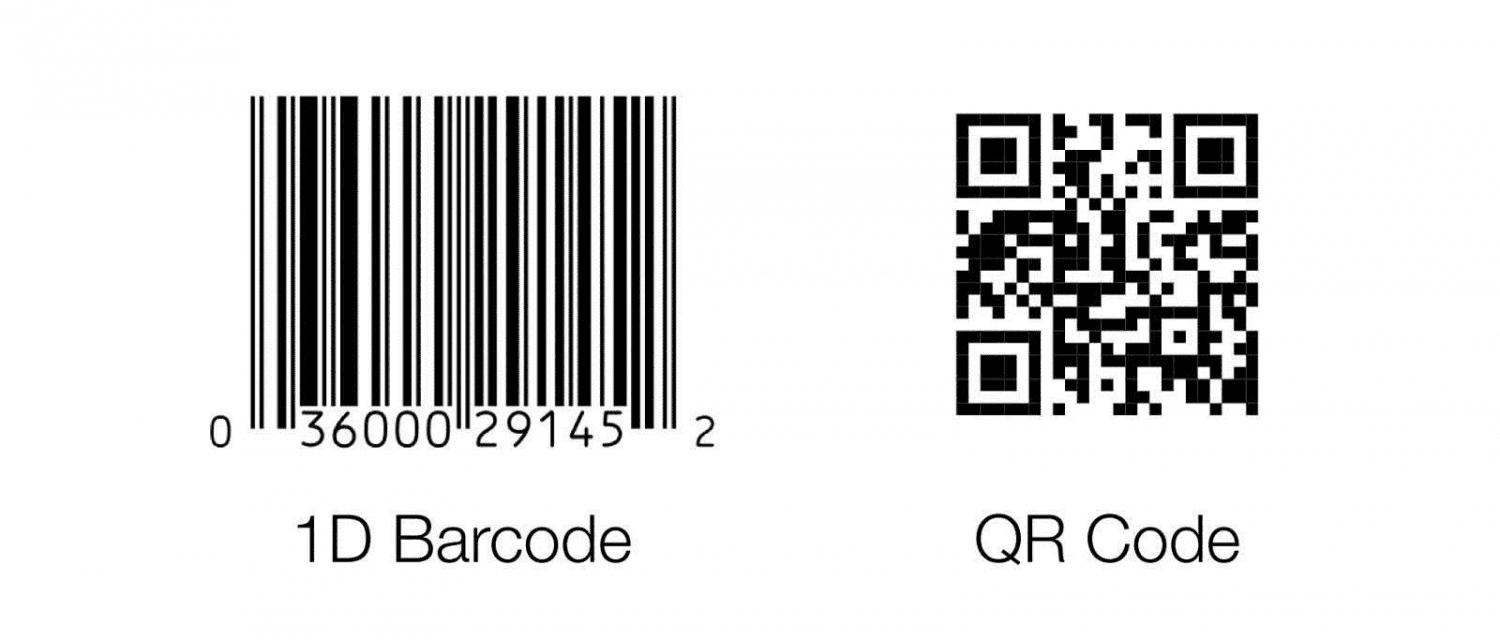
Choose by scoring the real constraints you face, not by arguing technology. Tally scale, budget tolerance, workforce habits, environment, automation needs, and compliance requirements. The total points indicate whether to proceed with a low-cost QR rollout or a managed tap solution with NFC/RFID. This eliminates preference-based guessing and turns the decision-making process into a repeatable procurement step.
How Many Interactions and How Fast Do They Need to Be Captured?
- If you expect occasional, manual handoffs, QR keeps costs negligible and deployment fast.
- If you expect sustained, high-volume reads or want reads to happen without human action, plan for tag-based automation.
For throughput planning, remember that AXEM Technology states, “RFID systems can read up to 1,000 tags per second.” That capability changes how you size readers and model peak congestion, because a 1,000-read-per-second architecture behaves very differently from a phone-by-phone camera queue.
What Payload and Content Flexibility Do You Need?
If each contact exchange must carry long bios, notes, or encoded credentials, QR codes offer surprising capacity, as AXEM Technology reports: “QR codes can store up to 7,089 characters.” That matters when you want self-contained vCards, legal disclaimers, or multi-field forms without an online lookup. If your process prefers a short identifier that resolves to a central, authoritative profile, a small tag ID plus server logic is often cleaner and safer.
Scorecard Approach, Step By Step
- Give each factor a 0 to 5 score: scale, budget, workforce behavior, environment ruggedness, automation need, and compliance.
- Weight scale and compliance are higher for enterprise buyers.
- Add the scores. If your weighted total exceeds the automation threshold you set, favor NFC/RFID; if it remains below, favor QR.
For example, an events team expecting 6,000 daily handoffs, strict SSO and audit requirements, and frontline staff resistant to new apps should score high for scale, compliance, and behavior, pushing the result toward managed tap cards and centralized provisioning.
How Should You Budget and Measure Roi?
- Estimate the total cost of ownership over 12 months, not just per-unit price.
- Include hardware, installation, middleware, tag/card replacement, training, and the hourly cost of manual reconciliation.
- Convert capture improvements into lead value: measure lift in conversion rate, time-to-first-follow-up, and reduction in duplicate contacts.
- Use this simple payback check with conservative numbers:
- Monthly labor savings × average deal value × conversion lift, divided by your 12-month deployment cost.
- If payback is under six months, enterprise-grade tap-and-dash governance usually pays for itself.
What Breaks Adoption, and How Do You Prevent It?
This pattern appears repeatedly. Teams choose a low-cost tool for its quick launch, but integrations fail, or pricing tiers are outgrown, leaving users frustrated. That frustration manifests as missed scans, manual CSV exports, and abandoned scripts, which in turn lead to costly rework. To avoid that, lock down what must be integrated on day one, require sample API calls in procurement, and include training time and success metrics in the SOW so adoption is measurable rather than assumed.
Upgrading Networking from Manual Cards to Smart Lead Automation
Most teams treat printed cards or QR codes as the safe path, and that familiarity is reasonable; it gets results fast. But the hidden cost is operational: broken attribution, slow follow-ups, and audit gaps that compound as volume grows. Platforms like Mobilo provide NFC-enabled smart cards plus a central management dashboard, giving role-based provisioning, remote revoke, SOC 2–aligned controls, and CRM connectors that turn in-person exchanges into auditable, automatable lead events, shortening follow-up cycles and restoring trust in the data.
How to Run a Pilot That Proves the Right Approach
- Select a controlled environment with a measurable volume, such as a 2-week trade show or a 1-week regional roadshow.
- Define three KPIs up front: capture rate, time-to-first-touch, and CRM match rate.
- Run QR for half the staff or half the booths, and manage tap cards for the other half, with the same follow-up scripts.
- Track the difference in conversion and administration time.
- Use those live numbers, not vendor promises, to scale procurement and to set replacement and training SLAs.
Procurement and Integration Checklist
- Confirm SSO and role provisioning support, plus an audit log retention policy.
- Request prebuilt CRM connectors and a list of supported fields.
- Require a pilot with measurable KPIs and an exit criterion.
- Ask for a clear replacement and lost-card policy, including remote revoke.
- Verify data residency and GDPR compliance for contact-resolution flows.
- Include post-deployment training hours and ongoing admin support in the contract.
Matching Your Tools to Your Team
Think of this choice like choosing a kitchen appliance. A toaster is cheap, familiar, and fine for most breakfasts; a commercial oven costs more and requires space and training, but it feeds a crowd without requiring lineups. Pick the tool that matches your throughput, the skills of the people who will use it, and the level of control your compliance team demands. What matters most is not the tech you prefer, but what your team will use consistently and measureably, because adoption turns features into outcomes. The real test comes when you put these choices into a live pilot and watch which hidden tradeoffs surface first.
Related Reading
- Static vs Dynamic QR Code
- How to Put a QR Code on a Business Card
- How to Track QR Codes
- Is QR Code Generator Safe
- How Much Does a QR Code Cost
- QR Code Accessibility
- QR Code Lead Generation
- Business Card Ideas With QR Code
- Dynamic QR Code Example
Book a Demo Today and Get your First 25 Cards Free (Worth $950)
We've watched event momentum die when teams default to paper cards and slow follow-up, a familiar choice that quietly wastes leads and time. Teams find that Mobilo's NFC smart cards and central dashboard turn taps into CRM-synced, scored contacts that can generate up to 10x more event leads; join over 59,000 companies, book a demo, and claim your first 25 cards free, a $950 value.








