

.avif)

How QR Codes Work and How To Avoid Common Scan Failures
On This Page
Scanning a QR code should be effortless, but often it isn’t. The camera won’t focus, the code won’t register, or an outdated app interrupts the process. What should take seconds can turn into frustrating minutes. Every failed scan wastes time, interrupts workflow, and makes even simple tasks, like checking in, paying, or accessing information, feel unnecessarily complicated. In some cases, repeated failures lead people to give up entirely, leaving opportunities on the table and incomplete experiences. Understanding how QR codes work and how to avoid common scan failures by knowing the mechanics behind these codes and applying practical scanning strategies, you can ensure every QR code works the way it’s supposed to, saving time, reducing frustration, and keeping digital interactions seamless.
Mobilo's digital business card helps by creating optimized QR codes and clear card layouts that ensure reliable scanning, better decoding across familiar QR code readers, and simple contact transfer, so you spend less time fixing errors and more time connecting.
Summary
- Teams often treat QR codes as drop-in barcode upgrades. Still, over 50% of global smartphone users scanned a QR code in the past year, which raises expectations that scanning should "just work" while obscuring the system complexity behind successful reads.
- Small design, export, or placement mistakes have a measurable impact; in one six-month audit, lead capture fell by 20 to 40 percent when codes were printed at the wrong scale or placed in folds.
- Marketing use of QR codes is growing fast, up 30% year over year, yet scaling without governance produces inconsistent designs, unsecured payloads, and fractured analytics.
- QR codes trade off robustness and density, with four error-correction levels that recover roughly 7%, 15%, 25%, and 30% of the code, respectively, and storage capacity of up to 7,089 characters versus about 20 characters for linear barcodes.
- Operational rules and testing matter: maintain a quiet zone at least four times the module width, keep business-card-scale codes at least 2 cm by 2 cm, and treat reliability as critical, given that QR payments are projected to reach $2.7 trillion globally by 2025.
Mobilo's digital business card addresses this by producing optimized QR exports, enforcing size and quiet-zone rules, and routing scans into CRM workflows for auditable lead tracking.
Are QR Codes Simply Upgraded Barcodes?
Yes, QR codes are not simply newer, fancier barcodes. They look like cousins at a glance because both are machine-readable optical symbols scanned to retrieve product or contact information, but that similarity is superficial. QR codes store data in two dimensions and offer features that barcodes do not, creating new points of failure that teams routinely underestimate.
Why Do People Assume QR Codes Are Just Better Barcodes?
Most teams treat QR codes as a drop-in upgrade because scanning behavior feels the same. Point a device, get information. That mental shortcut is understandable, and it explains why adoption moves fast.
Barkoder Blog reports that over 50% of global smartphone users have scanned a QR code at least once in the past year, which raises expectations that scanning should "just work." But that assumption obscures a necessary truth. The scanning experience only masks the system's complexity until it breaks.
How Are QR Codes Structurally Different from Linear Barcodes?
QR codes encode data across both width and height rather than along a single line. They include orientation markers that tell scanners which way is up, and they use built-in error correction so a damaged square can still yield a complete payload.
Those qualities let a single code hold a GTIN, batch number, expiry, a web link, or user contact details in one symbol, but they also mean the code’s physical form, contrast, and quiet visual noise matter more than they did for a linear barcode.
What Does That Extra Power Cost You in the Real World?
The extra data capacity and resiliency come with sensitivity. Design tweaks that are harmless for a barcode will cause a QR code to fail. Too-small modules, low contrast against textured backgrounds, or logos that overwrite critical finder patterns, for example.
During a six-month audit of event badge programs, the teams printed codes at the wrong scale, placed them in pockets or folds, and then wondered why lead capture dropped by 20 to 40 percent. The emotional hit is real, exhaustion and embarrassment at a booth when scanning fails, and slow-burning revenue loss when every broken scan is a lost follow-up.
What’s Changing with Product Identification and Why Does It Matter?
By 2027, the familiar barcode will begin to disappear as GS1 transitions to a new global standard, GS1 Digital Link, a web-connected QR-style code that can store far more information. At a summit, GS1 President Renaud de Barbuat said, “Every product will soon be connected to the web, unlocking better traceability, safety, and transparency for everyone.” That transition is already underway, with nearly half of global retailers updating scanners to read these new codes.
2D GS1 Digital Link Codes vs 1D Barcodes
Traditional 1D barcodes store minimal information, typically a product number and price. The new 2D GS1 Digital Link codes look like QR codes and can include:
- The item’s GTIN (Global Trade Item Number)
- Batch or lot number
- Expiration date
- Serial number
- Website link or warranty page
- Ingredient, allergen, or recycling details
So instead of one scan showing only price, a single QR-style code can handle pricing, inventory tracking, and customer-facing details all at once.
Why Does This Matter for Operations and Compliance?
Switching to GS1 Digital Link affects printers, scanners, software, and data practices. Adopting it helps prevent the sale of expired or recalled products, improves traceability from factory to store, and supports new labeling rules such as the EU Digital Product Passport. It also lets shoppers access richer product data instantly, not merely as a convenience but as a compliance and safety improvement.
How Fast Will This Roll Out?
The move will be gradual. GS1 expects mainstream adoption by 2027, with QR-style codes coexisting with linear barcodes during the transition to preserve compatibility. Retail readiness, manufacturer upgrades, and consumer education will pace the change, but the direction is clear. Labels will carry more dynamic, web-linked information.
Is Wider Adoption Changing Marketing and User Behavior?
Yes, and fast. The use of QR codes in marketing campaigns has increased 30% year over year, according to Barkoder Blog, indicating businesses are using these codes across channels, not just on packaging.
That enthusiasm is useful, but it raises a predictable problem. Scaling a channel without governance can lead to inconsistent designs, insecure payloads, and fractured data flows.
Related Reading
- Best Business Card Scanner
- What Makes a Good Business Card
- Business Card Trends
- QR Code Marketing Strategy
- What Are NFC Business Cards
- Professional Networking Tools
- New QR Code Technology
- Best Paid QR Code Generator
- What to Include on a Business Card
How QR Codes Work From Creation to Scan
QR code generation and scanning are a sequence of precise steps, and failure at any point breaks the entire chain. You can generate a perfect pattern on-screen, but if you export it as a low-resolution JPEG, print it on textured stock, or expect a dim camera to read it, the scan will fail.
How Are QR Codes Generated from Data?
Start with the payload and a strict encoding process.
- First, the generator chooses an encoding mode, such as numeric, alphanumeric, byte, or kanji, then converts characters into bits with mode and length indicators.
- Next, the system applies one of four error-correction levels, places the bits in the QR matrix according to the standard’s placement rules, and adds fixed structures such as position detection and timing patterns.
- Finally, the image is rendered and exported.
Where Teams Break It
This stage is fragile in predictable ways, because minor mismatches become big problems:
- Using the wrong character encoding for non‑English text will corrupt the payload
- Embedding long binary blobs in byte mode when a short redirect would suffice increases visual density and slows decoding
- Changing the image scale after generation can blur module boundaries
When we treat the QR image as artwork rather than a data grid, scanners lose the map.
What’s the Difference Between Static and Dynamic QR Codes?
Static code embeds the full payload directly in the symbol; nothing changes after printing, making it suitable for vCards or offline text. Dynamic codes encode a short redirect URL instead, letting you adjust the destination, add campaign parameters, or inject per-scan identifiers server-side. Dynamic provides flexibility and analytics but introduces a runtime dependency on the redirect service and its uptime.
Why are QR Codes Made Up of Squares?
The position markers are the skyline; the timing patterns are the street grid; and each black square represents a single block of data. Squares map cleanly to binary modules and make geometric corrections deterministic for camera software, which is why shape and contrast matter more for QR than for many other visual assets.
How Do You Create a QR Code with Just a Few Clicks?
Use a reputable generator, select the correct type, paste your payload, choose an error-correction level, and export. But export format and resolution are the non‑sexy details that determine success. Use vector (SVG/PDF) for print, or a high-resolution PNG for raster needs; avoid resaving to lossy formats that introduce artifacts.
What Types of QR Codes Can You Generate?
You can make codes for web links, vCards, app store redirects, menus, files, WhatsApp chats, payment flows, or rich landing pages. For payment and transaction use, the stakes are higher; one indicator of scale is that Barkoder Blog reports that QR code payments are expected to reach $2.7 trillion globally by 2025, which explains why reliability and auditing matter in those deployments.
Can You Customize Your QR Code’s Appearance?
Yes, but design choices trade off with readability. Color changes, logos, rounded corners, and pattern variations all look modern, but they reduce contrast and can overwrite critical finder or alignment patterns. The correct approach is selective styling, followed by conservative error correction and rigorous scanning tests across phones and lighting conditions.
How Are QR Codes Scanned on Mobile Devices?
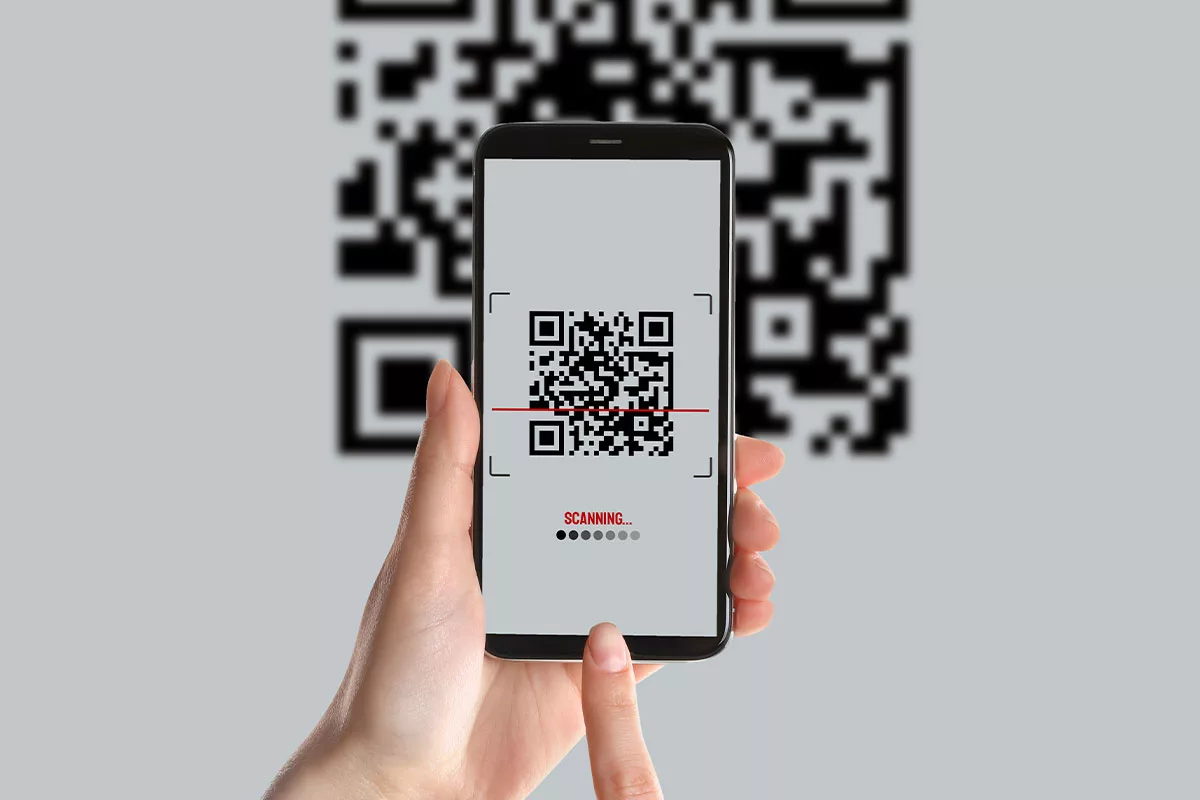
- A camera captures the image
- The scanner detects fiducial patterns and orients
- It samples the grid to recover modules
- Applies error correction to reconstruct corrupted bits
- Decodes the payload and hands it to the OS or browse
The weakest links are optics and exposure, including motion blur, glare, and poor autofocus, which make reliable sampling impossible.
Human Factors That Cause Confusion
This challenge appears across event booths and internal tagging. If instructions say “scan,” but attendees photograph the code or hold their phones too close, scanning fails and frustration follows. It is exhausting when a vital contact exchange collapses into one awkward moment at a busy conference, and that emotional cost is why testing is nonnegotiable.
What Is Error Correction in QR Code Generation?
Error correction inserts redundant data to enable scanners to recover missing or damaged bits. The four levels recover roughly 7, 15, 25, and 30 percent of the code, respectively. Choose a higher correction when you plan to overlay a logo, print on wear-prone surfaces, or reduce module size, but remember that higher correction increases visual density.
How Is a Unique QR Code Generated for Each Use?
Unique payloads or appended identifiers determine uniqueness. With dynamic redirects, you can tag each printed code with a campaign ID or append per-scan tokens server-side, so one base code can provide individualized tracking without printing thousands of different images.
Do All QR Codes Need Internet Access to Work?
No. Static vCards, plain text, or offline commands can be decoded locally without network access, which can be safer for some workflows. Anything that references a web page, media, or cloud file requires connectivity to complete the action, and that runtime dependency affects how you design fallbacks.
How Do Most QR Code Generators Work?
They translate your input per the QR standard, apply the selected error correction, render the matrix, and provide styling options. Advanced platforms layer analytics, role-based admin control, and provisioning so organizations maintain consistent branding and audit trails while changing destinations without reprinting.
What’s a Micro QR Code, and How Is It Different?
Micro QR codes use a single position marker and a smaller grid to fit constrained spaces. They reduce footprint but sacrifice range and robustness. Use micro QR codes when the physical surface is small, and the scanning distance is short and controlled; otherwise, use the standard format.
Can You Use One QR Code for Multiple Destinations?
Yes, with smart redirects that detect device, language, or location and route users accordingly. That avoids printing multiple codes and keeps a single physical marker tied to dynamic logic. The technical price depends on a reliable redirect service and accurate server-side routing rules.
How Do You Know If Your QR Code Works?
Test under the conditions it will face. Different phone cameras (iOS and Android), direct sunlight and low-light conditions, printed at final size on the intended material, and users who might photograph rather than scan. Include a transparent fallback, such as a short URL or an NFC option, when reliability is business‑critical.
Related Reading
- How to Put Linkedin on Business Card
- How to Share Linkedin QR Code
- How to Add Instagram QR Code to Business Card
- QR Code Instead of Business Card
- QR Code Size on Business Card
- How to Scan QR Code on Iphone
- Aztec Code vs QR Code
- QR Code Analytics
- Linkedin QR Code Business Card
- How to Create Vcard
What Makes a QR Code Easy (or Hard) to Scan
Most scan failures trace back to choices made during design, export, printing, or placement, not to a flaky phone. Fix the file, spacing, or link, and you usually improve the experience. Below is a walk-through of the specific failure modes to look for, why they cause scans to break, and practical fixes you can apply immediately.
Is There Enough Clear Space Around the Code?
When the quiet zone is reduced or removed, the scanner cannot distinguish the code from surrounding art or text, resulting in a misread grid and a failed decode in practice. In practice, this appears as code printed flush against a frame or over a patterned background, with the module edges blurring into the layout.
Solution
Always preserve a quiet zone at least four times the module width, and verify the exported image to ensure layout tools did not crop or crop-snap the margin. Treat the quiet zone as non-negotiable breathing room for the scanner.
Use Case
A retail promotion printed codes inside a decorative border; customers struggled to scan in-store, and redemption rates dropped. Reprinted with a preserved quiet zone, restored scans, and recovered the campaign.
Does the Code Contrast with Its Background Material?
Low contrast makes finder patterns and modules indistinguishable from the substrate. This occurs with both poor color choices and transparent or reflective surfaces such as glass, vinyl, or metallic inks.
Solution
Use high-contrast color pairings and test on the final surface. If printing on glass, apply a solid backing panel behind the code. If brand color is required, invert the layout so the dark modules sit on a lighter, uniform plate.
Use Case
A cafe printed codes on a window in white ink without a backing; commuters walked past because their phones could not reliably detect the pattern in sunlight.
Is the Exported File Sharp Enough for the Printer?
Low-resolution raster exports produce soft module edges when scaled, and loose JPEG compression introduces artifacts that alter module geometry. That softness is enough to push a scanner over the threshold from readable to unreadable.
Solution
Export vector formats such as SVG or EPS for print jobs, and keep raster assets at high DPI when vector formats are not supported. Avoid resaving or scaling a raster after export; always place the original file at the final size.
Use Case
A poster campaign used a small PNG scaled up in the layout, resulting in a fuzzy code. Switching to vector assets resolved scan issues across stores.
Is the Code Sized Correctly for the Placement?
Too small, and cameras cannot resolve modules; too significant, and physical warping or folding breaks the grid. Size also interacts with distance and camera optics, so a code that reads on a desktop may fail on a banner across a corridor.
Solution
For business-card or brochure scale, keep codes at least 2 cm by 2 cm; for larger signage, increase module size proportionally and test scans with multiple phone models at expected viewing distances.
Use Case
A tour operator placed tiny codes on a folded itinerary; guests could not scan it without unfolding and reorienting the page, reducing engagement.
What if the Code Leads to a Dead Page?
Broken redirects and 404s kill momentum. A successful scan that results in an error is a lost conversion and a brand-friction moment that is hard to recover from.
Solution
Use short, managed redirects and prefer dynamic QR workflows that let you update destinations without reprinting. Build simple server checks or monitoring so teams receive alerts when a linked page throws an error.
Use Case
A product manual QR started returning 404 after a site restructure; switching to a dynamic redirect and adding uptime checks prevented recurring outages.
Could the Code Be Carrying Too Much Data?
Overloading a code with a lengthy URL or a large payload increases module density, slowing decode and raising the risk of unreadable modules. Dense codes also reduce module sizes when constrained to fixed print areas.
Solution
Keep the QR payload minimal. Use a short redirect URL or a server-side record to carry the heavy content, and prefer short links or dynamic codes for analytics and future edits.
Use Case
A real estate listing embedded full property metadata in a static code, which produced a dense pattern and poor read rates; replacing the payload with a short redirect improved scan time and analytics.
Are You Preserving the Square, Scannable Shape?
Stretching, cropping, or forcing a code into a non-square shape destroys finder patterns and timing references, making the pattern unreadable even if the modules are high-contrast.
Solution
Keep the code’s core square intact. If you want branding or rounded corners, use a tested custom generator that preserves functional patterns and then validate across phones.
Use Case
A for-sale sign used a horizontally stretched image to fit the layout proportions; most phones could not decode the distorted modules.
Why Do These Failures Feel So Personal?
This pattern appears across retail windows, event booths, and printed collateral. Design teams prioritize aesthetics, and engineers assume the exported file will behave as expected; the failure point occurs where those workflows meet. It is exhausting when a networking exchange turns into a fumbling attempt to scan, and the emotional cost is real, because a missed scan often means a missed lead or a burned first impression.
Book a Demo Today and Get your First 25 Cards Free (Worth $950)
If inconsistent QR creation has left you apologizing at booths and losing follow-ups, let’s book a demo so you can watch how Mobilo turns correct encoding, controlled exports, and centralized provisioning into reliably readable codes in real lighting and with varied phone cameras. See scans flow directly into enriched CRM records and test it hands-on with the first 25 cards free, worth $950, so you stop losing contacts to fragile QR workflows and start capturing a real pipeline.
Related Reading
- Static vs Dynamic QR Code
- How to Put a QR Code on a Business Card
- RFID vs QR Code
- How to Track QR Codes
- Is QR Code Generator Safe
- How Much Does a QR Code Cost
- QR Code Accessibility
- QR Code Lead Generation
- Business Card Ideas With QR Code
- Dynamic QR Code Example








