

.avif)

How To Improve QR Code Accessibility (Standards, Examples, & Tips)
On This Page
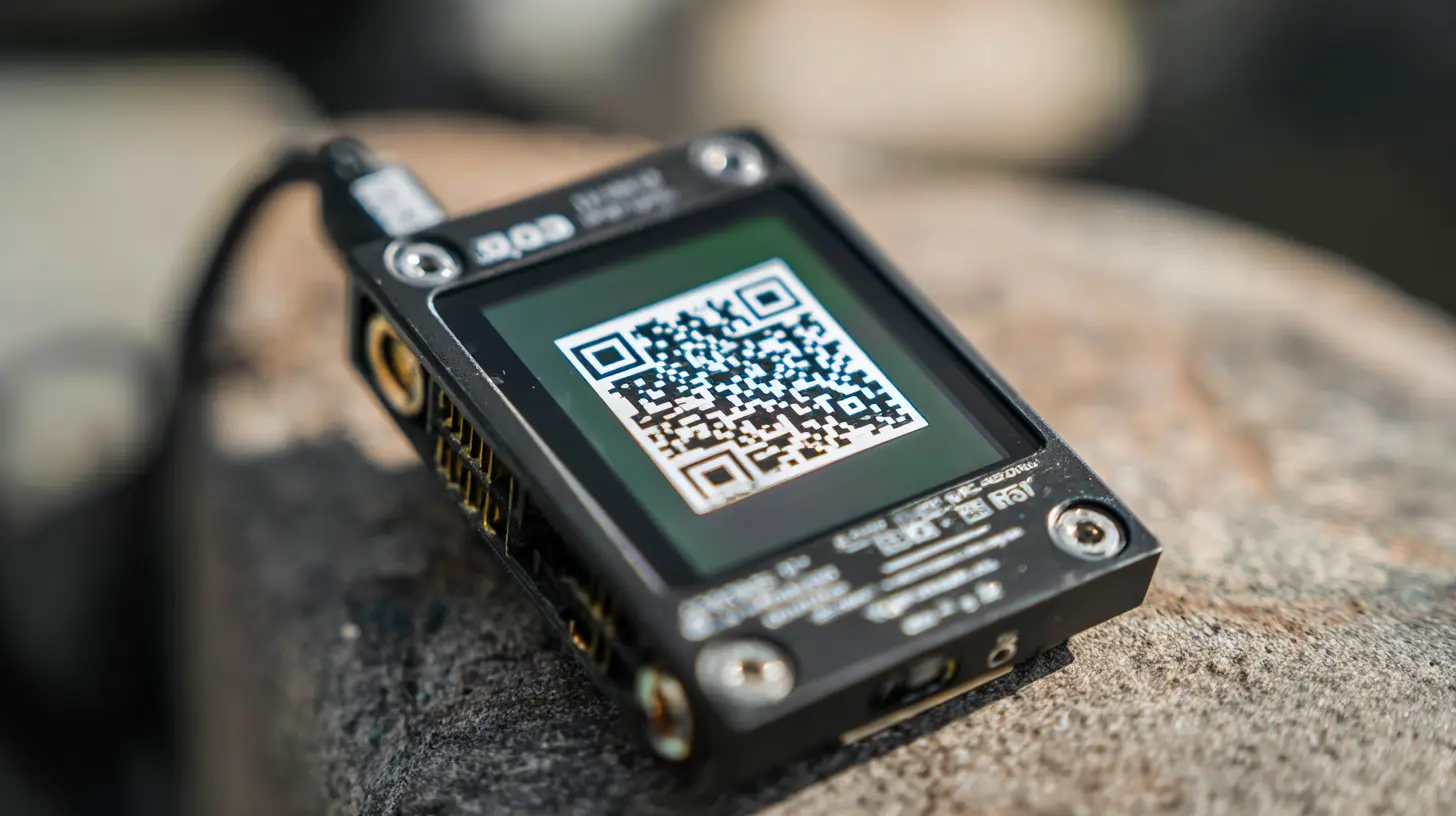
At a busy networking event, you hand someone a QR-enabled business card, and they fumble because the code is too small or their phone cannot focus in dim light. QR code accessibility matters for digital and QR-enabled business cards because an unreadable code equals a lost connection and a poor user experience. This article provides clear, practical tips on inclusive design, contrast and size guidelines, error correction, alternative text, and ways to support screen readers, assistive technology, and mobile scanning, so your code works for everyone.
To help with that, Mobilo's digital business card makes it simple to create accessible QR codes, present readable contact details, and deliver a consistent experience across devices so no one gets left out.
Summary
- Over 70% of QR codes are inaccessible to people with disabilities, underscoring that accessibility is an end-to-end design responsibility, not a cosmetic afterthought.
- Only 15% of visually impaired users can successfully scan a QR code without assistance, meaning fallback pathways and accessible landing pages directly affect lead capture and support volume.
- Tooling creates barriers, too: 90% of QR code scanning apps are reported not to support screen readers, so even well-built pages can remain inaccessible if the scanner cannot speak the destination.
- Color and contrast choices block real users: for example, 30% of QR codes are inaccessible to users with color blindness, and 15% of visually impaired users cite poor contrast as a scanning obstacle.
- Inclusive physical and digital design delivers measurable gains, as Tactile Images saw a 90% increase in engagement and a 65% reduction in comprehension time after pairing tactile graphics with QR-linked audio content.
- Small, testable rules reduce failures at scale, for example, target a minimum QR width equal to one tenth of the expected scanning distance (a 1 m scanning distance calls for a roughly 10 cm code), use 20 to 25 mm for business cards, and 15 to 30 cm for banner signage.
This is where Mobilo's digital business card fits in: it addresses QR accessibility by making it simple to create accessible QR codes, present readable contact details, and deliver a consistent experience across devices.
Are Your QR Codes Accessible for All or Quietly Excluding Users?

Yes, QR codes can be accessible, but they are not automatically so.
Many QR codes, by design or by accident, exclude people with:
- Visual disabilities
- Motor disabilities
- Cognitive disabilities
A blind person scanning a restaurant code that lands on a site with no ARIA labels or screen-reader text can reach a dead end and leave frustrated. Accessibility is both a responsibility and a risk, not a cosmetic add-on.
Who Benefits From QR Codes The Most?
- People with reading and memory challenges gain immediate value from scanning, which eliminates the need to type or remember long URLs.
- People with limited vision can reach content faster by scanning rather than hunting down tiny print.
- People who struggle with short-term memory often prefer QR-based login flows or verification links to avoid typing complex codes.
These are not theoretical gains; they affect whether someone connects to or drops out of your funnel.
Who Gets Left Behind By Current QR Practices?
This challenge appears across conferences, restaurants, and event halls: QR codes that assume everyone can point and tap accurately will leave part of your audience unable to participate. Many users with low vision struggle to align a camera with a printed code, and users with tremors may be unable to hold a device steady long enough to capture the image.
The Broken Bridge: Why Digital Compliance Isn't Enough
That human friction turns simple sharing into exclusion, and it happens far more often than you think because, according to Barkoder Blog, “Over 70% of QR codes are not accessible to visually impaired users.” Tooling makes this worse, as the same article states that, “90% of QR code scanning apps do not support screen readers. When the scanner fails to read the destination aloud, even an otherwise accessible web page remains inaccessible.
What Happens In Real Use, And Why It Matters
When we built accessible event check-in flows, a pattern emerged within the first 24 hours: attendees who needed assistive support walked past booths more often than others, not because they did not want to engage, but because the path to engagement required extra, invisible steps.
That hidden cost manifests as:
- Lost leads
- Irritated guests
- A higher manual support workload
It is also a brand risk; a single inaccessible experience can sour a customer’s perception for good.
How Can Teams Reduce Mechanical And Digital Barriers?
If a printed QR code acts like a locked door with no handle, add alternative entry points that anyone can use. Use long-distance scanning options and larger, high-contrast codes so people do not have to hover their devices within inches. Provide tactile markers or short NFC taps where possible so users avoid precise alignment. On the web side, ensure landing pages follow semantic HTML, use proper headings and ARIA attributes, and provide a clear “skip to content” link. Voice-activation and camera-based assist modes can further reduce the physical effort required for scanning.
Bridging the Capability Gap: Why Multi-Channel Sharing Wins
Most teams attach a QR code to collateral because it is quick and familiar. That works at a small scale, but as audience size and accessibility needs grow, the familiar approach creates fragmented experiences:
- Support requests spike
- Leads go uncollected
- Compliance exposure increases
Platforms like Mobilo pair QR codes with:
- NFC and Apple NameDrop
- Enforce admin-branded locks and SSO provisioning
- Push contacts directly into CRMs
It helps teams maintain a controlled, measurable, and inclusive sharing flow that preserves both brand and data governance.
What This Feels Like For Users
It’s exhausting when a simple interaction becomes a small battle. People with vision impairments describe the experience as repeatedly missing a handshake. People with motor difficulties report that the technology requires a level of steadiness they lack.
Those emotions matter because they determine whether someone:
- Engages with
- Returns to
- Recommends your brand
Why Compliance is Often a False Summit
Think of QR codes as doors; an unlocked, well-lit door invites everyone in, while a narrow door with a high threshold and no handle only admits the able. Accessibility lowers the threshold and widens the doorway. The frustrating part? This isn't the end of the story; what comes next reveals why most attempts still fail.
Related Reading
- Best Business Card Scanner
- What Makes a Good Business Card
- Business Card Trends
- QR Code Marketing Strategy
- What Are NFC Business Cards
- Professional Networking Tools
- New QR Code Technology
- Best Paid QR Code Generator
- What to Include on a Business Card
Why Most QR Codes Fail Accessibility and How Inclusive Design Fixes It

Design choices, not malice, explain most accessibility failures. Poor contrast, unclear placement, missing context, landing pages that do not support assistive technologies, and designs that force touch-only interactions are the usual culprits. Inclusive design anticipates and removes those barriers before users arrive, preventing exclusion and lowering legal and reputational risk.
1. Showing The Way To The Visually Impaired
How can a blind or low-vision user find a QR code when it is visually camouflaged or placed too high or low? Practical fixes now include tactile and sensing approaches that make the code discoverable, not just visible. QR Braille adds raised beads around a code so a fingertip can locate it and then trigger a scan. Camera-based assist apps like Zapvision use audio cues to guide users to a code.
They can scan from roughly 65 cm away, compared with the standard 15 cm, reducing the need for close physical alignment and steady hands. These are not gimmicks; they change the affordance of a code from a tiny visual target into a reachable interaction. For professionals, integrating these tactile cues into a digital business card ensures physical design flaws do not hinder networking opportunities.
2. Helping People Who Are Hard Of Hearing With A New Sense Of Sound
What if your content needs to be translated into a non-audio channel? A QR code linking to short ASL videos or captioned explainer clips immediately closes that gap. Place these video QR codes on packaging, storefronts, or product labels so someone hard of hearing can access clear, visual explanations without waiting for staff.
The payoff is straightforward:
- Fewer missed conversions
- Fewer frustrated visitors
- A more equitable experience at the point of decision
3. Providing A Crutch For The Differently-Abled
Where do QR codes help people with limited dexterity or motor control? They eliminate the need to type long URLs and serve as accessible shortcuts to digital controls. For someone with Parkinson’s or limited hand strength, scanning avoids multiple keystrokes; for people who find walking difficult, QR-triggered home controls or app flows let them operate lights or access menus without extra mobility. This reduces physical friction and preserves dignity, which in turn reduces support volume and keeps interactions on-brand. Transitioning to a high-quality digital business card can further simplify these interactions by replacing manual data entry with a single, accessible tap or scan.
Governance at the Point of Contact
Most teams handle QR deployment the familiar way, because printing a code and sticking it on collateral is fast and universally understood. That works for a one-off flyer, but as presence scales across events and locations, inconsistent sizing, branding overrides, and unmanaged landing pages create operational headaches and missed leads. Teams find that platforms like Mobilo combine QR and NFC with enterprise controls such as:
- SOC 2 and GDPR-aligned policies
- SSO and HRIS provisioning
- Admin branding locks
- Native CRM integrations
It turns scattered QR deployments into governed, measurable touchpoints that protect privacy while improving capture rates.
4. Educating The Learning-Impaired
How can QR codes help learners who need simplified formats? Scatter QR codes across study materials that lead to short videos, chunked graphics, or narrated summaries. For dyslexic readers, an audio version or a high-contrast summary reduces decoding time; for learners with ADHD, the immediate reward of a single-scan redirect helps preserve focus and reduce friction.
This pattern appears in classrooms and museums: linear, text-heavy links stall engagement, while concise, multimedia content triggered by a scan sustains it. Using a structured digital business card can also provide these learners with a consistent, predictable interface for contact information, reducing the cognitive load of navigating traditional websites.
The Implementation Gap: Why Design Intent Isn't Enough
A human truth I keep seeing, and one that makes this design work urgent, is this pattern: design teams treat accessibility as an add-on, then watch the support queue swell, and attendees drift away because the path to engagement requires invisible extra steps. That frustration is avoidable when teams bake inclusive design into the initial asset and content workflow. The scale of the problem is stark: Over 70% of QR codes are inaccessible to people with disabilities, according to InclusionHub, highlighting the gap between intent and execution. Consider audience size too; approximately 1 in 4 adults in the U.S. live with a disability that could affect their ability to use QR codes, meaning inclusive QR design is not niche accessibility work; it is a sound market strategy.
From Compliance to Connection: The Brand Evolution
Think of a QR code like a street sign; if the sign is painted the same color as the wall and placed around a corner, it does not matter how clever the destination is, people will miss it. Inclusive design turns that sign into a beacon, clearly placed, tactile where needed, and backed by a landing page that welcomes assistive tools. That solution sounds tidy, but it raises a question most teams have not yet addressed. But what leading brands actually changed to make their QR codes truly accessible, and what did they learn in the process?
Related Reading
- How to Put Linkedin on Business Card
- How to Share Linkedin QR Code
- How to Add Instagram QR Code to Business Card
- QR Code Instead of Business Card
- QR Code Size on Business Card
- How to Scan QR Code on Iphone
- Aztec Code vs QR Code
- How QR Codes Work
- QR Code Analytics
- Linkedin QR Code Business Card
- How to Create Vcard
How Leading Brands Are Redesigning QR Codes to Meet Accessibility Standards

Established brands are already treating accessible QR implementations as design requirements, not optional extras, and their examples align closely with common accessibility gaps teams face. These real-world cases show how small changes in code placement, contrast, and destination content enable people with sensory or motor differences to engage independently and reliably.
Accessing Product Information: Kitkat Uses QR Codes For Inclusive Transparency
Nestle’s KitKat and other packaged goods that link ingredients and allergen lists to mobile-friendly pages remove a real barrier for shoppers with low vision, who often cannot read tiny printed labels. When product pages are built for screen readers and include clear headings, shoppers can use text-to-speech to make decisions independently, directly addressing the desire for autonomy many users express. The emotional result is simple: someone who earlier had to ask for help now confidently selects a product. This level of transparency is becoming the new standard for any professional digital business card as well, where providing accessible contact info is vital for inclusive networking.
Making Art And Museums Inclusive: Audio QR Codes At Museums For Inclusivity
The National Museum of Scotland added scan-to-listen tracks so visitors can hear readings tied to objects, allowing visually impaired guests to set their own pace and fully engage with the exhibit without a separate guide. This model converts an exhibit from a purely visual experience into a multi-sensory tour, and it scales naturally. Once audio assets are created, any gallery can reuse them across shows, reducing long-term staffing costs while increasing inclusion. Just as a museum guides a visitor, a well-designed digital business card can guide a lead through an accessible, high-contrast digital profile.
Making Sign Language Accessible: Golconda Fort Uses QR Codes For Sign Language Guides
At Golconda Fort, a single printed QR Code opens sign language videos that narrate historical context and wayfinding, turning a static plaque into a visual interpreter. This “multi-channel” approach is precisely why teams are moving toward a managed digital business card: it enables you to offer video, audio, and text options from a single scan. Schools and cultural sites can copy this exact pattern to support deaf and hard-of-hearing visitors; the heavy lift is producing short, captioned, and signed clips, not reinventing the delivery mechanism.
Making Learning Easy For The Visually Impaired: Tactile Images’ QR-Linked Audio
Tactile Images paired printed tactile graphics with QR Codes that linked to extended audio descriptions and contextual content. These accessible links produced measurable gains, boosting user engagement by 90% and reducing comprehension time for tactile graphics by 65%. Because each QR code links a single graphic to a focused audio file, teachers and students avoid navigating menus, which preserves attention and reduces classroom friction. For students and professionals alike, using a standardized Digital Business Card ensures that the “first scan” in a professional setting is just as effortless and educational as these high-tech classroom tools.
Sound Maps For Navigation: Transit Audio Feedback From Spain To New York
A five-year collaboration between a Spanish startup and the University of Alicante rethought how codes are designed and used for commuters with vision loss, replacing tiny, pixelated markers with larger, color-blocked squares that a camera and app can detect from farther away and return spoken route cues. That shift transformed the device from a fragile scanner into an atlas you can rely on when boarding a bus or tram, and the system now operates in cities from Murcia to New York, demonstrating that the approach scales beyond a single pilot. When businesses adopt an enterprise-grade Digital Business Card, they are essentially building their own “sound map” for clients, ensuring their contact info is discoverable and easy to navigate from any distance.
Inclusive Packaging That Empowers People With Visual Impairments: Kellogg’s World Sight Day Rollout
Kellogg’s partnered with RNIB and a specialist school to pilot voice product overviews in nearly 60 UK stores on World Sight Day 2020, providing shoppers with a spoken summary of nutritional and allergen information via a QR scan. This shows how packaging can become a point of independence, not a barrier, when brands connect codes to accessible landing pages rather than to legacy, unreadable PDFs. Design choices matter here: 30% of QR codes are inaccessible to users with color blindness. That Uniqode Blog finding, published March 2025, highlights how palette decisions can unintentionally block a sizable share of users.
An Item Finder That Helps People With Vision Impairments: Spacefelt’s Sticker System
Spacefelt ships booklets of waterproof QR stickers and a companion app so a household can tag 108 items, record brief audio labels, and then find and identify things independently. Beyond the noticeable dignity boost, this pattern reduces the need for repetitive requests for assistance. It also offers a simple cross-disability benefit: people with color blindness can use the same approach to tag clothing colors and avoid mismatches without relying on guesswork.
What Common Pattern Ties These Examples Together?
These interventions share a clear pattern, not random creativity:
- Make the physical code discoverable
- Make the digital target immediately usable by assistive tech
- Make the content concise and modality-appropriate for the user
If you skip any one of those three, the whole flow breaks. For instance, a code that lands on a long, unstructured page forces a screen reader user into a dead end, and a high-contrast landing page means nothing if the code itself blends into the artfully patterned packaging. Practical lesson: accessibility is an end-to-end responsibility that covers:
- Print design
- Scanning distance
- Landing page markup
- Content modality
Why Do Teams Still Get This Wrong At Scale?
Most teams handle QR deployment by adding a code to collateral because it is fast and familiar. That works during pilots, but as programs scale, inconsistent sizing, misplaced codes, and unmanaged landing pages create:
- Support load
- Damaged brand experiences
- Lost leads
Solutions like Mobilo pair QR and NFC with enterprise controls, including:
- SOC 2 and GDPR-aligned policies
- SSO and HRIS provisioning
- Admin branding locks
- Native CRM integrations
It helps keep code behavior consistent, ensures landing pages meet accessibility standards, and captures contacts into workflows without manual reconciliation. The familiar shortcut becomes costly when you multiply touchpoints; third-party governance converts scattered QR efforts into reliable, auditable touchpoints that protect both inclusivity and data integrity.
What Design Changes Actually Move The Needle For People?
Make codes larger and place them where a fingertip or cane can find them, add tactile cues or short raised frames so the code becomes touch-locatable, avoid patterned backgrounds that confuse camera detection, and design landing pages with semantic headings and short, scannable audio-first content. Also consider camera guidance tools that use audio prompts to help users center a phone, as scanning from a safe, longer distance reduces the motor demand on people who cannot hold a device steady. Contrast is essential here, as 15% of users with visual impairments find QR code scanning difficult due to low contrast. That Uniqode Blog finding, published March 2025, underlines how visual choices at print time determine whether the code is even a usable target.
Beyond the Pilot: Building Auditable Accessibility
We see a clear human truth in these cases: when brands treat QR Codes as simple links, they get drops and complaints. When they treat them as:
- Inclusive interaction points
- They unlock independence
- Reduce support strain
- Preserve brand trust
Which is why the most challenging part is rarely the technology; it is aligning teams to treat accessibility as a design standard, not an optional checkbox. That solution looks neat, but the next question is more operational: how do you turn these patterns into repeatable, auditable practices across events and products?
How to Implement QR Code Accessibility Best Practices

Accessible QR codes are not a mystery; you make them reliable by treating four areas as nonnegotiable:
- The code's visual design
- Where and how it appears in the real world
- How you label and expose the link for assistive technologies
- Whether the destination itself meets accessibility standards
Fix those four things, and you remove most uncertainty, prevent inconsistent deployments, and stop the small mistakes that cost leads and goodwill.
Size: How Big Should A QR Code Be For Real-World Use?
When a QR code is too small, scanning fails far more often than designers expect. Use a simple, scale-based rule rather than a one-size-fits-all approach: target a minimum physical width equal to one-tenth of the scheduled scanning distance. For example, if you expect users to scan from about one meter, make the code roughly 10 centimeters wide. For business cards or badges that will be held close, a 20-25 mm code will usually work; for banner signage intended to be scanned from several meters, plan for 15-30 cm widths. Always test at the worst-case distance with the slowest phone you support, and include a long-range alternative (NFC, short vanity URL, or an employee assistance phone number).
Color: Which Contrast Rules Matter for Scanning?
Poor palette choices hide the code even if the scanner can technically read it. Follow WCAG non-text contrast guidance, and measure contrast between the dark modules and their immediate background, aiming for at least a 3:1 ratio for the graphic itself. Avoid patterned or glossy substrates that create specular highlights, and conduct daylight and low-light tests. If you add a logo or rounded modules, raise error correction, and then test on multiple camera models, visual tweaks reduce decoding margins, so always verify with older phones.
Placement: Where Should I Place Code So People Can Find It?
If the code must be found by touch or a cane, place it at a consistent, reachable height and keep it away from folds or seams. Put codes where a finger or a cane can locate them, not near a crease or too close to an edge. For printed collateral, reserve a clear zone around:
- The code
- Free of type
- Patterns
- Varnish
For event booths, center codes on a solid panel at a predictable sightline and pair them with a tactile marker or a raised frame to provide a physical cue.
ALT Text: What Should The ALT Text Say, Exactly?
Good ALT text converts a blind user’s scan into a usable promise. Use concise, action-focused descriptions under 125 characters that state the destination and the call to action, for example, “Open contact card for Acme Events (includes phone and calendar link).” If the code points to a file or login flow, include that in the text: “Link to attendee check-in page, accessible form with keyboard navigation.” On web assets, set both alt and aria-label for interactive elements, and include the full accessible URL as visible text nearby when practical.
No Text In QR Code: Why Avoid Text Inside The Graphic?
Text inside the matrix kills flexibility and causes decoding failures when sizes change, or error correction is applied. Brand marks centered within a code are acceptable only if you increase module size and run cross-device tests; otherwise, keep text and calls to action adjacent to the code, not embedded.
Phishing And Security Issues: How Do We Keep Code Safe And Trusted?
Teams often paste long redirects into a generator because it is fast, and the hidden cost is brand trust and compliance gaps.
- Use short, managed domains you control, with HTTPS and link management that records destination history.
- Add a preview step on the landing host that shows the destination and the reason the user is there, and rotate ephemeral tokens for sensitive flows so that a stolen image does not grant access.
At scale, teams find that platforms that enforce enterprise controls, manage domains, and capture CRM data reduce both spoofing risk and post-event reconciliation complexity, keeping brand, privacy, and lead quality intact.
QR Codes In Login Scenarios: What Adjustments Make Logins Accessible?
Timed authentication windows disenfranchise people who need more time. Provide adjustable timers or one-click “extend time” controls, visible focus indicators, and clear instructions for alternatives such as emailed magic links or manual codes. If the QR code creates a session or authenticates a device, include a keyboard-and-screen-reader-friendly fallback that mirrors the exact action the scan performs.
2-Way Authentication QR Code: How Do I Make 2FA Scans Accessible And Predictable?
When a QR encodes an authenticator setup, show a plain-text shared secret near the code as a fallback, and provide step-by-step, large-font instructions that clearly explain what will happen after scanning. Offer users an alternative channel to complete setup, such as an email-based verification link, and put the fallback in an element that screen readers will encounter first, using sr-only CSS so sighted users do not see redundant instructions.
Screen Readers: What Do Screen-Reader Users Need Before And After They Scan?
Make the QR code element itself focusable and expose a clear label like “Open Acme contact card, includes dial and calendar options.” Provide hidden, screen reader-only guidance for any temporary phone settings a user may need, and ensure the landing page moves focus to the main content and exposes semantic headings and landmarks. If scanning triggers a new tab, warn the user in the alt text and provide an explicit link they can activate without scanning.
Best Practices To Make Your QR Code Accessible
1. Use Braille Labels For Call-To-Action Text
After working across multiple physical deployments, the pattern became clear: tactile cues convert intention into action. Add a short Braille label that states the purpose, for instance, “Scan for audio menu” or “Scan for contact card.” Position the Braille just below or beside the code so it doubles as a locator.
2. Test For Assistive Technologies
Run a checklist that includes screen reader navigation, magnifier readability, camera-guidance apps, voice control, and switch-access input. Test on at least three device OS and browser combinations, as well as low-end camera phones. Log failures and iterate until the worst-supported device works reliably.
3. Use High-Contrast Colors For QR Codes
Pick two colors with measured contrast, print a physical proof, then photograph it under mixed lighting and run it through standard decoding apps. If any mainstream scanner fails, adjust contrast or background and retest.
4. Provide Content In Multiple Languages
Multilingual options reduce help requests and increase engagement. Offer language selection on the landing page, and, if possible, implement auto-detection to preserve the user’s initial choice across sessions. For audio-first content, provide both narration and readable transcripts.
Beyond the “Set-It-and-Forget-It” Fallacy
This challenge appears across conferences, retail displays, and product labels: teams ship a code and assume the destination will carry the rest.
The reality is harsher:
- Users get frustrated
- Support volume rises when a single link breaks or becomes inaccessible
- Designers treat QR deployment as a single asset rather than a mini-experience
It leads to lost leads and brand trust leaking away.
The Scalability Trap: Solving the “Fragmented Pilot” Problem
Most teams attach a QR code to collateral because it is familiar and fast, which works for pilots, but unravels as audiences and compliance needs grow. As programs scale, inconsistent domains, unsecured links, and unmanaged landing pages create security, legal, and operational headaches. Teams find that platforms like Mobilo with enforced branding locks, SSO, and HRIS provisioning, managed short domains, and native CRM integrations convert scattered QR efforts into auditable, secure touchpoints that maintain consistency and reduce post-event cleanup.
Built-In Redundancy: The Safety Net Strategy
- Verify contrast, then photograph and scan under three lighting conditions.
- Test with one low-end phone and one high-end phone, plus a screen reader session.
- Add a visible, plain-text fallback URL and an explicit alternative contact method.
- Log errors centrally so you can spot recurring failures by device model or location.
Think of a QR code as a key to a room, not the room itself; a well-cut key still fails if the lock is frozen, the door is chained from the inside, or the sign pointing to the door is hidden.
Beyond the Scan: Designing for the 85%
The scale of the problem is hard to ignore: Approximately 70% of QR codes are not accessible to people with disabilities, a 2023 assessment showing widespread implementation gaps. Another hard truth is that only 15% of visually impaired users can successfully scan a QR code without assistance, which makes clear why fallback pathways and accessible landing pages are not optional.
From Engagement to Inclusion: The New Success Metrics
Track scan success rates by device type, the conversion rate for users arriving via QR, assist request volume after deployment, and the landing-page accessibility score; aim to reduce manual support incidents and increase successful interactions on low-end devices. That solution seems practical until you realize one more stubborn obstacle no one talks about.
Build Accessible QR Codes Without Guesswork. Book a Demo and Get 25 Cards Free
Most teams tack on QR codes and hope everything works. We recommend booking a Mobilo demo as the simplest next step because it applies QR code accessibility and landing-page standards by default, including screen-reader-friendly handoffs, so you can stop relying on manual checks and trial-and-error. Mobilo turns NFC taps, QR scans, and NameDrop into CRM-ready leads to speed follow-up. For a limited time you can book a demo, join over 59,000 companies, and get your first 25 cards free, worth $950, because in a world where 90% of business contacts never make it into your CRM, accessibility and lead capture do not have to be complex or burdensome.
Related Reading
- Static vs Dynamic QR Code
- How to Put a QR Code on a Business Card
- RFID vs QR Code
- How to Track QR Codes
- Is QR Code Generator Safe
- How Much Does a QR Code Cost
- QR Code Lead Generation
- Business Card Ideas With QR Code
- Dynamic QR Code Example








