

.avif)

11 Best Business Card Apps for Streamlined Digital Networking
On This Page
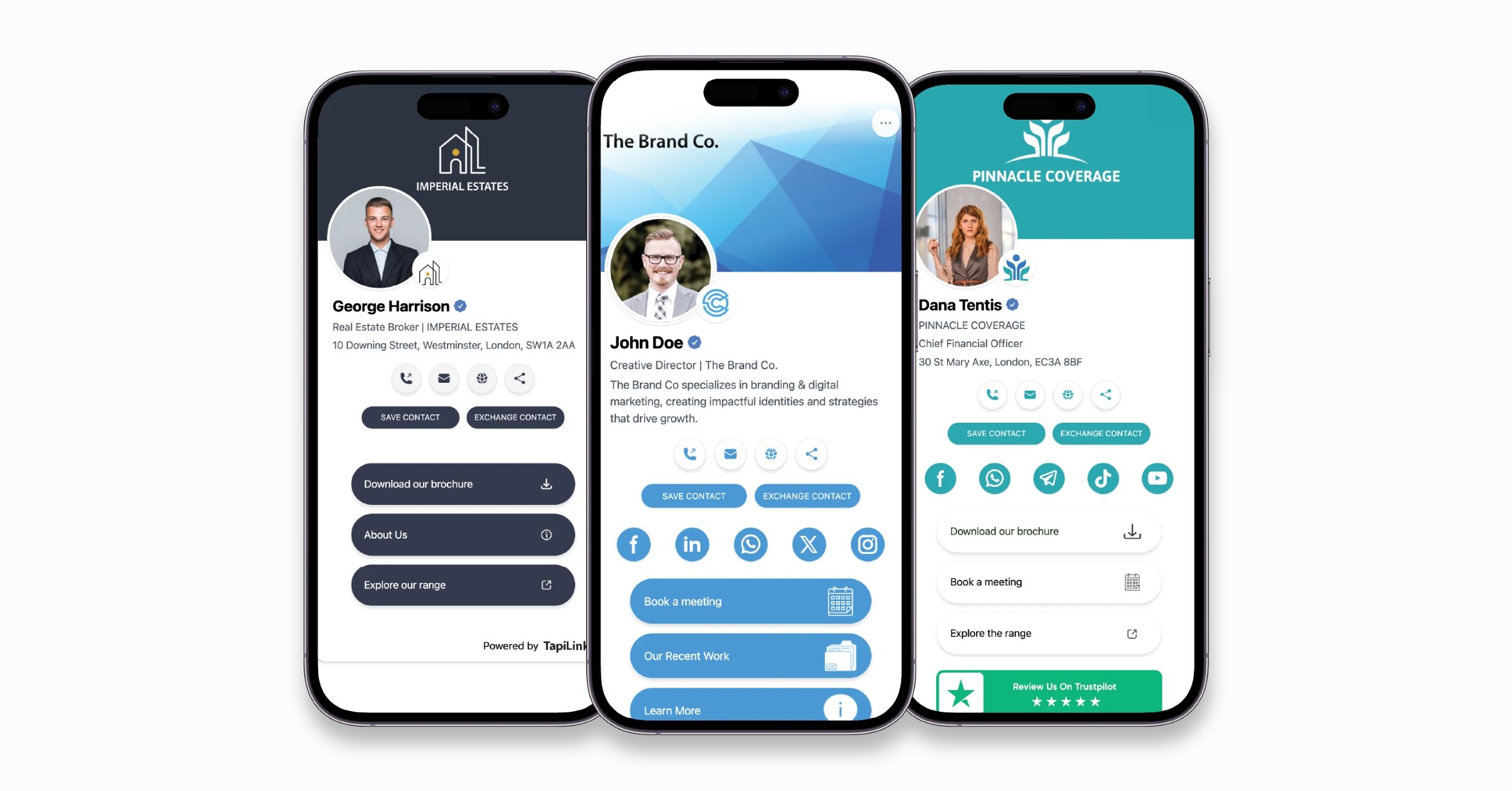
Fumbling for paper business cards at networking events feels outdated in a world where phones handle everything from banking to ordering coffee. Physical cards get lost, forgotten at the office, or become outdated when contact information changes. The best business card apps solve these problems by making contact sharing as simple as a tap or scan while keeping connections organized automatically.
Modern professionals need solutions that work seamlessly across different networking scenarios, from conferences to casual coffee meetings. These apps eliminate the awkward exchange of physical cards and ensure contact information stays current through real-time updates. Transform your networking approach with Mobilo's digital contact card to make professional connections effortless.
Table of Contents
- Why Most Business Cards Get Lost or Ignored
- How Business Card Apps Actually Work
- Top 11 Business Card Apps and How They Compare
- How to Choose the Right Business Card App for Your Needs
- Want to Capture Every Lead Without Losing a Single Contact?
Summary
- Physical business cards fail at scale because they create three compounding problems that digital systems eliminate. 88% of business cards get thrown away within a week, according to UPrinting's 2023 research. The failure isn't carelessness. It's the predictable outcome of a system that demands immediate manual data entry, provides no context once separated from the conversation, and offers no mechanism for follow-up beyond handwritten notes. When you're collecting dozens of contacts at events, each card becomes an administrative burden rather than a business opportunity.
- Digital business cards compress the gap between meeting and meaningful outreach from days to minutes. CloudCard's 2025 research shows digital business cards can be shared 10x faster than traditional cards, but speed matters less than reliability. Every digital share creates a timestamped record with full context (event location, conversation notes, engagement signals) that feeds directly into CRM systems. Teams stop losing pipeline in the gap between intention and execution because the system handles what memory and discipline can't scale.
- Free plans with unlimited contact storage solve the core problem for individual professionals without requiring enterprise budgets. 68% of users never upgrade from free tiers if core functionality works well, according to SaaS metrics data. Platforms like Wave Connect and Blinq provide unlimited contact storage, automated follow-up, and reliable QR code sharing at no cost. For solo professionals exchanging contacts weekly rather than managing team pipelines, these free tiers eliminate the primary friction point (lost contacts) without subscription overhead.
- CRM integration quality determines whether digital business cards reduce friction or just add another manual step. Direct API connections to Salesforce, HubSpot, or Pipedrive mean contact data flows automatically into existing pipelines without CSV exports or manual field copying. Teams managing high-volume networking, where sales reps collect 50+ contacts per conference, see the strongest ROI because automation eliminates the two-hour data-entry sessions that delay outreach and kill momentum.
- Lead scoring and engagement tracking convert contact capture from passive storage into an active pipeline. When platforms track who viewed your digital card, clicked through to resources, or engaged with follow-up content, that behavioral data surfaces who's most interested without manual review. This capability matters most for teams where prioritizing hundreds of contacts across multiple events determines which opportunities get timely follow-up and which fall through gaps in manual processes.
- Mobilo's digital contact card addresses this by capturing contact details, conversation notes, and engagement signals in a single tap, then routing that data directly into CRM workflows with automated lead scoring and follow-up triggers that compress networking-to-pipeline conversion from weeks to hours.
Why Most Business Cards Get Lost or Ignored
You meet someone promising at a conference. You exchange cards. By the time you're back at your desk three days later, you can barely remember their face, let alone why the conversation mattered. According to UPrinting's 2023 research, 88% of business cards get thrown away within a week. This reflects a system never designed for modern networking's speed and volume of connections.
"88% of business cards get thrown away within a week." — UPrinting Research, 2023
🔑 Key Takeaway: Traditional business cards fail because they cannot bridge the gap between initial contact and meaningful follow-up in today's fast-paced networking environment.
⚠️ Warning: If you're still relying on paper cards alone, you're losing 9 out of 10 potential connections before they develop.
What friction points do paper cards create?
Paper cards create three compounding friction points: they require immediate manual data entry or become useless, offer no context once separated from the conversation, and provide no follow-up mechanism beyond notes on the back. When collecting dozens of contacts at an event, each card becomes an administrative burden rather than a business opportunity. The delay between the meeting and the follow-up ranges from hours to days to never.
How do these problems impact revenue?
The consequences show up in lost revenue. A promising lead from Tuesday's lunch meeting becomes a vague memory by Friday. You can't find their email or the specific pain point your product solves. Meanwhile, your competitor who collected the same contact through a digital system has already sent a personalized follow-up with relevant case studies. The sale was lost before you realized you were competing.
How do teams currently handle networking challenges?
Teams often handle networking through individual effort: sales reps collect cards, manually enter contacts into CRM systems, and hope they remember enough details to make outreach meaningful.
As teams grow, this approach breaks apart. Contact data lives in scattered spreadsheets, duplicate entries proliferate across systems, and managers cannot see which networking investments drive pipeline growth.
What solutions bridge the gap between meetings and meaningful outreach?
Solutions like Mobilo's digital contact card capture contact details, conversation notes, and follow-up triggers in a single tap, then route that data directly into CRM workflows with full context intact.
Teams compress the gap between meeting and meaningful outreach from days to minutes while maintaining centralized visibility into networking ROI.
Why does the shift from paper to digital matter for business growth?
The shift from paper to digital isn't about novelty. It's about treating professional networking as a measurable business infrastructure rather than relying on individual memory and discipline to grow.
When your growth depends on turning conversations into pipeline, the format you use to capture those conversations becomes a competitive advantage.
But understanding why paper fails matters only if you know what works instead.
Related Reading
- Best Business Card Printing
- How Many Business Cards Should I Order
- What To Put On A Business Card For Networking
- Why Are Business Cards Important
- How Much Does It Cost To Make Business Cards
- What Should I Put on the Back of My Business Card
- Best Paper For Business Cards
- How Much Does Business Card Design Cost
- How Thick Is A Business Card
How Business Card Apps Actually Work
Digital business card apps function as smart contact systems, not digital copies of paper cards. They collect, save, and send professional contact information through three main methods: quick sharing via QR codes or NFC tap, automatic contact capture that imports details into your phone's address book or CRM, and cloud storage that syncs across devices. When someone scans your digital card, the system records the interaction, captures the time, and creates a record showing when and where you met.
🎯 Key Point: Unlike traditional business cards, digital versions create a complete contact ecosystem that tracks interactions and syncs automatically across all your devices and platforms.
"Digital business cards transform networking from a one-time exchange into an ongoing relationship management system that captures every interaction detail." — Digital Networking Research, 2024
💡 Tip: The real power of business card apps isn't just in sharing your information—it's in the automatic follow-up capabilities and interaction tracking that help you never lose a valuable connection again.
Storage That Actually Remembers Context
Cloud storage keeps context with contact details. When you meet someone at a conference, the app records the event, date, and notes, and often connects them to calendar entries or location data. According to CloudCard's 2025 research, 72% of professionals prefer receiving contact information digitally because it eliminates manual data entry, which can turn promising leads into forgotten tasks.
This changes networking from a memory exercise into a documented process. You can search contacts by event, filter by industry tags, or pull up everyone you met during a specific quarter. The data structure transforms scattered interactions into searchable business intelligence.
How does automatic capture eliminate the need for manual data entry?
The friction point most teams underestimate is the gap between collecting a contact and making it actionable. Manual CRM entry gets delayed, then skipped entirely. Digital card apps automatically and consistently push contact data directly into Salesforce, HubSpot, or your team's system, eliminating reliance on individual disciplines after a long event day.
What role does lead scoring play in CRM synchronization?
Lead scoring adds another layer. When someone views your digital card, the app tracks engagement and assigns a priority score based on interactions. Did they click through to your website? Download a resource? These signals feed into your CRM as behavioral data rather than static contact fields. Teams compress the time between meetings and meaningful outreach because the system surfaces who's most engaged without manual review.
How do digital sharing mechanisms remove friction?
CloudCard's data shows that digital business cards can be shared 10 times faster than traditional cards. NFC tap-to-share works in less than two seconds, while QR codes scan instantly from any smartphone camera. Both methods eliminate the physical exchange and the "I'll email you later" promise that often never materializes. Every share creates a digital record, transforming follow-up from an afterthought into a systematic process.
What makes digital sharing adoption successful?
Successful platforms make sharing feel simpler than handing someone a paper card. You're not asking people to download an app or navigate a complicated interface: just tap their phone or point their camera. The barrier isn't a technical skill. It's whether the value justifies changing a habit that's been around for decades. When teams see that digital sharing creates a trackable pipeline rather than swapping contact details, adoption becomes an obvious operational upgrade.
But knowing how these systems work matters only if you know which ones deliver on these capabilities without adding complexity.
Related Reading
- Best Font Size For Business Cards
- Best Color For Business Cards
- Business Card Design Tips
- Professional Business Card Design Ideas
- Digital Business Card Examples
- Business Cards Finishes
- Should Business Cards Be Double-Sided
- Business Cards Etiquette
Top 11 Business Card Apps and How They Compare
The best business card app depends on your priorities: unlimited free contact storage, enterprise CRM integration, or minimal friction at live events. Some platforms excel at lead capture and sales analytics, while others simplify workflows for freelancers. Comparing how each handles initial sharing, contact storage, and follow-up automation reveals the gap between promises and performance.

🎯 Key Point: The right business card app varies dramatically based on your specific use case - what works for a Fortune 500 sales team may be overkill for a solo consultant.
"The most effective digital business card solutions focus on seamless contact exchange rather than flashy features that complicate the networking process." — Digital Networking Research, 2024

💡 Tip: Before choosing any platform, test the actual sharing process at a live event - many apps that look perfect in demos become clunky when you're trying to exchange contacts with multiple people in quick succession.
1. Mobilo
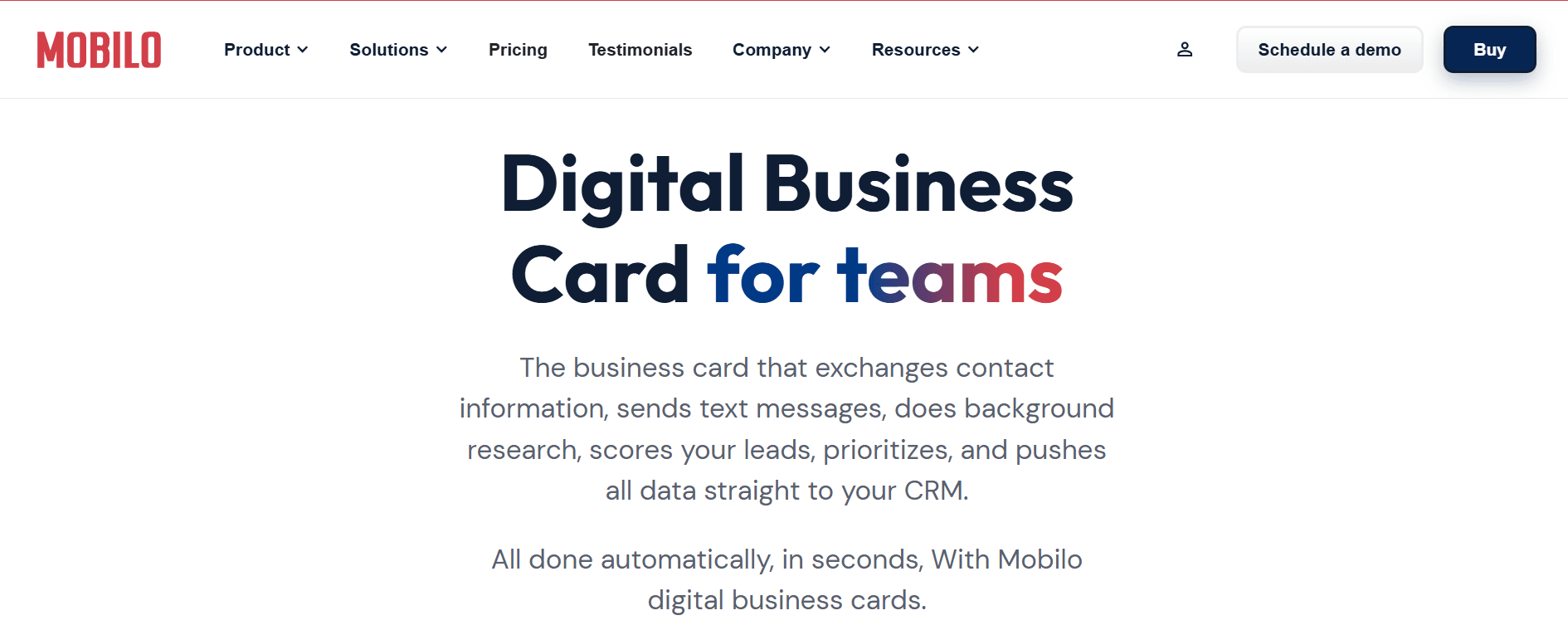
Ready to transform your team's networking and generate 10x more leads at every event? Join over 59,000 companies using smart digital business cards that automatically share contact information, enrich leads, score prospects against your ICP, and connect directly to your CRM.
Mobilo is built for sales teams that need extensive analytics and tracking. For individual business professionals, customization options feel limited, and features are excessive. If you're not managing a pipeline or measuring networking results across a team, you're paying for unused tools.
What Mobilo Does Well
You can customize QR codes to match your brand. Real-time contact updates keep your information current without manual edits. Lead tracking and real-time boards measure your networking effectiveness. NFC options include cards, key fobs, and smart buttons. Email signature creation with QR codes streamlines outreach. Physical NFC cards, particularly metal ones, receive consistent praise for quality. Four modes let you switch between business card, landing page, lead generation, and direct URL linking.
Where Mobilo Stands Out
Mobilo's ability to connect with other tools and individual dashboard analytics creates visibility that most platforms don't offer. The dashboard displays the number of leads collected, the number of notes taken, and location data (if GPS is enabled). Exchanging information and capturing leads feels seamless. Multiple modes let you adapt to different networking scenarios: toggle between a business card or lead-generation page at events, then switch to a website landing page afterward to share more detailed information.
The ability to track networking results and automatically follow up with leads removes the mental burden of manually contacting hundreds of people. The team dashboard integrates with Salesforce, HubSpot, and Zapier for larger enterprises. Physical NFC cards, particularly metal ones, deliver quality that matches the premium positioning.
Mobilo excels at lead generation and networking. Its no-subscription model for personal use and customizable NFC products make it a unique, cost-effective choice.
2. Wave Connect
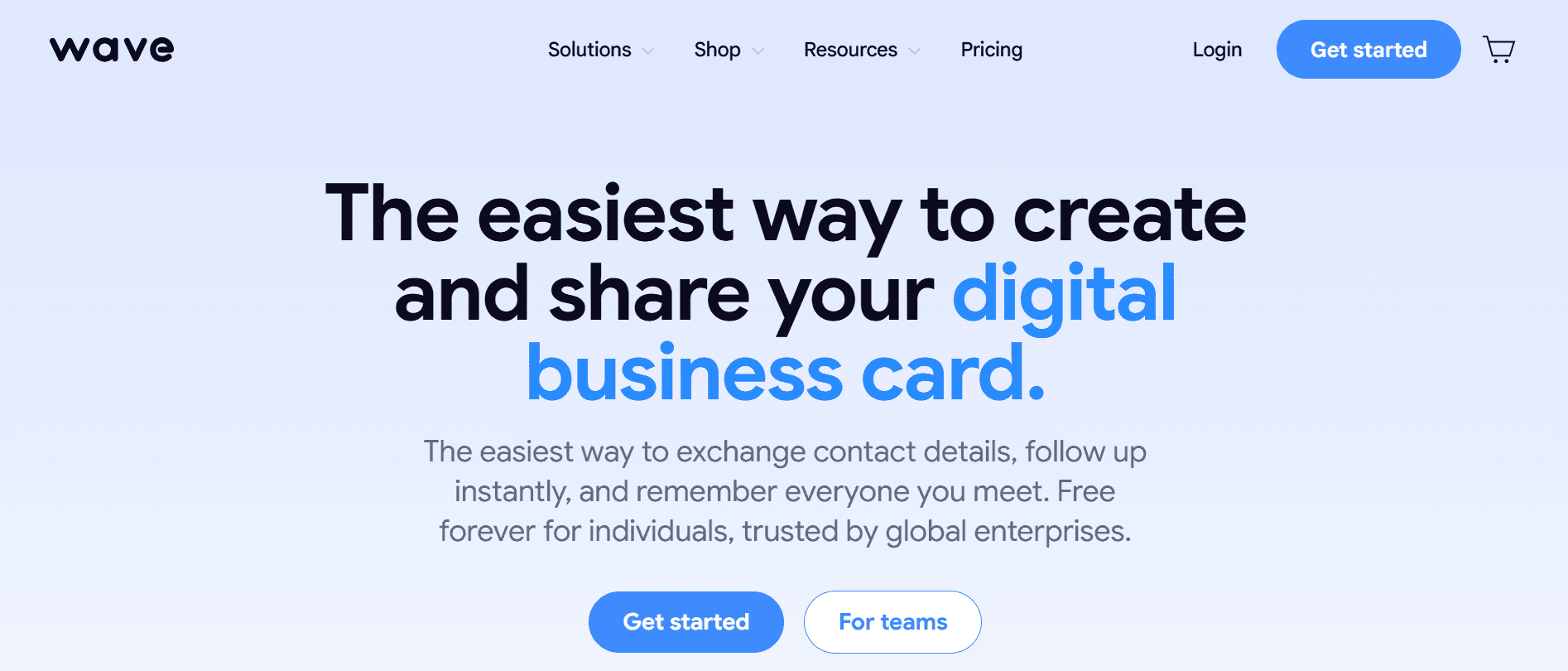
Wave Connect is the people's champion because it offers the most free features and a solid Teams platform. It's the best digital business card for professionals who want unlimited contact storage at no extra cost.
What Wave Connect Does Well
Use QR code sharing for free forever. You can also use Apple Wallet and Google Wallet without an app. A PRO subscription costs $7 per month and includes ten free paper business card and event badge scanning credits. Tag functionality keeps your contacts organized. Store unlimited contacts and set up automatic follow-ups through email or SMS. Optional iOS and Android apps let you update your information, with iPhone widgets and Live Activity QR codes available. Get custom NFC business cards with your logo. The service is rated "#1 Easiest to Use" on G2 for teams and enterprises and meets SOC 2 Type 2 and GDPR standards.
Where Wave Connect Falls Short
You cannot create multiple business card profiles, integrate payments like Venmo or Cash App, use link redirects, access Android widgets, or add virtual backgrounds for Google Meets, Zoom, or Microsoft Teams.
Why Wave Connect Works
Wave's onboarding is the simplest available: create a free profile in under two minutes. Sharing is instant via QR code, SMS, email, or Apple Wallet or Google Wallet. Profiles are professional and suitable for most business environments.
Wave offers free, PRO, Teams, and Enterprise plans. The Enterprise plan includes Active Directory (Entra ID) and SSO. The free plan lets you share your company logo, websites, contact details, photos, videos, files, and social media: more than most competitors offer.
Free users can scan paper business cards, add widgets, and store unlimited contacts. The Apple App Clip sharing flow is smooth: when someone scans your QR code on an iPhone, your profile loads with a clean display.
Wave includes free contact management, allowing you to add, edit, and tag connections, plus send follow-up emails and texts. An AI-powered business card scanner proves useful for conferences and trade shows. G2 recognized Wave for Teams as the highest performer in North America across results, administration, support, setup, and implementation speed.
3. HiHello

HiHello delivers basic networking features without unnecessary complexity, though its design may not suit every professional situation.
What HiHello Does Well
Easy sharing without app downloads. Address book for business contacts. Automatic updates of contact info from other Mobilo users. Simple dashboard for creating digital business cards. Multiple sharing options: QR code, link sharing, and Apple Watch. Virtual backgrounds for e-meetings. Email signature generator. Widgets for iOS and Android. SOC 2 security certified.
Where HiHello Falls Short
There are no custom-designed NFC cards, bulk digital business cards for Teams, sharing options, or automated follow-ups. The business card scanner requires manual verification of information.
Why HiHello Works
The profile handles important needs with easy-to-use contact-sharing features: you can download or exchange contact info directly. The clean design allows basic personalization, though the bright purple profile may look unprofessional in some business settings without a paid subscription to change it.
Sharing your digital business card is simple: click "SEND" to add multiple contact details (phone, email), social media links (Instagram, Facebook, LinkedIn), and other professional information. Exchange contacts via QR code, URL link, or email signature.
The lack of a professional business landing page and analytics may limit some professionals. Hello works well for anyone starting a business seeking a simple solution. The free plan covers the basics; the Professional plan ($8/month) unlocks advanced features. It's an easy-to-use platform with multiple options for sharing contacts and strong app functionality.
4. Blinq

Blinq is a simple, free option with enough features for the modern professional. It removes everything except the essentials, which can feel refreshing or limiting depending on your needs.
What Blinq Does Well
A minimalist free plan with core features lets you share contacts without limits, add notes to remember details, and customize your landing page with contact info, socials, payment options, and your website. An Apple Watch widget enables QR code sharing, while the intuitive app and website support an unlimited number of contact fields. You can also get Blinq-branded or custom NFC business cards and use the Apple App Clip experience.
Where Blinq Falls Short
There is no way to track how people are using it. Customers must download the app after sharing their contact details. Blinq users can record in-person conversations, raising privacy concerns. The platform lacks automatic email or text follow-up options. The PRO plan costs $9.99 a month.
Why Blinq Works
Blinq takes a minimalist approach, letting you add contact info, social media, and websites. The straightforward app and website design make it easy to create simple landing pages. You can share your digital business card via QR code, text message, or email. They offer dynamic email signatures, though free alternatives exist (such as HubSpot's free signature tool or OpenSense). The Apple Watch widget is a convenient addition.
Blinq is SOC 2 Type 2 certified, ensuring reliable security when you share information. However, the free plan lacks advanced features, including video content (YouTube and Vimeo), CRM integration, paper business card scanning, and analytics. Its simplicity suits infrequent networkers.
Blinq works well for freelancers or individual professionals seeking a quick, straightforward solution. It is not recommended for small businesses, large companies, or enterprise-level clients.
5. Popl

Popl offers top-quality digital business cards, but with one significant drawback: a $14.99 monthly subscription is required to save more than 5 contacts, which is three times the average rate.
What Popl Does Well
Multiple NFC products (cards, wristbands, badges). A highly customizable landing page with video embeds and payment options. Compatible with over 5,000 software programs, including major HR and CRM systems. Email signatures are linked to the digital card. Multiple profiles in the pro version for different business purposes. Share information instantly by tapping, scanning, or sending. iOS and Android widgets. Customizable color themes. Paper and badge scanners with PRO upgrade.
Where Popl Falls Short
You need to pay to save more than 5 contacts, a significant limitation. Monthly subscription costs $14.99/month for full features. Support is slow to respond despite claims of 24/7 availability. The app requires you to create an account after you share information.
Why Popl Works
Popl is known for NFC-enabled products and customizable landing pages featuring video embedding, payment options, photos, and branded links. The dual profile feature serves people managing multiple roles, while instant sharing via tap or QR code scan streamlines connectivity.
However, the contact limit is a major problem. Paying $7.99–$14.99/month to store more than 5 contacts is unreasonable; unlimited contacts should be free. Meeting 20 leads at an event shouldn't require a subscription to save them.
Popl excels in user experience, customization, and NFC product range. It would rank among the best digital business cards if not for the contact limitation. At $179.88 annually for advanced features, Popl is a solid networking tool.
6. Uniqode

Uniqode offers a desktop-only dashboard and requires a $ 6-per-month paid subscription, with no free tier, making it unsuitable for those seeking a free digital business card option.
What Uniqode Does Well
You can customize fonts and add custom logos to dynamic or static QR codes, integrate with over 5,000 CRMs and HR tools, and create multiple profiles with Mobilo's business card maker. Add a custom domain to your profile and share cards through Apple or Google Wallet. Use geolocation to pinpoint where you met contacts, and track card scans, location, and time of day to analyze performance.
Where Uniqode Falls Short
No free option. No NFC or physical product options. Limited to QR codes or links only. No video embeds or standout design features. No downloadable app to update information. Profile accessible via desktop only.
Why Uniqode Works
Uniqode excels at creating customizable QR codes, its original business before adding digital business cards. However, this focus puts them at a disadvantage when competing with companies specializing solely in digital business cards.
7. CamCard

CamCard focuses on digitizing traditional business cards rather than replacing them entirely, making it a practical option for professionals who still receive many paper cards.
What CamCard Does Well
Accurate OCR scanning converts paper cards into digital contacts. Cloud sync keeps contacts up to date across devices. Built-in CRM features allow note-taking, reminders, and follow-ups. Supports multiple languages, which is useful for international networking.
Where CamCard Falls Short
The interface feels dated compared to newer apps. Sharing your own digital card is less seamless than competitors'. Advanced features require a premium subscription. Limited customization for digital profiles.
Why CamCard Works
CamCard is ideal for professionals transitioning from traditional to digital networking. If your workflow still involves collecting physical cards at events, its scanning accuracy and organization tools make it reliable. However, it lacks the speed and simplicity of modern sharing-first platforms.
8. Haystack
Haystack positions itself as an eco-friendly alternative to paper business cards, targeting businesses that want simple digital adoption without complexity.
What Haystack Does Well
Unlimited card sharing for teams. Simple setup with minimal onboarding friction. Allows branding for companies distributing cards to employees. Focus on sustainability messaging.
Where Haystack Falls Short
Limited advanced features, such as analytics or CRM integrations. Design customization is basic. Lacks automation tools for follow-ups. Not ideal for sales-driven teams.
Why Haystack Works
Haystack works best for companies that want a straightforward, no-frills replacement for paper cards. It’s especially useful for organizations rolling out digital cards across teams without needing deep tracking or integrations.
9. Know.ee
Know.ee emphasizes team management and brand consistency, making it better suited to organizations than to individuals.
What Know.ee Does Well
Centralized dashboard for managing employee cards. Strong branding control across teams. Integrates with tools like Microsoft Azure and Google Workspace. Built-in analytics for tracking engagement.
Where Know.ee Falls Short
Limited appeal for solo users. Requires setup and onboarding for full value. Interface can feel rigid compared to more flexible apps.
Why Know.ee Works
Know.ee is designed for companies that want control over how employees present themselves digitally. It ensures consistency and offers insights into usage, but it’s less practical for freelancers or casual networkers.
10. Linq

Linq combines physical NFC products with a digital platform, offering a balanced approach between hardware and software.
What Linq Does Well
Wide range of NFC products like cards and wearable devices. Customizable profiles with multimedia support. No app required for recipients to receive contact info. Affordable entry point for individuals.
Where Linq Falls Short
Limited analytics and automation features. CRM integrations are not as robust as enterprise-focused tools. Some features require paid upgrades.
Why Linq Works
Linq is a strong option for professionals who want a tactile networking experience with modern digital convenience. It’s particularly effective at events where quick tap-and-share interactions matter more than backend tracking.
11. Switchit
Switchit focuses on video-first digital business cards, offering a more personal way to introduce yourself.
What Switchit Does Well
Video integration allows you to create a more engaging first impression. Easy sharing via text, email, or QR code. Customizable templates for branding. Contact management tools included.
Where Switchit Falls Short
A video-centric approach may not suit all industries. Limited automation and CRM integrations. Requires more effort to set up compared to simpler apps.
Why Switchit Works
Switchit stands out for professionals who want to differentiate themselves through personality and presentation. It’s especially useful in creative industries or roles where personal connection matters, though it may feel excessive for straightforward networking needs.
How to Choose the Right Business Card App for Your Needs
The right digital contact card app depends on three measurable factors: team size, CRM integration requirements, and follow-up automation needs. A solo freelancer exchanging contact details weekly needs simplicity and zero friction, while a sales team capturing hundreds of leads at trade shows needs centralized analytics, automated CRM sync, and team-level governance. Match capabilities to the networking infrastructure your business requires.

🎯 Key Point: Your team size directly determines which features you'll actually use versus which ones become expensive bloat.
⚠️ Warning: Don't choose an app based on premium features you'll never use - simplicity often beats complexity for small teams.

- Solo Freelancer — Team size: 1 person; Key requirements: Simple sharing, quick setup; Recommended focus: Ease of use, mobile-first
- Small Business — Team size: 2–10 people; Key requirements: Basic CRM sync, contact organization; Recommended focus: Integration options, shared templates
- Sales Team — Team size: 10+ people; Key requirements: Analytics, lead tracking, automation; Recommended focus: Enterprise features, team management
How does team size affect your feature needs?
Solo professionals and small teams rarely need enterprise-grade analytics or multi-user dashboards. If you're the only person using the platform, unlimited free contact storage and reliable QR code sharing solve 90% of your problems. Wave Connect or Blinq deliver exactly that without subscription costs or feature bloat.
According to V1CE's research, 80% of business cards are thrown away within a week, so your primary goal is ensuring contacts save your information. Simple sharing mechanisms outperform sophisticated analytics when you're not managing team-wide lead pipelines.
What do larger teams need for networking success?
Teams of five or more need to see who is networking where, which events are creating pipelines, and whether contacts are consistently entering your CRM. You're no longer buying a digital business card; you're buying networking infrastructure that routes contact data through standardized workflows.
Team-built platforms compress the gap between contact capture and CRM entry from days to seconds, which matters when dozens of reps collect hundreds of leads across multiple events each quarter.
How does CRM integration implementation affect workflow efficiency?
Most platforms claim CRM integration, but implementation determines whether it streamlines your workflow or creates extra work. Direct API connections to Salesforce, HubSpot, or Pipedrive automatically move contact data into your existing pipeline without exporting CSV files or manually copying fields. Choose a platform that treats CRM sync as a core feature rather than an add-on.
Why do high-volume networking teams need tight CRM integration?
Teams managing high-volume networking benefit most from tight CRM integration. If your sales reps collect 50 contacts at a conference and spend two hours manually entering details into Salesforce the following week, you're paying for administrative work instead of outreach.
Solutions like Mobilo's digital contact card push contact details, conversation notes, and lead scoring data directly into CRM workflows in real time. The system handles data entry automatically and consistently, delivering significant time savings.
Why does contact capture need follow-up automation?
Capturing contact information without a plan to follow up is like having an address book: it goes nowhere. Automated email sequences, action-triggered text messages, and engagement-based lead scoring transform networking from name collection into a system for building your sales pipeline. If you're capturing contacts but manually deciding when and how to follow up with each person, you're leaving revenue on the table.
What are the limitations of automation in relationship building?
No platform can turn bad leads into good ones, and automation cannot replace genuine relationship-building. What it can do is ensure promising contacts receive timely, relevant follow-up before they forget who you are. The best digital contact card app won't create a pipeline if nobody reviews the analytics or acts on the lead scores it provides.
But knowing which features you need only helps if you understand what happens when you start using these tools at scale.
Related Reading
- How To Use Digital Business Cards
- Are Digital Business Cards Worth It
- How to Share a Digital Business Card
- Hihello Vs Blinq
- Blinq Vs Popl
- Popl Vs Hihello
- Blinq Vs Dot
- Popl Vs Linq
- Popl Vs Dot
- Popl Vs Ovou
Want to Capture Every Lead Without Losing a Single Contact?
Traditional business cards get lost and fail to generate follow-ups. Mobilo's digital contact card solves this by automatically exchanging and organizing contacts at events using NFC or QR codes, enriching and scoring leads against your ideal customer profile, syncing directly to your CRM to eliminate manual entry errors, and tracking results to generate 10x more leads per event than paper cards.
🎯 Key Point: Digital contact cards eliminate the manual data entry that causes most networking leads to disappear.
"Digital business cards generate 10x more leads per event than traditional paper cards." — Wave Connect, 2024
Over 59,000 companies use Mobilo to drive business growth through networking. Book a demo today and receive your first 25 Mobilo business cards free (worth $950). With 90% of contacts never making it into CRM systems, paper cards are no longer viable.
🔑 Takeaway: When 90% of contacts are lost with traditional methods, switching to digital contact management is essential for business survival.








