.avif)

17 Impressive Digital Business Card Examples That Stand Out
On This Page
Meeting someone who could transform your business trajectory requires more than fumbling with outdated paper cards. Digital business card examples from top professionals reveal how modern design and smart technology create instant, lasting connections that turn casual encounters into meaningful relationships. These real-world examples demonstrate what works, providing proven approaches you can model to make memorable first impressions.
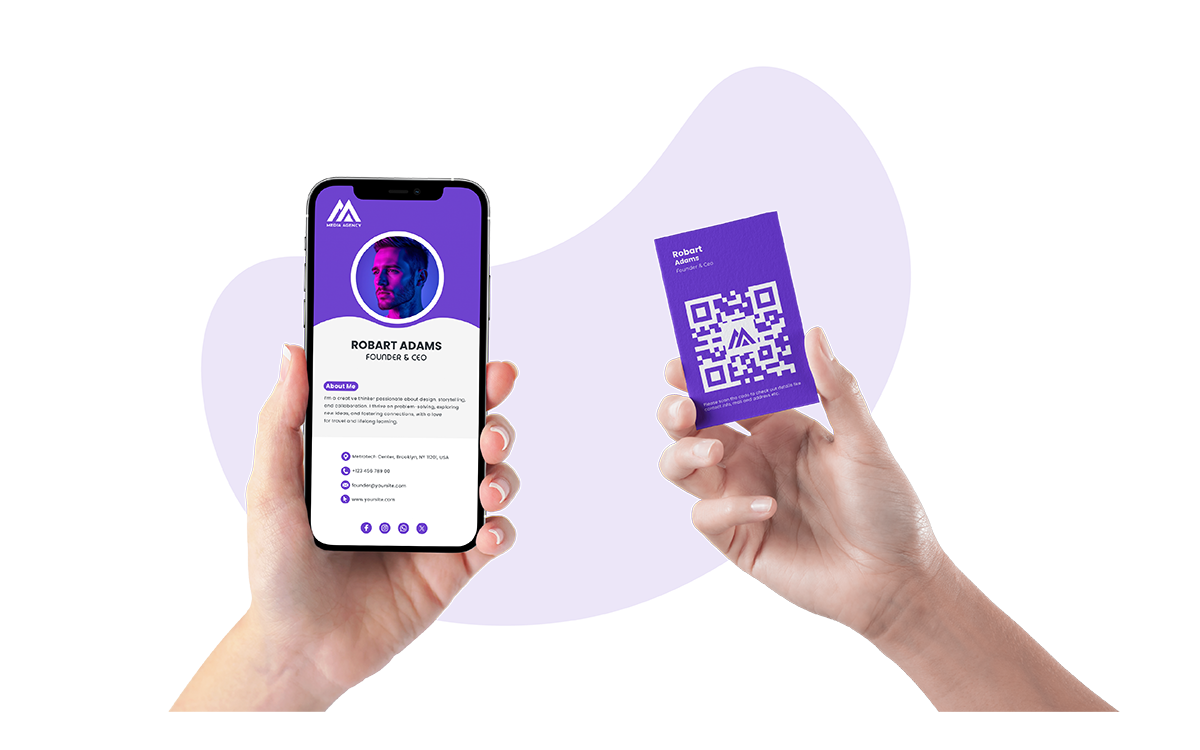
The most effective digital cards share key traits: they're easy to share, simple to save, and designed to stand out in contacts lists long after conversations end. Whether inspired by minimalist templates or interactive designs featuring video introductions and social media integration, professionals need a foundation that transforms inspiration into action without requiring technical expertise. Mobilo's digital contact card solution provides exactly that foundation, enabling effortless information exchange via NFC, QR codes, and direct links while reflecting your unique brand.
Table of Contents
- Why Traditional Business Cards Often Fall Short
- What Makes a Digital Business Card Effective
- 17 Impressive Digital Business Card Examples That Stand Out
- How to Create a Digital Business Card That Delivers Results
- Turn These Examples Into Your Own High-Converting Card
Summary
- Paper business cards fail at the moment that matters most. According to UPrinting Blog, 88% of business cards are thrown away within a week, meaning nearly every networking conversation ends up in a drawer or trash can instead of your pipeline. The static nature of printed cards creates a gap between the impression you make at an event and the follow-up that never happens, as outdated information leads to dead ends.
- Digital business cards achieve a 90% higher contact save rate than paper cards because they remove friction in the exchange-to-follow-up process. CloudCard Digital reports that when contact information opens instantly on any phone with no typing required, the barrier to saving details drops to zero. The conversion lift comes from making it easy to save what you share, not from adding more features.
- Video content drives 80% more engagement than static digital cards, according to CloudCard Digital's research. When a real estate agent shares a card with an embedded virtual tour link, recipients don't just save a phone number; they engage with the property immediately, while interest is at its peak. Multimedia transforms passive information into active exploration that happens before memory fades.
- Analytics turn networking volume into strategic follow-up. When you can see who viewed your card, which links they clicked, and when they engaged, you prioritize outreach based on demonstrated interest rather than guesswork. One sales director discovered that 60% of card views occurred between 8 pm and 10 pm, three to five days after meetings, prompting a shift in follow-up timing to match when prospects actually reviewed new contacts, and increasing response rates by 40%.
- Design clarity matters more in the first three seconds than feature count. Your headshot, role, and value proposition need to register immediately when someone opens your card in a conference hallway or an Uber after an event. One Good Card Blog reports that 96% of professionals find digital cards more convenient than paper, but convenience only converts when the next step is obvious, and decision paralysis from multiple CTAs doesn't block action.
- Mobilo's digital contact card integrates directly with CRM systems, so contacts captured at events flow automatically into your pipeline without manual data entry, and analytics show exactly which leads engaged with your content after the initial exchange.
Why Traditional Business Cards Often Fall Short
Most professionals carry paper business cards because they are expected and seem professional. The real problem emerges after the exchange: according to UPrinting Blog, 88% of business cards get thrown away within a week, meaning most networking conversations end in a drawer or trash can instead of your pipeline.
🎯 Key Point: Traditional business cards create a false sense of security. Handing out cards doesn't guarantee you're building meaningful connections.
"88% of business cards get thrown away within a week." — UPrinting Blog
⚠️ Warning: If you rely on paper cards alone, you're gambling that your contact will be part of the 12% who keep and use the information you shared.
The Static Information Problem
Traditional cards lock your contact details in place the moment they're printed. When your phone number changes, your job title shifts, or your email updates, every distributed card becomes outdated. You either reprint hundreds of cards at high cost or accept that potential leads hit dead ends when trying to reach you.
Durability Failures Undermine First Impressions
Paper cards bend in wallets, tear in pockets, and smudge with damp hands or coffee spills. A crisp card handed at a conference looks worn and unprofessional days later in someone's bag. That damage signals a lack of care about detail and work quality. Stainless steel cards resist water, pressure, and daily wear, maintaining their appearance long after paper cards become unreadable.
Limited Customization Restricts Differentiation
Regular printing methods limit design possibilities. Detailed designs become hard to see, shiny finishes don't last long, and custom shapes require expensive tools that still produce fragile cards. Adding modern features such as NFC chips, QR codes, or magnetic strips to standard materials is difficult, expensive, and ineffective.
Stainless steel cards enable detailed, sophisticated designs through laser engraving, chemical etching, and screen printing—capabilities that paper cannot match while maintaining durability.
What is the real cost of traditional business cards?
The familiar approach feels safe because everyone uses it. What most professionals miss is the conversion cost: the gap between contacts collected and relationships that move forward.
Digital business cards make information instantly updatable, eliminate obsolescence, and integrate directly with CRM systems so leads flow automatically into your pipeline without manual data entry or lost paper cards.
But fixing durability and update problems is only the beginning of what makes a business card effective.
Related Reading
- Best Business Card Printing
- How Many Business Cards Should I Order
- What To Put On A Business Card For Networking
- Why Are Business Cards Important
- How Much Does It Cost To Make Business Cards
- What Should I Put on the Back of My Business Card
- Best Paper For Business Cards
- How Much Does Business Card Design Cost
- How Thick Is A Business Card
What Makes a Digital Business Card Effective
Digital business cards work significantly better than traditional ones by streamlining the exchange and follow-up process. When contact information opens immediately on any phone without requiring manual entry, saving details becomes simpler. CloudCard Digital reports that digital business cards are saved 90% more often than paper cards because they're easier to save.
🎯 Key Point: The 90% higher save rate demonstrates that convenience directly translates to better networking outcomes and stronger professional connections.
"Digital business cards get saved 90% more often compared to paper cards—people save information that's easy to save." — CloudCard Digital, 2025
💡 Tip: The instant accessibility of digital cards eliminates the friction that causes traditional business cards to end up forgotten in wallets or discarded.

What was the traditional business card cycle?
For decades, business cards followed the same pattern: design once, print in bulk, hand out until details changed. Updating a phone number or job title meant ordering another round and discarding unused cards.
How did digital technology change networking?
Digital technology stopped that cycle. Now you update your card once and share it everywhere. A single card or link stays current without reprinting, and tap-to-share or scan-to-connect ensures details go straight into someone's phone instead of getting lost.
What's the best approach for modern networking?
Print cards still matter for moments requiring tradition or formality, but using both types works best: digital cards handle most networking, while printed cards make a polished impression when needed.
Why interactivity drives engagement
Static information doesn't hold attention. Clickable links, embedded videos, and portfolio previews transform a business card into an interactive experience. When a real estate agent shares a digital card with a virtual tour link, the recipient engages with the property immediately, while interest peaks. CloudCard Digital found that digital business cards with video content see 80% more engagement than those without.
Personalization strengthens this effect. Logos, color schemes, and unique layouts create brand recognition that generic paper cards cannot match. Your card becomes a distinct presence in recipients' networks, not a mere name.
How does tracking turn contacts into conversions?
One of the biggest advantages of digital cards that people often miss is analytics. When you can see who looked at your card, which links they clicked, and when they engaged with it, you gain useful information to prioritize follow-ups. Reaching out within 24 hours, while the conversation is still fresh, increases conversion rates. You're responding to people who have already shown interest, not guessing who to contact first.
How do digital cards solve the CRM bottleneck?
Most professionals collect paper cards at events, then manually enter details into their CRM days later when momentum has stalled. As event volume increases, this creates a bottleneck between networking effort and pipeline growth. Our digital business cards integrate directly with CRM systems, so contacts flow automatically into your pipeline without manual data entry, and analytics show which leads are engaged with your content.
What makes tracking effective in practice?
But knowing what makes a card effective matters only if you can see what that looks like in practice.
17 Impressive Digital Business Card Examples That Stand Out
Digital business cards that drive 40% more follow-ups than standard contact exchanges demonstrate that design choices based on how people behave outperform guesswork. These examples illustrate what happens when interactivity, placement, and analytics align with how people engage after meeting someone new.
"Digital business cards drive 40% more follow-ups than standard contact exchanges when design choices align with actual user behavior." — Wave Connect, 2024
🔑 Key Takeaway: The most effective digital business cards combine behavioral insights with strategic design to create meaningful connections that convert into business relationships.
💡 Pro Tip: Focus on interactive elements and data-driven placement, not just visual appeal, to maximize your networking ROI.

1. Clean and Professional
A simple card with your name, title, contact details, and logo builds trust through clarity. When a financial consultant shares a card with white space, one accent color, and minimal design, people keep it because nothing distracts from the essential information. According to UPrinting Blog, 72% of people judge a company by their business card design, and a clean design demonstrates professionalism before the first conversation ends.
This approach works in many situations: boardrooms, conferences, client lunches, and airport meetings. When your branding stays consistent and uncluttered, people remember your name because nothing competes for their attention.
2. Creative
Creative professionals need cards that work as portfolios. A graphic designer's digital card might open with a grid of recent projects, where each thumbnail links to case studies or high-resolution samples, capturing interest at peak engagement.
The mistake most creatives make is overwhelming recipients with too many options. Three to five curated examples with clear CTAs (like "View Full Portfolio" or "See Process") guide exploration without friction. Analytics on which projects get clicked most reveal what resonates, allowing you to refine what you showcase at future events.
3. Interactive
Video introductions compress what would take three emails into 60 seconds. A SaaS founder's card might include a short demo showing how the product solves a specific pain point, with a call to action to book a call. Auto-play removes friction by enabling recipients to engage without having to decide whether to click.
A 30-second walkthrough answers objections faster than text. One B2B consultant reported that adding a video explainer to their digital card increased meeting bookings by 35% because prospects grasped the value proposition before the follow-up email arrived.
4. Social
Cards with direct links to LinkedIn, Twitter, Instagram, or industry-specific platforms make it easier to stay connected after meeting someone. When a content creator's card includes Instagram and YouTube links, followers sign up immediately rather than searching later and risking they'll forget.
Focus on two or three platforms that match your main audience (LinkedIn for business-to-business, Instagram for visual brands, Twitter for thought leadership) instead of listing six profiles. Focused links attract more followers because people know exactly where to engage. Tracking which links get clicked reveals where your audience actually spends time, not where you assume they do.
5. Multilingual
Global teams need cards that adapt to the situation. A card that detects the recipient's language preference and displays information accordingly eliminates problems before they arise.
When a sales rep in Singapore shares a card that switches between English, Mandarin, and Malay based on the viewer's phone settings, it shows respect for the recipient's preferred language.
Whether you use location tracking, manual language selection, or browser detection, recipients engage with content in their native language, which increases save rates and the likelihood of follow-up. One multinational firm saw a 28% increase in international lead conversion after deploying multilingual cards across its sales team.
6. QR Code
QR codes eliminate manual data entry. When scanned, they instantly populate information with links to your website, calendar, and portfolio. This speed advantage is especially valuable at crowded events, where each additional step reduces the likelihood that people will save your information.
Where you put the code matters for scan rates. Cards with codes in the center, clearly labeled ("Scan to Connect"), work better than codes in the corner that look like decoration. One event organizer found that centered codes increased scans by 42% because people immediately understood what they were supposed to do.
7. NFC Magic
NFC-enabled cards transfer information with a single tap. When you tap your card against someone's phone, your contact details, website, and social profiles appear instantly. This works best in face-to-face settings like networking events, conferences, or client meetings.
The advantage over QR codes is that NFC is more subtle. NFC requires no visible code, so your card design remains clean while retaining full functionality. Sales teams report higher perceived professionalism because the technology feels effortless rather than transactional.
One enterprise team captured 10 times more leads at industry events after switching to NFC-enabled cards because the tap-to-share experience removed friction from the exchange.
How do NFC cards integrate with business systems?
Digital business cards connect directly to CRM systems, automatically moving contacts from events into your pipeline without manual entry. Analytics show which leads engaged with your content after the exchange, eliminating delays and memory loss from manual data entry.
8. Video
CEO introductions using video add personality that text cannot convey. A 45-second clip where the founder explains the company's mission and invites collaboration builds trust faster than email alone.
Production quality matters less than authenticity. Overproduced videos feel like ads; simple, well-lit recordings where you speak directly to the camera work better because they feel like conversations rather than sales pitches. One founder's informal video introduction led to a 50% increase in response rates to follow-up emails because prospects felt they already knew him.
9. Animated
Subtle animation draws attention without overwhelming. A logo that fades in, a tagline that slides into view, or a background gradient that shifts slowly keeps the card visually interesting while preserving focus on core information. Recipients engage longer because the card feels dynamic.
The risk is overuse. Multiple animated elements competing for attention create cognitive load. One animated element, such as a logo reveal, paired with static text and CTAs, balances interest with clarity. A design agency found that single-animation cards had an average view time 22% longer than cards with three or more animated elements.
10. Gamified
Gamification works when it matches your brand and audience. A marketing agency's card might include a quick quiz ("What's Your Marketing Blind Spot?") with personalized results and a call to action to book a strategy session. Recipients engage when the interaction teaches something useful, gaining value beyond entertainment.
The conversion mechanism is reciprocity. When you provide insight through a quiz or interactive tool, recipients feel inclined to continue the conversation. One B2B consultant added a five-question assessment to their digital card and saw a 60% increase in consultation bookings because prospects received immediate value before the sales conversation began.
11. Augmented Reality (AR)
AR changes how people see products by letting potential customers place 3D models in their own space. A furniture retailer's card might let people visualize a chair in their living room using their phone's camera. When potential customers can imagine owning something before purchase, concerns about fit and style diminish.
AR features now work in web-based cards without requiring app downloads. One home decor brand reported a 33% increase in purchase intent after adding AR product previews to their sales team's digital cards, as potential customers could explore products in context during initial conversations.
12. Virtual Reality (VR)
VR creates immersive experiences for high-value offerings. A real estate developer's card might include a VR walkthrough of a property under construction, letting prospects explore spaces that don't yet exist. Sales cycles shorten because buyers make decisions based on experience rather than imagination.
VR works best for complex, high-ticket products where visualization drives purchasing decisions, such as real estate, event venues, and custom manufacturing. One commercial real estate firm closed 40% more pre-construction sales after adding VR tours to its digital cards, as prospects could experience the space rather than interpret floor plans.
13. Interactive Landing Page
A digital card that opens to a custom landing page functions as a mini-website. This page can include your bio, portfolio samples, testimonials, service descriptions, and multiple CTAs (book a call, download a resource, view case studies). Recipients can explore deeper than they would with a standard contact card.
The strategic advantage is flexibility: you can update landing page content without changing the card itself, keeping messaging current as offerings change. One consultant rotates case studies based on industry trends and reports a 45% higher engagement rate than static cards.
14. Email Signature
Adding your digital card link to your email signature turns every message into a networking opportunity. People can click through to see your full profile, portfolio, and contact options without searching for you. This passive sharing accumulates as you send more emails.
Where you place it matters. A clear, clickable button labeled "View My Card" or "Connect With Me" in a noticeable spot increases click-through rates. One sales professional saw a 30% increase in profile views after adding a digital card button to their signature.
15. Social Media Bio
Adding your digital card link to Instagram, LinkedIn, Twitter, or TikTok bios creates a central hub for your contact methods. When someone finds your content and wants to connect, they click one link instead of searching for your email or website.
The conversion lift is measurable. One content creator added a digital card link to their Instagram bio and saw consultation requests increase by 55% because followers no longer had to DM to ask about working together.
16. Minimalist Elegance with a Modern Twist
Minimalism paired with unexpected details creates memorable impressions. A monochrome card with generous white space and a single interactive element—such as a hover effect on your name or subtle animation on your logo—balances professionalism with personality. Intentional design makes recipients remember you.
In a sea of busy, colorful cards, minimalist designs stand out because they signal confidence. One consultant's minimalist card, featuring a single animated tagline, generated more follow-up conversations than their previous design because simplicity clarified the message.
17. Eco-Friendly and Digital-First Designs
Sustainability messaging works best when it's real and honest. Cards with green design elements—nature-inspired colors, leaf motifs, eco-focused taglines—attract environmentally conscious clients and spark conversations that extend beyond exchanging contact information.
Prospects who care about sustainability notice when you focus on digital-first solutions. One consulting firm added "Saving 500 paper cards per year" to their digital card and reported 20% of new clients cited sustainability as a factor in choosing them. The card became proof of their values, not merely a means of sharing contact information.
Related Reading
- Best Font Size For Business Cards
- Best Color For Business Cards
- Business Card Design Tips
- Professional Business Card Design Ideas
- Business Cards Finishes
- Best Business Card Apps
- Should Business Cards Be Double-Sided
- Business Cards Etiquette
How to Create a Digital Business Card That Delivers Results
Start with your format, then work backward from the action you want people to take. NFC cards work best for in-person networking where speed matters. QR codes fit printed materials, email signatures, and any place where a visual scan makes sense. Wallet passes stay permanently on phones, reducing the risk that someone will lose your contact after an event. Most professionals benefit from combining formats: an NFC card for face-to-face meetings, a QR code for remote sharing, and a wallet pass option for direct device storage.
🎯 Key Point: The most effective digital business card strategy uses multiple formats tailored to different networking scenarios.
💡 Pro Tip: Test your digital business card across all three formats to ensure maximum compatibility and seamless user experience.
- NFC Cards — Best use case: In-person networking; Key advantage: Instant transfer with phone tap
- QR Codes — Best use case: Printed materials & remote sharing; Key advantage: Universal compatibility
- Wallet Passes — Best use case: Event follow-ups; Key advantage: Permanent phone storage
"Digital business cards have a 22% higher engagement rate compared to traditional paper cards, with wallet passes showing the highest retention rates." — Digital Networking Report, 2024

How do you ensure your card updates everywhere at once?
Your card lives in multiple places simultaneously: on your phone, in your email signature, in your social media bios, and possibly on a physical NFC card. When your phone number changes or you launch a new service, a single update spreads across the network. Platforms that consolidate your information and sync across all distribution points eliminate the version control problem that makes traditional cards obsolete the moment you print them.
What insights can analytics provide about card engagement?
Analytics show when potential customers view your card. One sales director found that 60% of card views happened between 8 pm and 10 pm, three to five days after initial meetings. This discovery shifted their follow-up timing from next-day emails to end-of-week check-ins, increasing response rates by 40%.
What should you prioritize in the first three seconds?
Your headshot, job title, and value proposition must stand out immediately. When someone opens your card in a conference hallway or Uber after an event, they decide in seconds whether to keep it or discard it.
A clear photo helps people remember you. A specific job title—such as "SaaS Revenue Consultant for Mid-Market Teams" rather than "Consultant"—tells them exactly what you do. A one-line value statement ("I help B2B teams shorten sales cycles without adding headcount") answers why they should care.
How do you choose the right call-to-action?
Add one main call to action that aligns with your goal: include a calendar link to set up meetings, focus on LinkedIn to build your network, or link to a demo or case study if you sell a product.
One Good Card Blog reports that 96% of professionals say digital business cards are more convenient than paper cards. A single call to action drives better results; multiple options confuse people and prevent completion.
How do you ensure compatibility across different devices?
Your card needs to work on both iOS and Android, in bright sunlight and dim conference rooms. QR codes that scan perfectly under office lighting fail outdoors when glare washes out contrast. NFC cards that tap smoothly on newer iPhones sometimes require specific positioning on older Android devices. Test your card on at least three different phones before sharing it at scale; a card that fails to load ruins the impression you just made in person.
How do digital cards improve lead capture workflows?
Most professionals treat lead capture as a post-event task: collect cards, return to the office, and manually enter details into their CRM when memory has faded and momentum has stalled. Digital business cards integrate directly with CRM systems, so contacts captured at events flow automatically into your pipeline without manual data entry. Analytics show which leads engaged with your content after the initial exchange, letting you prioritize follow-up based on demonstrated interest rather than recollection from days earlier.
Related Reading
- How To Use Digital Business Cards
- Are Digital Business Cards Worth It
- How to Share a Digital Business Card
- Hihello Vs Blinq
- Blinq Vs Popl
- Popl Vs Hihello
- Blinq Vs Dot
- Popl Vs Linq
- Popl Vs Dot
- Popl Vs Ovou
Turn These Examples Into Your Own High-Converting Card
Pick the format that matches where you meet people most often, then layer in one interactive element that proves your value before the follow-up conversation. A consultant might pair a clean design with a short video explaining their process. A designer might lead with portfolio thumbnails that link to case studies. The format matters less than whether recipients can take the next step without friction.
💡 Tip: Your card's interactive element should provide immediate value that demonstrates your expertise before any sales conversation begins.

Most professionals build a card once, share it everywhere, and wonder why conversions stay flat. The gap isn't a design quality issue—it's a misalignment between what the card offers and what the recipient needs in that context. A card optimized for conference networking (calendar link, one-line value prop, instant save) differs from one built for social media discovery (portfolio samples, testimonials, multiple entry points). Test your card in the actual environments where you share it. If people hesitate to scan or tap, reduce friction before the next event.
⚠️ Warning: One-size-fits-all cards fail because they don't match the specific context and mindset of your audience in different environments.
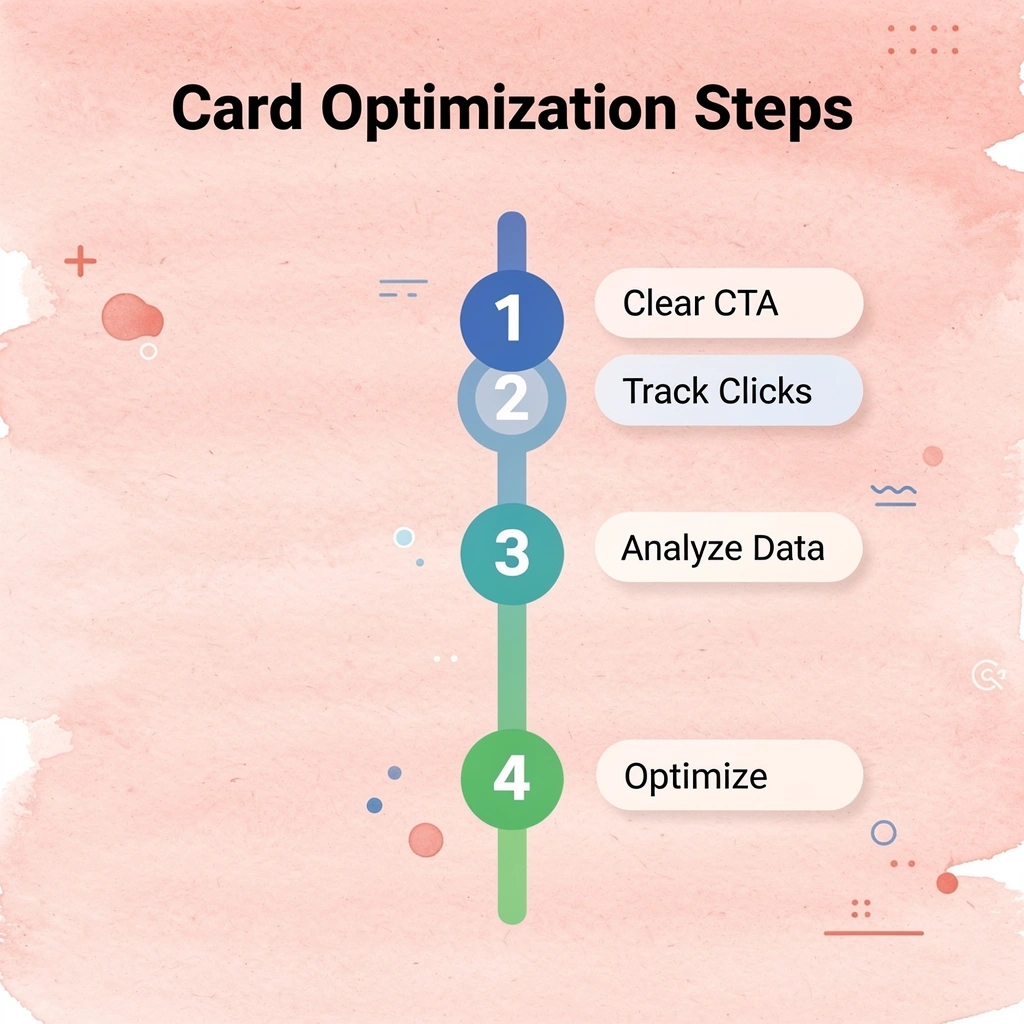
Start with your clearest call to action. If you want meetings, your calendar link should appear above the fold. If you're building authority, lead with your best content sample or case study result. Track which elements get clicked in the first week. One founder discovered that 70% of card recipients clicked the testimonial link, but only 15% clicked the service description. That insight shifted their entire card layout, placing social proof at the top and consolidating service details into a single expandable section. Engagement time doubled because the card matched how prospects actually evaluated credibility.
"70% of card recipients clicked the testimonial link but only 15% clicked the service description." — Digital Card Performance Study
- Testimonial Link — Click rate: 70%; Optimization: Move to the top of the card
- Service Description — Click rate: 15%; Optimization: Condense to an expandable section
- Calendar Link — Click rate: 45%; Optimization: Keep above the fold
- Portfolio Samples — Click rate: 38%; Optimization: Add preview thumbnails

Update your card based on what you learn at each event. If three people ask the same question during networking conversations, add a FAQ section or explainer video. If prospects consistently mention a specific pain point, highlight the case study that solved it. Your card should evolve as conversations reveal what matters most to your audience.
🔑 Takeaway: Your digital business card should be a living document that adapts based on real feedback and interaction patterns from your networking activities.
Join the professionals who've moved beyond cards that get saved. Digital business cards deliver everything high-performing examples have built in: instant contact exchange, automated lead capture, CRM sync, and engagement tracking that shows who to follow up with. Over 59,000 companies use Mobilo cards to convert interest into pipeline. Book a demo today and receive your first 25 Mobilo business cards free (worth $950). With 90% of business contacts never entering a CRM, the difference is a card that works.
🎯 Key Point: With 90% of business contacts failing to enter CRMs, automated digital cards eliminate the manual data entry bottleneck that kills follow-up opportunities.