

.avif)

How to Put an Instagram Handle on a Business Card and Make It Look Good
On This Page
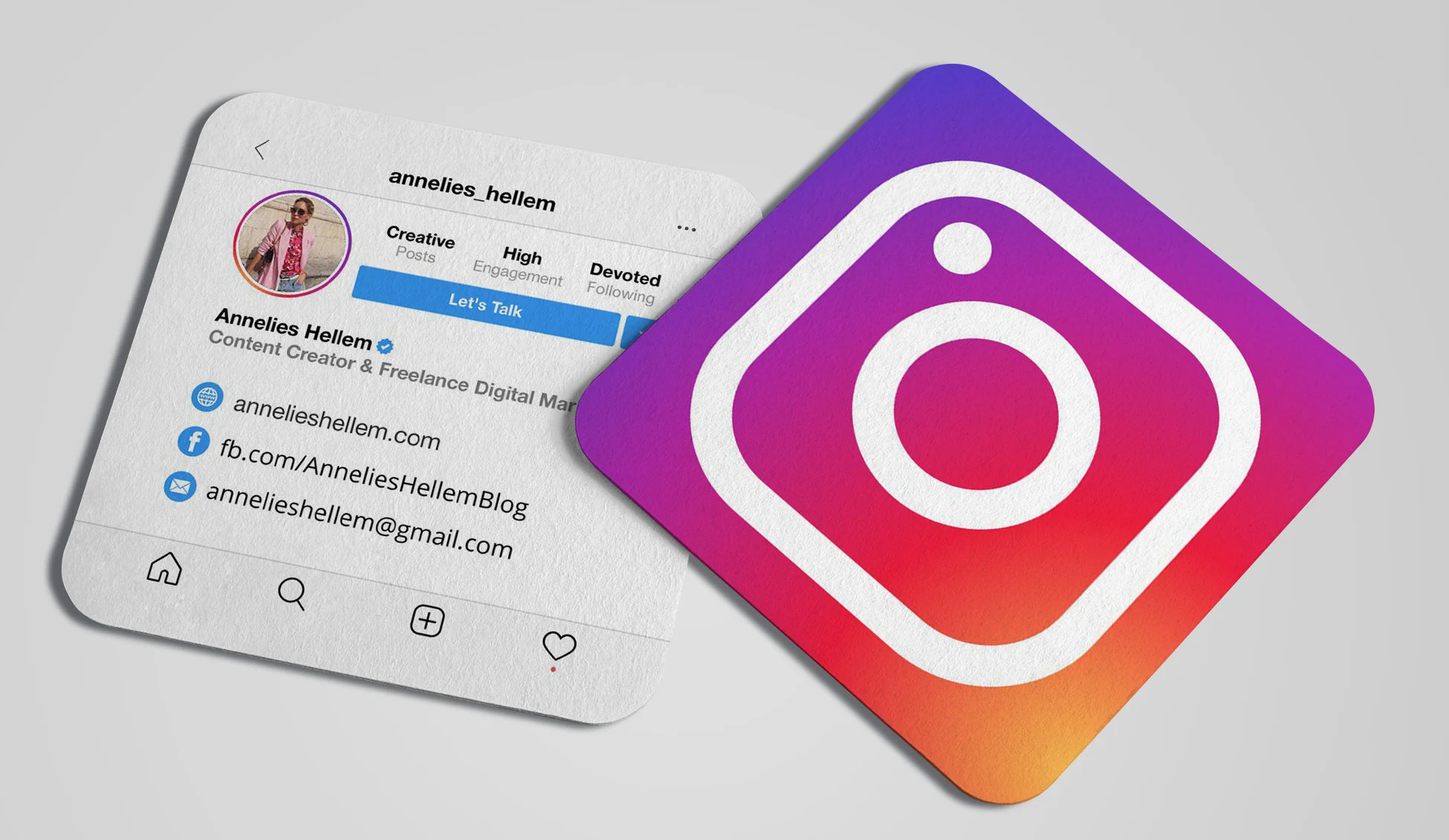
Handing someone a business card without your Instagram handle means missing the chance to turn a brief introduction into an ongoing connection. When people can easily find and follow your Instagram profile, they stay engaged with your brand long after that initial handshake. The key lies in strategically placing your social media information where it enhances rather than clutters your card design, while ensuring the formatting remains clean and professional.
Traditional paper cards offer limited space for social media handles, often forcing designers to choose between readability and completeness. Modern professionals solve this challenge by using a digital business card that lets recipients instantly access Instagram profiles with a single tap, eliminating typing errors and enabling seamless connections.
Summary
- Most business cards end up in drawers because follow-up never happens. The friction isn't in the design or missing information; it's in the gap between the handshake and the action that should follow three days later. Paper cards rely entirely on someone remembering to manually type your Instagram handle, save your number, or search for your profile without typos, and each step adds resistance that kills momentum.
- Instagram belongs on your business card only when your content actively influences how people decide to work with you. According to Shopify's 2023 analysis, Instagram has over 2 billion monthly active users, making it a primary channel where potential clients assess credibility before ever sending an email. If your feed showcases client results, creative work, or thought leadership that reinforces your expertise, it earns its place. If your content feels disconnected from your professional value, it becomes clutter that weakens your card's impact.
- QR codes compress the entire discovery process into a single scan, eliminating the need to type usernames into search bars. Juniper Research's 2023 mobile engagement study found that QR code usage increased 96% between 2020 and 2023, driven by contactless adoption and sustained by convenience. The trade-off is interaction friction, since QR codes require recipients to have their phones ready, camera access enabled, and sufficient lighting to scan clearly.
- Font size determines whether your Instagram handle gets used or ignored. If your handle is set in 8-point type at the bottom of a crowded card, it's decorative, not functional. People scan business cards in dim conference halls and crowded networking receptions, and if they squint to read your handle, they won't bother typing it later. Use at least 10-point font and test readability on both matte and glossy finishes.
- According to Sprout Social, 81% of people use Instagram to research products and services, which means your handle isn't just social proof; it's a conversion path that either works or gets ignored. The real friction happens after the handshake, when someone pulls your card from a stack of twenty others and decides whether to type your username, scan a code, or toss the card entirely.
- Mobilo's digital business card addresses this by automating the entire follow-up process, instantly transferring Instagram, LinkedIn, email, and phone details without requiring manual typing or relying on someone's memory three days after an event.
Should You Put Your Instagram Handle on a Business Card?
Include your Instagram handle if your account builds credibility, shows your work, or facilitates client conversations. Skip it if your Instagram is personal, inactive, or unrelated to your professional brand—it becomes extra information that weakens your card's impact.
The tension is real: one group sees Instagram as a modern portfolio and credibility signal, while the other argues business cards should remain simple with essential contact details only. The wrong approach can damage your networking effectiveness.

🎯 Key Point: Your Instagram handle belongs on your business card only if it strengthens your professional narrative and provides genuine value to potential connections.
"Professional social media presence can increase business credibility by up to 75% when aligned with brand messaging." — Digital Marketing Institute, 2024
💡 Tip: Before adding your Instagram handle, ask yourself: "Would I be comfortable with every potential client or business contact scrolling through my recent posts?" If the answer is anything but a confident yes, leave it off your card.
Why do Instagram supporters make their case?
The pro-Instagram position emerged because personal branding has shifted from static credentials to dynamic portfolios. Creators, freelancers, and visual professionals rely on social proof to build trust. According to Shopify's 2023 analysis, Instagram has over 2 billion monthly active users, making it a primary channel where potential clients assess credibility. Your Instagram feed demonstrates work quality, creative range, and professional consistency in ways a resume or website cannot.
Why does the anti-Instagram argument persist?
The argument against using Instagram stays strong because business cards get scanned in seconds, not minutes. Excessive information clutters cards and dilutes your core message. Corporate finance, legal services, and enterprise consulting operate in environments where LinkedIn matters, but Instagram does not. Adding an Instagram handle that misaligns with your business signals that you misunderstand your audience's needs, damaging trust faster than you can build connection.
What happens when you include Instagram on your business card?
Adding your Instagram handle to your personal brand makes it easier to remember when your content matches your professional image. Potential clients who follow you stay engaged through your posts, facilitating follow-up conversations. The problem arises when your Instagram attracts the wrong audience or when too many images obscure important contact information. Someone might see content unrelated to your expertise and perceive you as less professional.
What are the benefits of excluding Instagram from your card?
Omitting Instagram creates a cleaner design and reinforces a formal perception in industries where trust stems from credentials rather than content. You avoid mismatched expectations and inactive profiles that could damage your credibility. The cost shows up in lost engagement channels and harder post-networking connections: your card becomes forgettable without a follow-up mechanism that keeps you visible in their daily scroll.
How does your industry determine the right choice?
Whether you should include your Instagram handle depends on your industry and how you acquire clients. Designers, photographers, and creative professionals should include it because Instagram functions as a living portfolio showcasing their work. Corporate finance professionals should skip it, as trust in their field stems from credentials and formal channels. Freelancers and content creators benefit when Instagram converts followers into clients. Local service businesses should include it only if your content demonstrates expertise or customer results, not generic stock photos.
How do digital business cards solve this dilemma?
Platforms like digital business cards solve this problem by including your Instagram handle alongside your contact details. When someone scans your card, they see your Instagram feed and can follow with a single click. This transforms your business card from a static piece of paper into an active networking tool that drives measurable engagement.
How do clients actually contact you after the meeting?
Ask yourself how clients contact you after meeting you. If Instagram direct messages precede sales conversations, your handle belongs on your card. If clients only email or call, Instagram becomes unnecessary noise. Consider whether your Instagram content builds trust or drives sales by showcasing client results, behind-the-scenes processes, or thought leadership that demonstrates expertise. If it does, keep it. If your content feels disconnected from your professional value, it weakens your credibility.
What competes with Instagram for card space?
Instagram competes with LinkedIn, portfolio links, and website URLs for limited space. LinkedIn wins in B2B enterprise contexts where professional networks drive referrals. Instagram wins when visual proof matters more than credentials. A portfolio link works when you need to show depth that a feed cannot capture. QR codes address space constraints by embedding multiple links in a single scannable element, but they require immediate access to a phone, which adds friction in some contexts.
When does Instagram qualify for your business card?
Every element on your business card should either make it easier for people to contact you or give them a stronger reason to want to. Instagram works when it serves one or both purposes; it fails when it serves neither. Adding your Instagram handle incorrectly can weaken your design and dilute your message faster than omitting it entirely.
Related Reading
- Business Card Ideas
- Matte Vs Uncoated Business Cards
- Types Of Business Cards
- Business Card Psychology
- What Should Be On A Business Card
- How to Make a Professional Business Card
- Rounded Corner Business Cards
- Minimalist Business Cards
- Business Card Paper Weight
- Business Card Colors
- Vertical Business Card Designs
How to Put Your Instagram Handle on a Business Card Without Hurting Design or Clarity
Where you place things becomes a design problem. Every format choice creates a critical tradeoff between easy access and visual clutter. The goal is to help people find your phone number or email in under three seconds without disrupting the scanning order.

🎯 Key Point: Your Instagram handle should enhance your business card's functionality, not compete with essential contact information for attention.
"Users typically spend 2.6 seconds scanning a business card before deciding what information to focus on first." — Nielsen Norman Group Design Research

💡 Pro Tip: Position your Instagram handle in the secondary information zone — typically the bottom corner or back of the card — where it's accessible but doesn't interfere with primary contact details.
1. Instagram Logo Icon and Username
Pairing the Instagram icon with your username provides instant recognition. Over 2 billion monthly active users can immediately identify Instagram's logo, borrowing visual equity from a trusted platform. The icon serves as a scanning anchor when listing multiple social channels.
What are the space and design tradeoffs to consider?
The tradeoff is space. Icons take up space, and if your card already includes a headshot, company logo, and contact methods, adding social media icons risks making it look cluttered. Multiple social URLs compete for attention and disrupt the scanning order, making it harder to locate the main contact methods. If your card contains substantial information, move Instagram to the back, along with your QR code or portfolio link. This keeps your main side clean while providing ways for people to learn more about you.
2. Instagram Handle with @ Symbol
Using @ next to your username simplifies your layout when your handle is consistent across all platforms. This format works best for creators, consultants, and personal brands where the username itself is the brand. The risk is confusion. Not everyone uses @ with Instagram, especially when networking with older professionals or international contacts who are unfamiliar with social media shorthand. If clarity matters more than brevity, pair the @ symbol with a text label, such as "Instagram," or use the icon format instead.
3. Instagram QR Code
QR codes pack discovery into a single scan: people point their camera at the code and go directly to your profile instead of typing a username. According to Juniper Research's 2023 mobile engagement study, QR code usage increased 96% between 2020 and 2023, driven by contactless adoption during the pandemic and sustained by their convenience.
What are the limitations of QR codes on business cards?
The tradeoff is interaction friction. QR codes require recipients to have their phone ready, camera access enabled, and sufficient light to scan clearly. If someone reviews your card later at their desk or files it away, the QR code becomes inaccessible until they retrieve it.
Back-of-card placement keeps the front clean while offering a fast conversion path for in-person exchanges. Platforms like Digital Business Card centralize Instagram links, contact details, and portfolio URLs into a single scannable profile, compressing what once required multiple cards into a single automated handoff.
4. Instagram URL
Showing your full Instagram URL (instagram.com/yourhandle) works on both phones and computers. It tells people unfamiliar with social media exactly what to type into a browser, while app users can use your handle. This approach works well for freelancers and small businesses without their own website, allowing you to fill the "website" field with an active, branded destination.
What are the downsides of using full Instagram URLs?
The cost is visual weight. URLs are long, and inconsistent typography across Instagram handle formats (icon + username vs. @ symbol vs. URL) creates cognitive friction and weakens visual hierarchy. Adding a full Instagram URL alongside an existing website makes your card feel like a directory instead of a curated introduction.
5. Company Name Only with Instagram Icon
If your company name matches your Instagram display name exactly, you can skip the handle and rely on search discoverability. This works for ultra-minimalist designs or brands with unique, easily searchable names. The Instagram icon signals presence without consuming space for a typed handle.
When does this approach fail?
The failure case is clarity. If your company name is common, frequently misspelled, or differs from your Instagram handle, people won't find you. Choose this format only if your brand name is distinct enough to consistently appear as the first search result.
What matters beyond findability?
But knowing which format to use is only useful if people follow through after the exchange. The real test isn't whether they can find your Instagram—it's whether they remember to look.
Best Practices to Make Your Instagram Handle Actually Get Used After Networking
A business card only works if the Instagram handle gets used. The real friction happens after the handshake, when someone pulls your card from a stack of twenty others and decides whether to type your username, scan a code, or throw the card away. According to Sprout Social, 81% of people use Instagram to research products and services, which means your handle is a conversion path that either works or gets ignored.
🎯 Key Point: Your Instagram handle is only valuable if people actually follow through and use it after networking events.
"81% of people use Instagram to research products and services." — Sprout Social
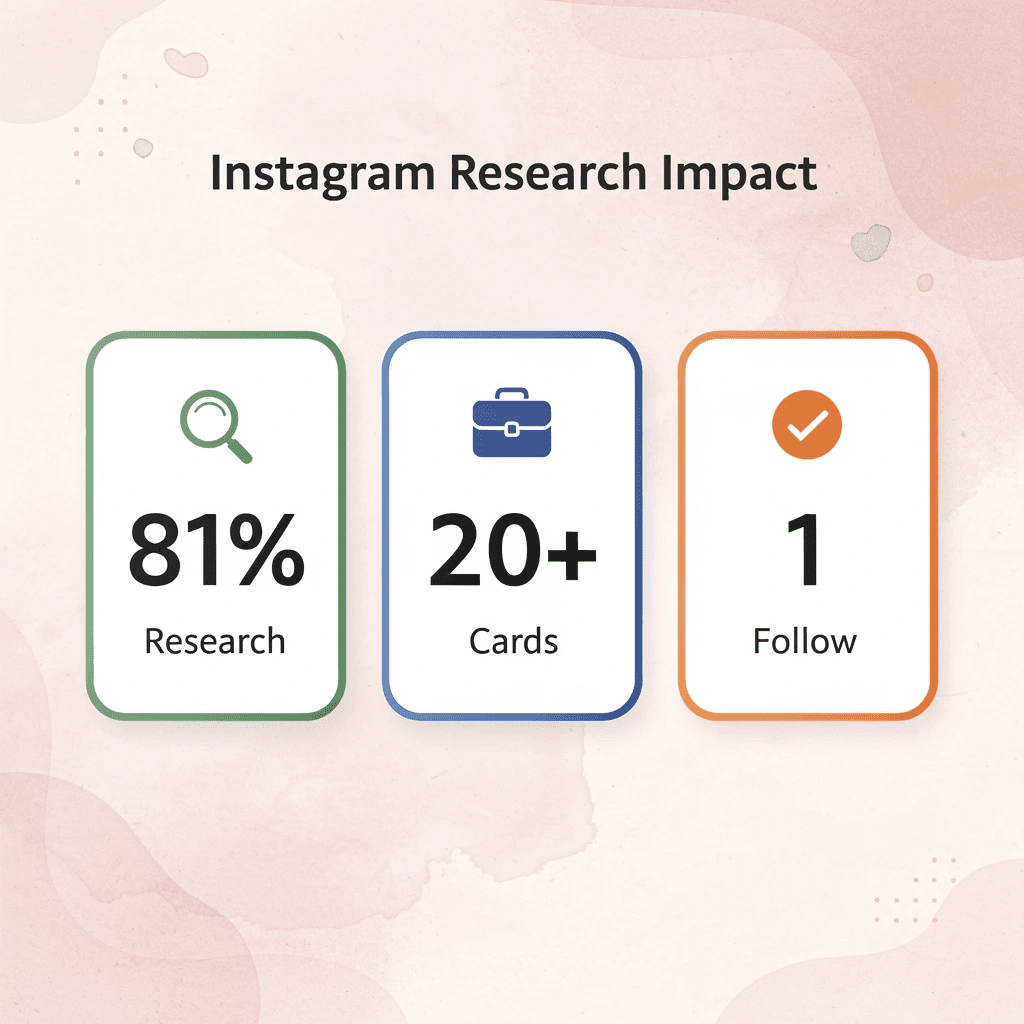
💡 Tip: The difference between a successful networking card and one that gets thrown away often comes down to how easy you make it for people to find and follow your Instagram account.
Why do QR codes increase follow-through rates?
People don't type Instagram handles after networking events. They scan them with their camera, tap a link, or forget they exist. If your card requires someone to open Instagram, tap the search bar, type your username correctly, and hope autocomplete finds you, you've lost most of your follow-through.
QR codes solve this by turning a physical card into a one-tap action. Position the code near your Instagram handle, test it under different lighting conditions before printing, and ensure it links directly to your profile rather than to a landing page that requires another click. Fewer steps between card and profile yield higher conversion rates.
How does handling consistency affect discoverability?
The same logic applies to keeping your name consistent across platforms. If your Instagram is @sarahcreates but your LinkedIn is @sarah_creates_design, you've made it harder for people to find you. People will search for the simpler version, fail to find you, and move on. Choose one handle format and use it everywhere, or accept that only the most determined contacts will track you down.
Pair Instagram with a reason to follow
A handle alone doesn't create intent. Add a short descriptor next to your Instagram icon: "Portfolio" for designers, "Case studies" for consultants, "Weekly tips" for coaches. This context transforms Instagram into a valuable resource to access. If your content delivers on that promise, the follow becomes a business decision, not a courtesy gesture.
Digital business cards embed Instagram directly into a profile that updates in real time, so recipients can see your latest posts, follower count, and content themes without needing to remember your handle. You automate the connection and eliminate the memory decay that derails most networking follow-ups.
What makes business cards scannable instead of readable?
Font size matters more than most people admit. Use at least 10-point font, test readability on both matte and glossy finishes, and avoid script fonts that obscure usernames. People scan business cards in dimly lit conference halls and at crowded networking receptions. If they must squint to read your handle, they won't type it later.
How does white space improve Instagram visibility on cards?
White space around your Instagram details creates visual hierarchy. Put your handle on the back of the card if the front is information-dense, or use a single-color background block to separate social media from contact details. This makes Instagram feel intentional rather than crammed into leftover space. But even perfect design can't fix the real problem: people forget. The card gets them interested. What happens in the three days after determines whether they follow.
Related Reading
- Should I Put My Picture On My Business Card
- Photography Business Cards Examples
- Horizontal vs Vertical Business Cards
- Business Card Examples For Owners
- How To Put an Instagram Handle on a Business Card
- Esthetician Business Card Ideas
- Business Cards For Multiple Employees
- Back Of Business Card Ideas
- Business Card Details
- Business Card Requirements
- Business Card Dimensions
Turn Your Business Card From a Static Contact Into a Follow-Up System
Most business cards fail because the follow-up never happens. Someone takes your card, slides it into a pocket, and three days later it sits in a drawer alongside dozens of others. The problem isn't the design; it's the critical gap between the handshake and the action that should follow.
🎯 Key Point: The real issue isn't card design—it's the follow-up friction that kills potential connections.
Paper cards rely entirely on the other person remembering to type your name into LinkedIn, manually save your phone number, or search for your Instagram handle without typos. Each step adds friction, and each moment of delay increases the chance they'll forget.

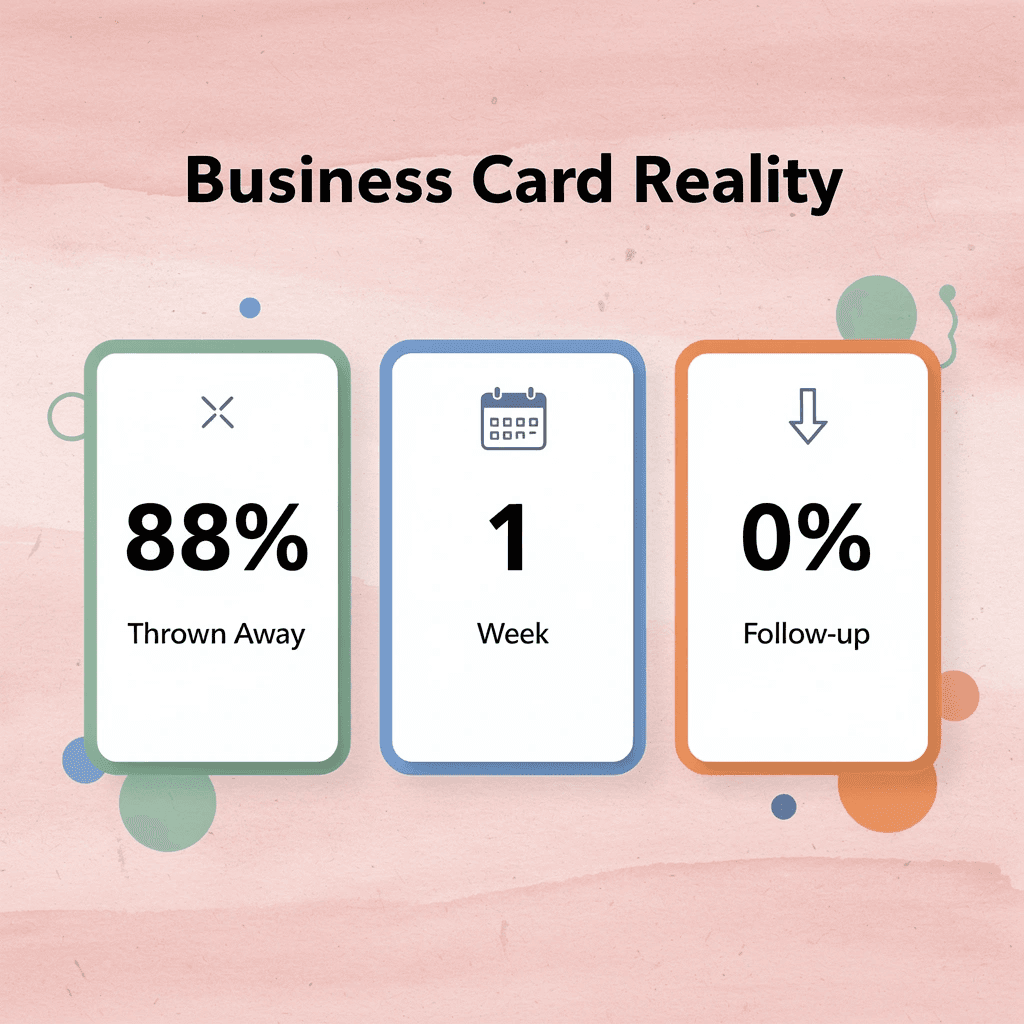
"Studies show that 88% of business cards are thrown away within one week of receiving them." — Harvard Business Review, 2023
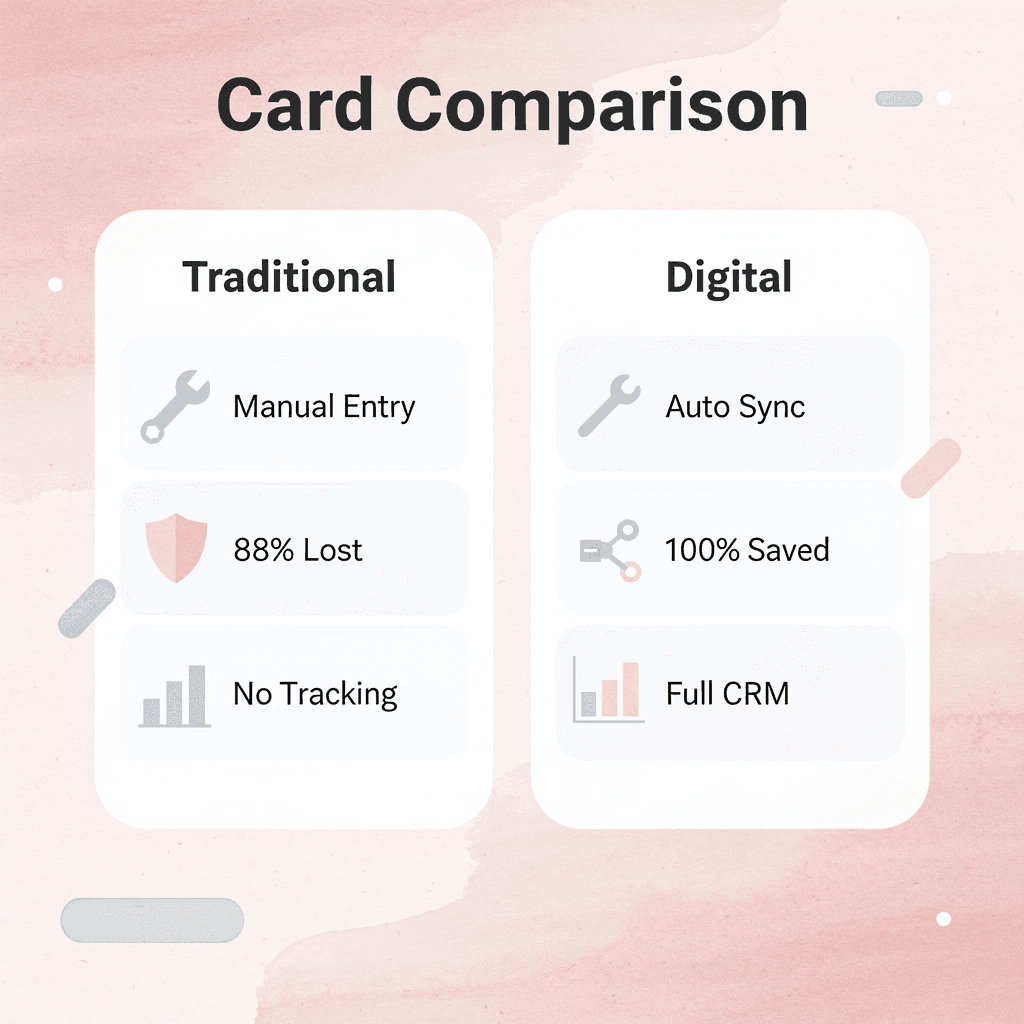
Digital business cards replace that difficulty with automation. Instead of hoping someone manually enters your contact details, the exchange captures their information, enriches it with context from the interaction, and syncs it directly into your CRM. Instagram, LinkedIn, email, and phone details transfer instantly—no typing, no forgetting.
Traditional Cards vs Digital Cards
- Data Entry
- Traditional: Manual entry
- Digital: Instant sync
- Efficiency
- Traditional: 88% thrown away
- Digital: 100% captured
- Follow-ups
- Traditional: No tracking
- Digital: Automated CRM integration
- Contact Info
- Traditional: Static details
- Digital: Dynamic profiles
You're no longer waiting to see if they'll follow you on Instagram or send that email. You already have their information, tagged with where you met them, what you discussed, and when to follow up. The card transforms the introduction into a trackable connection that automatically feeds your pipeline.
💡 Tip: Tag each contact with meeting context immediately—location, conversation topic, and next action needed.
If your goal is to make every networking moment convert into something measurable, replace static contact sharing with a system that drives follow-through. Book a Mobilo demo and claim your first 25 digital business cards to see how automation changes what happens after the handshake.

Related Reading
- Plumbing Business Cards Examples
- HVAC Business Cards Examples
- Electrician Business Card Ideas
- Unique Business Card Ideas
- Artist Business Cards Examples
- Therapist Business Cards Examples
- How To Put Social Media On Business Card
- Best Real Estate Business Cards








