

40 Virtual Networking Ideas for Large Groups That Actually Work
On This Page
Your large group virtual event can score 4.7 out of 5 and still produce zero pipeline. Here is why the format is never the problem, and what actually determines whether warm contacts convert.
Most sales directors think that designing the right virtual networking activities (speed rounds, themed breakouts, icebreaker games) is the primary job, and that follow-up quality is a rep-execution problem that good coaching can fix. Attendance numbers feel like success. A hundred names in the participant list, active chat scrolling through the session, a post-event survey that scores 4.7 out of 5—every visible signal says the event worked. The problem is that none of those signals measure what a Sales Director actually needs: new contacts in the CRM, attributed to the event, ready for follow-up. See our digital business card for how this works in practice.
"Large group virtual networking events default to a 'one main stage' format, leaving no room for organic, smaller-group interaction, a core reason connection fails before follow-up can begin."
— what we hear from virtual event organizers
The structural failure in large-group virtual networking is not in the agenda or the icebreaker format. It happens in the 48 hours after the session ends, when a surge of warm contacts sits in a chat export that no one processes, in notes that no one transfers, and in memories that fade before Monday morning. The math is brutal at volume. At 200 attendees, the process does not scale linearly. It collapses entirely.

Warm contacts have a measurable half-life. Research on follow-up response rates consistently shows that reply rates drop sharply within 24 to 48 hours of initial contact. In fact, waiting too long to follow up can mean your chances of getting a reply drop by up to 80%, yet the average business still takes 40-47 hours to respond. A contact who would have responded enthusiastically on Tuesday becomes a cold outreach by Friday. Most sales teams have no system designed to work inside that window.
80%
Drop in reply odds from delayed follow-up
This is where platforms like Mobilo's Contact Exchange and Lead Capture close the structural gap: when every rep's digital business card is active during the session, each contact exchange routes instantly into the CRM, converting warm handshakes at scale into logged, attributable pipeline entries before the session window closes. The format of your virtual networking event is almost never the reason your pipeline stays empty.
The reason is that no system existed to capture contacts at the moment they were warmest.
Key takeaways
- 90% of new contacts never reach a CRM after a networking event, not because reps are lazy, but because no system was ever made responsible for moving that data out of the event environment.
- Icebreaker format is the wrong variable to optimize for large groups; the real question is whether your format creates a structured moment where contact exchange happens automatically or leaves it to memory and goodwill.
- Above 50 simultaneous participants, formats built for small teams fail consistently, distributed, simultaneous interaction outperforms sequential participation every time.
- Breakout rooms sized at 3-6 people solve the participation problem but create a new one: each rep surfaces with 4-5 warm contacts whose names and context exist only in short-term memory, the tier of relationship most vulnerable to rapid decay.
- The last 30 seconds of a virtual conversation, 'great talking to you, let's connect', carry a window that closes fast; response rates drop sharply after 24 hours and fall further past 48.
- 67% of virtual event organizers name attendee engagement their biggest challenge, but the harder problem is converting that attention into pipeline before the session tab closes.
- Mobilo's Contact Exchange closes the loop: when someone taps or scans a Mobilo card, their information is captured and fed directly into your contact list or CRM, no manual entry, no forgotten spreadsheet, no broken follow-up workflow.
The Hidden Cost of Running Virtual Networking Without Automated Contact Exchange
Roughly the CRM after a networking event, from surveying 4,000 sales reps we know that this behavior mirrors the trend described above. This is a structural cost, and it compounds every time your team attends an event without automated contact capture in place.
The 90% Drop-Off - Why Manual Logging Always Loses the Race Against Contact Decay
90%
Manual logging drop-off eliminated by automation
The timing problem makes this structural cost especially damaging. Research on follow-up response rates shows that reply rates drop sharply when outreach is delayed beyond 24 to 48 hours after first contact, and a sanitary-market company documented in OSICAM's 2024 CRM case studies found it could not capitalise on contacts made at national business fairs precisely because it lacked the time and process to follow up before that window closed. When manual entry is the only path into the CRM, that window closes before most reps even open their laptops. Most reps skip the entry entirely, and the virtual networking follow-up workflow that was supposed to feed the CRM never starts.
No Logged Contacts Means No Coaching Signal and No Pipeline Attribution
OSICAM's 2024 case studies show that pipeline attribution to specific events only became possible once contacts were systematically logged rather than left to individual rep discretion. Mobilo's Contact Exchange and Lead Capture feature removes the manual step entirely: when a rep shares their digital business card and the other party's details are captured at the moment of exchange, the data routes directly to the CRM without any rep action required after the session.
What to Look for in a Virtual Networking Format Before You Choose One
Sales Directors routinely spend weeks debating which activity will generate the most energy in a 90-minute virtual session, when the actual determinant of ROI sits one layer deeper: does the format create a structured moment where contact exchange happens automatically, or does it leave that step to memory and goodwill after the session ends?
That distinction matters because, as Robin Dunbar's research at Oxford shows, new contacts made at large-group events land in the lowest-maintenance tier of human social memory, where attrition is highest. Evaluating any virtual networking format therefore requires three lenses.

- Engagement ceiling, how many attendees can participate actively before the format degrades into passive observation
- Scalability, whether the format holds its structure at 50, 100, or 200 participants without breaking your budget
- Pipeline moment, whether the format contains a natural, low-friction beat where sharing contact details is the logical next step, not an afterthought
Networking Format Evaluation Criteria
- Engagement Ceiling → Question: At what participant count does active involvement drop below 50%? Pass: The format must sustain engagement at your actual headcount.
- Scalability → Question: Does the format require coordinator effort that grows linearly with headcount? Pass: It must remain manageable at 50, 100, and 200 participants without a proportional increase in staff.
- Pipeline Moment → Question: Is there a natural, low-friction moment when exchanging contact details is the logical next step? Pass: At least one explicit exchange moment per rotation or segment.
- Contact Capture Method → Question: Does capture happen automatically at the moment of connection, or depend on post-session rep action? Pass: Automatic capture is preferred; manual logging is a structural failure point.
- CRM Routing → Question: Does captured data write to the correct owner record and event source tag without rep intervention? Pass: Required for pipeline attribution.
Score any format 4-5 out of 5 before committing. A format that scores 3 or below on pipeline moment or contact capture is a social event, not a pipeline event.
The single question worth asking about any format: does it create a moment where exchanging contact details is the natural next step, or only a moment where having a good conversation feels like enough? High engagement without embedded data capture produces warm feelings and cold pipeline records. The format itself must therefore close that gap rather than leaving it to post-session discipline. Solutions like Mobilo's digital business card do exactly that by making the contact-exchange beat automatic, routing contacts directly into the CRM during the session rather than depending on follow-up discipline that rarely materializes at scale.
The single question worth asking about any format: does it create a moment where exchanging contact details is the natural next step, or only a moment where having a good conversation feels like enough?
Icebreaker and Social Friction Reducers That Actually Get 50+ People Talking
At large-group virtual scale, the format you choose is a structural question. Airmeet's engagement research confirms that icebreaker formats built for small teams fail consistently above 50 simultaneous participants, because they rely on organic self-selection and sequential participation rather than distributed, simultaneous interaction. The formats below are ranked by how well they hold at scale and annotated with their contact-capture potential, the moment where sharing details feels like the natural next step rather than an awkward ask.
1. Professional Bingo - Career Milestone Edition for 50-500 Participants
Distribute a shared Google Slide bingo card pre-loaded with industry-specific squares ("closed a deal remotely," "managed a team across time zones") and every attendee plays simultaneously, removing the speaking-queue bottleneck that kills sequential formats at scale. Contact-capture potential is moderate: when two attendees match on a square, the natural prompt is "let's connect." Most beneficial when your attendee pool shares a professional context tight enough that the squares feel specific, not generic.
2. Two Truths and a Lie - Professional Edition with Live Audience Polling

Run this through Mentimeter or a native platform poll so 80 to 200 attendees vote simultaneously instead of waiting for a turn. The polling mechanic converts a sequential parlor game into a whole-room moment. Contact-capture potential is low on its own; pair it with a follow-up prompt ("message the person whose lie fooled you") to create a warm reason to exchange details. Collapses without a polling tool because verbal turn-taking at 50-plus participants produces dead air and disengagement within four minutes.
3. Find Your Match Networking - Paired-Keyword Lobby Assignment
Attendees receive a keyword or persona card before the session. Their job is to find the person holding the complementary card. Airmeet's pre-event data research shows that interest-matched pairing lowers the anxiety threshold that typically blocks cold networking at large-scale virtual events. Contact-capture potential is high: the match itself is the reason to exchange details. Most beneficial when attendee roles are diverse enough that the pairing reveals a genuinely useful connection rather than two people with identical job titles.
4. Pre-Event Profile Prompt System - Structured Bio Cards That Arrive Before Login

Ask attendees to complete a three-field prompt (current role, one challenge, one win) before the event opens, then surface those cards in a shared directory. This serves a dual purpose most event designers exploit for only one: matching people to relevant sessions. The same intent data, routed into a CRM-connected capture layer, becomes the context that makes post-event follow-up specific and fast, so reps no longer reconstruct intent from memory. Contact-capture potential is high because the context travels with the contact.
5. Interest-Based Lobby Assignment - Algorithmic Room Sorting Before Breakouts Open
Platform-facilitated sorting places attendees into interest-matched lobbies before breakouts open, reducing the social friction that comes from landing in a room of strangers with nothing in common. The conversation starts warmer because the shared context is already established. Contact-capture potential is moderate; the format creates the right conditions but does not engineer a specific exchange moment. Most beneficial on platforms that support tag-based auto-assignment natively.
6. Anonymous Poll Warm-Up - Controversial-but-Safe Opinion Volleys Before Camera-On Moments

Deploy two or three low-stakes opinion polls ("remote work is better for introverts: agree or disagree?") in the five minutes before breakouts open. Airmeet's research cites anonymous poll warm-ups as a proven social friction reducer that eases attendees into participation before camera-on moments. Anyone who has watched a 100-person call sit in silence waiting for someone to speak first understands why this works. Contact-capture potential is low, but it reliably raises participation in every format that follows.
7. Virtual Scavenger Hunt - Desk-Item Speed Round Adapted for 100+ Simultaneous Players

Ask attendees to find a physical object at their desk matching a prompt ("something that represents a project you're proud of") and hold it to camera simultaneously. The simultaneous reveal is what makes this work at scale; no one waits, no one is put on the spot sequentially. Contact-capture potential is low unless you build in a follow-up prompt. Loses energy fast if rounds exceed three items, so keep it tight.
8. Collaborative Crowd Map - Real-Time Geographic or Career-Journey Pinning for Large Cohorts
Attendees drop a pin on a shared Miro or Google Slides map showing where they are located or where they started their career. The visual output is immediately interesting at 100-plus participants in a way it is not at ten. Contact-capture potential is moderate: geographic proximity or shared career origin creates a natural conversation opener. Most beneficial for distributed teams or alumni-style groups where geography is genuinely meaningful.
9. Speed Networking Roulette - Timed 4-Minute Rotations with Forced Conversation Starters

Four-minute timed rotations with a pre-loaded conversation prompt per round are the highest-contact-volume format on this list. The structure forces participation and removes the social cost of initiating. Contact-capture potential is very high, and this is where the gap hurts most: the warm energy in a four-minute rotation evaporates the instant the session ends. Teams using a smart digital business card workflow close that gap by letting attendees exchange contact details inside the rotation itself, so the connection lands in the CRM before the next pairing begins. This benefit is most significant when a team attends virtual events regularly and already has structured lead follow-up goals; for a single one-off event, the setup investment may exceed the contact volume it captures.
10. Emoji Reaction Icebreaker - Whole-Group Simultaneous Response to Rapid-Fire Scenarios
Facilitator reads a scenario ("you just closed your biggest deal ever") and all attendees react simultaneously with an emoji. Every participant is visible, no one is excluded, and the format works identically at 50 or 500. Contact-capture potential is low, but it is the fastest whole-group warm-up on this list and the right opener before any format that requires more vulnerability. Loses its effect if overused; one or two rounds is the ceiling.
11. LinkedIn Headline Hot Seat - Crowdsourced Rewrite Game for Professional Positioning

One volunteer shares their current LinkedIn headline; the group has 90 seconds to suggest a stronger version in chat. The format works at scale because chat participation is simultaneous and low-barrier. Contact-capture potential is moderate: the volunteer has a natural reason to follow up with whoever submitted the best suggestion. Collapses if the facilitator cannot read and surface chat responses quickly, so it requires a dedicated moderator at 100-plus attendees.
Every format above is engineered to get 50-plus people talking simultaneously, but talking is only the first half of the equation. Once the energy is in the room, the architecture of your breakout sessions determines whether attendees leave with three logged contacts or thirty forgotten names, and that is a structural problem the next section solves directly.
Small Group Breakout Formats That Scale to Large Virtual Events Without Losing Depth
Breakout rooms sized at 3-6 people solve the participation problem that plagues large virtual sessions, but they create a different one: when a 150-person event splits into 30 micro-rooms, each rep surfaces with 4-5 warm contacts whose names, roles, and conversation context exist only in short-term memory. That is precisely the tier of relationship most vulnerable to rapid decay. The format's structure, specifically how rooms are assigned, how transitions are managed, and whether contact data is captured at the moment of connection, determines whether each rotation produces a logged relationship or a forgotten interaction.
1. Rotating Breakout Rooms - 5-Minute Timed 1:1 Speed Networking for 50-500 Attendees

The highest-volume format on this list: automated room assignment cycles every attendee through 8-10 one-on-one conversations in under an hour. Nunify identifies structured small-group networking as the top driver of virtual event satisfaction, and this format maximizes raw conversation count. The real tradeoff is recency collapse: attendees remember the last two or three conversations clearly and almost nothing from the first five.
Without a capture layer at room entry, rotation volume works against retention. At larger participant counts, a second failure mode compounds the first: breakout assignment logic can strand a portion of attendees in the main room while the rest have already started rotating, fracturing the session's momentum before it finds its rhythm. Coordinating room entry and contact capture simultaneously, without manual effort from each rep, is where a pre-deployed digital business card layer earns its place in the stack.
2. Structured Triads - 8-Minute Three-Person Breakouts with Rotating Facilitator Role

Three-person rooms with a rotating facilitator role solve the observer problem that kills dyadic formats: no one can go quiet when one of three people holds the prompt. The facilitator role rotates every 8 minutes, so every participant leads once per cycle. This format is best for senior audiences who disengage when conversations feel unstructured. The tradeoff: triads require tighter pre-briefing than pairs, and facilitators who skip the role briefing produce rooms that devolve into two-person side conversations.
3. Progressive Speed Networking - Three Rotation Tiers (1:1, Triad, Quad) Within a Single Session
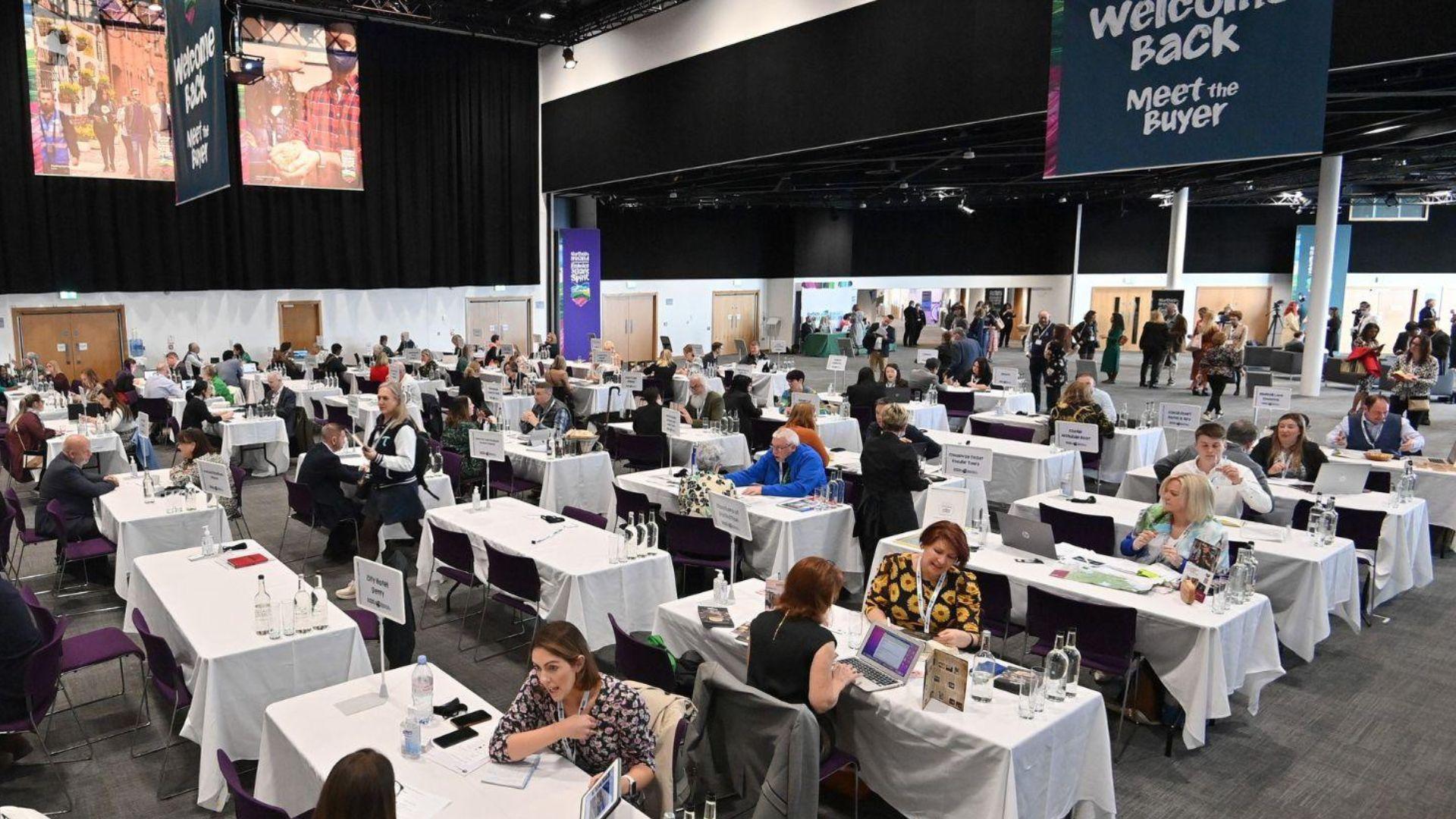
Start with 1:1 pairs, then merge into triads, then quads, so attendees build on existing warmth rather than resetting with strangers each round. This tiered structure reduces the social friction of cold introductions in later rotations and produces noticeably deeper conversations by the quad stage. It is the right pick when relationship depth matters more than contact volume. The operational cost is real: coordinators must manage three distinct room configurations within one session, which fails without a dedicated logistics owner.
4. Industry Trend Fishbowl Discussion - Inner Circle Debates Outer Circle Observes, Then Rotates

A 6-person inner circle debates a live industry question while 20-30 participants observe from an outer ring, then inner and outer rotate. Run this across 5 parallel rooms simultaneously for a 150-person event. Research from Nordin et al. in the Information Management and Business Review confirms that social presence is the strongest predictor of virtual event satisfaction, and the fishbowl format produces it by making thinking visible. Not ideal for audiences unfamiliar with the topic; underprepared inner-circle participants stall the room immediately.
5. Mini Presentation Lightning Rounds - 3-Minute Slide-Free Pitches in Breakout Rooms of 6
Each participant delivers a 3-minute pitch on a pre-assigned prompt, no slides, no screen share. Rooms of 6 keep feedback tight and prevent the passive observation that kills larger formats. This works best for sales teams practicing value propositions or attendees who want peer-level input on messaging. The constraint is strict: rooms larger than 6 push total runtime past 25 minutes per cycle, and facilitators lose control of time allocation without a visible countdown shared across all rooms.
6. Elevator Pitch Practice Circles - Peer Feedback Loops in 5-Person Virtual Breakouts

Five-person rooms where each participant pitches for 90 seconds, then receives structured feedback from the other four using a shared rubric distributed before the session. The rubric is the format's load-bearing element; without it, feedback defaults to generic encouragement and the session produces no actionable signal. Best deployed at sales kickoffs or pre-conference warm-up sessions where reps benefit from peer calibration.
7. Skill-Sharing Breakout Pods - Expert-Led 10-Minute Micro-Workshops Repeated Across Rotations
One subject-matter expert runs the same 10-minute micro-workshop three times across three rotation cycles, reaching different pods of 6-8 attendees each time. This format extracts maximum value from a single expert without requiring them to present to the full group. It is the strongest format for product demos, tool walkthroughs, or compliance briefings at scale.
The limitation: expert fatigue is real by the third rotation, and session quality drops measurably if the expert is not briefed to treat each rotation as a fresh audience. A compounding risk at scale is facilitator clustering: when room assignments are not deliberately managed, hosts and subject-matter experts can end up stacked in the same pod, leaving other rooms without anyone capable of driving the workshop. At events running five or more simultaneous pods, explicit facilitator-to-room pinning is not optional.
8. Pre-Assigned Contact Exchange Cards - Digital Business Card Drop at Breakout Room Entry

Most teams handle contact sharing during virtual sessions by dropping LinkedIn URLs into a chat window that closes when the session ends. The hidden cost is that the vast majority of those contacts never reach the CRM, because the manual logging step is too costly to complete for 8-10 warm contacts at once. Surfacing each attendee's smart digital business card at the moment of room entry means every handshake in every rotation feeds directly into the CRM rather than evaporating into a forgotten export file.
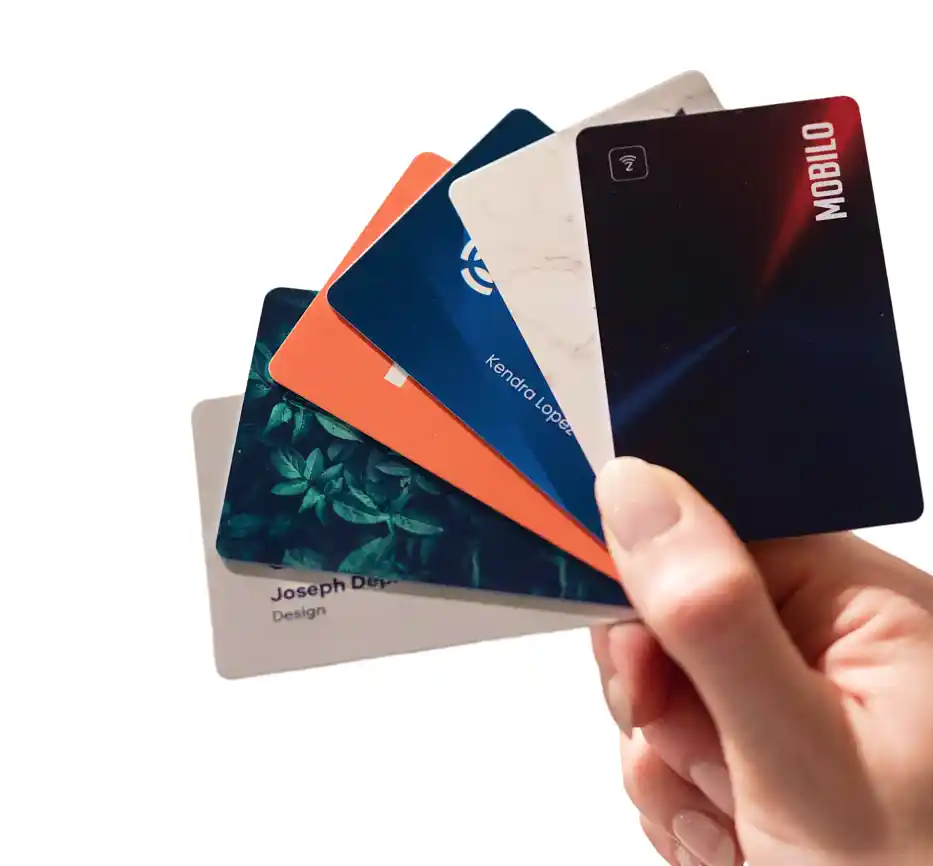
Team management and the ability to control, lock, and override data fields mean administrators can standardize what information every rep shares across every room before the event starts, so no rep goes into a rotation with an incomplete or inconsistent card. Mobilo offers its smart NFC business card in multiple physical materials, Classic, Plastic, Wood, and Metal, each fully customizable with company branding, logos, and design to match professional identity. The Digital Wallet Card option carries a promotional price of $4/month. For organizations that need deeper controls, the Business plan adds enterprise SSO, HR directory sync, a custom domain, and white-glove onboarding at $5 per member per month billed annually.
Critically, the deployment step, getting digital business cards live across an entire sales team quickly and without IT headaches, is where most organizations stall before an event. Mobilo is designed to clear that hurdle before the first breakout room opens.
9. Breakout Room Energy Reset Protocol - 90-Second All-Group Reconvene Between Every Third Rotation

Attendee drop-off accelerates sharply after the third consecutive breakout rotation, a pattern any coordinator who has managed a 90-minute virtual session recognizes immediately. A 90-second full-group reconvene between every third rotation, using a single host prompt or a live poll result, resets attention without burning significant session time. This is not optional for events running more than four rotation cycles. Skip it and dropout rates climb; the rooms that go dark in the final two rotations are almost always events that ran reconvenes only at the start and end.
10. Coordinator Rotation Tracker - Live Shared Spreadsheet for Managing Multi-Room Breakout Logistics

A live shared spreadsheet, updated in real time by a dedicated coordinator, tracks which attendees have been paired, which rooms have gone dark, and which facilitators need reassignment. One coordinator per 25-30 participants is the accepted operational ratio for managing multi-room breakout logistics without losing rooms to silence or repeat pairings. Without this tracker, coordinators risk clustering facilitators in the same room, leaving other rooms without guidance, a failure mode that surfaces in nearly every large-scale virtual session run without explicit logistics infrastructure.
This risk is compounded on platforms that lack native breakout functionality and rely on workarounds such as permanent channels, which cannot replicate the temporary, self-contained structure that true breakout sessions require; the tracker becomes even more critical when the underlying platform is not purpose-built for room management.
11. Post-Rotation Shared Reflection Prompt - 2-Minute Async Note Drop After Each Breakout Cycle
After each rotation cycle, attendees drop a single sentence into a shared async channel: one thing they learned or one person they want to follow up with. This prompt does two things: it forces retrieval of conversation content before it decays, and it creates a lightweight public record of who connected with whom. It is not a substitute for automated contact capture, but it meaningfully extends the window in which warm contacts remain actionable. Best deployed as a complement to a contact-exchange workflow, not as a standalone follow-up mechanism.
Every format in this section is engineered to produce a moment of genuine connection, but a moment is only as valuable as the system that captures it before it cools. The next section shows exactly how to build the contact-exchange and lead-capture architecture that turns those 11 breakout formats into a measurable pipeline, not a memory.
Related Reading
- How To Scale Business Networking Online
- Business Networking Automation
- Business Networking Skills
- Virtual Speed Networking
- How To Build A Referral Network
- Business Networking Tips
- Business Networking Plan
- Strategic Networking For Business Growth
- Where To Network For Business
Contact Exchange and Lead Capture Ideas That Turn Virtual Connections Into CRM Pipeline
The handshake is only the start. What happens to the contact in the 48 hours after a virtual session ends determines whether your event generated pipeline or just goodwill. According to industry research, event leads become effectively untrackable the moment contact capture relies on manual rep entry, because no system is ever made responsible for moving that data from the event environment into the CRM. That is a data handoff architecture problem. Coaching reps to log faster does not fix a workflow that was never built to survive the session ending.
One structural reality compounds the problem for smaller teams: leads arrive from multiple channels simultaneously, website forms, direct messages, calls, WhatsApp, email, and referrals, making unified contact capture and CRM pipeline entry genuinely difficult to sustain without a purpose-built system. And when teams lean on free CRM tiers to manage those contacts after the event, automated follow-ups and email tracking are almost always capped or excluded entirely, making it difficult to consistently re-engage virtual connections and move them into an active pipeline. The mechanisms below are designed to remove those structural gaps at the point of capture, not after the damage is done.
The eleven mechanisms below are ranked by how completely they remove manual rep effort from the contact-to-CRM journey.
1. QR-Code-Enabled Digital Card Sharing Displayed in Virtual Session Chat

Posting a QR code directly into the platform chat during a speed round or breakout gives every attendee a one-scan path to a rep's contact landing page without interrupting the session flow. The contact capture happens on the landing page side, so the rep receives a logged lead rather than a buried chat message. Mobilo's no-internet QR sharing means this mechanism functions even when the virtual platform environment limits connectivity or restricts outbound links. Most beneficial when the virtual platform lacks native integration support. The limitation is directional: unless the landing page includes a two-way form, the rep captures intent but not the attendee's contact details automatically.
2. Tap-to-Share Contact Workflows Embedded Inside Virtual Event Platforms

Some enterprise virtual event platforms support direct profile-sharing workflows that let reps push their contact card to an attendee's device within the session environment. When that workflow connects to a CRM integration, the contact writes to the correct owner record the moment the share is accepted. Industry research confirms that tap-to-share workflows integrated into event platforms remove the manual effort that causes captured connections to fall through the cracks after virtual sessions. The trade-off: platform support is inconsistent, and some enterprise IT teams restrict third-party integrations at the event-platform level.
3. Custom Lead Capture Forms That Auto-Feed Directly Into the CRM

A custom form embedded in the rep's digital profile page prompts the attendee to submit their name, company, and role before downloading the contact card. That submission writes directly to the CRM as a new lead record, tagged to the rep and the event. Mobilo includes custom lead capture forms and unlimited leads and contacts storage on Pro, Teams, and Business plans, so the infrastructure that makes this mechanism work is built into the card platform rather than bolted on separately. Most beneficial for teams that attend events regularly and need structured follow-up; less valuable for one-off events where form configuration time exceeds the volume of leads expected.
4. Embedded Web Forms on Virtual Session Landing Pages for Real-Time Lead Capture
Event organizers can embed a lead capture form directly on the session landing page, collecting attendee details at registration or session entry rather than waiting for individual rep exchanges. Every submission routes to the CRM in real time, giving the sales team a baseline contact list before the session ends. The structural limitation: this captures attendee presence, not rep-level relationship context. Without session-level tagging tied to specific rep interactions, the leads arrive without the attribution data that makes follow-up prioritization possible.
5. Branded Digital Business Cards Deployed Uniformly Across the Entire Sales Team Before the Event

Issuing every rep a pre-configured, brand-locked smart digital business card before the event opens eliminates the fragmented experience that occurs when reps share personal LinkedIn URLs, outdated email signatures, or nothing at all. Mobilo's team management controls let the admin lock and override data fields centrally, including titles, territories, and CRM routing rules, so every attendee who scans any rep's card receives the same consistent profile. Personalized business card templates allow brand customization at the team level while maintaining field-level control at the admin level.
Most beneficial when a team attends virtual events regularly and needs structured lead follow-up across a distributed rep base. The trade-off: CRM field mapping requires admin setup time before deployment, making last-minute rollouts operationally risky.
6. Standardized On-Brand Rep Profiles That Replace Inconsistent Personal Links During Virtual Events

Without a centralized card system, reps default to whatever link is most convenient: a personal LinkedIn, a Calendly, or a copied email address in the chat. Each creates a different first impression and routes to a different destination, none of which feeds the CRM. Mobilo's brandable QR codes and admin-controlled field locking standardize the destination to a branded landing page with a capture form, so every connection, regardless of which rep made it, follows the same data path. Reducing reliance on disconnected personal links also eliminates the wasteful spend on printed collateral that accumulates when reps manage their own materials independently. This consistency is the difference between a contact list and a pipeline.
7. Pre-Event Digital Card Configuration That Eliminates Outdated Bios and Broken Links
Reps who joined six months ago and reps who changed territories last quarter are both carrying stale information if card content is not centrally managed. Mobilo's team management layer lets the CRM admin update titles, territories, and CRM routing rules across all cards before the session from a single interface, controlling, locking, and overriding data fields across the entire team. A pre-event configuration pass ensures that every contact captured during the event writes to the correct owner with accurate context. The process takes meaningful admin time upfront but eliminates the data cleanup that otherwise follows every large virtual event.
8. Team Analytics Dashboards Showing Which Reps Networked Actively During Virtual Sessions

Without logged contact data, a Sales Director has no way to distinguish a rep who exchanged 14 contacts during a 90-minute virtual event from one who attended passively. Industry research confirms that team-wide analytics dashboards provide real-time insight into rep-level networking activity, replacing the dependency on individual rep self-reporting as the sole quality-control mechanism. Mobilo's insights and analytics on Teams and Business plans surface this activity centrally, so the Sales Director has coaching data and performance visibility without chasing individual reps for updates. This is not a capture tool in itself; it is the accountability layer that makes coaching, replication of high-performer behavior, and event ROI measurement structurally possible.
9. Contact Capture Attribution Tied to Specific Virtual Sessions for Pipeline Source Tracking

Capturing a contact is necessary but insufficient if the record arrives in the CRM without context. Session-level attribution tags each lead with the specific event, session, and rep responsible for the exchange, giving Sales Directors the data to answer which format, which facilitator, and which rep generated pipeline. Industry research shows that tracking which sessions generated measurable pipeline closes the visibility gap that manual rep reporting cannot close. Mobilo's lead capture and management infrastructure, paired with CRM integration through Zapier's 6,000 connections, means attribution data travels with the contact record rather than being reconstructed manually after the fact. Without this layer, event investment remains impossible to justify in pipeline terms.
10. Insights Dashboards That Reveal Which Virtual Sessions Generated Measurable CRM Pipeline

Aggregate session data, when surfaced in a centralized dashboard, shows which formats, time slots, and facilitators produced the highest contact-to-pipeline conversion rates across multiple events. That pattern recognition is what allows a Sales Director to stop running the same 90-minute all-hands format out of habit and start designing events around the session structures that demonstrably work. Mobilo's insights and analytics capability, available on Teams and Business plans, provides this aggregate view without requiring a separate analytics tool. The limitation is data dependency: dashboards only produce reliable insight when the upstream capture and attribution mechanisms are functioning correctly across every rep and every session.
11. NFC-Enabled Digital Card Sharing Adapted for Virtual Events via Shareable Profile Links
NFC tap-to-share is the fastest physical contact exchange mechanism available, but virtual events remove the physical proximity that makes it work. The functional equivalent is a shareable profile link, a URL that replicates the NFC landing page experience and can be dropped into any chat, shared via screen, or embedded in a virtual background. The attendee clicks, lands on the branded profile, and submits their details through the capture form.
Industry research identifies the absence of an automated capture mechanism built into the event workflow itself as the core reason event connections never reliably reach the CRM. Mobilo's digital wallet card, included free across Pro, Teams, and Business plans, serves as the shareable profile equivalent in virtual environments, giving reps a capture-ready link they can deploy the moment a conversation starts, without requiring physical hardware or platform-native NFC support.
Related Reading
- Business Networking Trends
- Business Networking Opportunities
- Networking Ideas For Small Business
- Business Networking Event Ideas
- Business Networking Conversation Starters
- Business Networking Questions
- Networking Ideas For Virtual Events
- Virtual Networking Ideas For Large Groups
Tips for Making Large Group Virtual Networking Feel Engaging Instead of Exhausting
67% of virtual event organizers say that attendee engagement is their biggest challenge when hosting online events, and that figure understates the real problem. Getting people into the room is a solved question the moment registration closes. What keeps them there, and what converts their attention into pipeline, is everything that happens around the format itself.
1. Replace 90-Minute All-Hands Blocks with Modular 45-Minute Sessions and Structured Transitions
Industry data puts the engagement cliff at 60 minutes for large virtual audiences, and a 90-minute continuous session crosses that threshold with no recovery mechanism built in. Three modular 45-minute blocks, each shifting modality, outperform any single-format marathon. The transitions are not pauses; they are deliberate cognitive resets that signal a new contract to the audience and buy another full block of active attention from people who were about to go passive.
2. Use Themed Micro-Sessions to Create Natural Entry and Exit Points Within Large Events

A single undifferentiated 90-minute event gives quieter attendees no low-stakes moment to re-engage after going passive. Themed micro-sessions, each anchored to one topic, role type, or industry vertical, solve this by creating multiple entry points within the same event. An attendee who missed the opening can join the second block without social friction. For a 180-person virtual industry summit, three themed 40-minute blocks with automated breakout assignment gives every participant a reason to stay through the final segment rather than a reason to leave after the first.
3. Manage Chat Overload by Assigning Dedicated Chat Monitors Separate from the Lead Facilitator

In sessions of 100 or more, the chat stream moves faster than any single facilitator can track while also managing content and pacing. Unmonitored chat is where passive attendance begins: attendees post a comment, receive no acknowledgment, and conclude that participation is performative. A dedicated chat monitor, someone whose only job is surfacing questions, flagging energy shifts, and calling out names, keeps the social contract intact without splitting the lead facilitator's attention. This role costs one extra seat on the production team and prevents the engagement collapse that unmonitored chat reliably produces in the third segment.
4. Create Safe Re-Entry Points for Quieter Attendees Using Structured 'Open Floor' Prompts
Anyone who has attended a large virtual event knows the specific discomfort of wanting to contribute but having no clear opening to do so. Unstructured open floor time in a 150-person session defaults to silence or the same three voices. Structured prompts fix this: "Drop your answer in chat before anyone speaks aloud" gives introverted attendees a low-stakes entry point that does not require interrupting. The written response also gives the facilitator named participants to call on, turning a passive moment into a directed conversation without forcing anyone to volunteer cold.
5. Run Pre-Event Attendee Profiling to Enable Smarter Matchmaking Before the Session Begins

According to WildApricot's January 2024 research, 80% of virtual event attendees say that networking opportunities are a primary reason they register, which means perceived event value rises or falls on whether those opportunities feel targeted or random. A two-minute pre-registration prompt asking for one professional goal and one topic the attendee wants to discuss gives the host enough signal to assign breakout rooms by intent rather than by join order. Attendees who enter a breakout already knowing why they were placed there skip the awkward "so what do you do" opener and reach a substantive conversation faster, which is the only kind of conversation that survives the 48-hour decay window.
6. Implement a Structured 48-Hour Post-Event Follow-Up Window with Automated Contact Sync
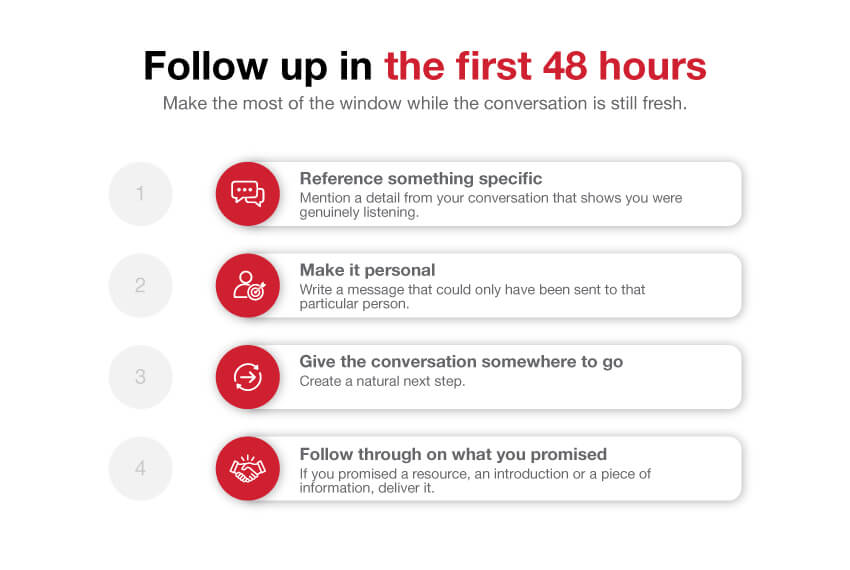
The 48-hour window after a large virtual networking event is a measurement vacuum. Because most Sales Directors have no closed-loop system linking specific in-event interactions to downstream CRM activity, they cannot distinguish a session that generated 40 warm leads from one that generated four. That makes every future facilitation and pacing decision instinct-driven rather than data-driven, optimizing for attendee comfort instead of the only metric that justifies the budget: contacts that became pipeline. Teams that rely on reps to manually copy contact details from chat windows into spreadsheets lose most of that pipeline before the window closes. The cognitive cost of manual logging is high enough that it simply does not happen.
This benefit materializes most clearly when a team attends events regularly and needs structured lead follow-up without adding manual steps to the rep's post-event workload.
7. Set a Clear Participation Norm at the Start to Reduce Decision Fatigue Across the Full Group

Passive attendance is the default state for large virtual sessions because the social contract is genuinely ambiguous: cameras on or off? Chat or speak? React or wait?
That ambiguity is rational behavior under uncertainty, and it compounds across a 90-minute session into near-total disengagement by the final block. Naming the expected behavior in the first three minutes, cameras on during breakouts, one chat response per segment, first names when asking questions, removes the decision entirely. Attendees who receive a clear behavioral contract at the start stay active significantly longer than those who receive only a welcome slide and an agenda.
Next steps
If your virtual networking events are producing warm conversations but empty CRM records, the path forward starts with removing manual logging from the contact-to-pipeline handoff entirely. The discipline problem Sales Directors diagnose after every event is actually a systems gap: when contact capture depends on rep memory and post-session effort, 90% of warm connections never reach the CRM regardless of how well the event ran. Start with our digital business card.
The trade-off between engagement energy and data capture means that the formats most likely to generate genuine warmth, tight breakout rotations and rapid speed rounds, are exactly the conditions where reps have no structured moment to log contact intent or conversation context. And because most events have no closed-loop system linking specific in-event interactions to downstream CRM activity, Sales Directors cannot distinguish a session that generated 40 warm leads from one that generated four. Together, they point to one action: capturing contact data automatically at the moment of connection, inside the session, before the 48-hour decay window opens.
Start with a digital business card deployed across your team before the first breakout room opens. Each tap or scan routes directly into your CRM through a custom lead capture form, no rep action required after the session ends, and session-level attribution travels with every contact record so pipeline source tracking is structural rather than reconstructed from memory.
Frequently Asked Questions
Why do so many large virtual networking events fail to produce any actual pipeline?
The failure almost never happens during the event itself, it happens in the 48 hours after, when warm contacts sit in unprocessed chat exports, unfiled notes, and fading memories. Research cited in the post shows that waiting too long to follow up can cause reply rates to drop by up to 80%, yet the average business still takes 40-47 hours to respond, meaning most contacts go cold before anyone acts on them.
Which virtual networking format gives the highest chance of actual contact exchange at large events?
Speed Networking Roulette, timed four-minute rotations with forced conversation starters, is described as the highest-contact-volume format on the list, with very high contact-capture potential. The post notes it is most valuable when a team attends virtual events regularly and already has structured lead follow-up goals, and recommends pairing it with a digital business card workflow like Mobilo's so contacts route directly into the CRM inside the rotation itself, before the warm energy fades.
How can I make virtual networking less awkward for introverts or people who hate cold conversation?
The post recommends two approaches specifically for lowering social friction before anyone has to speak: deploying anonymous opinion polls in the five minutes before breakouts open (e.g., "remote work is better for introverts: agree or disagree?") and using interest-based lobby assignment so attendees land in rooms with people who already share relevant context. Both mechanics reduce the anxiety of cold networking without requiring anyone to initiate conversation from scratch.
Why does it matter if contact capture is automatic versus manual after the session?
According to the post, roughly 90% of new contacts never reach the CRM after a networking event because manual logging is too much effort after a long virtual session, this is a structural problem, not a motivation one. When capture is automatic, as with Mobilo's Contact Exchange and Lead Capture, the data routes directly to the CRM without any rep action required, eliminating the drop-off entirely and making pipeline attribution to specific events possible.
How do I evaluate which virtual networking format is actually worth running before I commit to one?
The post provides a five-criterion checklist: engagement ceiling (does the format stay active at your actual headcount?), scalability (does coordinator effort grow linearly with attendees?), pipeline moment (is there a natural beat where exchanging contact details is the logical next step?), contact capture method (automatic vs. manual), and CRM routing (does data write to the correct owner record without rep intervention?). The post recommends only committing to a format that scores 4-5 out of 5, and treating any format that scores 3 or below on pipeline moment or contact capture as a social event, not a pipeline event.