


8 Business Networking Automation Types That Save You Hours
On This Page
Most sales teams have CRM automation, outreach sequences, and event budgets. They are missing the one layer that feeds all three: getting the contact in before the conversation ends.
The common assumption among Sales Directors searching for "business networking automation" is that they are looking for a single, unified solution, when in fact the term splits into two completely separate disciplines, and confusing them means the one that actually drives pipeline stays unaddressed.
On one side sits AIOps and enterprise IT network operations: configuration management, self-healing infrastructure, Ansible playbooks, YANG models. On the other sits professional relationship-building automation: contact exchange, CRM sync, outreach sequencing, and pipeline attribution. Both carry the same label. Only one determines whether the contacts your reps collect at events ever become revenue.

The IT definition dominates search results and internal conversations alike. That framing is entirely legitimate for network engineers. The problem is that it crowds out the second definition for anyone in a revenue role who needs it most.
For a Sales Director, professional relationship-building automation is the domain that governs pipeline. It covers every system that moves a new contact from the moment of introduction into a structured, trackable follow-up workflow. The AIOps market was valued at roughly $25 billion in 2024, dwarfing CRM automation investment by a wide margin. That disparity explains why the relationship-initiation layer remains the least instrumented step in most sales operations.
Industry research defines business process automation (BPA) as using technology to replace manual effort in recurring tasks. That definition fits invoice routing and HR onboarding. Relationship-initiation is an unstructured, external, human moment: a handshake at a trade show, a badge scan in a conference corridor, a tap between two phones at a client dinner. BPA tools assume a process already exists and data is already flowing. Relationship-initiation automation has to solve a prior problem: getting the contact into the system at all.
What most teams report bears this out: the vast majority of reps never complete manual post-event logging. Across the market, 90% of new contacts do not enter your CRM because it's too much of an effort. CRM platforms and outreach sequences are well-funded and widely deployed, but both can only act on contacts already captured.
90% of new contacts do not enter your CRM because it's too muc
When a team attends events regularly, tools like Mobilo's Contact Exchange and Lead Capture close the loop at the handshake: a tap or scan creates the CRM record before the conversation ends, removing the manual step entirely. The downstream pipeline automation your team has already invested in can finally act on complete data. The more urgent question is what it costs your team every quarter to leave the relationship-initiation layer on manual. That is where the next section starts.
Key takeaways
- Business networking automation splits into two unrelated disciplines, IT network ops and sales relationship automation, and conflating them means the pipeline problem never gets addressed.
- 90% of new contacts never enter a CRM because manual entry creates too much friction at the moment of exchange, not because the downstream tools are broken.
- 88% of paper business cards are thrown away, which means the ROI gap isn't in your outreach sequence, it's in the contact capture layer that feeds it.
- Eight distinct automation types sit inside what most teams call 'networking automation,' and they don't fix the same friction point, matching the right type to the right gap is what actually moves pipeline.
- AI-driven networking automation goes beyond static if/then triggers by scoring relationship warmth across email, LinkedIn, and WhatsApp, so a VP who attended three sessions gets treated differently than a one-time badge scan.
- Closing the contact capture gap doesn't require an IT project or a CRM migration, it happens at the moment a card changes hands, and that's a one-afternoon fix.
- Mobilo's Contact Exchange & Lead Capture closes the loop at that exact moment: one tap or scan captures both sides of the exchange and feeds the contact directly into your CRM, no manual entry, no lost leads.
The Hidden Pipeline Cost of Manual Networking Workflows
The manual relationship-initiation layer has a measurable cost, and the most direct way to see it is in what happens to the contacts your team collects at events. 88% of business cards are thrown away within a week of being received, so the contacts exchanged at your last industry conference are almost certainly gone before your reps open their laptops Monday morning.

The 5-to-10-Minute CRM Tax That Reps Simply Don't Pay
Manual CRM entry after a networking event costs a rep five to ten minutes per contact: business card scanner app, field mapping, duplicate check, note entry. Multiply that across a 20-person field sales team returning from a three-day conference with 400 collected cards and you have roughly 33 to 67 hours of data-entry work sitting between those contacts and your pipeline.
This is where Mobilo's Contact Exchange and Lead Capture changes the calculus. When a prospect taps or scans a digital business card, their information routes directly into the CRM without any rep action at all, eliminating the tax entirely. The Teams plan ($4/month per user, billed annually) and the Business plan ($5/month per user, billed annually) both include lead enrichment, lead capture and management, unlimited leads and contacts, a paper business card scanner, and 6,000 integrations through Zapier, so the pipeline connection your reps are too busy to make manually happens automatically at the moment of the tap.
Even the Pro plan at $3/month carries the same lead capture and Zapier integration stack, so a single-person operation gets the same structural fix as a 500-seat enterprise deployment.
The Visibility Blackout, What Sales Directors Can't See After Every Event
It is a structural absence of pipeline visibility that makes coaching, forecasting, and ROI attribution on event spend essentially guesswork. The Teams and Business plans address this directly by pairing unlimited taps and scans with full insights and analytics and team management controls, including the ability to control, lock, and override data fields on cards like the Team, Custom Design Card or Team, Metal Custom Design Card. A Sales Director gets a real-time view of engagement activity across every rep, rather than a spreadsheet assembled on Monday morning from whatever anyone remembered to log. The good news: every one of these friction points maps to a specific automation type that already exists and can be deployed without an IT project.
8 Business Networking Automation Types That Actually Move Pipeline
Eight distinct automation types sit inside what most Sales Directors call "networking automation," and they do not all fix the same problem. Treating them as interchangeable is how teams end up with a polished outreach sequence running on empty because the contacts feeding it were never captured in the first place. The map below gives you a friction-point-by-friction-point breakdown so you can match each type to the specific gap in your workflow rather than buying a platform that automates the wrong step.
"Sales the field setups involving multiple tools (CRM, enrichment, account research, workflow connectors) still require significant manual oversight, directly undermining the pipeline-moving promise of networking the field types."
— what we hear from sales operations teams
Social Listening and Relationship Signal Automation
Social listening automation monitors LinkedIn activity, job changes, company announcements, and industry signals to surface relationship opportunities before a rep has to go looking for them. Tools in this category, including LinkedIn Sales Navigator's alert system and third-party intent platforms, push signals directly to the rep's workflow when a contact changes roles, posts about a relevant topic, or their company triggers a buying signal.
The pain point it eliminates: the invisible decay of warm relationships between events. A contact who met your rep six months ago and just became a VP is a high-priority re-engagement, but without automated signal monitoring, that moment passes unnoticed. The trade-off: social listening tools generate noise at volume, and without clear prioritization rules, reps end up ignoring the alerts entirely.
1. Contact Exchange and Lead Capture Automation - NFC/QR-Triggered CRM Creation at the Handshake
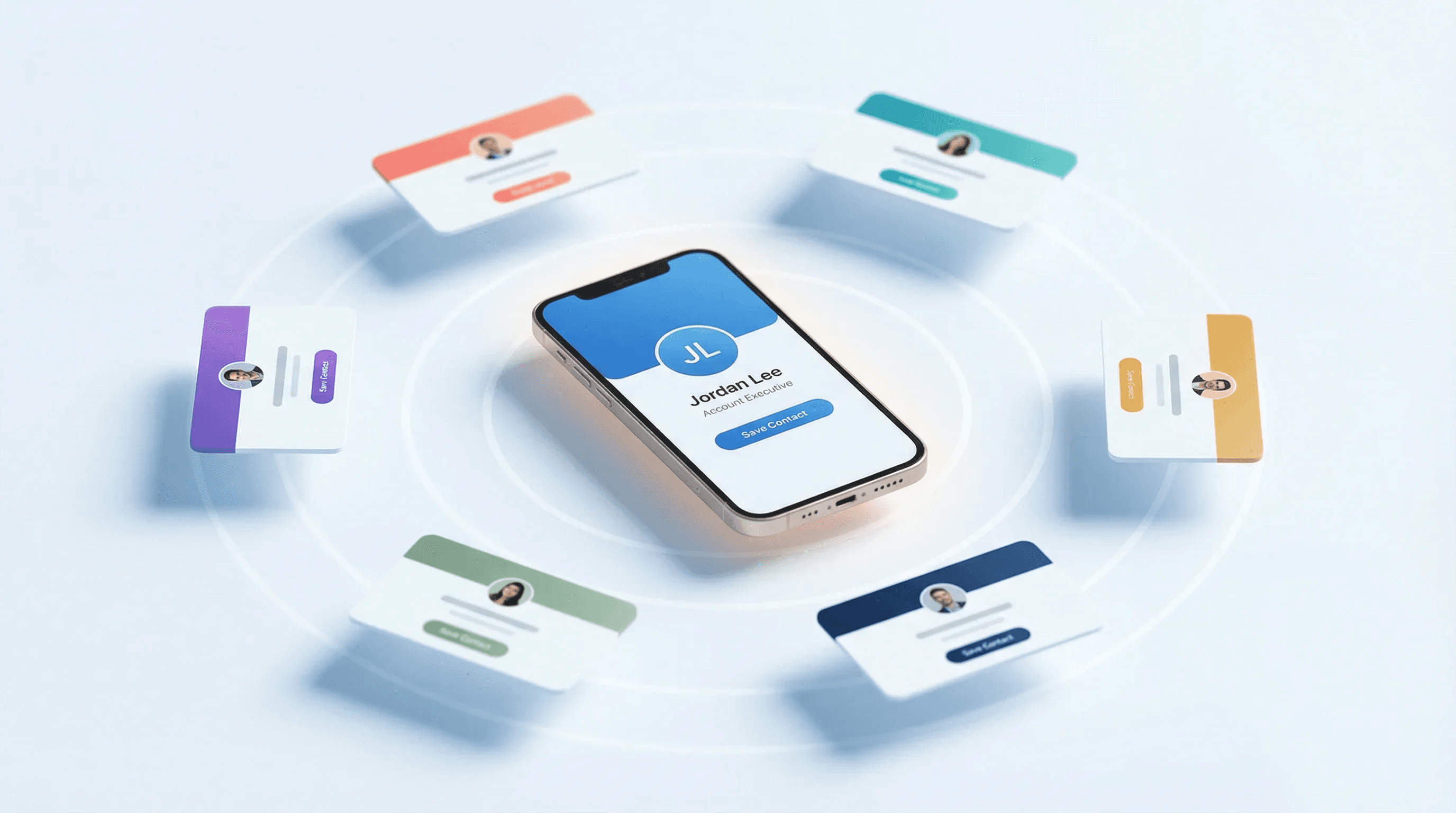
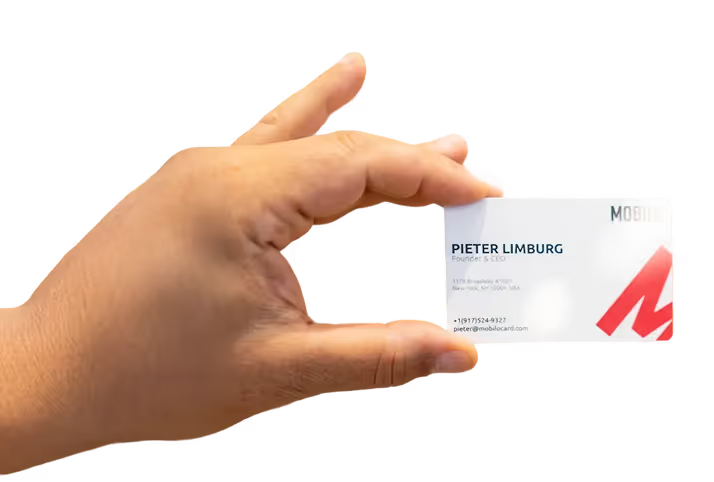
This is the highest-leverage gap for most field sales teams, and it is almost always the last one to get automated. When a rep taps or scans a smart digital business card at a trade show, the contact lands in the CRM within seconds, with no manual entry required. Automated lead capture triggered at the moment of contact exchange eliminates the manual data-entry step that causes leads to fall through the cracks after events, replacing post-event logging checklists with real-time CRM population.
The pain point it eliminates: contacts dying in a pocket before they ever reach a pipeline. Field marketing and event teams that arm themselves with tools capable of capturing leads efficiently and feeding data directly into the CRM pipeline remove this risk at the source. Most beneficial when a team attends events regularly and needs structured lead follow-up starting from the handshake itself, not from a follow-up email three days later. The honest trade-off: if your team rarely meets prospects in person, the ROI on physical contact-exchange automation is limited, and a sequencing tool may deliver faster returns.
2. CRM Enrichment and Data Sync Automation - Pulling Event, Email, and LinkedIn Data Without Manual Entry
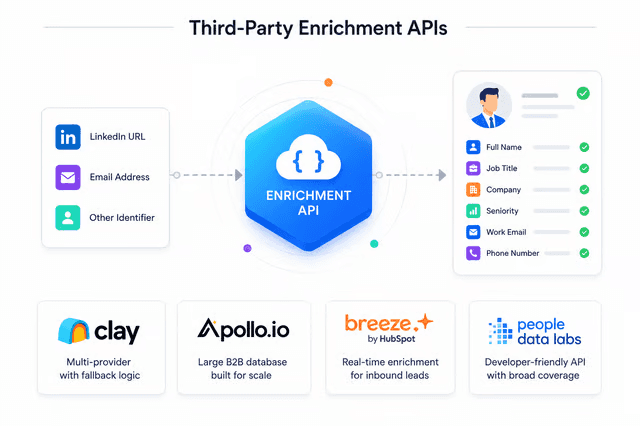
CRM enrichment and data sync automation appends firmographic and behavioral data to a raw contact record automatically, pulling from sources like Apollo, LinkedIn, and connected email clients the moment a contact enters the system. The pain point it eliminates: sales professionals spending close to ten hours per lead on manual research and outreach preparation, a cost that compounds fast across a distributed field team and is one of the clearest signals that a multi-tool setup is still requiring too much manual oversight. Enrichment quality depends entirely on the underlying data provider, so records for smaller companies or non-English-speaking markets are often incomplete.
This automation type delivers the most value when your ICP sits in mid-market or enterprise, where firmographic data is rich and intent signals are reliable. Without it, even a contact captured at a trade show tap produces outreach that reads generic because the rep has no context to personalize against. Mobilo's lead enrichment feature, available on the Pro plan at $3/month, the Teams plan at $4/month, and the Business plan at $5/month (all billed annually), ensures the raw contact captured at a tap event is not left as a bare name-and-email record inside the CRM.
3. Automated Outreach and Follow-Up Sequences - Multi-Touch Cadences Triggered by the Contact Exchange Event
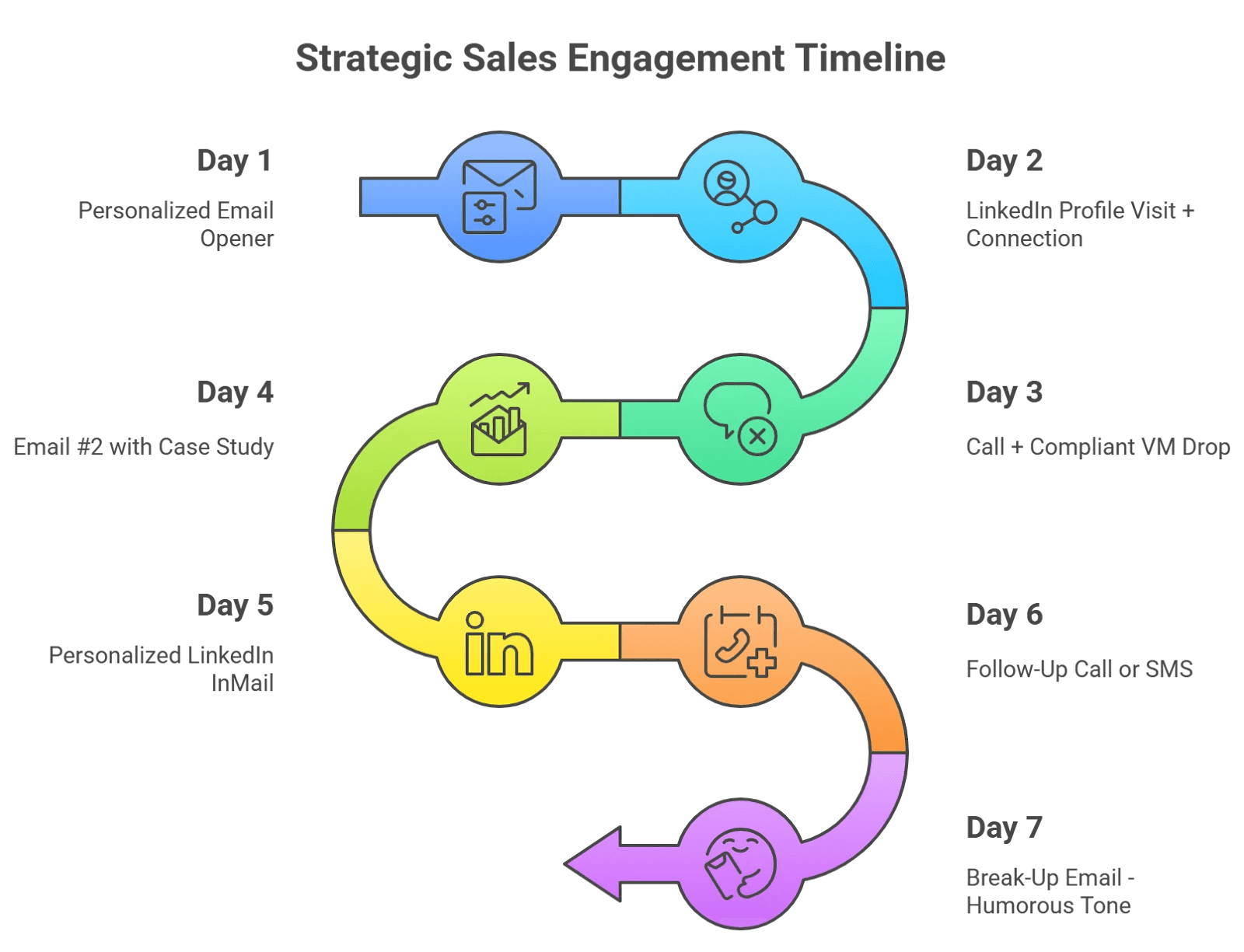
Automated outreach platforms, including tools built into HubSpot, Salesloft, and Outreach, enable multi-touch connection requests and personalized follow-up sequences triggered by contact capture events. The mechanic is straightforward: a contact enters the CRM, a workflow fires, and the rep's name appears in the prospect's inbox within minutes rather than days. The pain point it eliminates: the collapse in follow-up discipline that happens when reps return from an event with 40 new contacts and no structured process.
Teams that still rely on manual research and writing before each outreach message spend close to ten hours per lead before a single pipeline-moving conversation begins. The trade-off: sequences built on thin contact data produce generic outreach that prospects ignore. This automation type only performs when Type 1 and Type 2 have already run.
4. AI-Powered Event Matching and Discovery - Surfacing High-Value Contacts Before the Handshake Happens

AI-powered matching algorithms in event networking apps analyze attendee profiles, job titles, company attributes, and stated interests to suggest relevant professionals or prospective clients before the event floor opens. The mechanic runs pre-event: the system cross-references your ICP criteria against the registered attendee list and surfaces a prioritized shortlist, so reps walk in with a target list rather than wandering. The pain point it eliminates: the randomness of in-person event coverage, where reps spend time with whoever they happen to meet rather than the contacts most likely to convert.
The honest limitation: matching quality is only as good as the attendee data the event platform collects, and many mid-size conferences provide minimal profile depth. Most beneficial when attending large, data-rich events where attendee profiles include role, company size, and stated objectives.
5. Team Card Management and Branding Automation - Central Admin Override for Rep Details and Brand Consistency
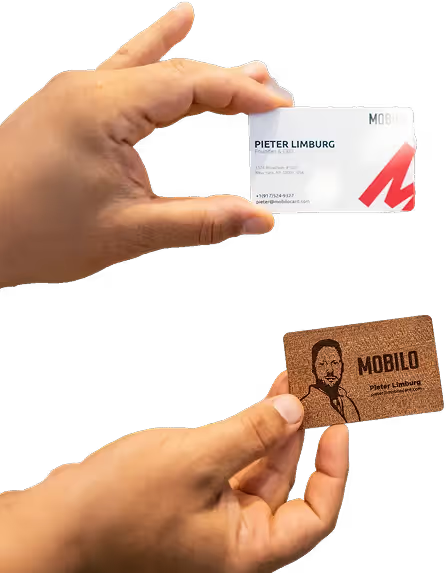
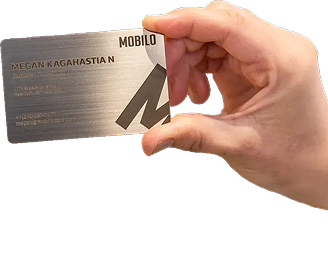
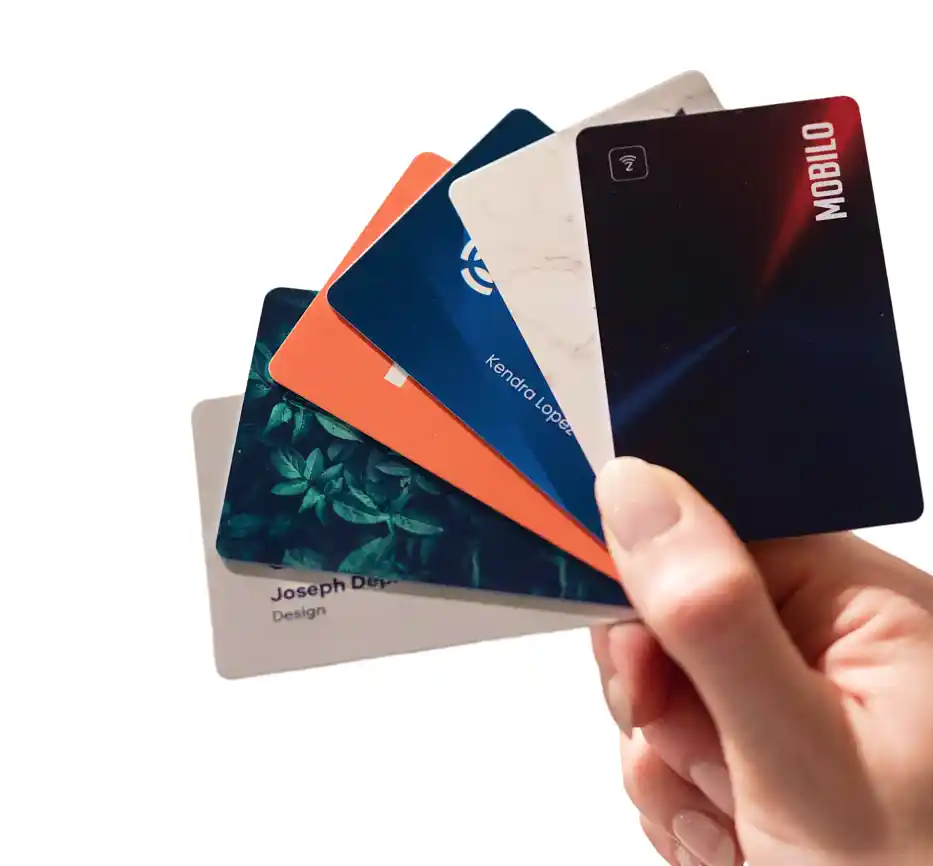
When a rep changes roles, gets a new title, or the company rebrands, an admin updates one dashboard and every rep's digital card reflects the change instantly, no reprinting, no outdated cards in the field. Mobilo and similar platforms enforce brand consistency across entire sales teams from a single control panel. Best for fast-growing companies with frequent org changes. Tradeoff: reps lose autonomy to personalize their own card details, which can reduce buy-in.
6. Networking Analytics and Pipeline Attribution - Rep-Level Tap Counts, Lead Conversions, and Event ROI Visibility

Networking analytics automation tracks rep-level activity, including tap counts, lead capture rates, follow-up completion, and downstream conversion outcomes, and surfaces that data in a dashboard the Sales Director can actually read. The mechanic connects the contact-exchange event to the CRM record and then to pipeline stage, creating an attribution chain from handshake to closed deal. According to momencio's 2024 research, analytics in trade show lead capture tools surface rep-level data including follow-up rates and conversion outcomes, giving sales managers visibility into which reps and which events are generating real pipeline rather than relying on self-reported activity.
Mobilo's insights and analytics feature is included across the Pro ($3/month), Teams ($4/month), and Business ($5/month) plans, all billed annually, meaning the attribution chain from tap to pipeline is available without upgrading to a separate analytics tool. The pain point it eliminates: the complete absence of accountability data that exists when networking is treated as an untracked activity. The limitation: attribution models break down when contact capture is inconsistent across the team, which is why this type depends on Type 1 running cleanly first.
7. Self-Healing Network Infrastructure Automation - Root-Cause Analysis and Automated Remediation for IT and NetOps Teams
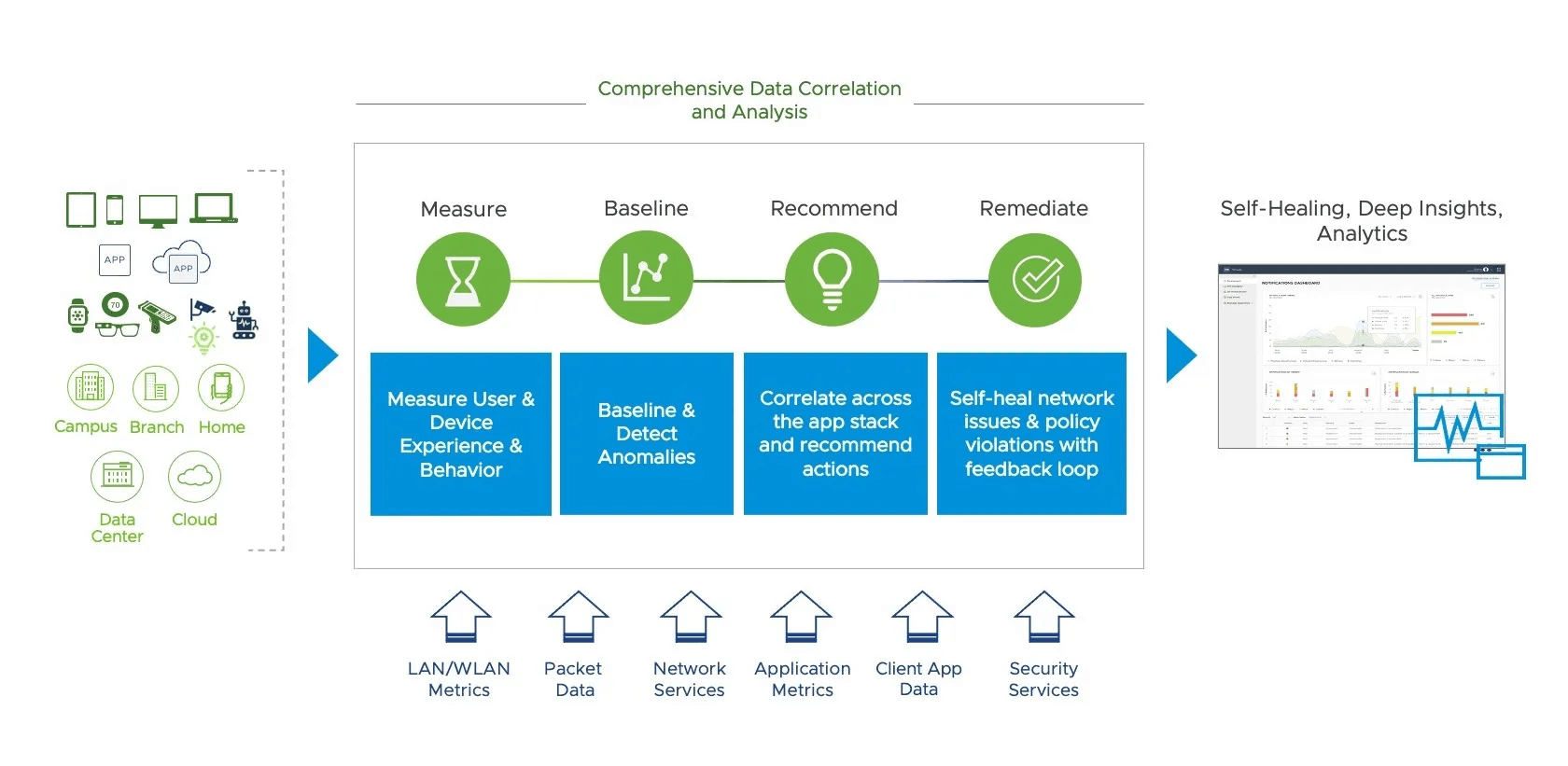
Self-healing networks use AIOps platforms, including tools like NetBrain and agentic NetOps systems, to continuously monitor network performance, detect anomalies, run root-cause analysis, and trigger remediation without waiting for a human to open a ticket. The mechanic is autonomous: the system identifies a degraded path or security anomaly, isolates the cause across multi-vendor environments, and either resolves it directly or escalates with full diagnostic context already assembled. The pain point it eliminates for IT and NetOps teams: the mean-time-to-repair gap that opens when engineers must manually correlate alerts across a hybrid cloud environment before they can act.
The trade-off worth naming: agentic remediation requires careful guardrails, because an autonomous system that misdiagnoses a root cause and applies the wrong fix can accelerate an outage rather than contain it. Most beneficial in large, multi-vendor environments where alert volume exceeds what an on-call team can triage manually.
8. Configuration Management and Compliance Automation - IaC-Based Policy Enforcement Across Network Devices
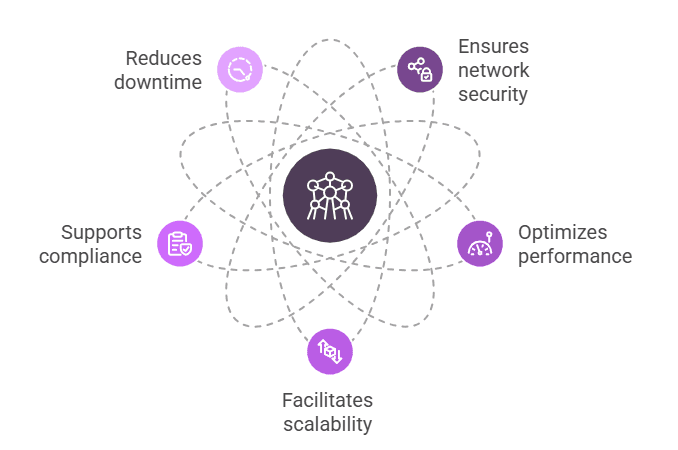
Configuration management and compliance automation, delivered through platforms like Red Hat Ansible Automation Platform and validated by tools like Netpicker, treats network configuration changes as code via CI/CD pipelines, enforcing policy across switches, firewalls, and routers continuously rather than at audit intervals. The mechanic uses Infrastructure as Code (IaC) to define the desired state of every device, then continuously validates actual state against that baseline and flags or remediates drift automatically. The pain point it eliminates: the configuration drift that accumulates when engineers make manual changes under pressure, a condition that consistently emerges as a primary driver of network security incidents.
For teams operating under SOC 2, PCI-DSS, or HIPAA requirements, continuous compliance validation replaces the manual audit cycle with a real-time evidence trail. The limitation: IaC-based automation requires upfront investment in policy codification, and organizations with undocumented legacy configurations often discover that the audit process itself is the first painful step.
Related Reading
- Virtual Speed Networking
- How To Build A Referral Network
- How To Scale Business Networking Online
- Business Networking Skills
- Business Networking Plan
- Strategic Networking For Business Growth
- Where To Network For Business
- Business Networking Tips
How AI Makes Business Networking Automation Adaptive Not Just Fast
That shift from static trigger rules to self-correcting pipelines is what this section unpacks, using Mobilo's lead capture layer as the practical anchor throughout.

From If/Then Scripts to Self-Correcting Systems
This is where Mobilo's lead capture layer earns its keep. Teams on the Teams plan ($4/month per user, billed annually) get lead enrichment, custom lead capture forms, and a paper business card scanner built in, so every tap of a Custom Designed NFC Card with QR Code or a Digital Wallet Card (included free with the Teams tier) feeds structured, enriched data into downstream CRM and Zapier workflows from the very first event. Insights and analytics surface which contact exchanges at which event types are generating downstream pipeline, giving Sales Directors the pattern intelligence to act before a lead goes cold.
AI as the Shared Intelligence Layer
In IT operations, machine learning models analyze traffic patterns continuously, detect anomalies outside learned baselines, and adjust routing policies dynamically without a network engineer writing a new rule for every edge case. The parallel to sales follow-up is direct: both domains replace a static threshold ("if traffic exceeds X, alert") with a learned model ("this pattern precedes an outage" or "this contact profile converts at 3x the baseline rate").
What the Evidence Actually Says on Replacement
For teams ready to scale signal volume, the Teams plan's combination of unlimited taps, lead enrichment, 24/7 customer support, and central billing across unlimited team members means the infrastructure cost of generating more data does not rise linearly with headcount, a meaningful structural advantage as the team grows and the AI layer has more to learn from.
How to Implement Business Networking Automation Without an IT Project
The breakdown happens one layer before any of that, at the exact moment a card changes hands, which is also why closing it takes an afternoon rather than a project plan. Automatic activity capture tools are configurable once at the team level without developer work, API projects, or new licenses, a pattern now consistent across modern go-to-market teams.

Audit Your Contact-Loss Rate Before You Touch a Single Tool
Start with a single question: how many contacts from your last three events actually exist as CRM records today? Pull the badge-scan export or card stack count from each event, then compare it against CRM records created within 72 hours. The gap is your contact-loss rate, and what most field teams report consistently puts it above 80% for field teams relying on manual post-event entry. One honest caveat: this audit only tells you what was lost, not the quality of those contacts, but that number alone is enough to justify the fix.
1 — Contact capture method deployed (NFC card / QR / badge scan) — Sales Director
2 — CRM integration activated and field mapping confirmed — RevOps / Admin
3 — Rep-level branded card templates configured and pushed — Sales Director
4 — Lead routing rules defined (territory, company size, industry) — RevOps
5 — Automated follow-up sequence linked to capture trigger — Sales Ops
6 — Enrichment provider connected to incoming contact records — RevOps
7 — Analytics dashboard verified, tap counts and conversion visible — Sales Director
8 — Post-event attribution baseline established (badge count vs. CRM records) — Sales Director
Deploy Contact-Exchange Automation in One Business Day, Not One Sprint
The sequence is shorter than most Sales Directors expect, and each step maps directly to the checklist above. This is where Mobilo's digital business card platform fits the workflow directly, handling capture, routing, and CRM sync without additional development.
Configure Once, Then Let the CRM Integration Run Every Future Event
After the initial setup, nothing resets; the same field mappings, routing rules, and follow-up triggers carry forward to every subsequent event automatically.
Related Reading
- Business Networking Trends
- Networking Ideas For Small Business
- Business Networking Event Ideas
- Business Networking Conversation Starters
- Business Networking Questions
- Business Networking Opportunities
- Networking Ideas For Virtual Events
- Virtual Networking Ideas For Large Groups
Next steps
If your event contacts are disappearing between the handshake and the CRM, the path forward starts with fixing the capture moment, not the follow-up checklist. Every automation type downstream, from enrichment to outreach sequences to pipeline attribution, operates on whatever data makes it in. Skip capture automation and you have built an efficient engine with no fuel supply. Start with our digital business card.
The 48-hour window between contact exchange and CRM entry silently kills deal velocity, because connection warmth peaks immediately after the tap and compounds as contacts change roles over time. That means automating outreach sequences while leaving capture manual is the wrong sequence. At the same time, the fix does not require an IT project: the structural data-loss problem lives at the contact-capture layer, not the CRM architecture layer, and modern capture tools configure once at the team level without developer work. Together, those two realities point to one action: automate the card exchange moment before the next event, not after.
Start with a digital business card from Mobilo. One tap creates the CRM record, enrichment runs automatically, and every subsequent automation stage operates on complete data from that point forward.
Frequently Asked Questions
Why do 90% of new contacts never make it into our CRM after events?
The core problem is structural, not a discipline failure. Manual CRM entry costs a rep five to ten minutes per contact, and when reps return from an event with dozens of new contacts, the backlog feels unrecoverable, so they skip one entry, then two, then stop entirely. The process itself imposes the friction, which is why post-event checklists and follow-up training don't fix it.
Does CRM integration with Mobilo require an enterprise plan, or do lower-tier plans get it too?
Every plan tier includes it. The Pro plan at $3/month per user carries lead capture and Zapier integration, and the Teams ($4/month) and Business ($5/month) plans both add lead enrichment, unlimited leads and contacts, a paper business card scanner, and 6,000 integrations through Zapier, so a single-person operation gets the same structural fix as a large enterprise deployment.
If we already have outreach sequences set up in HubSpot or Salesloft, why aren't they filling our pipeline from events?
Outreach sequences can only act on contacts that are already in your CRM. If the contact capture step at the event is still manual, the vast majority of contacts never enter the system at all, leaving your sequencing tools running on incomplete data regardless of how well they are configured.
How can a Sales Director tell which reps actually networked at an event and whether any of it converted?
With manual logging workflows, there is no reliable way, zero manual logging means zero data, making coaching, forecasting, and ROI attribution on event spend essentially guesswork. The Teams and Business plans address this directly by pairing unlimited taps and scans with full insights, analytics, and team management controls, giving a Sales Director a real-time view of engagement activity across every rep rather than a spreadsheet assembled from whatever anyone remembered to log.
What's the difference between business networking automation and IT network automation, and why does it matter for sales teams?
The term splits into two completely separate disciplines: AIOps and enterprise IT network operations on one side, and professional relationship-building automation, contact exchange, CRM sync, outreach sequencing, and pipeline attribution, on the other. For a Sales Director, it's the relationship-building side that governs pipeline, but the IT definition dominates search results and internal conversations, which means the automation that actually drives revenue stays unaddressed.