

.avif)

How to Add Linktree to Instagram and Solve the 5-Link Limitation
On This Page
Instagram gives you one link in your bio. Just one. For creators, businesses, and influencers juggling multiple products, services, blog posts, or campaigns, that single link feels like a locked door when you have an entire house to show. Learning how to add Linktree to Instagram solves this problem by turning that one link into a gateway for unlimited destinations. This guide walks you through the setup process so you can direct your followers exactly where you want them to go, whether that's your latest YouTube video, online store, podcast, or newsletter signup.
While Linktree offers a solid solution for managing multiple links, Mobilo's digital contact card takes your Instagram bio further by combining link management with powerful networking capabilities. Instead of sharing links alone, you can present your contact information, social profiles, and key resources in a sleek, professional format that makes it easy for followers to connect, save your details, and take action.
Summary
- Instagram still limits you to five bio links, and only the first link displays prominently; the other four are hidden behind an extra tap. This forces impossible choices between promoting time-sensitive campaigns and maintaining evergreen destinations like email signups, product catalogs, and contact forms.
- Constantly rotating bio links to work around the limitation creates more problems than it solves. Janis Mjartans' analysis of creator link strategies found that frequently changing bio links can lead to a 30% drop in conversions compared to stable, organized link structures. The manual update process also consumes more than 3 hours annually for creators who swap links twice weekly.
- Instagram provides zero analytics on bio link performance, leaving you completely blind to what actually works. You can't tell whether followers prefer your newsletter or your YouTube channel, whether your product link drives sales or immediate bounces, or which destinations deserve those limited slots. Without click data, every decision about link priority becomes guesswork instead of strategy.
- Linktree replaces the five-link ceiling with a single URL that opens into a customizable landing page holding unlimited destinations. This reveals which content formats your audience engages with, lets you add or remove links without touching Instagram, and shortens the path from content to commerce by making every product, service, and platform accessible from a single, organized hub.
- Well-maintained Linktrees guide visitors toward specific actions rather than just listing options. Best practices include keeping links current through weekly reviews, using action-oriented labels like "Download Free Guide" instead of vague phrases like "Click Here," limiting the total number of links to four to six core destinations to avoid decision paralysis, and aligning your link lineup with what you're currently promoting on Instagram.
HubSpot's 2023 study found that 88% of business cards handed out at events are thrown away within a week, and 90% of business contacts never make it into CRM systems. Digital contact card addresses this by capturing mutual contact information with a simple tap, syncing directly with CRM platforms, and scoring prospects against ideal customer profiles in real time, so every in-person meeting becomes a trackable opportunity rather than a forgotten handshake.
Why Your Instagram Bio Link Strategy is Probably Wrong
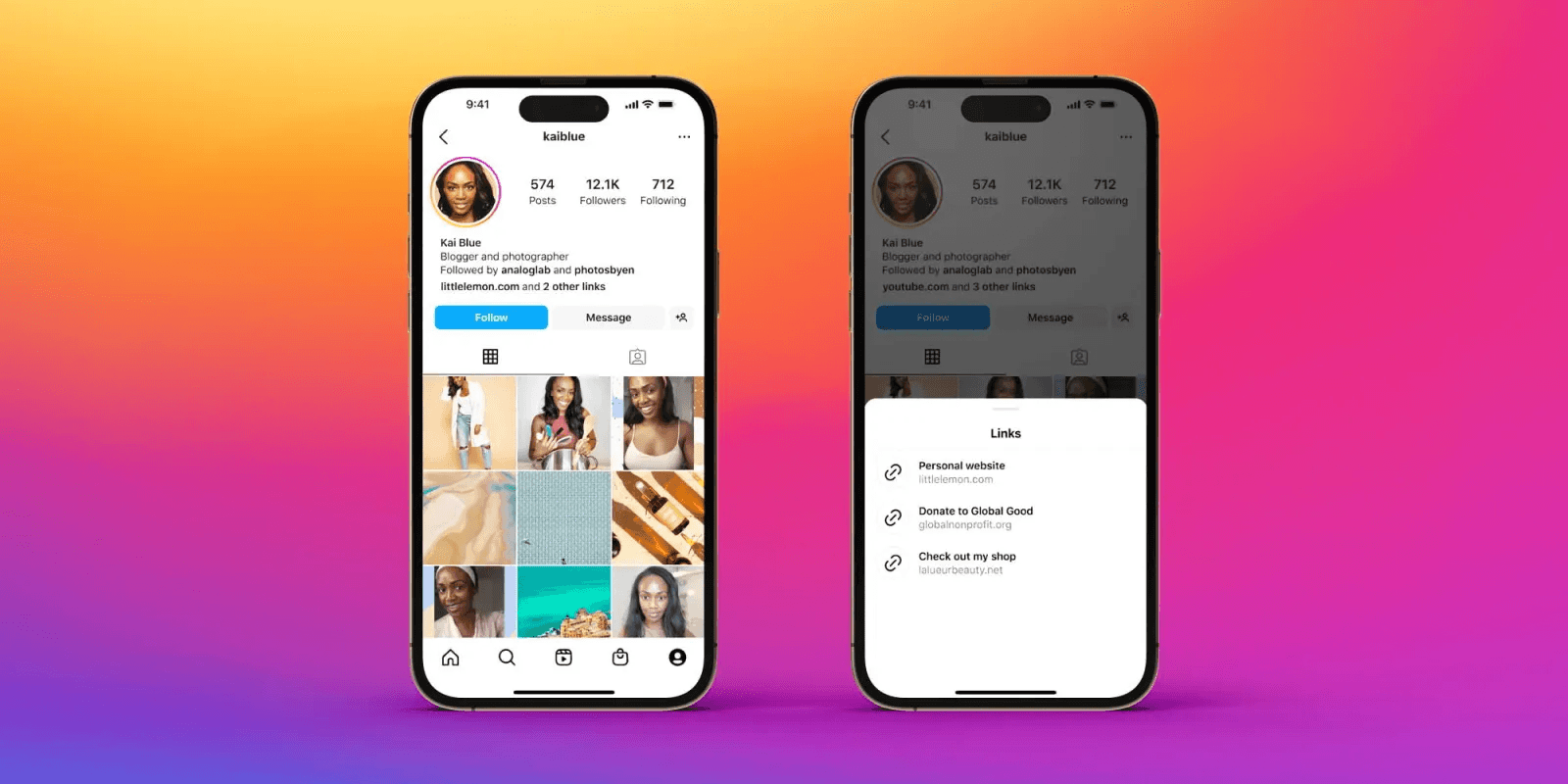
Instagram's five-link feature seemed like the answer everyone was waiting for. But most users still aren't getting what they need, such as visibility into what's working, control over how links are organized, and enough space to represent everything they're building. The problem isn't solved. It's just less obvious now.
Five Links Aren’t Enough
Even with five links available, you're still making impossible choices. Only your first link shows up immediately. The other four hide behind a menu that requires an extra tap, which means you're still playing favorites with your most important destinations. You can't organize links by campaign priority, seasonal relevance, or audience segment. You can't see which links people actually click. And crucially, five links still aren't enough when you're simultaneously promoting products across multiple collections, maintaining content on YouTube and a podcast, running a newsletter, selling merchandise, managing sponsorship partnerships, and trying to capture email signups.
Bio Link Decision Paralysis
This creates a strange kind of decision paralysis. You either leave valuable opportunities out of your bio entirely, or you cram all five slots full and hope followers can figure out which link matters most to them right now. Neither approach works well. According to beehiiv's analysis of link-in-bio tools, the limitation isn't just about quantity. It's about the complete absence of strategic infrastructure around those links.
When Five Links Falls Short
Consider an e-commerce brand selling skincare, haircare, and wellness supplements. They need separate links for each product category, plus their main shop page, plus a link to their Amazon storefront for customers who prefer that experience. That's already six destinations, and they haven't even added their email signup, customer service contact, or current promotion. Something valuable gets cut.
Too Many Revenue Streams, Too Few Bio Links
Or take a content creator active across platforms. They're publishing YouTube videos twice a week, running a podcast, sending a newsletter, selling merchandise, working with sponsors that require dedicated landing pages, and offering one-on-one coaching calls. Each of these represents a different revenue stream or audience relationship. Choosing which ones make it into the bio and which get left out isn't just inconvenient. It's leaving money and connection on the table.
Manual Updates Kill Momentum
The manual update process exacerbates this. Every time you launch a limited offer, shift campaign priorities, or test whether your audience responds better to your newsletter or your YouTube channel, you tap through Edit Profile, Add Link, or Add External Link, then enter URLs and titles. It's clunky enough that many people just don't update as often as their strategy requires. Links go stale. Opportunities expire while outdated URLs sit in your bio.
The Invisible Problem: No Data
The deeper issue is what you can't see. Instagram gives you no analytics on bio link performance. You have no idea whether followers are clicking your newsletter signup or ignoring it completely. You can't tell whether your product link is driving sales or if people are immediately bouncing. You're operating blind, making decisions about which links deserve those five precious slots based on intuition instead of evidence.
No Data, No Direction
This matters more than it seems. When you're running multiple initiatives simultaneously, you need to know what's actually connecting with your audience. Maybe your followers love your podcast but never click through to your merchandise. Maybe they're hungry for your lead magnet but couldn't care less about your LinkedIn profile. Without click data, you're just guessing. You optimize nothing because you measure nothing.
Links Without Strategy
Teams running serious Instagram strategies often describe this as the gap between having links and having a link strategy. The native feature gives you the former. It doesn't come close to providing the latter. You can't A/B test link titles. You can't rotate links based on time of day or audience behavior. You can't see conversion paths or identify which combinations of links work best.
Beyond Static Bio Links
While Instagram's bio links handle social media presence, professional contact sharing operates in a completely different context. Solutions like the digital contact card approach this from the business side, where the goal isn't just link clicks but mutual contact exchange, CRM integration, and measurable networking ROI. The same limitation appears that static links can't capture the full scope of how professionals actually need to share information and track relationships.
What Actually Matters
The real issue isn't the number of links. It's link management, organization, and tracking. You need to know what's working. You need to update quickly when priorities shift. You need enough flexibility to represent your full professional presence without forcing followers to hunt through a cluttered menu, hoping to find what they came for. Instagram's feature adds more slots but doesn't give you more control.
When Five Links Fall Short
Most people realize this only after they've tried to make five links work for a complex business or multi-platform presence. The limitation becomes obvious the first time you have to choose between promoting a time-sensitive offer and keeping your evergreen content accessible. Or when you launch something new and have no idea whether anyone in your audience even noticed because you can't see the click data.
Related Reading
- Best Link in Bio Tool
- What is Link in Bio
- How to Improve Linkedin Profile
- How To Build Personal Branding
- How to Add Portfolio to Linkedin
- How To Add Link To Tiktok Bio
- How to Add Instagram Link to Tiktok
- Where is Link in Bio on Instagram
- How to Add Link to Linkedin Post
- How to Add Website Link to Linkedin Profile
- Link in Bio Examples
- How To Add Link To Tiktok Bio
- How to Add Instagram Link to Tiktok
Why Constantly Changing Your Bio Link Isn't the Solution
The manual workaround feels productive at first. You update your bio links whenever priorities shift, new content is published, or a campaign launches. But this reactive approach creates more problems than it solves. You're spending time managing links instead of creating content, followers hit dead ends when bookmarked URLs disappear, and you lose all historical data about what actually worked.
The Cascading Failure Pattern
Picture this: You post an Instagram story promoting your newest YouTube video with "link in bio!" overlaid in bold text. Followers tap through to your profile, excited to watch. You forgot to replace the old link. They find last week's podcast episode instead. The confusion is instant. Some message asking where the video is. Most just leave, assuming they misunderstood or you made a mistake. Either way, the momentum dies.
The Forgotten Link Problem
This happens more often than anyone admits. The manual process creates a gap between what you promise and what you deliver. You're juggling content creation, audience engagement, and campaign management. Remembering to update a bio link sits somewhere near the bottom of that mental stack. By the time you realize the link is wrong, hours have passed. The story has already reached most of your audience. The damage is done.
The Hidden Cost of Swapped Links
The second scenario cuts deeper. You remove your email signup temporarily to promote a product launch. The campaign runs for two weeks. It performs well. Proceed to the next priority. Three months later, you realize your email list hasn't grown. The signup link never made it back into your bio. You've been driving traffic to your profile this entire time, but there's been no way for interested followers to join your list. Those lost subscribers don't come back. That opportunity closed the moment you removed the link and forgot about it.
What the Data Reveals About Manual Switching
According to Janis Mjartans' analysis of creator link strategies, constantly rotating bio links can result in a 30% drop in conversions compared with stable, organized link structures. The instability itself becomes the problem. Followers learn they can't rely on your bio to contain what they're looking for. They stop checking.
The Hidden Time Cost of Manual Updates
The time cost adds up faster than it seems. Each link swap takes two minutes if you're efficient. Update twice a week, and you're spending over three hours per year just editing bio links. That's three hours you could spend scripting videos, engaging with comments, or planning content strategy. The opportunity cost isn't just the minutes spent tapping through Instagram's interface. It's everything else you're not doing while you're managing links manually.
The Permanent Versus Temporary Trap
Every time you swap links, you're making an impossible choice. Promote the new thing or maintain access to the evergreen content that builds long-term value. Your product catalog needs a permanent home. So does your email signup, your contact information, and your main website. But this week you're running a limited offer. Next week, you're promoting a collaboration. The week after that, you're launching a new service.
Forced Trade-Offs in Bio Links
The reactive approach forces you to pick winners and losers among your own priorities. You can't promote new initiatives without sacrificing visibility for permanent destinations. You can't maintain important links without giving up the ability to capitalize on timely opportunities. The five-link limit makes this trade-off feel necessary. But the real limitation isn't the number of slots. It's the lack of infrastructure to manage them strategically.
Networking Needs Strategic Link Infrastructure
Professional networking faces similar constraints. While social media links direct followers to content and offers, business contexts require capturing mutual contact information and tracking relationship development over time. Solutions like the digital contact card approach this from the lead generation side, where links aren't just destinations but entry points into CRM workflows, automated follow-ups, and measurable networking ROI. The manual approach breaks down even faster when every interaction needs to feed into a broader business system.
The Invisible Cost of No Tracking
The worst part isn't what you're doing wrong. It's what you can't see at all. Manual link management provides no insight into performance. You have no idea whether your newsletter link converts better than your product link. You can't tell if followers prefer your YouTube content or your podcast. You're operating on assumptions, hunches, and hope.
Decisions Made in the Dark
This information gap compounds every other problem. You're choosing which links to keep and which to remove based on intuition instead of evidence. Maybe the link you just deleted was your best performer. Maybe the one you're promoting heavily gets ignored. You'll never know. Without click data, you can't optimize. Without optimization, you're just guessing which destinations deserve those limited slots.
Links vs. a System
Teams running serious Instagram strategies describe this as the difference between having links and having a system. The manual approach gives you links. It doesn't give you visibility, control, or the ability to learn what works. You're making strategic decisions in the dark, hoping your instincts align with what your audience actually wants.
Related Reading
- How to Add Linktree to Tiktok
- How To Add A Link To Instagram Story
- How To Add Link To Instagram Profile
- Personal Landing Page Examples
- Graphic Design Portfolio Websites
- Personal Portfolio Website Design Examples
- Small Business Bio Examples
- One Page Website Examples
- Best Photography Portfolio Websites
- Instagram Landing Page Examples
How to Add Linktree to Instagram (and Fix the Link Problem Forever)

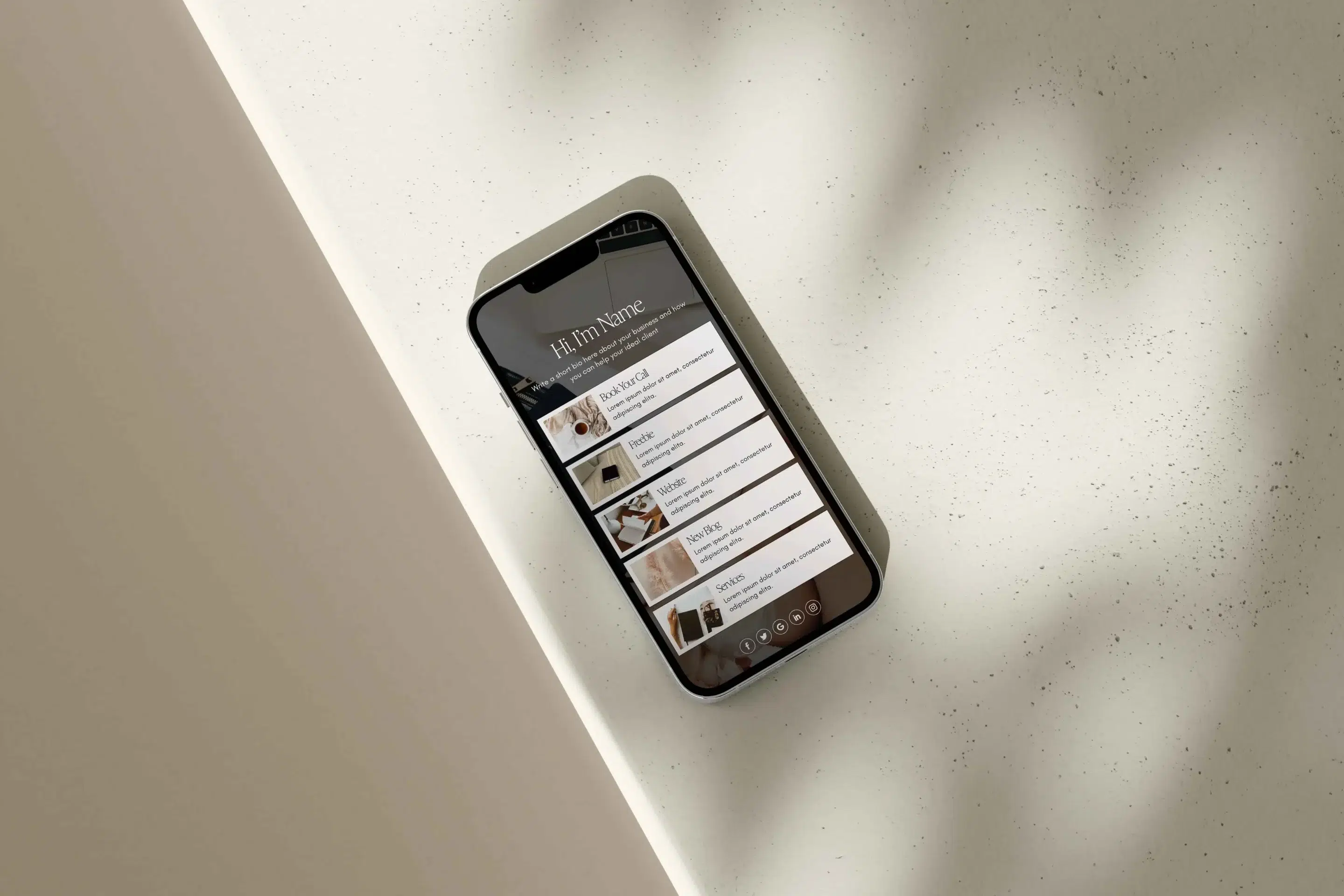
Linktree replaces Instagram's limited bio link setup with a single URL that opens into a customizable landing page holding as many links as you need. Instead of choosing between your newsletter, product catalog, YouTube channel, and contact form, you list them all on one page. Update them anytime without touching Instagram. Track which links get clicked. Organize them by priority, category, or campaign. The five-link ceiling disappears completely.
Creating a Linktree Account
The setup takes about ten minutes. You create a Linktree account at linktr.ee. Choose a custom username that becomes your URL, and select a plan. The free version includes unlimited links, basic themes, and essential analytics. Paid tiers add scheduling, email capture, priority support, and deeper customization. Most people start with a free plan and upgrade only when specific features become necessary.
Adding and Naming Links
From your Linktree admin dashboard, you add links one at a time. Each gets a title and destination URL. The title becomes the button text visitors see, so clarity matters here. "Read My Latest Article" works better than "Blog." "Shop Summer Collection" beats "Products." You're setting expectations before anyone clicks. Vague labels create confusion. Specific ones drive action.
Customizing Appearance
Once your links are added, you customize the appearance. Linktree offers themes that control colors, fonts, button styles, and background images. Choose one that matches your Instagram aesthetic. If your feed uses warm earth tones and a minimalist design, your Linktree should reflect that consistency. Visual consistency builds trust. When followers tap through to a page that feels like a different brand entirely, they hesitate. That split second of doubt kills momentum.
Distributing Your Linktree URL
After design comes distribution. Linktree gives you a unique URL like linktr.ee/yourname. Copy it. Open Instagram, tap your profile picture in the lower corner, select Edit Profile, and paste the URL into the bio link field. Tap Done on iPhone or the checkmark on Android. Your Linktree is live.
Why Add a Linktree Link to Your Instagram Bio?
The surface reason is obvious. You want followers to access everything you offer without forcing them to hunt across platforms or remember multiple URLs. But the deeper benefits reshape how you manage your entire online presence.
Cross-Platform Growth
Cross-platform growth accelerates. When you link your YouTube, TikTok, LinkedIn, and podcast in one place, followers who love your Instagram content discover you exist elsewhere. They follow you there, too. The reverse works just as well. Add your Linktree URL to every social bio you maintain. Someone who finds you on LinkedIn can easily jump to your Instagram. Your audience stops living in silos. They become omnichannel followers who engage wherever you show up.
Frictionless Monetization
Monetization becomes frictionless. If you sell products, whether through Shopify, Etsy, or your own e-commerce site, your Linktree becomes the bridge between content and commerce. Post a reel showing how you use a product. Mention in the caption that the link is in your bio. Followers tap through, see the product link at the top of your Linktree, and buy. No hunting. No confusion. The path from interest to purchase shortens dramatically. Even if your following is small, converting five percent of engaged followers into customers changes the economics of what you're building.
Actionable Analytics
Analytics reveal what actually resonates. Linktree tracks views, clicks, click-through rate, and time-to-click for every link. You discover that your newsletter signup gets twice as many clicks as your podcast link, or that followers ignore your LinkedIn but love your YouTube channel. This data isn't vanity metrics. It's strategic intelligence. You stop guessing which content formats your audience prefers and start making decisions based on behavior. For influencers negotiating brand deals, this information becomes proof of engagement quality. You can show partners exactly where your audience's attention goes.
Seamless Offline-to-Online Integration
Offline and online merge through QR codes. Linktree generates a QR code for your landing page. Print it on business cards, event signage, product packaging, or restaurant menus. Someone scans it with their phone and lands on your full link collection. They can follow you on Instagram, join your email list, or visit your store without entering any information. The friction between physical interaction and digital connection disappears. This matters more as in-person events return, as people expect seamless transitions from meeting someone to staying connected afterward.
Linktree vs. Digital Contact Cards
While Linktree solves social media link management, professional networking operates differently. Capturing a lead at a conference or client meeting requires more than directing someone to your content. You need mutual contact exchange, CRM integration, and follow-up automation. Solutions like digital contact cards handle this business context, where the goal isn't clicks but relationship development and measurable pipeline impact. Your Linktree manages your public presence. Your digital business card manages your professional network. Both serve distinct purposes in a complete strategy.
Brand Identity through Linktree
Your Linktree reflects your brand identity. Customization goes beyond colors and fonts. You control button shapes, spacing, background images, and layout structure. If your brand feels playful and energetic, your Linktree can match that vibe with bright colors and rounded buttons. If you're positioning yourself as a premium service provider, clean lines and subdued tones reinforce that perception. This mini landing page extends your brand experience. Followers don't just see a list of links. They experience a curated environment that feels intentional and cohesive.
How to Add Linktree to Instagram
Start at linktr.ee. The homepage offers a signup button. Click it, then select your username carefully. This becomes part of your URL (linktr.ee/username), so pick something recognizable and consistent with your other social handles. If your Instagram is @yourname, use "yourname" as your Linktree username. Consistency reduces confusion for followers when they see the URL.
Choosing a Plan
Select a plan. The free tier includes unlimited links, basic analytics, and standard themes. Most users start here. Paid plans (Starter, Pro, Premium) include features such as link scheduling, email capture forms, priority support, custom branding removal, and advanced analytics that show traffic sources and enable conversion tracking. Upgrade only when you reach a specific limitation that prevents your strategy from working. Starting free lets you test whether Linktree fits your workflow before committing money.
Accessing the Admin Dashboard
Once logged in, you land on the Admin page. This dashboard controls everything. Click "Add New Link" to create your first destination. A form appears asking for the link title and URL. The title becomes the button text visitors see. Be specific. "Download Free Guide" tells people exactly what happens when they click. "Guide" leaves them guessing. Enter the full URL, including https://. Linktree validates that the link works. If it doesn't, you'll get an error before publishing.
Adding Multiple Links
Add as many links as you need. There's no cap, even on free plans. Most people start with five to eight core destinations (main website, email signup, latest content, product shop, social profiles). You can always add more later. Order matters. Links appear on your Linktree in the sequence you arrange them in the admin panel. Drag and drop to reorder. Place your highest-priority link at the top. That's what people see first.
Customizing Appearance
After adding links, click "Appearance" in the left sidebar. This opens customization options. Choose a theme from the gallery. Each theme controls colors, fonts, button styles, and background treatments. Preview themes before applying them. If none fit perfectly, customize manually. Change background color, upload a background image, adjust button color and shape, and modify font style. The goal is to align visually with your Instagram aesthetic. If your feed uses a specific color palette, mirror it here.
Sharing Your Linktree
Save your changes. Linktree updates instantly. Now click "Share" at the top of the admin panel. A menu appears with multiple sharing options (QR code, social media posts, email). The simplest option is to click "Copy" at the bottom of the pop-up. Your unique Linktree URL copies to your clipboard.
Adding Linktree to Instagram
Open Instagram on your phone. Tap your profile picture in the bottom right corner. Your profile page opens. Tap "Edit Profile" near the top. Scroll to the "Links" section. Instagram lets you add up to five links here, but you're using only one, your Linktree URL. Tap "Add External Link." A field appears. Paste your Linktree URL. Add a title like "All My Links" or "Connect With Me." This title appears as clickable text on your profile. Tap Done (iPhone) or the checkmark (Android) in the upper right. Your profile updates immediately.
Verifying Link Functionality
Visit your profile as if you're a follower. Tap the link you just added. Your Linktree opens in a browser. Check that all links work. Click each one to verify it goes to the right destination. This step catches broken URLs, typos, and links that open incorrectly on mobile devices. Fix any issues in your Linktree admin panel. Changes sync instantly without re-editing Instagram.
With Linktree, You Can Have All the Fun You Want
Even free Linktree accounts offer unlimited links. That single fact changes the entire dynamic. You're no longer rationing space or choosing between priorities. Add your YouTube channel, podcast, newsletter, product shop, blog, LinkedIn, TikTok, contact form, and anything else that matters. They all coexist without competing for limited slots.
Easy Customization With Themes
The variety of destinations you can link is wider than most people initially realize. Include social media profiles from platforms where you're active. Link to articles you've written, whether on Medium, your own blog, or publications that featured your work. Add your newsletter signup page. If you're job hunting or open to collaborations, link your LinkedIn. Offer downloadable content like ebooks, templates, or guides. Embed video or audio content from YouTube, TikTok, or your podcast host. Link to your Etsy shop, Amazon storefront, or e-commerce site. Include booking links for consultations or services. The constraint isn't what you can link. It's deciding what deserves visibility right now.
Easy Customization With Themes
Themes make customization accessible even if you have zero design skills. Linktree's library includes dozens of pre-built themes covering minimalist, bold, playful, professional, and niche aesthetics. Each theme is mobile-optimized and tested across devices. You're not starting from scratch or worrying about responsive design. Pick a theme, apply it, and your page looks polished immediately.
Basic Analytics on Free Plans
Analytics on free plans show basic but valuable data. You see total views (how many people visited your Linktree) and clicks per link (how many times each button was clicked). This shows which destinations attract attention and which are ignored. If your newsletter link gets 200 clicks but your LinkedIn gets 12, you know where your audience's interest lies. Adjust your strategy accordingly. Consider promoting your newsletter more in Instagram captions. Maybe you stop mentioning LinkedIn entirely.
Advanced Analytics and Features on Paid Plans
Upgraded plans unlock deeper insights. You can see where traffic comes from (Instagram, Twitter, email), what devices people use (iOS, Android, desktop), and conversion tracking when integrated with tools like Google Analytics or Facebook Pixel. You can add email capture forms directly to your Linktree to build your list without sending people to a separate landing page. Link scheduling lets you set links to appear or disappear automatically based on date and time, perfect for limited offers or event promotions. Priority support means faster responses when issues arise. Custom branding removal removes the "Powered by Linktree" footer, making the page feel yours entirely.
Best Practices for Using Link Tree on Instagram Profiles
Setting up Linktree is the easy part. Making it work as a consistent engagement tool requires ongoing attention and strategic thinking. A well-maintained Linktree doesn't just organize links. It guides visitors toward actions that matter to your goals, whether that's growing your email list, driving product sales, or building cross-platform followings.
Keep it Updated
Outdated links kill trust faster than almost anything else. A follower taps through expecting to see your latest product launch, only to find last month's promotion. They assume you're careless or that the offer expired. Either way, they leave. Worse, if the link is completely dead, they question whether you're still active or if your business is legitimate.
Keep Links Updated in Real Time
Review your Linktree weekly. When you launch a campaign, update the relevant link immediately. When a promotion ends, remove or replace it the same day. If you publish new content, ensure the link to "latest article" or "newest video" points to the latest piece. This sounds obvious, but the manual effort required means many people let it slide. Links go stale. Opportunities expire while old URLs sit untouched.
Weekly Linktree Review Habit
Set a recurring calendar reminder. Every Monday morning, open your Linktree admin panel and scan the link list. Ask yourself:
- Is everything current?
- Does each link still serve my strategy?
- Are there dead ends or outdated destinations?
Fix what's broken. This five-minute habit prevents most link-related problems.
Use Clear and Action-Oriented Labels
Generic button text wastes the opportunity to set expectations and drive behavior. "Click Here" tells visitors nothing about what they'll find. "Learn More" is only marginally better. These vague labels force people to guess whether the link is worth their time. Most won't bother.
Use Clear, Specific Labels
Specific labels remove ambiguity. "Download the Free E-Book" tells people exactly what happens when they click. "Join the Live Webinar" clarifies the destination and action. "View the Summer Collection" signals product browsing. "Read the New Article" promises fresh content. Each label builds a micro-commitment. The visitor knows what they're getting before they tap. That clarity increases click-through rates and reduces bounce rates on landing pages.
A/B Test Link Text for Performance
Test different phrasings. "Shop Now" versus "Browse Products" might perform differently with your audience. "Get the Guide" versus "Download Free Guide" emphasizes different value propositions. Small wording changes affect behavior. Track which versions drive more clicks and conversions, then optimize accordingly.
Track Clicks and Performance
If you're serious about optimization, tracking is non-negotiable. Linktree's built-in analytics show how many people visit your page and which links they click. This data reveals patterns you'd never notice otherwise. Your podcast link might receive half as many clicks as your YouTube channel. Your product shop might outperform your blog by a factor of 10. These insights reshape your content strategy, promotional focus, and resource allocation.
Use UTM Parameters for Deeper Tracking
Check your analytics at least monthly. Look for trends.
- Are certain links consistently popular while others get ignored? That tells you where your audience's real interests lie.
- Are click-through rates declining over time? That might signal your link titles need refreshing or your Instagram content isn't driving traffic effectively.
- Are specific campaigns driving spikes in visits? That shows which promotional tactics work.
Use UTM Parameters for Deeper Tracking
For deeper insights, use UTM parameters on your links. These tracking codes (added to the end of URLs) let Google Analytics show exactly how much traffic came from your Linktree, what visitors did on your site, and whether they converted into customers or subscribers. This connects Instagram activity to business outcomes. You stop guessing whether your Instagram presence drives results and start measuring it directly.
Match Your Branding and Style
Visual consistency between Instagram and Linktree creates a seamless experience. When followers tap your bio link and land on a page that looks and feels like an extension of your profile, they trust it immediately. When the design clashes, they hesitate. That moment of doubt costs you engagement.
Creating a Consistent Visual Brand Identity
Use your brand colors throughout the Linktree. If your Instagram feed uses a specific color palette, apply the same colors to your landing page background, buttons, and text. Upload your logo as a profile image. Choose fonts that match your other branded materials. If your aesthetic is minimal and clean, avoid cluttered layouts or excessive visual elements. If your brand is bold and energetic, lean into bright colors and dynamic design.
Prioritize Mobile Optimization
Mobile optimization matters more than desktop. Most Instagram users browse on phones. Your Linktree needs to load quickly, display clearly on small screens, and make buttons easy to tap without requiring zoom. Test your page on multiple devices. Ask friends to visit it and report any issues. A page that looks perfect on your laptop but breaks on mobile loses the majority of your traffic.
Don't Overload it With Links
Unlimited links don't mean you should use unlimited links. Too many options create decision paralysis. Visitors scan the list, feel overwhelmed, and click nothing. They came looking for something specific, but the abundance of choices makes it unclear where to start. They leave without engaging.
Optimal Number of Links
Four to six links is the sweet spot for most people. This gives you enough space to cover core priorities (newsletter, shop, latest content, contact) without overwhelming visitors. If you need more, organize them into categories or rotate based on current campaigns. Place your highest-priority link at the top. That's what people see first and click most often.
Prioritize Ruthlessly
Every link you add competes for attention with every other link. If something isn't actively serving your strategy right now, remove it. You can always add it back later. A focused, curated link list performs better than an exhaustive directory of every URL you've ever wanted to share.
Use Visual Enhancements
Emojis, icons, and thumbnails make your Linktree more scannable and engaging. A small icon next to "Join My Newsletter" captures the eye more quickly than plain text. A thumbnail image showing your latest YouTube video gives context before someone clicks. These visual cues guide attention and help visitors quickly identify what they're looking for. Keep it minimal. Too many emojis or clashing icons create visual noise. Choose one consistent style (all emojis, all icons, or all thumbnails) and apply it uniformly. The goal is clarity, not decoration. Each visual element should serve a purpose: helping visitors understand what the link offers or making important buttons stand out.
Align it With Your Content Strategy
Your Linktree should reflect what you're currently promoting on Instagram. If your latest reel features a product, ensure the product link appears at the top of your Linktree. If your most recent post talks about a blog article, highlight that article in your link lineup. This alignment reinforces messaging and increases click-through rates. Update your Linktree whenever your promotional focus shifts. Launching a new course? Move that link to the top. Running a limited sale? Feature it prominently and remove it when the sale ends. Publishing a viral post? Make sure the related link is easy to find. The tighter the connection between your Instagram content and your Linktree, the more likely your followers are to click through and engage.
Link Tree Instagram Hacks to Organize Your Bio Links Smartly
Prioritize top links by placing the most important ones at the top of your list. Visitors scan from top to bottom. The first link gets the most attention. If your primary goal is growing your email list, your newsletter signup should be link number one. If you're driving sales, your shop link goes first. Don't bury your most valuable destination halfway down the page.
Use Emojis for Visual Cues
Use emojis as visual cues to help links stand out. A next to your YouTube link, a next to your newsletter, and a next to your shop create instant visual differentiation. Visitors can scan the list and quickly identify what they're looking for without reading every word.
Schedule Links for Promotions
Schedule links to go live during promotions or product launches. Premium Linktree plans let you set start and end dates for specific links. This automates the process of adding limited-time offers and removing them when they expire. You don't need to manually update your page. The link appears on launch day and disappears when the promotion ends.
A/B Test Button Text
A/B test headlines by changing button text occasionally to see which performs better. Try "Download Free Guide" one week and "Get Your Free Guide" the next. Compare click rates. Small wording changes affect behavior. Testing reveals which phrases resonate most with your specific audience.
Turn Instagram Clicks Into Real Connections With Mobilo Get 25 Cards Free
You've optimized your Instagram bio to capture every online opportunity. Now what about the connections you make in person? At conferences, networking events, and meetups, valuable relationships slip away when business cards are discarded. While Linktree maximizes your Instagram presence, it solves only half the equation. Your digital strategy is sharp, but your offline networking still relies on outdated tools that can't track, measure, or integrate with the systems that drive revenue.
The Broken Pipeline of Traditional Business Cards
Most professionals handle in-person networking by exchanging paper cards, then manually entering contact information into their CRM later (if they remember). The familiar approach works until you attend a conference with 50 conversations in two days. Cards pile up. Half lack context about where you met or what you discussed. The other half never reaches your system. According to a 2023 HubSpot study, 88% of business cards distributed at events are discarded within a week. Even the ones that survive sit in desk drawers, disconnected from your follow-up workflows and invisible to your sales pipeline.
Digital Contact Cards for Networking
Solutions like the digital contact card approach this from a business perspective, where the goal isn't just to share a link but to capture mutual contact information, enrich lead data in real time, and sync directly to your CRM. Over 59,000 companies use Mobilo's smart digital business cards to transform in-person networking. A simple tap automatically exchanges contact details, scores prospects against your ideal customer profile, and ensures every handshake becomes a trackable opportunity. Your Instagram bio drives followers to your content. Your digital contact card turns face-to-face meetings into measurable pipeline growth.
Try Mobilo With a Free Demo
Book a demo today and get your first 25 digital contact cards free (worth $950). In a world where 90% of business contacts never make it into your CRM, you can't afford to optimize online while losing leads offline.
Related Reading
- Bio Site vs Linktree
- Linktree Alternatives
- Shorby Vs Linktree
- Linkinbio vs Linktree
- Linktree vs Carrd
- Beacons vs Linktree
- Beacons vs Stan Store
- Milkshake vs Linktree
- Taplink vs Linktree








