

.avif)

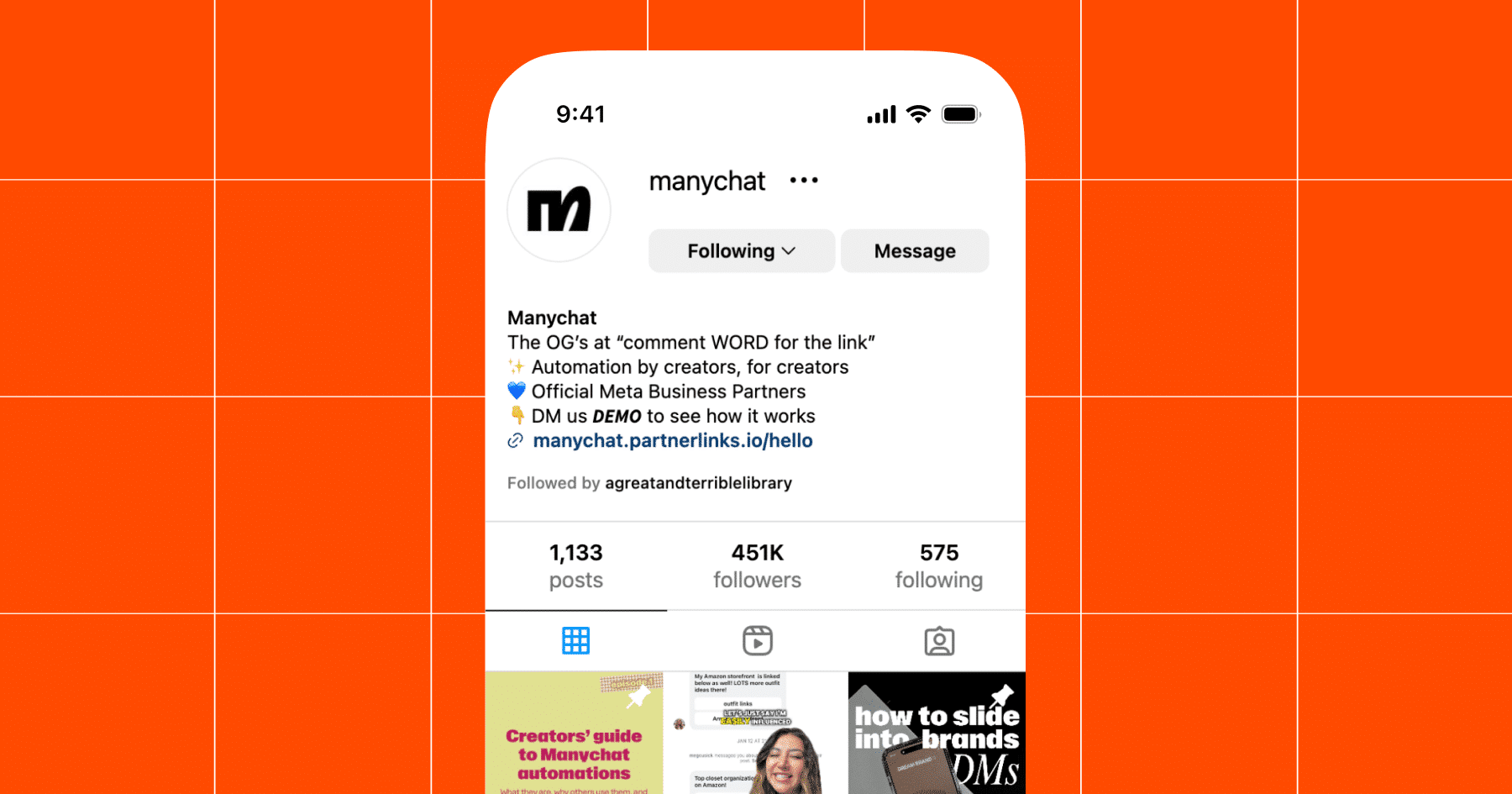
Where Is Link in Bio on Instagram? How to Find and Use It
On This Page
You've set up your Instagram profile, created compelling content, and you're ready to direct followers to your website, online store, or latest promotion. But the problem is, where is the link in bio on Instagram, and how do you actually use it to turn profile visitors into customers? Instagram allows only one clickable link on your profile, making that single spot highly valuable for anyone looking to drive traffic, boost sales, or share multiple resources. This article will show you exactly where to find your Instagram bio link, how to add or change it, and smart ways to maximise its potential so you're not leaving money on the table.
Once you understand where your bio link lives and how to update it, the next challenge is making it work harder for you. Mobilo's digital contact card transforms that single Instagram link into a networking powerhouse, letting you share your contact information, social profiles, portfolio, and calls to action all from one tap.
Summary
- Instagram only allows one clickable link on your profile, but the platform deliberately makes that link harder to find. The "link in bio" no longer appears as a visible URL. Instead, it displays as a button labeled "Links" or a subtle text field that blends into your profile description. The placement and visibility vary depending on whether you have a personal, creator, or business account, and the interface further changes based on device type and app version.
- Personal accounts get one website field that appears as plain, non-underlined text beneath the bio. Creator and business accounts unlock a "Links" button that opens a menu of up to five destinations, but Instagram only displays the first link prominently. The rest get buried under an "and 4 others" label that requires an additional tap.
- Instagram blocks editing bio links on desktop entirely, forcing you to switch to mobile mid-workflow. You can update your name, username, and bio text from a computer, but the "Links" section requires the mobile app. This platform constraint disrupts how professionals manage campaigns.
- Instagram's native analytics show profile visits and total link taps, but won't tell you which specific link was clicked, when, or by whom. That data gap makes it nearly impossible to connect a post to a conversion. You know traffic is moving, but you can't trace it back to the content that drove it or the follower who engaged.
- The real breakdown happens after the click. A follower taps your link, maybe browses a landing page, and then disappears. You don't capture who they were, what interested them, or how to follow up. Research cited by Mobilo found that up to 90% of business contacts never make it into a CRM because the gap between initial interest and data entry is too wide.
Mobilo's digital contact card turns your Instagram bio link into a lead capture system that syncs contact information directly to your CRM without manual entry, scores prospects against your ideal customer profile in real time, and tracks which connections are worth immediate follow-up.
Where is the Link in Bio on Instagram? (and Why People Keep Missing it)

You tap a profile, scan the bio, and see no clickable links. No URL, no underlined text, just a description and maybe a few buttons that don't look like links at all. You're not imagining it. Instagram's interface has quietly evolved in ways that make the "link in bio" feature harder to recognize, especially if you're used to how it worked even a year ago.
Bio Links are Now Hidden Buttons
The link in bio isn't a visible URL anymore. It's a button labeled "Links" or sometimes just an icon, tucked beneath the profile description. On business and creator accounts, Instagram displays these as tappable buttons that open a menu of external destinations. Personal accounts see a single website field that appears as plain text unless you tap it. The placement varies based on account type, device, and whether you're viewing the profile in the app or in a browser. That inconsistency is why many people assume the feature disappeared or never existed.
Why the Confusion Keeps Spreading
Instagram deliberately hides clickable URLs to keep users inside the platform longer. Every external link is a potential exit, so the interface design makes those exits subtle. Buttons replace traditional hyperlinks. The word "website" is replaced with vague labels such as "Links" or small icons that blend into the profile layout. If you're scrolling quickly or viewing on a smaller screen, you'll miss it entirely.
Account Type Affects Link Visibility
The problem compounds when account types display links differently. A creator account might show a bright "View Shop" button, while a personal profile only reveals a faint website line that doesn't even look tappable. Some users see a single link; others see a grid of options. The experience varies widely, so even regular Instagram users can feel disoriented when they land on an unfamiliar profile type. You're not failing to find the link. The platform is actively making it harder to notice.
What Actually Breaks When Links Go Missing
Missed traffic is the obvious cost, but the real damage runs deeper. You post content with a clear call to action: "link in bio for the full guide." Followers click your profile, see no obvious link, and assume you forgot to add it. They leave. Your engagement drops. The content you created is severed from the destination it was meant to drive toward. That broken connection doesn't just lose you one visitor. It trains your audience to stop looking for your links altogether.
Link Rotation Creates Audience Confusion
The same breakdown happens in reverse. You're trying to share a portfolio, a product launch, or an event registration page. Instagram's single-link limit forces you to pick one destination, so you rotate links based on recent posts. Followers who saw last week's content still expect the link. They tap, land somewhere irrelevant, and feel misled. The platform's design turns every link update into a coordination problem between you and your audience. You're both trying to connect, but the interface keeps getting in the way.
How the Feature Actually Works Now
On Instagram, the link in bio appears as a "Links" button directly below your profile picture and bio text. Tap it, and a menu slides up showing every external URL you've added. Business and creator accounts can add multiple links here. Personal accounts have a single website field that appears as plain, non-underlined text until the user taps the profile area. On desktop browsers, the process shifts again. You navigate to a profile, scroll to the bio section, and click the "Links" button, which opens thedestinations in a new tab. The button itself is easy to overlook if you're scanning quickly.
Instagram Adds Intentional Friction
The feature exists, but it's deliberately understated. Instagram wants you to stay in-app, so every external link is wrapped in extra steps, like finding the button, tapping to open a menu, choosing a destination, and confirming you want to leave. That friction is intentional. It's not a bug or an oversight. The platform is designed to make external navigation feel like a detour rather than a natural next step. For users trying to drive traffic or capture leads, that friction becomes a measurable obstacle.
Why Single-Link Strategies Fail Under Pressure
Most people work around Instagram's link limit by using a landing page tool that aggregates multiple destinations into a single URL. You paste that URL into your bio, and followers tap through to a menu of options. It works until you realize the landing page itself becomes a bottleneck. Every link you add dilutes attention. Followers land on a page full of buttons and have to decide which one matters. The more options you provide, the less likely they are to click any single one. Research on decision paralysis shows that choice overload reduces conversion rates because users defer action when faced with too many options.
Digital Contact Cards Solve Tracking
The real failure point is tracking. You're sending Instagram traffic to a third-party landing page, then onward to your actual destinations. At each step, you lose visibility into who clicked, when, and why. You can't connect a specific Instagram post to a lead capture or sale without manually tagging links and hoping your analytics tools integrate smoothly. That gap between social engagement and business outcomes is where most strategies stall. You're generating attention, but can't measure whether it's converting into anything that matters.
Digital Contact Cards Solve Tracking
Solutions like digital contact cards shift the model by treating your Instagram bio as a lead capture system rather than just a traffic router. Instead of sending followers to a generic landing page, you create an interactive profile that shares contact details, tracks engagement, and integrates directly with your CRM. The link in bio becomes a networking tool that captures who's interested, what they clicked, and how to follow up. You're not just driving traffic. You're building a pipeline of connections you can actually measure and act on.
Where People Get Stuck Without Realizing It
You assume the link in bio is obvious because you know where to find it on your own profile. But your followers don't have that context. They're scanning dozens of profiles daily, each with slightly different layouts and button placements. When they land on yours and don't immediately see a clickable URL, they move on. The cognitive load of determining where your link resides is higher than the perceived value of clicking it. You lost them not because your content wasn't compelling, but because the interface made it feel like work to find your link.
Networking Suffers Without Clear Links
The same issue hits when you're trying to network or share your profile in person. You hand someone your Instagram handle, they pull it up on their phone, and then what? They see your posts, maybe your bio text, but the path to your website, portfolio, or contact form isn't intuitive. If they don't know to look for a "Links" button or tap a specific area, they'll assume you don't have one. That missed connection costs you more than web traffic. It costs you the relationship you were trying to start.
Related Reading
- Best Link in Bio Tool
- What is Link in Bio
- How to Improve Linkedin Profile
- How To Build Personal Branding
- How to Add Portfolio to Linkedin
- How To Add Link To Tiktok Bio
- How to Add Instagram Link to Tiktok
- Where is Link in Bio on Instagram
- How to Add Link to Linkedin Post
- How to Add Website Link to Linkedin Profile
- Link in Bio Examples
- How To Add Link To Tiktok Bio
- How to Add Instagram Link to Tiktok
Where the Link in Bio Actually Appears (By Account Type)
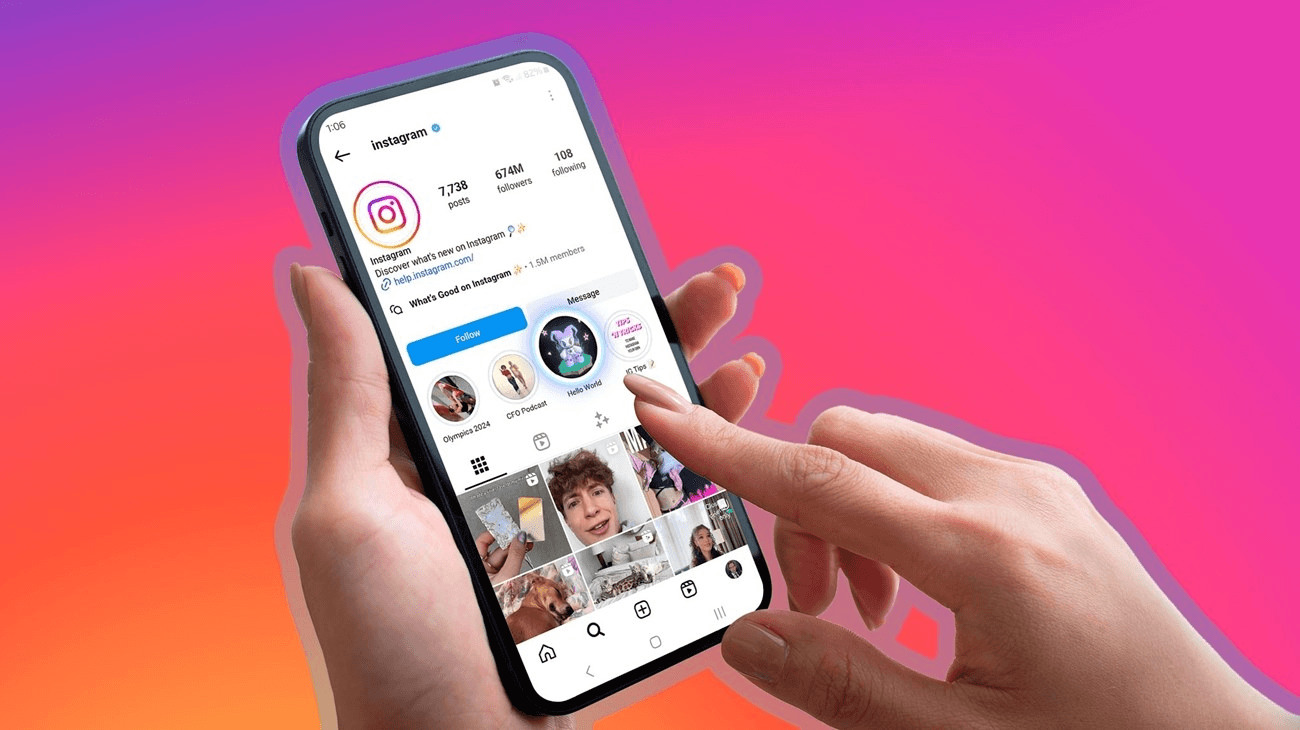
The link in bio appears directly below your profile description and above the action buttons, but its display depends on whether you're running a personal, creator, or business account. Instagram doesn't treat all accounts the same. Each type has a different interface for adding and viewing external links, so your followers see different layouts depending on the profile they're viewing. That inconsistency creates confusion, especially when someone expects a clickable URL and instead finds a button, or vice versa.
Personal Accounts
On a personal account, you get one website field. It appears as plain text beneath your bio, labeled simply as your domain name or page title. There's no button, no underline, no visual cue that screams "click here." It blends into the rest of your profile text. If you're scanning quickly, you'll miss it. The only way to know it's tappable is to actually tap it, which most people won't do unless they're actively hunting for a link.
Instagram Limits Link Visibility
This design choice reflects Instagram's priority of keeping personal users within the app. The platform doesn't want casual profiles driving traffic elsewhere, so it makes the link functional but deliberately understated. You can add a URL in your settings, and it will display, but Instagram won't help you promote it. For anyone trying to share a portfolio, a newsletter signup, or even a basic contact page, this creates a visibility problem. Your link exists, but your audience needs to know how to find it.
Creator Accounts
Creator accounts unlock the "Links" button, which appears as a tappable element directly below your bio text. Tap it, and a menu slides up showing every external URL you've added. You can include multiple destinations here, such as your website, YouTube channel, recent blog post, or product launch page. The interface treats these links as a curated list rather than a single static field, giving you the flexibility to rotate destinations without constantly editing your bio.
Too Many Links Cause Decision Fatigue
The tradeoff is that every link you add competes for attention. Followers land on a menu of options and have to decide which one matters. According to Pop Store's analysis of link-in-bio behavior, users who encounter more than five links in a bio menu are 40% less likely to click any single link. The menu format addresses Instagram's single-link limit but introduces decision fatigue. You're no longer fighting to get people to your link. You're fighting to get them to pick the right one once they're there.
Business Accounts
Business accounts receive the same "Links" button as creators, but with additional features for commerce and lead capture. You can add a "Contact" button that opens an email, displays a phone number, or provides directions. You can integrate a shop tab that displays products directly in your profile. You can run ads that send traffic to specific links without ever asking users to manually navigate your bio. The interface is built for conversion, not just visibility.
Tracking Link Performance is Difficult
The challenge is tracking. You're sending Instagram followers to external pages, but Instagram's native analytics won't tell you which link drove a lead, a sale, or a signup. You see profile visits and link taps, but the connection between a specific post and a business outcome disappears once someone leaves the platform. That gap is where most business accounts lose momentum. You're generating interest, but you can't measure whether it's converting into pipeline activity.
Turn Your Bio Into a Lead System
Tools like digital contact cards treat your Instagram bio as a networking system rather than just a link repository. Instead of routing followers to a generic landing page, you create an interactive profile that captures contact details, tracks engagement, and syncs directly with your CRM. The link in bio becomes a lead capture tool that logs who clicked, what they viewed, and how to follow up. You're not just driving traffic. You're building a measurable pipeline of connections that feed into your sales process.
Private Accounts
Private accounts display links the same way personal accounts do, like a single website field beneath the bio, visible only to approved followers. But there's a catch. If someone who doesn't follow you lands on your profile, they won't see your link. Instagram hides the website field until you send a follow request and the recipient accepts it. That creates a barrier for anyone trying to use Instagram as a networking tool. You share your handle at an event, someone looks you up, and they can't access your portfolio or contact info until you manually approve them.
Privacy Settings Limit Link Visibility
This isn't a bug. It's Instagram reinforcing the boundary between public and private profiles. The platform wants private accounts to feel secure, so it limits what non-followers can see. But for professionals who keep their personal accounts private while still trying to network, this design choice forces an awkward tradeoff. You can either make your profile public to ensure your link is visible, or accept that most people who find you won't be able to access your external content without approval.
Accounts With No Website Added
Many profiles never add a link. You tap through to their bio, and there's nothing below the description except action buttons. No website field, no "Links" button, just a dead end. Sometimes it's intentional. The account owner either doesn't have a destination to promote to or is using Instagram purely for content consumption rather than traffic generation. Other times, it's an oversight. They assume the link is optional, or they don't realize how many people are looking for it.
Broken Bio Links Hurt Trust
The real issue is expectation mismatch. If your content includes a call to action like "link in bio for details," and your bio has no link, you've just frustrated everyone who followed that instruction. They clicked your profile, scanned for the link, found nothing, and left. That broken promise doesn't just cost you one visitor. It trains your audience to stop trusting your calls to action. Over time, fewer people bother checking your bio at all, because they've learned there's nothing there.
Region and Rollout Differences
Instagram tests features in waves, which means not everyone sees the same interface at the same time. A user in one country might have access to multi-link menus while someone in another region still sees the old single-link format. The app version matters too. Older versions of Instagram display links differently from the current build, and users who haven't updated their app in months are seeing an interface that doesn't match the one you see when editing your profile.
Inconsistent App Versions Break Coordination
This creates a coordination problem you can't solve. You optimize your bio for the interface you see, but some of your audience is viewing it on a different layout. They may not see your "Links" button because their app version does not yet support it. They might tap an area that isn't clickable on their device. You're both trying to connect, but the platform's inconsistent rollout keeps breaking the handshake. You can't control which version of Instagram your followers are using, so you're left guessing whether your link is even visible to them.
Related Reading
- How to Add Linktree to Tiktok
- How To Add Linktree To Instagram
- How To Add A Link To Instagram Story
- How To Add Link To Instagram Profile
- Personal Landing Page Examples
- Graphic Design Portfolio Websites
- Personal Portfolio Website Design Examples
- Small Business Bio Examples
- One Page Website Examples
- Best Photography Portfolio Websites
- Instagram Landing Page Examples
How to Add or Edit Your Link in Bio (Step by Step)

Open Instagram on your phone, tap your profile, select "Edit Profile," then scroll to the "Links" section. Add your URL, give it a title, and tap "Done." The link goes live immediately beneath your profile photo. The process takes less than a minute, but only if you're using the mobile app. Instagram blocks editing bio links on desktop entirely, forcing you to switch devices mid-workflow if you're managing profiles on a computer.
Mobile-Only Bio Updates Create Friction
That platform constraint creates friction that most people don't anticipate. You're drafting a campaign on your laptop, finalizing copy, scheduling posts, and then you hit the bio update step. Suddenly, you're reaching for your phone, logging in again, navigating back to your profile, and manually entering the same URL you already have open in another tab. The handoff between devices isn't seamless. It's a reminder that Instagram prioritizes mobile-first design even when it disrupts how professionals actually work.
The Actual Steps (and Where People Get Stuck)
1. Tap "Edit Profile."
The button sits directly below your bio text and follower count. It's obvious once you know where to look, but new users often mistake it for the three-line menu icon in the top-right corner. That menu opens settings and account options, not profile editing. The distinction matters because tapping the wrong button takes you down a navigation path that doesn't include link management.
2. Find the "Links" Section
This is where the interface diverges by account type. Personal accounts see a single "Website" field. Creator and business accounts see a "Links" option that opens a submenu where you can add multiple URLs. If you're switching between account types to test features, this layout shift can be disorienting. You're looking for a field that may not exist, depending on your account configuration. According to Pop Store's 2025 analysis of link-in-bio behavior, 30% of users abandon the bio editing process because they can't locate the correct field on their first attempt.
3. Paste URL and Add Title
The title is what followers see when they tap your "Links" button, so generic labels like "Click here" or "Website" waste the opportunity to clarify where the link actually goes. A title like "Free Guide" or "Book a Call" sets expectations and increases click-through rates. Many users skip the title field, assuming it's optional. Instagram doesn't require it, but leaving it blank means your link displays as a raw URL, which looks unfinished and reduces trust.
4. Tap "Done" to Publish
Your link goes live immediately. There's no approval queue, no waiting period, no secondary confirmation step. The change is instant, which is convenient until you realize you pasted the wrong URL or misspelled the title. You can edit it again just as quickly, but if followers clicked during that window, they landed somewhere you didn't intend. That immediacy cuts both ways.
What Instagram Doesn't Tell You About Multiple Links
You can add up to five links to creator and business accounts, but Instagram displays only the first one prominently. The rest get buried under a "and 4 others" label that requires an extra tap to reveal. That design choice forces you to prioritize. Your top link gets the most visibility, so rotating it based on recent posts or active campaigns is essential. If you treat all five links as equal, you're assuming followers will dig through the menu to find what matters. Most won't.
Prioritize Link Order in Your Bio
The order matters more than the quantity. People scan top to bottom, and attention drops sharply after the first option. If your most important destination is in slots three or four, you've already lost most of the taps. Rearranging links is simple (you drag and drop within the "Links" menu), but it requires intentional upkeep. Every time you post new content with a call to action, revisit your bio and confirm the correct link is in the first position. That manual coordination is where most strategies break down. You're generating traffic, but the bio hasn't been updated to match the content, so followers land on yesterday's priority instead of today's.
Why Third-Party Tools Still Matter (Even with Five Native Links)
Instagram's multi-link feature solved the single-URL bottleneck, but it didn't solve tracking. You can see how many profile visits you get and how many times the "Links" button was tapped, but Instagram won't tell you which specific link was clicked, when, or by whom. That data gap makes it nearly impossible to connect a post to a conversion. You know traffic is moving, but you can't trace it back to the content that drove it or the follower who engaged.
Use Landing Page Tools for Analytics
Landing page tools such as Linktree or Beacons aggregate your links under a single URL and provide click-level analytics. You see which destination received the most taps, when traffic peaked by time of day, and whether followers are bouncing after the first click or exploring multiple links. That visibility helps you optimize. If one link consistently underperforms, you remove it. If another spike occurs after a specific post, you know the content resonated and can create more like it.
The Mistakes That Prevent Links from Showing
You paste a URL, tap "Done," and assume it's live. Then a follower messages you saying they can't find your link. You check your profile and see it displayed correctly. The disconnect happens because Instagram's interface varies by device, app version, and account type. What you see when you edit your profile isn't always what your audience sees when they view it. Older app versions display links differently. Some devices display the "Links" button as an icon rather than text. Regional rollouts mean certain features aren't available everywhere yet.
Bio Links are Mobile-Only
The most common mistake is adding a link on a desktop and expecting it to appear. Instagram doesn't allow bio link editing through the web interface. You can change your name, username, and bio text on desktop, but the "Links" section is mobile-only. If you update your bio on a computer, your link will remain unchanged from the last time you edited it on your phone. That platform restriction catches people mid-workflow. They're managing campaigns on a laptop, updating copy and scheduling posts, only to realize the bio link can't be changed without switching devices.
Avoid Suspicious URL Shorteners
Another failure point is using a URL shortener that Instagram flags as suspicious. Bitly, TinyURL, and similar services are often blocked or suppressed because they obscure the final destination. Instagram's spam filters treat shortened links as potential phishing attempts, so your bio might display the link but suppress it in the algorithm. Followers see it, tap it, and nothing happens. Or worse, Instagram displays a warning screen prompting them to confirm they want to leave the platform, which erodes trust and reduces click-through rates. If you need to track link performance, use a tool that provides analytics without shortening the URL into an unrecognizable string.
How to Test Whether Your Link Actually Works
View your profile from a secondary account that doesn't follow you. This simulates the experience of a new visitor and confirms whether your link is visible and clickable, and whether it leads to the correct destination. If you check your profile only while logged in to your main account, you're seeing the interface through the lens of someone who already has access. Private accounts hide links from non-followers entirely. Business accounts sometimes display links differently to logged-out users. Testing from an external perspective catches those discrepancies before your audience does.
Verify Your Link Works
Tap the link yourself and confirm it opens correctly. This sounds obvious, but it's easy to paste a URL that's missing a character, points to a staging site instead of the live version, or redirects to a 404 page. If you're rotating links frequently, the risk of error compounds. You're updating the bio in a hurry, pasting from clipboard history, and accidentally grabbing an old URL. One quick tap from a test account confirms the link works as intended. If it doesn't, you fix it before anyone else notices.
Beware of Instagram Warning Screens
Check whether Instagram adds a warning screen before the link opens. Some domains trigger an interstitial page that asks users to confirm they want to leave Instagram. That extra step reduces click-through rates by introducing friction and implying the destination may be unsafe. If your link consistently triggers that warning, consider switching to a domain Instagram recognizes as trustworthy or using a landing page tool that's whitelisted in their system.
Turn Link-in-Bio Clicks Into Real Contacts
Getting someone to tap your link is only the beginning. Most of those clicks evaporate before they turn into anything you can act on. People browse, maybe scroll through a landing page, and then they're gone. You don't know who they were, what caught their attention, or how to reach them again. Instagram traffic moves fast, and without a system to capture it, interest fades.
The Problem With Manual Lead Management
The real breakdown happens in the handoff. A follower clicks through to your site, maybe fills out a form if you're lucky, but then that lead sits in a spreadsheet or gets manually entered into your CRM days later. By the time someone follows up, the moment has passed. The connection felt urgent when they clicked. Three days later, it's cold. Most teams rely on manual processes that can't keep pace with how quickly attention shifts, so strong interest gets filed away and forgotten. According to research cited by Mobilo, up to 90% of business contacts never make it into a CRM. They're captured on napkins, stored in phone notes, or lost entirely because the gap between meeting someone and logging their information is too wide.
Mobilo’s Solution: Instant Lead Capture
Mobilo closes that gap by treating your Instagram bio as a lead capture system rather than just a traffic router. Instead of sending followers to a generic landing page and hoping they convert later, Mobilo's smart digital contact cards let teams capture and enrich contact information instantly. Someone taps your link, shares their details, and that data syncs directly to your CRM without manual entry. The system scores prospects against your ideal customer profile in real time, so you know which connections are worth immediate follow-up and which can wait. Whether the interaction starts on Instagram, at a live event, or in a one-on-one conversation, the process stays consistent. You're not juggling multiple tools or trying to remember who you met where. Every touchpoint feeds into the same pipeline.
Seamless Integration and Real-Time Scoring
Trusted by over 59,000 companies, Mobilo ensures the attention you earn doesn't vanish after the click. Book a demo today and get your first 25 digital contact cards free (a $950 value). When visibility alone isn't enough, having a system that turns fleeting interest into trackable, actionable relationships makes the difference between generating traffic and building a pipeline that actually converts.
Related Reading
- Bio Site vs Linktree
- Linktree Alternatives
- Shorby Vs Linktree
- Linkinbio vs Linktree
- Linktree vs Carrd
- Beacons vs Linktree
- Beacons vs Stan Store
- Milkshake vs Linktree
- Taplink vs Linktree








