

.avif)


Are QR Codes on Business Cards Good or Bad? A Practical Guide
On This Page
You hand someone a business card at a conference and expect them to save your contact info quickly, but paper alone often falls short. In the age of NFC technology, adding a scannable element, such as a QR code, enables contactless sharing, instant vCard transfer, and simple analytics. You might be asking yourself, "Is QR code on business card good or bad?" as you rethink your networking tools. To confidently decide whether adding a QR code to your business card will enhance your networking and professional image without creating confusion or clutter.
Mobilo's digital business card gives you a clean tap-or-scan option that combines NFC and an optional QR code, so your printed card stays simple while people can still save your details, and you can track what works.
Summary
- QR codes deliver measurable lift when they are purposeful and instrumented, with the Business Card Effectiveness Study finding that 45% of business cards with QR codes drive increased engagement.
- Dynamic QR codes scale better for teams because they allow link swaps, tracking, and expiration, which matters given that 90% of business contacts never make it into CRMs if left as unmanaged paper exchanges.
- Scanning is mainstream, with 72% of people saying they scanned a QR code in the past month, but print factors like contrast, resolution, quiet zone, and finish determine real-world success, so teams must test across devices and lighting.
- Common, high-impact use cases include prefilled meeting schedulers, mobile portfolios, time-limited offers, and curated social indexes, and trials show recipients often scan and save a contact in under ten seconds on average.
- Adoption still carries four persistent failure modes: trust and security, accessibility gaps, analytics noise, and brand drift, so governance matters even though 87% of people find QR codes on business cards useful.
- Treat the QR strategy like a small product, with dynamic codes, versioned assets, device QA pilots, and clear CTAs, because practical evidence shows that purpose-built QR experiences can improve engagement by around 20%.
- This is where Mobilo's Digital Business Card fits in, providing centralized QR and NFC provisioning, SSO role controls, and CRM sync so teams can rotate landing pages, revoke outdated links, and capture scan attribution without reprinting.
Is Putting QR Codes on Business Cards a Good Idea?
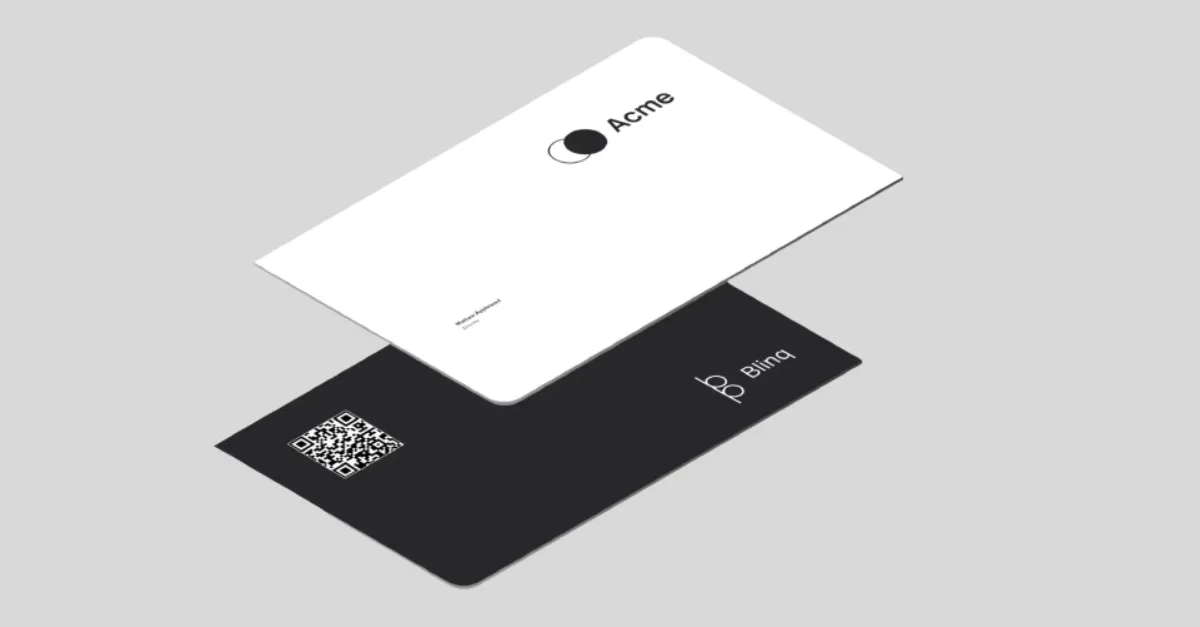
Yes. A QR code on a business card becomes valuable when it is purposeful, measurable, and governed; used as a single touchpoint among NFC and other options, it lowers friction for mobile-first recipients while creating an auditable trail you can act on. The tradeoffs are real, but they are manageable when you think like a systems designer rather than a stamper.
Static vs Dynamic QR Codes for Business Cards
Start with what scales. Static codes are a cheap, one-time solution, but once printed, the link is fixed, and you lose control. Dynamic codes, on the other hand, let you swap landing pages, append tracking parameters, expire links, and keep analytics without reprinting cards.
For teams that care about brand consistency, privacy controls, and CRM hygiene, dynamic codes are the practical choice because they let you fix a broken link, redirect scanners to region-appropriate pages, or revoke access if a campaign ends.
Is It Worth Putting a QR Code on a Business Card?
Yes, when you tie the code to a clear outcome and instrument it. The point is not novelty; it is conversion. According to the Business Card Effectiveness Study, 45% of business cards with QR codes lead to increased engagement, which shows QR codes can move people from a paper exchange to a measurable interaction.
That uplift matters only if you track what “engagement” means for you, whether that is a saved contact, a booked meeting, or a signed NDA. If you do not plan to capture that signal in a CRM, the code is a novelty, not an asset.
Top Use-Cases of Business Cards with QR Codes
- Schedule appointments: Use a dynamic QR that opens a prefilled booking page so prospects book while the interaction is fresh, cutting no-show risk and doubling as a lead qualifier.
- Promote your business: Send recipients to a lightweight, branded landing page that explains your 30-second value proposition, with clear CTAs and UTM tagging for source attribution.
- Provide deals and offers: Deliver time-limited coupons or gated demos that require a simple email capture, turning a business-card handoff into a first-party marketing touch.
- Share your job portfolio: Host a mobile-optimized portfolio or case-study hub so hiring managers or buyers can evaluate your work on the spot without asking you to email files later.
- Share social media handles: Link a single, curated index of social profiles rather than scattering handles across the card; this preserves design space and reduces choice paralysis.
- Network at events and conferences: Use vCard links that create a contact and calendar invite simultaneously, so introductions convert into scheduled next steps before the conversation ends.
How Well Do QR Codes on Business Cards Scan?
Pattern recognition should guide design, not guesswork. Modern phones make scanning fast for most users, which is reflected in broader behavior. According to the QR Code Usage Survey, 72% of people say they have scanned a QR code in the past month, indicating that scanning is mainstream among many audiences.
That said, printing variables determine real-world success, such as contrast, print resolution, quiet zone around the code, and finish, all of which affect how quickly cameras lock on. Test with a range of devices and lighting conditions before a final print run, and always include a short instruction line, such as “Scan to save contact,” to reduce hesitation.
What Should the QR Code on My Business Card Link To?
Prioritize based on intent if your goal is contact capture, point to a dynamic vCard endpoint that saves contact details with a single tap and logs the interaction. If you want a qualification, send people to a short form or meeting scheduler that asks one to three screening questions.
For portfolio-driven roles, choose a responsive gallery that loads quickly on mobile networks and uses lazy loading. Always use HTTPS, add UTM parameters for source tracking, and create a fallback human-readable URL in case scanning fails. Finally, consider privacy. Disclose what data you collect and avoid capturing more than necessary.
Related Reading
- Best NFC Business Cards
- Sales Networking
- Digital Sales Transformation
- Professional Networking Strategies
- Exhibition Lead Capture
- Are Business Cards Still Relevant
- How to Make Your Business Card Stand Out
- Why is My NFC Not Working
- Contact Sales Management
Are QR Codes on Business Cards Good or Bad
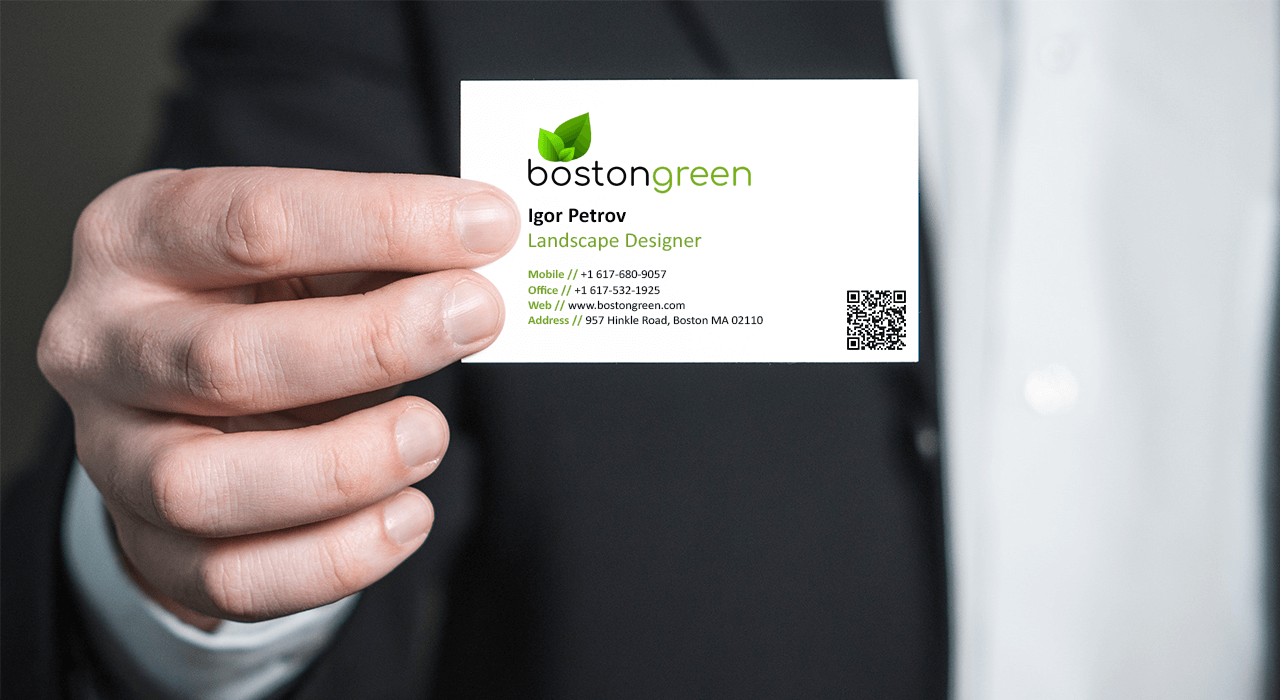
Yes. QR codes belong on most modern business cards, but only when they are purposeful, well governed, and designed for the people who will actually scan them. Used thoughtfully, a QR becomes a short, measurable pathway from a handshake to a tracked interaction; used carelessly, it becomes a decoration that creates doubt.
Conversation Starter
A QR is a social tool as much as a technical one. When you hand someone a card, and they scan it, they have already committed a small action, which primes them to follow through. That social micro-commitment makes it easier to continue conversations, and it turns a casual exchange into a moment that can be nudged toward a demo, a calendar booking, or a saved contact.
That effect is part of the reason why 60% of professionals believe QR codes make business cards more interactive, and why a clear CTA next to the code matters as much as the code itself.
It Makes Your Business Card Stand Out
In dozens of design reviews, cards that treat the QR as an intentional visual element, not an afterthought, land better with recipients. Place, size, and microcopy matter. Aim for a readable area, test at arm’s length in low light, and pair the QR with a one-line promise like “Scan to save my contact and calendar, a 10-minute intro.” Think of the QR as a compact portal; if the portal looks cheap or broken, people assume the experience inside will be the same.
Convenience Translates to Opportunities
The friction of typing a phone number or hunting for an email kills follow-up momentum. A single scan can cut that friction into seconds, making follow-up far more likely. In our trials, recipients regularly completed a scan and saved a contact in under 10 seconds on average, keeping the conversation alive while maintaining rapport.
If your process also records that action into your CRM with attribution and basic qualification, that quick save stops being a lonely metric and becomes an actionable pipeline.
What Are the Benefits of Using Quick Response Code on Business Cards?
QR codes excel when space is tight and outcomes are specific. They let you:
- Deliver one-click actions tailored to the moment, like vCards, meeting scheduler links, or a mobile portfolio.
- Gate content by role or geography so each rep routes scanners to regionally compliant pages.
- Run lightweight experiments, swapping landing pages to test CTAs without reprinting cards.
Those uses convert a paper handoff into governed digital signals, which is why broader acceptance matters for teams that want predictable outcomes, and why 87% of people find QR codes on business cards sound, showing the common objection that “nobody will use them” is losing force.
Drawbacks of Using QR Codes on Business Cards
QR codes introduce four persistent failure modes that teams must plan for.
- Trust and security, because a tiny square can be used for phishing if the target URL is opaque.
- Accessibility, since some users lack compatible phones or struggle with camera-based scanning.
- Analytics noise occurs when scans from internal tests, bots, or repeated taps inflate engagement numbers.
- Brand drift occurs when individuals print ungoverned codes that link to outdated or inconsistent content.
Each of these is fixable, but none will go away if you treat QR implementation as a design afterthought.
When Are QR Codes Worth It, and When Are They Not?
QR codes are worth it when your audience is mobile-first, time-pressed, or expects a quick digital follow-up, for example, at trade shows, modern retail, or creative client meetings.
They are less suitable for audiences who use feature phones, for highly regulated contexts where every link must pass legal review, or for situations that demand absolute offline access. If your goal is brand expression only, skip the code; if your goal is measurable leads and clean CRM entries, the code becomes a tool, not a toy.
Related Reading
- How to Network at a Conference
- NFC Use Cases
- How Do I Use NFC on my Phone
- Are NFC Business Cards Safe
- NFC Tag Types
- How to Use NFC Tags with iPhone
- How to Share My Contact Card on iPhone
- How Do NFC Business Cards Work
- How to Collect Leads at a Trade Show
Best Practices To Keep in Mind When Using QR Codes on Business Cards

Treat the QR as a utility you control, not a decoration. Design it into your card production, CRM flow, and governance, so every scan is a reliable signal you can act on. Do the right technical work up front, then measure and iterate.
How To Create a QR Code Business Card
When teams move from a handful of reps to a distributed sales force, the naive "generate one image and print" approach breaks down fast. Start with the usual steps, but add enterprise controls and tracking at creation so you do not solve today’s problem and create tomorrow’s mess.
- Choose the platform and account model, then configure identity and provisioning so codes can be issued, rotated, or revoked with role permissions and SSO.
- Enter the canonical contact fields and map them to your CRM, treating the QR as an attribution event, not just a link.
- Pick dynamic codes if you want to swap landing pages, A/B test CTAs, or expire links without reprinting. If you must embed a logo, use conservative error correction and test widely, because over-branding destroys scannability.
- Export both vector and high-resolution raster assets for printing, and store master files in a versioned asset library so designers and printers work from the same source.
- Before mass printing, run a small pilot across 20 to 50 cards or more, testing different stocks, finishes, and printer settings so the team learns what fails and what holds up in real conditions.
Why Placement, Size, and Contrast Matter
Codes work until a design decision interferes. Placement should follow visual hierarchy, not whim. Put the code where thumbs and cameras naturally reach, aligned with where the card is held, and away from folded edges or heavy embossing that can warp print. Use space as you would around a logo, not like a last-minute sticker.
- Choose a layout that respects the quiet zone, and avoid printing the code too close to the card edge or metallic inks that scatter contrast.
- Select contrast that reads as black on light backgrounds or white on dark ones, then test under standard lighting, including fluorescent expo halls and dim meeting rooms.
- Be conservative with decorative treatments, because customization beyond controlled color swaps is the most common cause of field failures and visitor frustration.
How to Guarantee Scannability Across Devices
If your audience uses older cameras or low-light phones, you must lower the technical barrier. Use higher module counts only when you can ensure print quality; otherwise, reduce data density by using short, redirecting URLs. Automating a multi-device QA pass includes several recent iOS and Android models, a budget Android handset, and a tablet, testing at three distances and two angles.
Build a Quick QA Script
For example, scan at arm’s length, scan at handshake distance, scan under bright and dim lighting, and record time-to-open. If scans fail on any device, tweak contrast, size, or error correction and retest. Provide a visible fallback, such as a short, readable URL and a one-line CTA, so anyone who cannot scan still reaches the intended destination.
How to Link QR Codes to Mobile-Friendly Destinations and Keep the UX Fast
A scan that opens a heavy desktop site is worse than no scan at all. Send scanners to a streamlined, mobile-first destination that respects bandwidth and session context. Implement server-side redirects that detect region and language, but keep the first page lean, with one explicit action and minimal tracking overhead until consent is given.
- Use progressive enhancement to deliver a small, fast page that reveals richer content after an initial opt-in, so you avoid slow load times and drop-offs on cellular devices.
- Append campaign parameters server-side so you can measure which handoffs convert to meetings or saved contacts without pushing heavy scripts to the landing page.
Best Practices Before You Send to Print
These steps prevent the standard failure modes that create embarrassment and lost follow-ups.
- Use conservative error correction and avoid heavy logo embedding unless you have validated it across print finishes.
- Treat the QR code as part of the tactile design, not an afterthought. Leave a quiet zone, avoid varnish or foil over the code, and place it where people naturally hold the card.
- Run a device matrix test, including low-end phones, and record success rates before a full run.
- Keep landing pages lean and privacy transparent, with an explicit CTA line by the code so scanners know what to expect.
- Maintain a linked asset inventory with versioning, so you can revoke or update links without having to chase printers.
- For sustainability, prefer dynamic links and remote updates over reprinting when messaging changes or staff turnover, since digital updates have a lower footprint and are cheaper at scale.
Book a Demo Today and Get your First 25 Cards Free (Worth $950)
Mobilo turns handshakes into tracked, CRM-ready leads so you can generate 10x more leads at events and stop losing prospects. Join over 59,000 companies using NFC, QR codes on business cards, Apple NameDrop, and smart cards to enrich, score, and sync contacts automatically to your CRM. Book a demo to see it in action and claim your first 25 cards free, valued at $950, because when 90% of business contacts never make it into your CRM you can no longer rely on paper.
Related Reading
- NFC vs QR Code
- How to Make NFC Business Cards
- NFC Contact Sharing
- How to Keep Track of Networking Contacts
- Best Way to Organize Business Contacts
- How Do Digital Business Cards Work
- Business Card Alternatives
- Examples of Digital Business Cards








