

.avif)


How Do Digital Business Cards Work and How To Customize Them for Your Brand
On This Page
At a busy conference, paper cards pile up and names slip away, while NFC technology now lets you tap a phone and send a contact in seconds. If you have asked, how do digital business cards work? This article explains contactless sharing, NFC tags, QR codes, vCard export, branded profiles, social links, CRM sync, and analytics in plain terms. This piece will help you easily create a professional, fully customized digital business card that impresses contacts, strengthens your personal or business brand, and simplifies sharing your information.
Mobilo’s digital business card makes that straightforward, letting you build a polished, shareable profile you can tap, text, or scan, add your website and social links, attach files, and track who opens your card so you can follow up with confidence.
Summary
- Digital business cards can increase networking efficiency by about 50%, meaning event conversations convert to follow-ups and leads much faster than with paper exchanges.
- The market for digital business cards is projected to reach roughly $3.1 billion by 2027, a signal that organizations are investing in contact capture systems that are measurable and scalable.
- Paper business cards are highly wasteful, with nearly 90% thrown away within one week, which makes digital-first approaches a straightforward way to reduce recurring printing costs and environmental waste.
- Adoption is already meaningful, with 37% of small businesses and 23% of individuals using digital business cards, a gap that turns governance and integration choices into the deciding factor for scale.
- In a 30-day pilot with a 40-person field sales team, vCards handled quick swaps, but reps needing calendar links, portfolios, and lead-capture fields migrated to cloud-hosted profiles for follow-up automation.
- Design and testing matter; keep the first fold scannable with 5–7 visible items, limit videos to under 15 seconds, and run a two-week measurement window to iterate on saves and shares before a wider rollout.
- Mobilo's Digital Business Card addresses this by centralizing card issuance, syncing CRM-ready contacts, and providing enterprise controls such as SSO and SOC 2 level governance to keep branding, access, and lead capture under control.
What is a Digital Business Card?

A digital business card is an electronic version of a paper card that lives on your phone and instantly shares contact information, social links, and websites. It keeps your details current, works across distances, and bundles things a paper card cannot, like video, calendar links, and downloadable collateral.
What Features Will I Actually Get?
Expect more than name and number. A digital card can include a headshot, live photo or video, badges, calls to action, website links, embedded PDFs, calendar booking links, social profiles, and fields for notes or dates. That extra real estate lets you move from a static exchange to an active follow-up so that a single handoff can carry:
- Sales asset
- Portfolio sample
- Calendar invite
What Types of Digital Cards Exist and Which One Should I Pick?
Wallet-based, app-based, and NFC-enabled cards meet different needs. If you want simple, offline sharing and no extra apps, wallet-based cards in Apple Wallet or Google Pay are the cleanest choice. App-based solutions give visual polish and deep customization for freelancers and creatives who want:
- Logos
- Videos
- Team features
NFC-enabled cards look and feel like traditional cards but tap a smartphone to open a profile, which is ideal when you want the ritual of a physical card without the paper limits.
How Can I Share a Card in Real Situations?
Sharing should never be a point of friction. You can hand over a wallet pass, show a QR code, text a link, send an email, post to social media, tap with an NFC tag, or even push the card via a wearable like an Apple Watch. For busy events, the variety matters because some contacts will prefer scanning a QR code while others expect a quick text or calendar invite.
Why Does This Matter for Teams and Enterprises?
Most teams still rely on paper stacks or ad hoc QR codes because those methods are familiar and easy to get started with. That approach works early on, but as teams scale, leads fragment across spreadsheets, card printing becomes a recurring cost, and brand consistency erodes.
Platforms like Mobilo address that friction by providing NFC- and QR-enabled physical smart cards that centralize provisioning, capture CRM-ready leads, and offer enterprise controls such as SOC 2 compliance, GDPR support, SSO, HRIS sync, and analytics, letting organizations pilot in 30 days and scale with governance intact.
How Does This Change Outcomes at Events and in the Field?
This is not just convenience; it affects results. Studies show digital business cards can increase networking efficiency by 50%, which explains why sales teams adopt them to accelerate follow-ups and convert more booth conversations into qualified leads. The market is responding: the digital business card market is expected to reach $3.1 billion by 2027, a sign that organizations are investing in systems that move contact capture from manual to measurable.
How Do People Feel About Switching from Paper?
This pattern appears across trade shows and local meetups: attendees get tired of fumbling for crumpled cards, and hosts dislike the waste. Users repeatedly say they want cards that update instantly and that don’t force others to download an app. That preference drives choices toward wallet passes or NFC taps that hand off a link without an extra install, reducing friction and preserving the human moment of connection.
Is This Better for the Planet and the Budget?
Yes. Nearly 90% of paper business cards are thrown away within 1 week, making paper both wasteful and inefficient. Digital cards eliminate repetitive printing and updates, and companies see real savings: switching to a digital-first approach can substantially cut business card spend, freeing up budget for follow-up tools and analytics.
Live Profile to CRM Data Exchange
A quick image: a digital card is a live profile in your pocket, not a printed snapshot in your wallet. That shift changes how meetings turn into meetings that matter. But the deeper mechanics of how these cards actually exchange data, update in real time, and tie back to CRM systems is where the real surprises start.
Related Reading
- Best NFC Business Cards
- Sales Networking
- Digital Sales Transformation
- Professional Networking Strategies
- Exhibition Lead Capture
- Are Business Cards Still Relevant
- How to Make Your Business Card Stand Out
- Why is My NFC Not Working
- Contact Sales Management
How Do Digital Business Cards Work
.png)
Digital business cards exchange contact data in a few straightforward steps: you build a contact profile (either as a vCard file or a cloud-hosted profile), attach that profile to a share method (QR, link, email, or an NFC tap), and the recipient’s smartphone reads the payload and either opens a web profile or imports a vCard into their contacts.
The rest is about formats and friction: some methods hand off a simple VCF, others hand off a live profile that keeps updating after the exchange.
How Are Digital Business Cards Created?
Start with the file or profile. The legacy container is the vCard, also called VCF, a plain-text file that holds standard fields plus a small image. Macs and PCs can export and import vCards through their Contacts apps and mail, and these CRM systems will ingest them directly:
- Gmail
- Outlook
- HubSpot
- Salesforce
vCards are compact and reliable, but they are limited to structured fields, so how your data looks depends on the receiving app’s design rules. Think of a vCard like a form you fill out at a desk; every system files that paper differently.
Richer Experience and CRM Integration
If you want styling, interactivity, or analytics, you move to a cloud-based profile created in a card maker app. Those profiles live behind a short URL, let you add links, videos, and CTAs, and push updates without re-exchanging the card. Designers and developers can extend that into richer experiences, but turning a template into a branded, CRM-ready workflow usually requires a brief integration step with your sales stack.
When we ran a 30-day pilot with a 40-person field sales team, the pattern was clear: vCards handled quick swaps, but reps who wanted calendar links, portfolio pieces, and lead-capture fields hit limits and shifted to cloud profiles for follow-up automation.
How are Digital Business Cards Shared?
What people actually use depends on context and the recipient’s device. Standard methods include a URL, an email attachment, a QR code, or an NFC tap from a physical smart card. For QR codes, the recipient points their smartphone camera at the code, which opens a link or prompts a vCard download.
NFC lives in a tiny chip embedded in a physical card, often metal or bamboo, and when a compatible smartphone is held close, it reads the chip and opens the profile, the same principle as contactless payments.
Smartphone and NFC Reader
A practical note, plain and simple: every method requires the recipient to have a smartphone capable of handling the payload. Also, if you plan bulk capture or kiosk-style scanning at events, remember that some enterprise workflows require a separate NFC-specific reader to collect and consolidate data at scale.
Contacts App vs. CRM Push
After the handoff, recipients can either save the file directly into their native Contacts app, or the cloud profile can present a “save” button that asks the phone to add the contact, or it can push the data automatically into a connected CRM when the card-maker platform has native integrations.
How Can Recipients Save or Access the Information on Their Devices?
Saving depends on what was handed off. A VCF attachment typically triggers the OS contact import, so the contact appears in the user’s address book and then follows the sync rules of that device. A URL or web profile gives the recipient a preview and a manual save action, which is helpful because it lets them see links, PDFs, or calendar buttons before committing.
Where teams need follow-up at scale, platforms that push captured contact data directly into CRMs eliminate manual steps and preserve lead context, such as event source or rep ID.
Are Digital Business Cards Secure?
Security is a spectrum. Some providers store profiles in private, authenticated systems that use encryption and do not provide public URLs, which reduces accidental exposure. Services that offer compliance features such as SOC 2, GDPR support, SSO, and HRIS syncing are built to meet enterprise controls, so IT teams can provision cards, revoke access, and maintain audit trails.
Shared URL Exposes Public Profile
On the flip side, soft-coded QR cards and NFC tags that resolve to a public URL expose whatever lives at that link to anyone who has it. That has been a genuine concern in the field: users told us they felt uneasy after discovering their shared contact profile was accessible beyond the intended audience.
The typical failure mode is not a technical breach; it is a governance gap: teams hand out links without lifecycle rules, and then lose control as people bookmark or distribute them.
Most teams handle this by centralizing card issuance and access. The familiar approach is to let reps create ad hoc URLs because it is fast and requires no new process. That works at a small scale until links proliferate and compliance, branding, and CRM capture fray.
Compliance and Single Source of Truth
Teams find that platforms that centralize provisioning, enforce templates, offer SOC 2-level controls, and provide native CRM integrations compress follow-up time and keep audit trails intact, turning dozens of unmanaged links into a single source of truth for leads and analytics.
High Uptake Requires Governance
Adoption signals are essential: 37% of small businesses and 23% of individuals are already using digital business cards, indicating that both organizational and individual uptake is substantial. As a result, governance and integration decisions will be key in determining whether your digital card strategy scales effectively or generates operational noise.
Unmanaged QR vs. Controlled Provisioning
A quick analogy to make the friction clear: handing out unmanaged QR links is like leaving a stack of paper forms in a public lobby, where anyone can grab one and the signer loses track; controlled provisioning is putting those forms behind a receptionist who logs who took which one and files each return correctly.
That simple governance shift changes how quickly leads turn into opportunities, and it exposes the exact place most teams trip up when they move from pilot to scale.
Related Reading
- How to Network at a Conference
- NFC Use Cases
- How Do I Use NFC on my Phone
- Are NFC Business Cards Safe
- NFC Tag Types
- How to Use NFC Tags with iPhone
- How to Share My Contact Card on iPhone
- How Do NFC Business Cards Work
- How to Collect Leads at a Trade Show
How to Customize a Digital Business Card

1. Gather Your Business Card Information
- What to assemble first: Name and pronouns; job title and any accreditations; a short tagline that explains what you do in plain language; a headshot or logo; phone and email; city and country; one primary website and 2–4 social links that matter; one short intro video only if it adds clarity; and a downloadable VCF or vCard file for contacts.
- File and copy checklist to make the design fast: Headshot, 1:1 crop, 1200 x 1200 px, JPG or PNG; logo in SVG or PNG with a transparent background; short bio of 20–40 words; one-line CTA like Book a Call or View Portfolio; video in MP4, 720p, under 15 seconds if you include it. Prepare alternate text for accessibility and a short filename that matches your domain.
- Keep it lean, not exhaustive. This is where many projects stall: Assets arrive piecemeal, or the team insists on feeding every link into the card. That creates clutter, and clutter kills scan rates. Gather, prioritize, and stop at the essentials.
2. Choose an Approach for Creating a Virtual Business Card
- Quick and templated, step by step: Sign up for a reputable card maker (create an account, verify your email), pick a template that aligns with your brand, and replace the placeholder text and images. Confirm whether the platform issues a short URL, exports a vCard, or creates a wallet pass. Pay attention to whether recipients must install the same app to view your card.
- Custom and technical, step by step: Brief a designer with your brand guide and the asset checklist above, then apply the designer’s visual to a mobile web page or app. Have the developer build a vCard download endpoint and a short URL that resolves to your hosted profile. Ask the developer for required file formats and any CMS hooks for future updates.
- 3 practical selection criteria to compare vendors: Pricing model, integration and export options (can you map fields to your CRM?), and provisioning controls (can IT revoke or standardize templates?). Use these to quickly rule in or out.
- Deployment tip: As you scale, prefer platforms that support SSO, role-based provisioning, and CRM connectors, since one-off links proliferate and create data sprawl.
Ad Hoc Links Fracture Brand and Follow-Up
Most teams handle ad hoc link creation because it is fast and feels low-friction. That works at first, but as links multiply, branding frays, leads land in multiple inboxes, and follow-up slips. Teams find that platforms like Mobilo centralize card issuance, enforce templates, and connect natively to CRMs and identity systems, compressing follow-up time while preserving audit trails and brand consistency.
3. Create the Virtual Business Card Design
- Start with the structure: Create a visual hierarchy that fits a phone screen, top to bottom: name and pronouns, title, one-line value statement, headshot/logo, primary CTA, contact buttons, then links. Limit the visible fields to 5–7 items on the first fold to make the page scannable.
- Exact copy rules: Use sentence case for names and titles, a 6–10-word tagline, and action verbs for CTAs (e.g., Schedule, Download, or View). Use short link labels, such as Portfolio or LinkedIn, rather than long URLs.
- Branding and colors: Pick a maximum of two primary colors and one neutral. Check contrast to ensure buttons meet accessibility standards. Use your logo’s dominant color for the primary CTA and keep backgrounds simple so the headshot and CTA stand out.
- Logo and image guidance: Supply a high-resolution logo (SVG preferred) and crop headshots to a consistent aspect ratio. If you add a video, keep it under 15 seconds and include captions.
- Social links and deep links: Add only profiles that contribute to your narrative. For social links that launch apps, use deep-link URLs when available so the visitor opens the native app. For calendar booking, use a single scheduling link rather than multiple calendar options.
- Interactivity and downloads: Add a clear Save or Download button that triggers a vCard download. If the platform supports it, add a Share button that offers SMS, email, and copy-link options. Name your downloadable file as firstname-lastname.vcf so recipients see it clearly.
- Accessibility and privacy knobs: Include alt text, label buttons clearly, and if the card is public, add a small privacy note explaining what will happen when someone saves the contact.
How Do I Test, Publish, and Keep It Current?
- Testing checklist, step by step: On iPhone and Android, open the card link, tap Save or Download and confirm the contact appears in native Contacts; scan the QR code with the camera app and verify it opens the right page; if you use an NFC card, program the chip with the card URL using a standard NFC utility and test by tapping multiple phone models. Test calendar links, file downloads, and any embedded video.
- Publish and share: Export your vCard and host a copy on a short, stable URL. Generate a QR code pointing to the hosted profile, and store both the QR image and the short URL in your phone’s wallet or in a note for quick sharing. If you use a physical NFC card, program it with the same short URL so every share resolves to the same centralized profile.
- Update process: Prefer a cloud-hosted profile when you expect to change phone numbers, titles, or CTAs, because updates happen in one place without reissuing NFC chips or QR codes. If you must distribute VCF files statically, version them clearly and have a reissue plan. Map each card to a source of truth: one canonical link or record that your team uses for updates.
- CRM mapping: When the card platform offers native integrations, map fields to your CRM before large deployments so you avoid manual entry. Confirm that field names match exactly, and run a short pilot to catch mismatches early.
What Common Pitfalls Should I Avoid?
- Pattern recognition: teams often try to include too many links and analytics tags, diluting attention and increasing privacy risk. The standard failure mode is an overbuilt card that nobody saves because it looks like a brochure, not a contact. Keep the initial build lean, measure saves and shares for two weeks, then iterate.
- Practical fallback: if you lack developer resources, use a template builder and export a vCard plus a short URL, then reserve custom builds for distributed teams that need CRM automation and provisioning. That balances speed with future scalability.
Bridge, Not Warehouse
A quick analogy to remember when you build: think of the card like a bridge between people, not a warehouse of files. Too much weight and the bridge becomes hard to cross. One last detail everybody skips, but it matters: archive a version history of each card build, with the date, author, and CRM field mapping, so when someone asks which version was active at last week’s trade show, you can answer without guesswork.
The frustrating part? This practical work is where projects stall, and it is not the design that fails most often; it is governance and testing.
Related Reading
- NFC vs QR Code
- How to Make NFC Business Cards
- NFC Contact Sharing
- How to Keep Track of Networking Contacts
- Best Way to Organize Business Contacts
- QR Code on Business Card Good or Bad
- Business Card Alternatives
- Examples of Digital Business Cards
Book a Demo Today and Get your First 25 Cards Free (Worth $950)
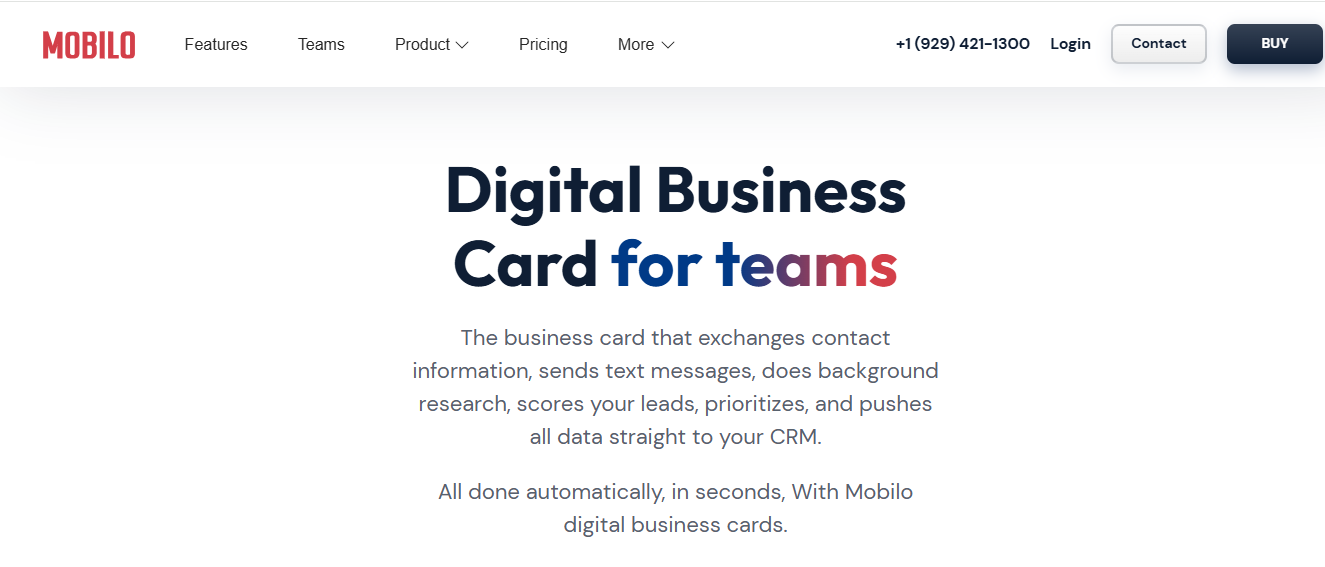
This pattern shows up everywhere, from trade shows to client meetings: the initial interaction feels promising. Yet, the contact often disappears into an overcrowded address book, and digital cards are easily forgotten without a tactile trigger to prompt follow-up. To move from chance encounters to consistent conversions, consider Mobilo’s digital business card solutions that centralize sharing, enrich lead data, score prospects against your ideal customer profile, and automatically sync CRM-ready contacts.
These capabilities help teams generate up to ten times more leads and join the more than 59,000 companies already adopting modern networking tools. You can book a demo or claim an offer for your first 25 cards free to get started.








